
Have you ever come across a fascinating website and wondered who is behind the curtain hosting it? Whether you’re curious about the technical backbone supporting your favorite blog or need to identify hosting details for professional reasons, discovering who hosts a web page can unlock a wealth of information.
It’s like pulling back the curtain on the internet, revealing the unseen players that keep web pages running smoothly. Knowing this can empower you with insights, potentially saving you time and guiding your next steps in web development or digital strategy.
You’ll learn straightforward methods to uncover the host behind any web page. Ready to satisfy your curiosity and dive into the digital mystery? Let’s get started!
Understanding Web Hosting
Web hosting is where websites live on the internet. It is like a home for web pages. Hosting stores all the files and data. It helps websites be seen online. Many companies offer web hosting services. Some popular ones are GoDaddy, Bluehost, and HostGator. They have different plans for users. People choose plans based on their needs. Some plans are cheap. Others are expensive with more features.
Choosing the right host is important. A good host makes websites fast. It also keeps them safe from hackers. Users need to check reviews before picking a host. Reviews tell if a host is good or bad. A host with good support helps when problems happen. Always make sure the host offers help. This makes it easy to fix website issues.
Reasons To Identify Hosting Provider
Knowing the hosting provider can be very useful. It helps in resolving website issues. If a site is down, contact the host. They can fix it quickly.
Finding the host can help in comparing hosting services. Check which host offers better features. Better speed, more storage, and good support.
Knowing your host can improve security. Hosts often provide security features. These keep your site safe from hackers.
Using Online Tools
Hosting checker tools help find out who hosts a webpage. Some popular tools are WhoIsHostingThis, HostAdvice, and Site24x7. These tools are easy to use. Each tool provides details about the host. They often show IP address, server location, and service provider.
Enter the website’s URL in the search box. Click the search button. Wait for the tool to process. It shows the result. Look for the host name. Check other details like IP and location. Repeat for different tools if needed.

Credit: www.webhostinghub.com
Inspecting Domain Information
WHOIS Lookup helps find out who owns a domain. You can use it to see domain registration details. Look for a WHOIS tool online. Input the domain name there. You will see the registrant’s name, address, and contact information. This data helps you learn more about a website. Always make sure to check privacy settings. Some owners hide their details. In such cases, you might see “privacy protection” instead.
Domain records show more than just the owner. They include the host provider details. Find the DNS records to know more. DNS stands for Domain Name System. It helps match domain names with IP addresses. Sometimes, you can see the hosting company’s name in these records. Use online tools to check these records easily. Remember, not all information is public. Some might be hidden for privacy reasons.
Examining Website Source Code
Source code can show clues about hosting. Look for comments or tags. Some tags might have server names. The code can hint about the hosting provider. Important details hide in plain sight.
Reading code is like solving a puzzle. Focus on meta tags. Check for nameservers or host IP. These details often reveal hosting info. Keep an eye out for unusual scripts. They sometimes provide hosting clues. Clues can be small but crucial.
Contacting Website Owner
Finding the website owner can be helpful. Check the website’s Contact Us page first. Often, you find email addresses there. Social media is another option. Many websites have social links. Click and send a message. Be polite and clear. Use simple words. State your purpose early. This helps the owner understand your request.
Use email for formal requests. Write short and clear. Mention the website name. Ask about the hosting details. Always include your contact info. This makes it easy to reply. Check your spam folder for replies. Sometimes, responses land there. This way, you ensure communication is smooth.
Considering Privacy And Legal Implications
Privacy policies protect users’ personal information. They explain how data is collected and used. It’s important to read these policies carefully. Companies must follow strict rules about user data. They cannot share information without permission. Some websites have clear privacy policies. Others might be confusing or hard to find. Always check for a privacy policy link on a website.
Legal constraints affect how you find hosting information. Laws vary by country. In some places, it’s easy to find hosting details. In others, it might be restricted. Hosts must follow local laws when handling data. Breaking these laws can lead to serious consequences. It’s crucial to understand legal limits before seeking hosting info.
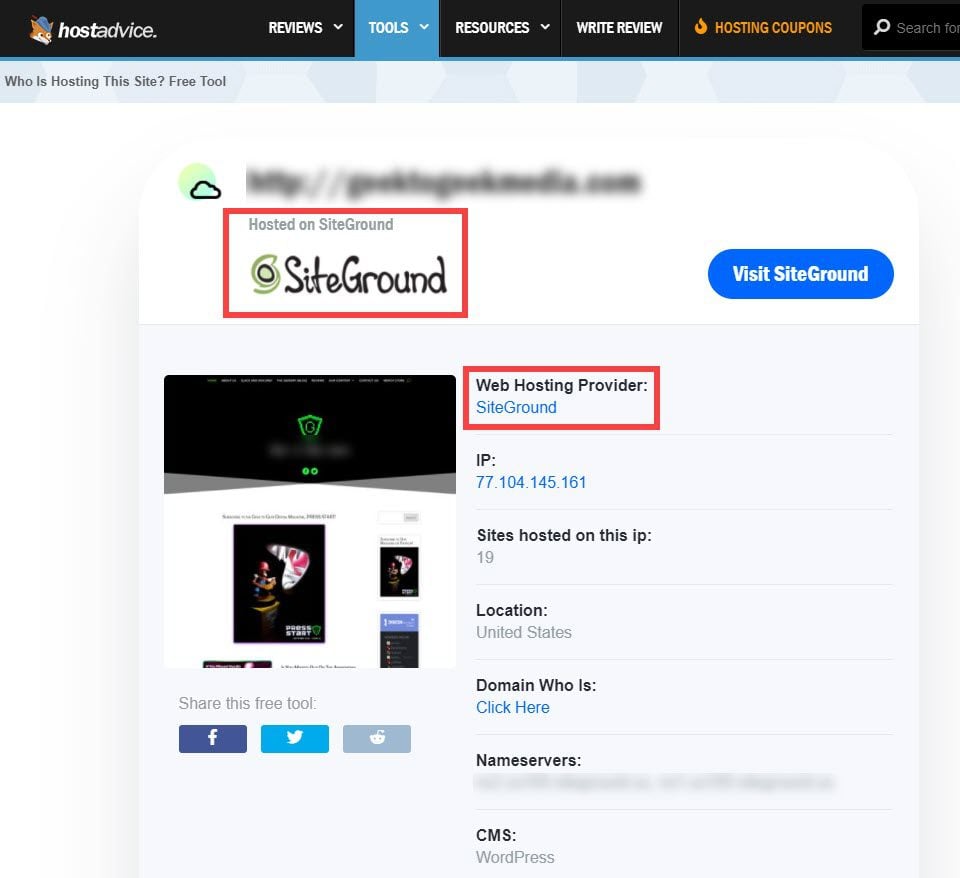
Credit: www.elegantthemes.com
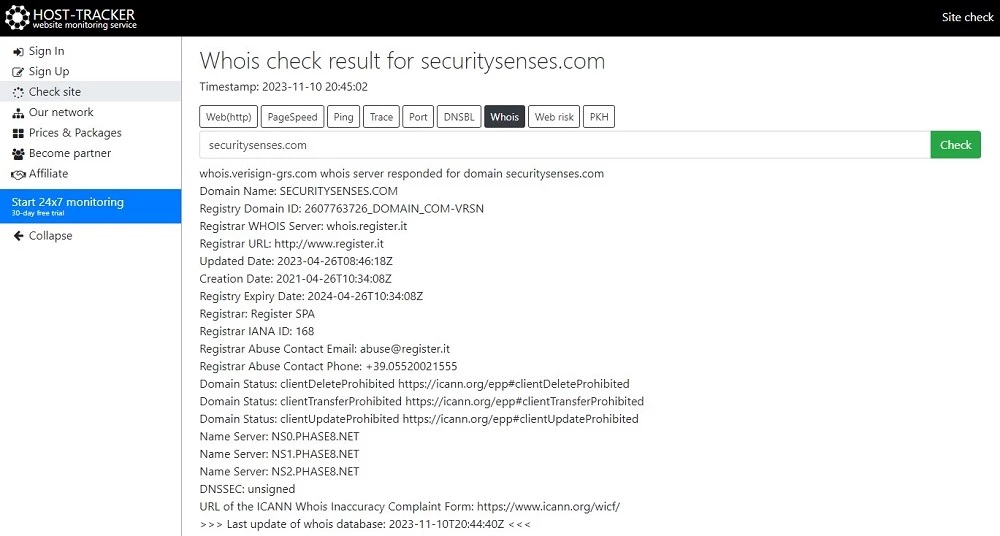
Credit: securitysenses.com
Frequently Asked Questions
How To Find Out Who Hosts A Website?
Use a WHOIS lookup tool to identify the website’s hosting provider. Enter the website’s domain name to get details. Check the “Registrar” or “Hosting” information for the hosting company’s name. Popular WHOIS tools include ICANN, Whois. net, and DomainTools.
How To Find Out Who Manages A Website?
Check the website’s contact or about page for management details. Use WHOIS lookup for domain registration info. Contact the hosting provider for assistance. Search online for the website’s owner or management team. Use professional networking sites like LinkedIn to find the website manager.
Which Hosts A Web Page?
A web hosting service stores and serves web pages online. Popular hosts include Bluehost, HostGator, and SiteGround. They provide essential resources like server space, bandwidth, and technical support, ensuring your website is accessible on the internet. Choose a host based on reliability, speed, and customer support.
How Do I Find Out Whois Behind A Domain Name?
Use a WHOIS lookup tool like ICANN or Whois. net to find domain owner details. Enter the domain name, and the tool will display registration data. Some information may be private due to privacy protection services.
Conclusion
Identifying web hosting can simplify website management. Use tools for quick results. They reveal hosting details and server location. Understanding these can enhance your site strategy. You gain insights into server capabilities and limitations. This helps in troubleshooting and optimizing your website performance.
Regular checks ensure your site’s stability. Stay informed to make smart decisions for your site. Use this knowledge to maintain a smooth online presence. Remember, the right hosting impacts your site’s success. Keep exploring hosting options for better efficiency. Your website’s future depends on smart hosting choices.


