
Have you ever wondered who hosts your Wix web page? You’re not alone.
Many people find themselves puzzled about the specifics of their website’s hosting details. Understanding who hosts your web page is crucial for managing your site effectively, troubleshooting issues, and even considering future upgrades. Imagine having the power to control every aspect of your website, knowing exactly where it resides and who manages it.
This knowledge can empower you to make informed decisions that can enhance your site’s performance and security. We’ll guide you step by step on how to uncover your Wix hosting details effortlessly. You’ll gain insights that not only satisfy your curiosity but also equip you with the tools to optimize your web presence. Stick with us to transform your understanding of web hosting and take control of your digital space.
Credit: support.wix.com
Identifying Wix Host Providers
Wix hosts all websites on its own servers. This means your site is part of the Wix ecosystem. You do not need to find other hosting providers. Wix takes care of the hosting for you. This makes managing a website easy. All updates and maintenance are handled by Wix. It ensures your site runs smoothly.
Wix works with several partners. These partners help enhance your website. They offer tools and services. Some popular partners include Google, Facebook, and PayPal. These partners provide integrations for your Wix site. You can add features easily. This partnership makes Wix a flexible platform. You have everything you need in one place.

Credit: www.wix.com
Using Wix Dashboard
First, log in to your Wix account. Use your email and password. Once logged in, you will see your dashboard. Look for the site you want to check. Click on it to open more details. This is your site manager.
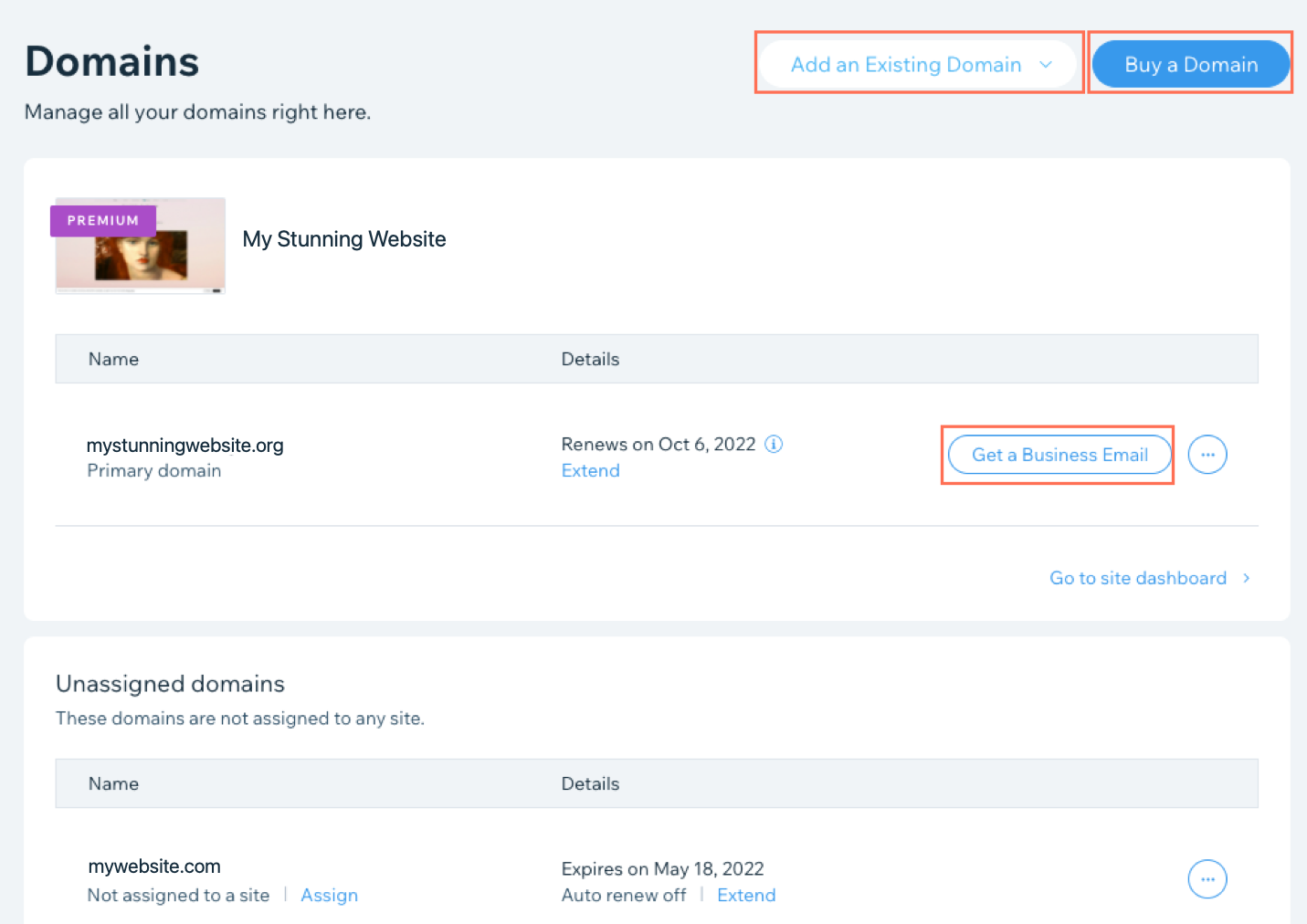
On the left side, find the Settings tab. Click on it. In the settings, look for the Domain section. Here, you will see your hosting details. If it shows “Hosted by Wix,” then Wix is your host. This is a simple way to check your hosting info.
Third-party Tools
Some tools can find your web host. These tools are easy to use. Hosting Checker is one of them. Enter your website URL. The tool will show the host. Site24x7 is another tool. It also finds the host fast. These tools are free. Some offer extra features.
WHOIS services can also help. They provide domain info. You enter a domain name. Then, see details like host name. ICANN WHOIS is a popular choice. Another option is Whois.net. These services are useful. They help you learn about your site.
Contacting Wix Support
Start by visiting the Wix Support Center. Here, you can find help for many issues. Use the search bar to type your question. You will see different help articles. If you need more help, look for the “Contact Us” option. This will guide you to more support options.
Always have your account details ready. This includes your email address linked to Wix. Describe your issue clearly. Include any error messages you see. This helps the support team understand your problem. The more details you give, the better the help you will get.
Understanding Domain And Hosting
A domain is like your website’s address. People use this address to find your site. Hosting is the place where your site lives. It’s like a house for your website. The domain points to this house. Without hosting, your site has nowhere to stay. Both are important for your website to work. Think of them as partners.
Wix makes it easy to connect domains. You can buy a domain from Wix or use one you already have. Wix helps you link it to your website. They offer tools to make this simple. Wix supports domain connections with clear steps. This makes setting up your website easier. You have control over your domain and hosting with Wix. It’s a user-friendly process.

Credit: www.vistaprint.com
Frequently Asked Questions
How Can I Figure Out Whois Hosting My Website?
Use a WHOIS lookup tool like whois. domaintools. com. Enter your domain to find the hosting provider. Alternatively, check your website’s DNS records via a DNS lookup tool. Many hosting companies are listed in these records, helping you identify your website’s host.
How To Find The Owner Of The Wix Website?
Check the website for contact details or a “Contact Us” page. Use WHOIS lookup for domain owner information. Explore social media profiles linked to the site. Reach out via any available contact forms or email addresses.
Who Hosts A Wix Website?
Wix hosts websites on its own servers. Users don’t need separate hosting services. Wix provides all necessary hosting features, including security and reliability, as part of its website building platform. This ensures seamless performance and ease of use for all users.
How Do I Know If Wix Is Hosting My Website?
Check your domain settings in your Wix account. Ensure DNS records point to Wix servers. Verify hosting details in your account dashboard.
Conclusion
Discovering your Wix web page host is simple and straightforward. Start by logging into your Wix account. Check your dashboard for hosting details. Alternatively, explore Wix’s support for guidance. These steps ensure clarity on who hosts your site. Understanding your host helps manage your site better.
It offers peace of mind, knowing your site’s home. Remember, knowing your host is vital for troubleshooting. It also aids in making informed decisions. Always stay informed about your hosting details. Now, you can confidently manage your Wix website. Simple steps lead to effective web management.


