
Have you ever stumbled upon a website and wondered who’s hosting it? Perhaps you’re curious because you admire the site’s speed and reliability, or maybe you’re considering starting your own website and want to know which web host to choose.
Whatever the reason, discovering who hosts a website can feel like a secret hidden just out of reach. But what if I told you that with a few simple steps, you could uncover this information in no time? Imagine having the power to identify the backbone of any website you admire.
This knowledge could save you time, money, and headaches in your own web hosting journey. Ready to unlock the mystery? Let’s dive in and explore how you can find out who a web host is, and why this information could be a game-changer for your online ventures.

Credit: www.nameboy.com
Research Tools
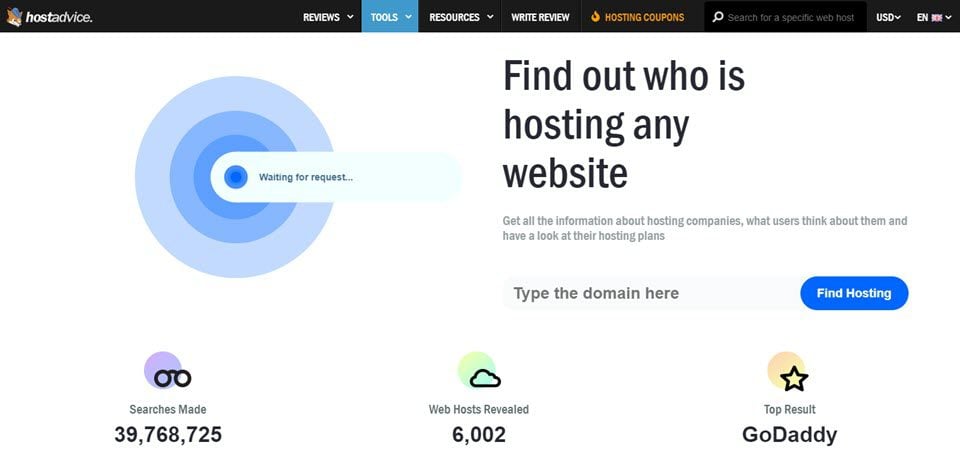
Online services help to find web hosts. These sites are easy to use. Type the domain name. The site shows the hosting details. Some popular services are Hosting Checker and WhoIsHostingThis. These platforms offer simple steps. They save time and effort.
Domain tools offer detailed info. They show web host and domain age. DomainTools is a useful site. It gives deep insights. Another tool is WebHostingHero. These tools are reliable. They help you learn about the host easily.
WHOIS database reveals owner details. It shows the host data too. Use sites like Who.is to check WHOIS info. It gives instant results. WHOIS is public. So anyone can access it. This makes finding hosts simple.
Analyzing Website Details
Check the source code of a website. Right-click on the page. Choose “View Page Source” or “Inspect”. Look for meta tags or comments. These might show hosting details. Sometimes the footer of a website mentions the host.
HTTP headers can show hosting info. Use tools like cURL or browser extensions. These tools show server data. Look for header lines like “Server” or “X-Powered-By”. They can reveal web host names. Not all sites display this info. Some may hide it for security reasons.
Contacting Website Owner
Many websites have contact forms. These forms are easy to use. Website owners often reply to messages sent through them. Fill out the form with your name and email. Ask who the web host is. Sometimes, they might not reply. But, you can try again later. Polite messages often get better responses. Keep your message short and clear.
Social media is another way to reach website owners. Platforms like Facebook or Twitter are popular. Send a direct message or leave a comment. Ask them about their web host. Many people use social media daily. Your message might get a quick reply. Friendly tone is important in messages. This helps in getting answers.
Web Hosting Forums
Joining web hosting forums can help a lot. People share their experiences there. You can learn from their stories. Ask questions if you are curious. Community members love to help. They have seen many hosting problems.
Experts visit these forums too. They give valuable advice for free. Reading their posts can be helpful. You can also ask them directly. They often know the best web hosting companies. Their tips can save you time.
Professional Assistance
Some firms can find out details about web hosts. These services can be costly. They often use advanced tools. Experience is their key advantage. They track down information quickly. You get the results without much effort. They save your time and energy. You may need to provide some details. They handle the rest. This is a trusted method.
IT specialists know how to find web hosts. They use their knowledge to help. You can ask them for assistance. They might charge fees. They know the technical side well. They can guide you step by step. You get expert advice. Their help is valuable. They make things easier. You benefit from their expertise.

Credit: www.webhostinghub.com
Credit: www.elegantthemes.com
Frequently Asked Questions
How Do I Find The Owner Of A Hostname?
Use a WHOIS lookup tool to find the hostname owner. Search online for “WHOIS lookup” and enter the hostname. This will provide ownership details if available. Some information might be private due to privacy protection services.
How Do You Find Out Who Owns A Website?
Use WHOIS lookup to find website ownership details. Visit sites like whois. domaintools. com or whois. icann. org. Check domain registrant information there. Some owners use privacy protection, making details private.
How To Find Out What Platform A Website Is Hosted On?
Use online tools like BuiltWith or Wappalyzer to identify a website’s hosting platform. Check the website’s HTML source code for clues. Look for hosting-related information in the website’s WHOIS data. Use browser extensions to reveal hosting details. This helps in determining the website’s infrastructure.
Which Hosts A Web Page?
A web hosting provider hosts a web page. They store website files on their servers. Popular hosting providers include Bluehost, SiteGround, and HostGator. They ensure websites are accessible online. Choose a reliable host based on your needs, budget, and features.
Conclusion
Discovering a website’s host can be simple and rewarding. Use online tools to gather key information. Check WHOIS databases for host details. Explore the website’s source code for clues. These steps help identify the hosting provider. Understanding this information enhances your web knowledge.
It empowers you to make informed decisions. Whether for business or curiosity, finding a web host is useful. Always ensure your internet actions are ethical and legal. With these skills, you can navigate the web more effectively. Remember, the internet is a vast place.
Stay informed and safe.


