
Have you ever stumbled upon a website that captivates your interest, and wondered about the web host behind its seamless performance? Finding out the web host of a domain can be incredibly useful, whether you’re curious about how a competitor manages their site or you’re seeking a reliable host for your own online venture.
Knowing who hosts a domain can give you insights into the website’s capabilities and reliability, helping you make informed decisions. You’ll discover simple, effective methods to uncover the web host of any domain. Whether you’re a business owner, a tech enthusiast, or just curious, this guide will equip you with the tools you need to satisfy your curiosity and empower your digital decisions.
Ready to unveil the secrets behind your favorite websites? Let’s dive in!
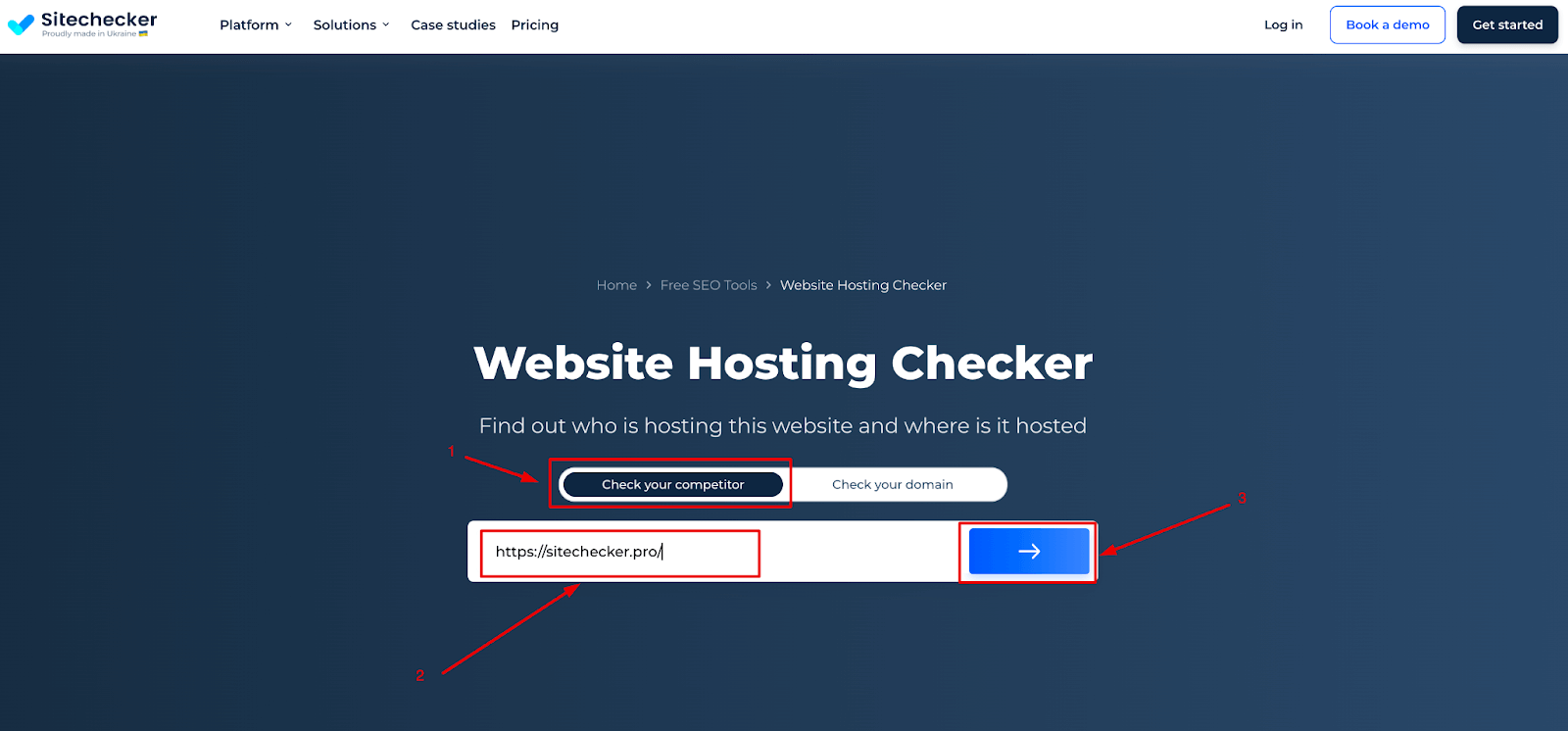
Credit: sitechecker.pro
Identifying The Domain’s Host
Whois tools are helpful to find a domain’s host. These tools show important information about a domain. They display the registrar and host details. Users can access data like domain owner and contact info. This is useful for understanding who manages a domain. Simply enter the domain name. The tool will show the details. This process is easy and quick. A great way to gather data.
Hosting checkers help find where a website is hosted. They are easy to use. Just type in the website URL. These tools provide hosting info instantly. Useful for checking server location and provider. They make it simple to learn about a website’s backend. A good choice for beginners. It helps in understanding web hosting.
Using Command Line Tools
Traceroute is a tool that shows the path data takes to a domain. It helps in finding the web host of a domain. Open the command line on your computer. Type tracert followed by the domain name. Press enter. A list of IP addresses will appear. These addresses show the route data travels. The last IP is often the host’s server. Traceroute helps in knowing where the domain is hosted. It’s a simple and effective way to trace the host.
Ping is another command line tool. It checks if a domain is active. Type ping followed by the domain name. Press enter. The tool sends packets of data to the domain. It measures the time taken for a response. If the domain is active, it will reply. This helps confirm if the domain is live. Ping is easy and quick to use. It aids in understanding the domain’s status.
Consulting Dns Records
DNS records help find a domain’s web host. The A Record is key. It shows the domain’s IP address. This address tells where the domain lives online. Use online tools to check these records. They are easy and free to use. Just enter the domain name. The tool will show the A Record and IP address.
Nameservers store domain info. They tell which hosting company manages a domain. Find nameserver details in the DNS records. This helps to know the hosting provider. Use online DNS lookup tools. They give nameserver names quickly. Just type the domain name. The tool will display nameserver data. Knowing this helps trace the web host.
Third-party Services
Many platforms help find the web host of a domain. Whois is a popular service. It offers details about a domain’s registration. You can see who hosts the domain. Another service is HostAdvice. It checks and reveals hosting details. These tools are usually free. They provide quick insights. Easy to use, even for kids.
Big names include Bluehost, SiteGround, and HostGator. These platforms host many websites. Each has special features. Bluehost is known for its easy setup. SiteGround offers great support. HostGator has flexible plans. All have good reputations. Many domains use these hosts.
Domain registrars hold key information. They register and manage domain names. GoDaddy and Namecheap are popular registrars. They sometimes show hosting details. Registrars help find who owns a domain. Their services are very useful. Simple to access and understand.
Analyzing Website Source Code
Finding Hosting Provider Clues can be easy. Open the website and right-click on the page. Choose “View Page Source” from the menu. A new tab will show many lines of code. Look for clues about the hosting provider. Sometimes, you will find names in the comments section. These names might be the host’s name. Check the section too. This part has meta tags that might show the host’s details.
Inspecting Meta Tags is helpful. Meta tags are small pieces of code. They tell search engines about the page. Look for tags like . This tag shows the site might use WordPress. WordPress has its own hosting service. Check the tag too. Sometimes, it shows the hosting provider directly.

Credit: www.nameboy.com
Contacting The Domain Owner
Email Communication can be very helpful. Find the owner’s contact email. Send a polite message. Ask about the web host. Keep the email short and simple. Use clear words. Make sure to include your email address. Wait for a reply. Check your inbox often.
Social Media Outreach is another way. Search for the domain owner on platforms. Look for Facebook, Twitter, or LinkedIn profiles. Send a friendly message. Ask about the web host. Keep it short. Be respectful in your tone. Some owners reply quickly. Others may take time.
Using Browser Extensions
Browser extensions help to find a domain’s web host. They are tools you can add to your browser. Some popular extensions are Wappalyzer and BuiltWith. These tools give quick info about websites. They show hosting details and more. Users find them easy and helpful.
Installing extensions is simple. Visit the browser’s store. Search for the extension name. Click “Add” to install. Once added, an icon shows up. Click it while on any site. It displays the site’s host info. Easy and quick for everyone.
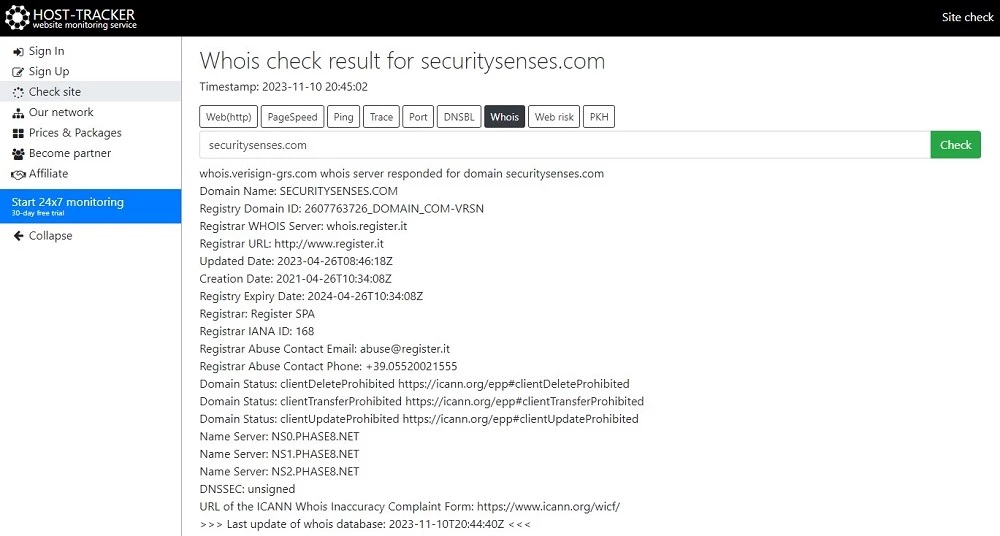
Credit: securitysenses.com
Frequently Asked Questions
How To Find Out Who Hosts A Domain?
Use a WHOIS lookup tool to find the domain host. Simply enter the domain name to get details. This tool reveals the domain registrar, hosting provider, and contact information. Websites like WHOIS. net or ICANN WHOIS can help.
How Can You Tell A Website Host?
Check the website’s WHOIS information or use online tools like Site24x7 or HostAdvice to identify the host. Look for hosting provider details in the domain’s registration records or contact the site’s administrator for confirmation.
How Do I Find Out Whois Behind A Domain Name?
Use WHOIS search tools to find domain owner details. Access ICANN WHOIS or websites like Whois. net for information.
How To Find Out Who Manages A Website?
Check the website’s “Contact” or “About Us” page for management details. Use WHOIS lookup for domain owner information. Explore LinkedIn for potential connections to the site’s management team. Reach out via official social media accounts for inquiries.
Conclusion
Uncovering a domain’s web host is simpler than it seems. Start with online tools. They provide quick insights into hosting details. Use WHOIS databases for deeper information. Check the website’s source code too. It might reveal hosting clues. Persistence is key.
Sometimes, a little digging is necessary. Now, you can identify any domain’s host with confidence. This skill helps in managing websites better. Also, it aids in solving technical issues. Remember, knowledge is power in the digital world. Keep exploring and learning!


