
Have you ever stumbled upon a website and wondered about the web host behind it? Whether you’re curious or need this information for business purposes, knowing how to identify a website’s host can be incredibly valuable.
Maybe you’re planning to launch your own site and want to explore hosting options, or perhaps you’re dealing with technical issues and need to contact the hosting provider. Whatever your reason, finding out a website’s host can seem like a puzzle.
Imagine effortlessly uncovering this information, empowering you to make informed decisions. You’re about to discover simple techniques that will reveal the web host of any website. These methods are straightforward, effective, and designed to satisfy your curiosity. So, let’s delve into the world of web hosting and equip you with the tools you need to unveil the mystery behind any site. Keep reading to unlock the secrets and take control of your web experience.
Why Knowing The Web Host Matters
Every website lives on a web host. This host stores the site’s files. Knowing the host is very important. It helps when there are technical problems. You can reach the right support team easily. If the site is slow, the host might be the reason. A good host makes the site faster. Faster sites keep visitors happy.
Some hosts offer extra tools. These tools can help in managing the site better. Knowing the host can help you decide if you need these tools. If you want to move the site, knowing the host is crucial. It helps in planning the move smoothly. The right host keeps the site safe. Good hosts have strong security measures. This protects your site from hackers.
Using Online Tools
WHOIS lookup tools help find a website’s host. These services show domain information. You’ll see registrar details and server locations. This is useful to learn more about a site. Many online platforms offer free WHOIS lookups. You can use these to gather basic hosting info. It’s easy and quick. Just enter the website name. Click search to get results. WHOIS tools are simple to use for everyone.
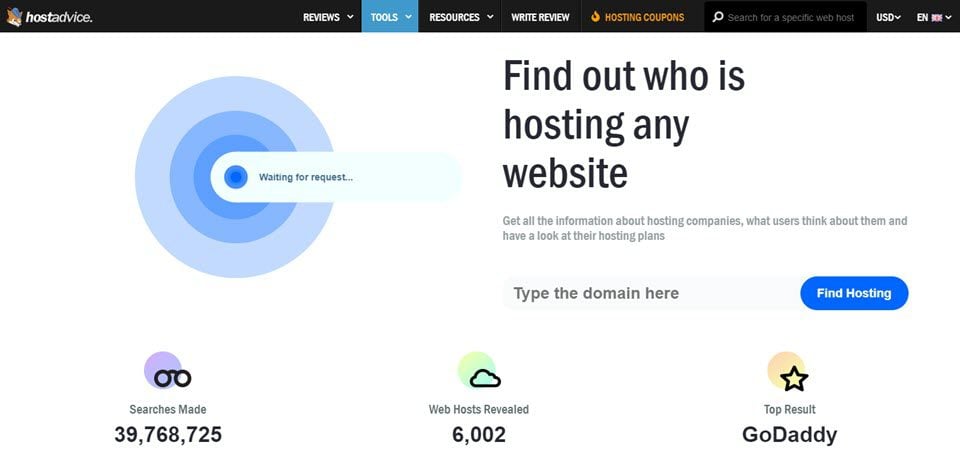
Web hosting checkers are handy. They identify a site’s host provider. Enter the website URL to start. These tools analyze data fast. They show hosting company names. Some even provide IP addresses. Most tools are free and user-friendly. They guide users step by step. Anyone can use them without much effort. Checkers are a great way to know a website’s host.
Manual Inspection Techniques
Discovering a website’s host involves simple manual inspection techniques. Access WHOIS databases to view domain registration details. Use online tools like IP lookup services for server location information.
Examining The Website’s Source Code
Open the website in your browser. Right-click and choose “View Page Source.” Look for lines that mention hosting services. Words like “host” or “server” are clues. Check the meta tags too. Sometimes, they show hosting details. Spotting these can be tricky. But with practice, it’s easier.
Investigating Dns Records
Use online tools to check DNS records. Websites like “Whois” can help. Enter the website’s URL. Look at the DNS information. Find lines that say “nameserver.” These often show the hosting company. Some DNS tools are free. They make the job simple. Sometimes, you see the hosting provider’s name directly. Easy and quick.
Credit: www.elegantthemes.com
Checking With The Website Owner
Send an email to the website owner. Ask about the web host they use. Keep your message short and polite. Use simple words. Explain why you need this information. They might reply with the host name. This method is easy. It works if you know the owner.
Many websites have contact forms. Use this to reach out. Fill in your details. Write your question clearly. Ask about the web hosting service. This is a direct method. Ensure you provide your email. This helps them respond to you. It’s quick and simple.
Social Media And Online Communities
Discovering the web host of a site can be simple. Use online tools like Whois or hosting checker websites. These resources quickly provide hosting details by entering the site URL.
Engaging On Web Hosting Forums
Web hosting forums can be a great place to learn. Many users share tips about web hosting. You can ask questions and get help. Experts often visit these forums. They offer valuable advice. Reading forum posts can provide insights. Look for posts about web hosting services. Active forums have many users. They discuss different web hosts. This helps in finding the right web host. Forums are also good for comparing services. Users share their experiences. This helps in making informed choices.
Utilizing Social Media Platforms
Social media platforms can help in finding web hosts. Many companies are active on social media. They post updates about their services. Following them can be helpful. You can learn about new offers. Users share experiences on social media. They talk about web hosting problems. This can help you avoid mistakes. Social media groups discuss web hosting. Join these groups for more information. Asking questions in groups can be helpful. Members often provide quick answers. They share useful tips.

Credit: www.nameboy.com
Common Pitfalls And Challenges
Some websites give incorrect hosting details. This can cause confusion. Always check from reliable sources. Use trusted tools to find the real host.
Cross-check information from different websites. This helps in accuracy. Never trust one source completely. It helps to ask for expert advice.
Some hosts hide their names. This makes it hard to find them. Privacy settings can mask real hosts. Use tools to uncover these hidden details.
Be aware of proxy servers. They can hide the true host. It’s crucial to know the real host. This helps in solving technical issues quickly.
Advanced Techniques
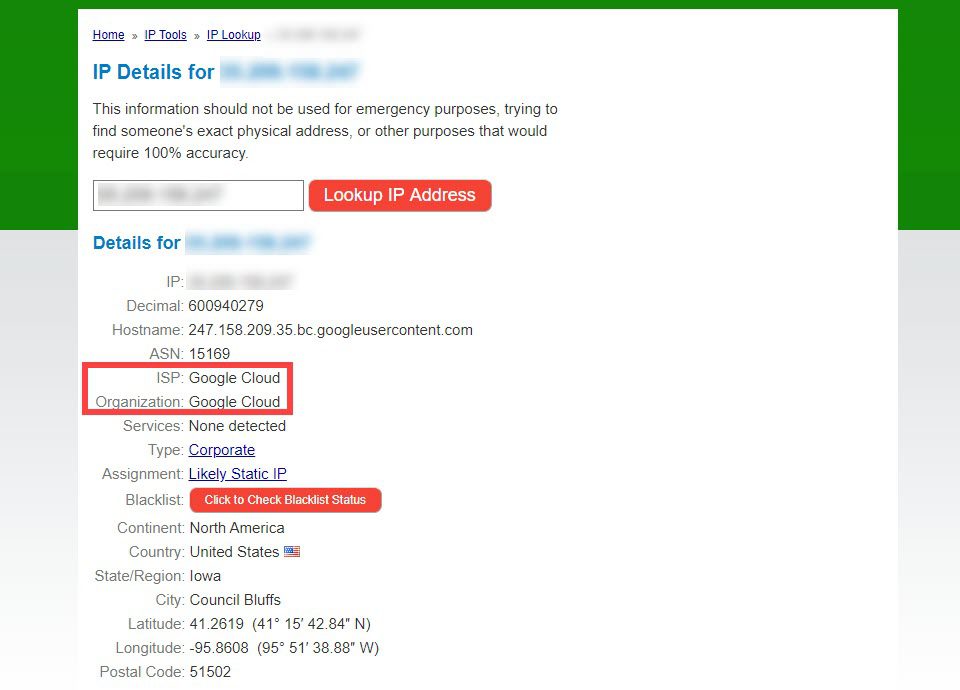
Command line tools help find a website’s host. Tools like Ping and Traceroute are useful. Open the command prompt on your computer. Type ping [website URL] and press enter. This shows the server’s IP address. Use tracert [website URL] to trace the route. It reveals the path taken by data packets. This helps identify the server’s location. Command line tools are simple yet effective.
Web host APIs provide detailed hosting information. Platforms like Whois and HostAdvice offer APIs. Use these to gather data about the host. They show server details and ownership info. Some APIs are free to use. Others may require a subscription. Accessing host data becomes easy with these tools. APIs are handy for developers and tech enthusiasts.
Credit: www.elegantthemes.com
Frequently Asked Questions
What Is Your Website Host?
Our website is hosted by Bluehost. This reliable provider offers excellent uptime and support. Bluehost ensures fast loading speeds and top-notch security. It is a popular choice for many businesses. We trust Bluehost for its efficient hosting solutions and user-friendly interface.
How Do I Know The Web Server Of A Website?
Use online tools like “Whois” or “Netcraft” to identify a website’s web server. Check HTTP response headers for server details.
How Can I Find My Host?
Check your domain registrar account for hosting details. Use the WHOIS lookup tool to identify your hosting provider. Visit your website’s control panel for host information. Contact your website administrator for assistance.
How To Find Out What Platform A Website Is Hosted On?
Use online tools like BuiltWith or Wappalyzer to identify hosting platforms. Check the website’s source code for clues. Inspect the DNS records using tools like Whois or MXToolbox. Look for hosting provider logos or badges on the website. Contact website administrators for direct information.
Conclusion
Finding a website’s host is easy with the right tools. Start with a WHOIS lookup for basic info. Use online tools like HostAdvice or Site24x7 for more details. Browser extensions can quickly reveal hosting data. Explore the site’s IP address for clues.
Check server details for hosting insights. Always verify with multiple sources to ensure accuracy. Knowing the host helps with site management and troubleshooting. This knowledge empowers you to make informed decisions. Stay curious and keep exploring. The right information leads to better choices and stronger online presence.


