
Choosing the right web host can feel overwhelming, especially when you’re bombarded with countless options and technical jargon. You might wonder how to sift through all the information to find a web host that truly fits your needs.
You’re not alone. Many people struggle with this decision, and making the wrong choice could impact your website’s performance and reliability. But don’t worry—you’re about to discover how to uncover all the essential details you need about a web host, without the headache.
Imagine having the confidence to pick a web host that ensures your site runs smoothly, loads quickly, and stays secure. This is entirely possible if you know where to look and what questions to ask. By the end of this article, you’ll be equipped with the tools to make an informed decision and avoid common pitfalls. Whether you’re launching your first website or looking to switch to a better provider, the secrets to finding the right web host are just a few scrolls away. Dive in and unlock the power to make a choice you’ll be proud of.
Credit: www.boldgrid.com
Identify The Web Host
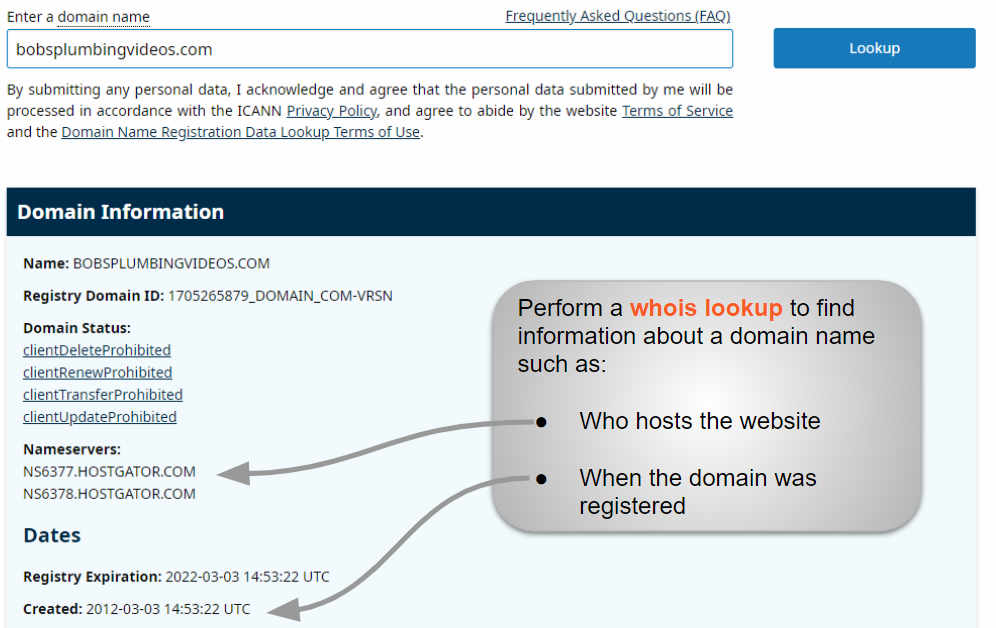
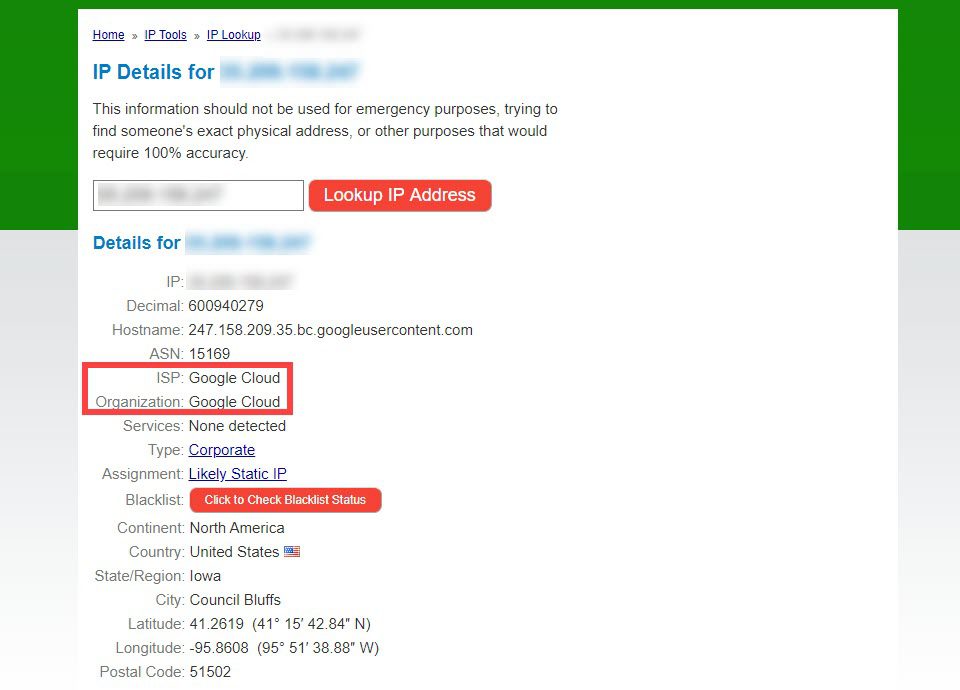
Domain lookup tools help find web host info easily. These tools give details about a website’s host. Enter the domain name in the tool. The tool will show the host’s name and IP address. Many tools are free online. They are easy to use and quick. Beginners can use them without much help. Details like registration date and name servers are shown. This helps in knowing more about the web host.
WHOIS records provide key info about a domain. They show who owns the domain and where it’s hosted. Access WHOIS info through websites or apps. Details include registration date, expiry date, and owner’s contact. WHOIS helps in tracking domain changes. It’s useful for checking host reliability. Some info may be hidden for privacy reasons. But basic host details are often visible.
Check Hosting Features
Server locations are very important. They affect the speed of your website. Nearby servers mean faster loading for your site. Always check where the servers are located. More locations can also mean better performance globally. This helps users from different places.
Uptime is how long a server is up and running. A good host should have high uptime. At least 99.9% is the standard. Reliability means your site is always available. A reliable web host keeps your site online. No one likes a site that goes down often. Always read reviews for uptime information.
Evaluate Customer Support
Fast response time is crucial. It shows how much they care. A good host replies within a few hours. Some hosts may take days. Choose a host that answers quickly.
Different support channels can be very helpful. Most hosts offer email and phone support. Live chat is a plus. Some even have forums or social media help. Check what the host provides. More options mean better support.
Credit: www.elegantthemes.com
Analyze Performance Metrics
Website speed is very important. It affects user experience. Fast sites keep visitors. Slow sites lose them. Use tools to test speed. Google PageSpeed Insights is helpful. It shows how fast a site loads. It gives tips to make sites faster. GTmetrix is another tool. It shows details about speed. It helps find what slows down a site.
Many visitors can slow a site. A site must handle many users. Test how a site handles high traffic. Use load testing tools. Apache JMeter can help. It simulates many users visiting a site. It tests if the site stays fast. LoadImpact is another tool. It checks how well a site handles traffic. These tools help find weak spots.
Examine Security Measures
SSL Certificates protect data between the user and the server. They make sure personal info like passwords stays safe. Websites with SSL have a lock sign in the address bar. This means they are secure. It’s important to choose a web host that offers SSL certificates. A secure website builds trust with visitors. Always check if SSL is included in hosting plans. Without it, data may be at risk.
Backups save copies of important website data. They help recover data if something goes wrong. Many web hosts offer daily or weekly backups. It’s smart to have this feature. Backups prevent data loss. Ask your host about their backup plans. Make sure backups are easy to access. They should be stored in safe places. This keeps your website safe.
Review Pricing And Plans
Different web hosts offer various pricing plans. Some plans are cheap, while others cost more. It’s good to compare these costs. Look for what each plan offers. This helps you know if it’s worth the price. Check if they give more space or speed for the money. Some plans might seem cheap but have fewer features. Always balance the cost with what you get.
Many web hosts may have hidden fees. These fees can surprise you later. Always read the fine print. Sometimes, setup fees are not obvious. Other times, renewal prices are higher. Be sure to know all costs before choosing. It helps to ask the company about any extra fees. This way, you avoid surprises.
Explore User Reviews
User reviews are a great way to learn about a web host. They offer real experiences from people like you. Reading these reviews can show both good and bad sides. Look for patterns in the feedback. Many people saying the same thing can mean it’s true. For example, if many users talk about slow speed, it might be a problem.
Feedback from customers is very important. It tells you if the web host is reliable. Positive feedback means users are happy. Negative feedback might show issues. Always check for recent reviews. They give the most up-to-date information. Try to read both positive and negative comments. This helps you see the full picture.
The reputation of a web host in the industry is crucial. A good reputation means trust. You can find this info on tech blogs and forums. Experts often discuss web hosts there. A web host with a strong reputation usually offers good service. Be wary of hosts with a bad name.
Credit: www.elegantthemes.com
Assess Scalability Options
Web hosts should offer clear upgrade paths. This helps your site grow. You might start with a simple plan. Later, you may need more features. Check if the host allows easy upgrades. Some hosts offer automatic upgrades. This saves time and effort. Look for this feature. It is very helpful.
Resource allocation is crucial. It affects your site’s performance. Some hosts limit resources. Others provide flexible options. Ensure you have enough bandwidth and storage. These are key for smooth operation. Ask about CPU and RAM limits. More resources mean better speed. Choose a host that grows with you.
Check For Additional Services
Many web hosts offer domain registration along with hosting. This can save time and effort. A single provider makes management easier. Check if they offer free domains. Some hosts include it in their package. Also, look for features like domain privacy. This keeps your info safe.
Email hosting is important for businesses. A professional email helps build trust. Many hosts offer email hosting services. It often comes with a hosting plan. Look for features like spam protection. Some hosts provide multiple email accounts. This can be useful for larger teams. Check if they offer webmail access. This helps access email from anywhere.
Frequently Asked Questions
How To Find The Website Hosting Details?
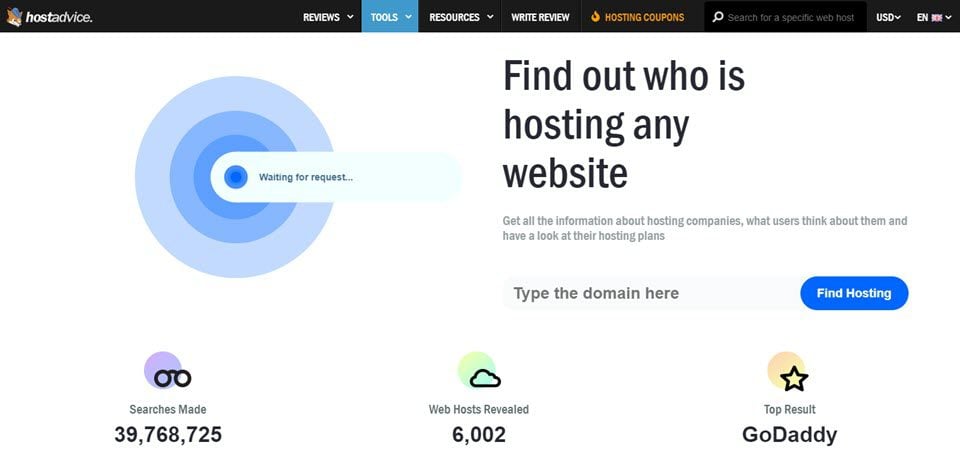
Use tools like WHOIS, Hosting Checker, or online platforms to find website hosting details. Enter the domain name to obtain information about the hosting provider. These tools provide server location, IP address, and other hosting-related information quickly.
How To Find Out Who Manages A Website?
Check the website’s “Contact” or “About Us” page for management information. Use WHOIS lookup for domain registrar details.
How To Find Out What Platform A Website Is Hosted On?
Use online tools like BuiltWith or Netcraft to identify a website’s hosting platform. Check the site’s source code for server details. Alternatively, contact the website’s support for information. These methods help you discover hosting platforms quickly and easily, enhancing your understanding of website infrastructure.
How Do I Find Details Of A Website?
Use tools like WHOIS to find website ownership and registration details. Visit platforms like BuiltWith for technology stack insights. Check Alexa or SimilarWeb for traffic analytics. Analyze backlinks and SEO metrics on Ahrefs or SEMrush. Always verify information from multiple sources for accuracy.
Conclusion
Finding a reliable web host requires careful research. Explore reviews from real users. Check for uptime and speed statistics. Compare features and pricing to fit your needs. Don’t forget customer support quality. A web host should offer quick help when needed.
Security is crucial for your site and data. Look for SSL certificates and backup options. Understand the refund policy to avoid surprises. Choosing wisely saves time and money. Your website deserves a strong foundation. Make informed decisions, and ensure your online presence remains solid and secure.


