
Are you struggling to find the DNS for your hosted domain? Knowing your domain’s DNS settings is crucial for managing your website, email, and security.
Without the right DNS information, you might face downtime or miss important updates. You’ll discover simple steps to quickly locate your DNS details. Whether you’re a beginner or just need a clear guide, this post will help you take control of your domain settings with confidence.
Keep reading to unlock the secrets of your domain’s DNS and make managing your site easier than ever.
Basics Of Dns
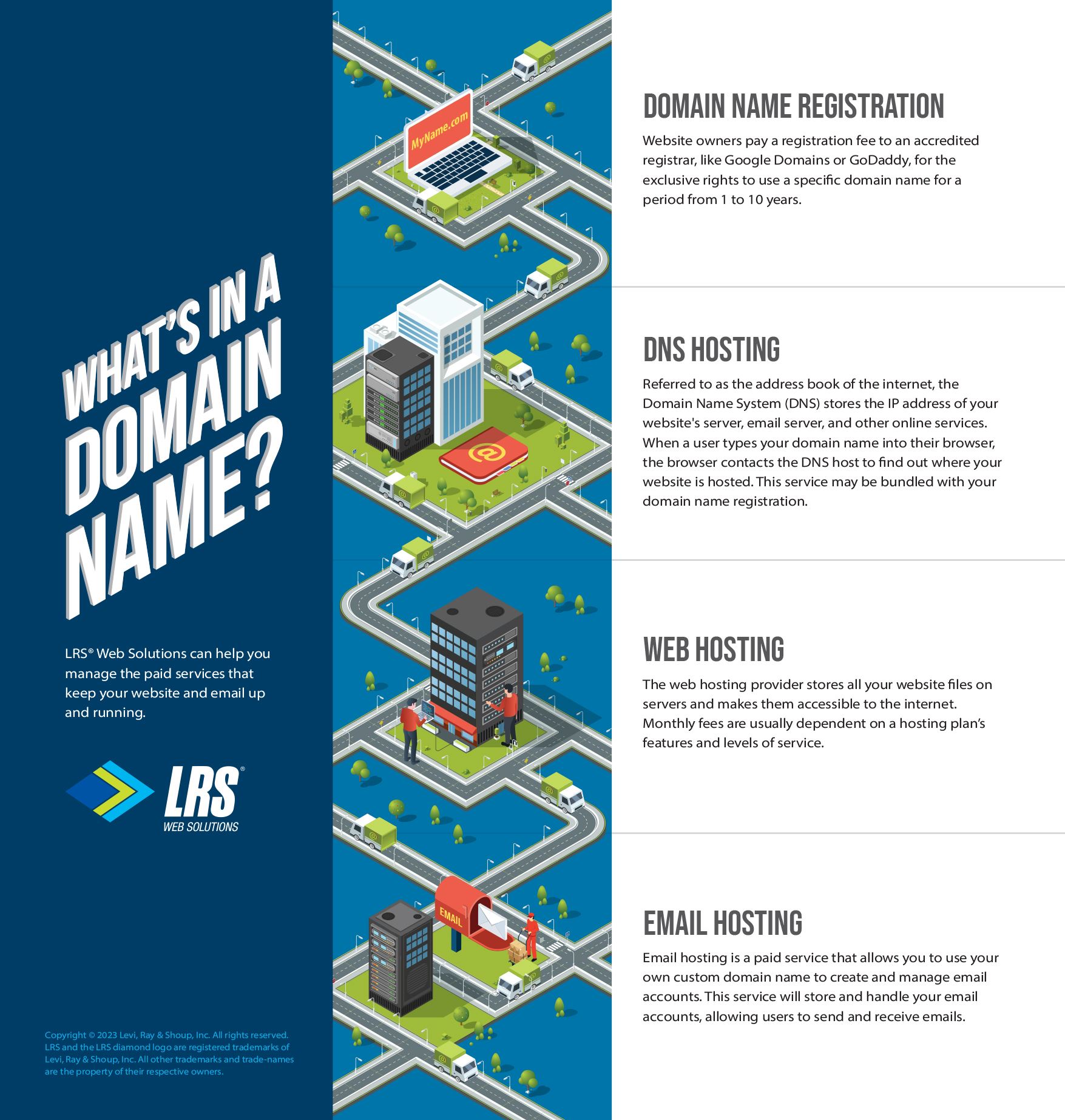
Understanding the basics of DNS is important for managing your hosted domain. DNS stands for Domain Name System. It acts like an address book for the internet. It helps translate domain names into IP addresses. This translation allows browsers to load the right websites. Knowing how DNS works makes it easier to find and manage your domain’s settings.
What Dns Does
DNS connects website names to their IP addresses. Every device on the internet has an IP address. People use domain names because they are easier to remember. When you type a web address, DNS finds the matching IP address. It directs your browser to the correct server. Without DNS, you would need to memorize long numbers.
Types Of Dns Records
DNS records store important information about a domain. Each record type serves a specific purpose. The most common record is the A record. It links a domain to an IPv4 address. Another type is the CNAME record. It points one domain to another domain name. MX records control where emails for the domain are sent. TXT records hold text data for verification or security. Knowing these record types helps you manage your domain better.
Credit: www.lrswebsolutions.com
Locating Dns For Your Domain
Locating the DNS for your domain is important. DNS controls where your website points on the internet. Knowing your DNS helps manage your website and email settings. This section shows easy ways to find your domain’s DNS details.
Checking Domain Registrar
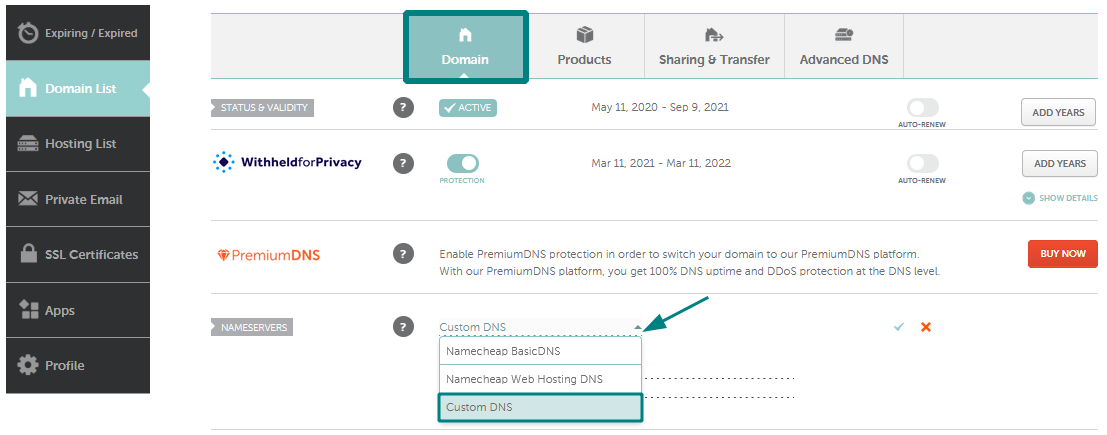
Start by logging into your domain registrar account. The registrar is where you bought your domain name. Look for sections named “DNS,” “Name Servers,” or “Domain Settings.” Here you will find the DNS records linked to your domain. These records include A, CNAME, MX, and other types. You can view and sometimes edit these records directly.
Using Dns Lookup Tools
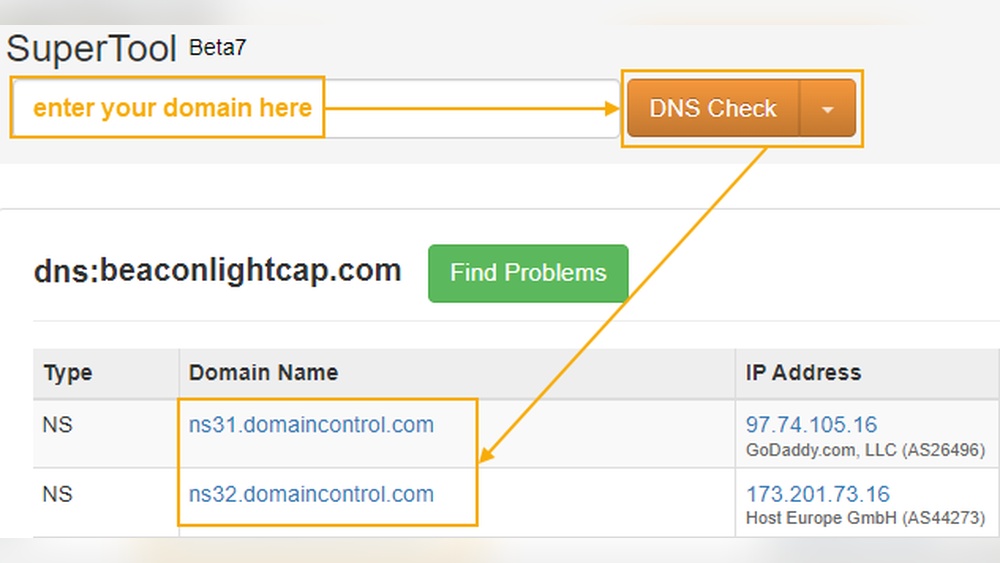
DNS lookup tools help you find DNS information quickly. Enter your domain name in a DNS checker tool online. The tool shows DNS records that your domain uses. It reveals details like IP addresses and mail servers. These tools work without logging into your registrar. Use them to verify if your DNS is set up correctly.
Accessing Dns Settings
Accessing DNS settings is an important step for managing your hosted domain. It allows you to control how your domain connects to websites and emails. Understanding where to find these settings helps you make changes quickly and safely.
DNS settings are stored in your hosting account. You need to log in and find the DNS management area. This section shows all DNS records like A, CNAME, and MX records.
Logging Into Hosting Account
Start by visiting your hosting provider’s website. Enter your username and password to log in. If you forget your login details, use the recovery options. Secure access is important to protect your domain settings.
Navigating To Dns Management
After login, look for a section named “Domains” or “DNS.” This varies by hosting provider but is usually easy to find. Click on your domain name to open its settings. Find “DNS Management,” “Zone Editor,” or “Name Server Settings.” Here, you can view and edit DNS records safely.
Credit: www.namecheap.com
Modifying Dns Records
Modifying DNS records is a key step to control your domain’s behavior. Changes here affect website access and email delivery. Understanding these records helps you manage your domain effectively. This guide explains how to edit common DNS records.
Editing A And Cname Records
The A record connects your domain to an IP address. It tells browsers where to find your website. To change it, log into your DNS host panel. Find the A record section and update the IP address. Save changes and wait for them to spread across the internet.
CNAME records point one domain name to another. Use them to link subdomains to main domains. For example, www to your root domain. Edit CNAME by selecting the record and typing the new target domain. Save your changes carefully to avoid errors.
Updating Mx Records
MX records control email delivery for your domain. They tell mail servers where to send emails. To update MX records, access your DNS manager. Locate the MX record section and add or edit entries. Enter the mail server address and priority level. Save the settings and confirm the update.
Troubleshooting Dns Issues
Troubleshooting DNS issues can be tricky for many website owners. DNS controls how your domain name connects to your hosting server. If DNS is not set up right, your website may not load or could show errors. Understanding common DNS problems and how DNS changes spread helps fix issues faster.
Patience and careful checking are key to solving DNS problems. This section explains typical errors and why DNS updates take time. These insights make managing your hosted domain easier.
Common Dns Errors
DNS errors often cause website downtime or slow loading. One frequent error is a “DNS server not found” message. This means your device cannot reach the DNS server to find your website’s address.
Another problem is incorrect DNS records. If the IP address or server name is wrong, visitors cannot access your site. A missing or expired domain name can also cause failures.
Sometimes, DNS cache holds old information. This leads to visitors seeing outdated pages or errors. Clearing the cache or waiting for it to update usually solves this.
Propagation Time Explained
DNS changes do not happen instantly. When you update DNS records, the new information spreads across many servers worldwide. This process is called propagation.
Propagation can take from a few minutes up to 48 hours. During this time, some users see the old site, while others see the new one. This is normal and not a sign of an error.
Patience helps. Avoid making multiple changes during propagation. Check your DNS status with online tools to track updates. This reduces confusion and downtime.

Credit: support.intermedia.com
Tips For Dns Success
Managing DNS settings correctly is key to keeping your website online and fast. Simple steps can help avoid downtime and errors. Follow these tips to keep your DNS working smoothly.
Taking care of DNS settings protects your site from issues. It also makes your site load faster for visitors. Let’s explore two important tips for DNS success.
Backup Dns Settings
Always save a copy of your DNS records before making changes. This helps restore your settings if something goes wrong. Export your DNS zone file or write down all records. Keep backups in a safe place. This step prevents long website outages and lost data.
Using Reliable Dns Providers
Choose DNS providers with strong uptime and fast servers. A reliable provider reduces the chance of downtime. They offer better security and quick updates. Look for providers with good reviews and support. A good DNS service keeps your domain stable and your visitors happy.
Frequently Asked Questions
What Is Dns For A Hosted Domain?
DNS (Domain Name System) translates your domain name into an IP address. It helps browsers locate your website on the internet efficiently.
How To Check Dns Records For My Domain?
Use online tools like WHOIS or DNS lookup services to view your domain’s DNS records quickly and accurately.
Where Can I Find Dns Settings For Hosted Domains?
Access your domain registrar or hosting provider’s control panel. Look for sections labeled “DNS Management” or “Name Servers. “
Why Is Knowing My Domain’s Dns Important?
Understanding your DNS helps manage website traffic, email routing, and ensures your site is accessible worldwide without issues.
Conclusion
Finding the DNS for your hosted domain is simple when you know where to look. Start by checking your hosting provider’s control panel. Look for sections labeled “DNS,” “Name Servers,” or “Domain Settings. ” These areas usually show the exact DNS details you need.
Keeping this information handy helps you manage your website smoothly. Remember, knowing your DNS makes domain management easier. Take a few minutes to confirm your DNS settings today. It saves time and prevents confusion later on.


