
Choosing the right web host is crucial for your website’s success. Whether you’re launching a personal blog, an online store, or a business site, your web host can make or break your online presence.
A reliable web host ensures your site is always available, loads quickly, and provides a seamless experience for your visitors. But with so many options out there, how do you find the perfect match for your needs? Imagine the frustration of a slow-loading site or unexpected downtime, causing you to lose potential customers and miss out on opportunities.
Avoid these pitfalls by learning how to select a web host that aligns with your goals. In this guide, you’ll discover the key factors to consider, the questions to ask, and the mistakes to avoid when choosing your web host. Let’s dive in and find the ideal web host that will support your online ambitions and give your audience the experience they deserve.
Choosing The Right Type Of Hosting
Shared hosting is the most affordable option. Multiple websites share one server. Resources like CPU and RAM are shared too. Great for beginners. Low cost makes it popular. Perfect for small websites. Limited control and customization. Best for low traffic sites.
Dedicated hosting offers a whole server just for you. Full control over resources. Ideal for large websites. High cost but more power. Customization is easy. No sharing with others. Security is top-notch. Best for high traffic and large businesses.
VPS means Virtual Private Server. Combination of shared and dedicated hosting. Virtual server within a physical server. More control than shared hosting. Affordable with better performance. Good for growing websites. Scalable as your site grows.
Cloud hosting uses multiple servers. High flexibility and reliability. Great for websites with fluctuating traffic. Pay for what you use. Automatic resource adjustments. Secure and fast. Ideal for businesses needing stability.
Credit: www.elegantthemes.com
Key Features To Consider
Bandwidth is important for your site. It affects how fast pages load. More bandwidth means more visitors can visit at once. Storage is also crucial. It holds all your files. Choose a host with enough storage for your needs. Not too little, not too much.
Uptime is how often your site is online. A good host gives a 99.9% uptime guarantee. This means your site is almost always up. Less downtime means more visitors can see your site. It’s important for your site’s success.
Customer support helps if things go wrong. Look for 24/7 support. This means help is always there. Good support can fix problems fast. It can save time and worry. Choose a host with friendly, helpful staff.
Security keeps your site safe. Check for SSL certificates. They protect data. Also, look for firewall protection. It stops attacks. Regular backups are also key. They save your data if something goes wrong. A secure host protects your site and your visitors.
Evaluating Costs And Budget
Web hosts have different pricing models. Some charge monthly fees. Others charge yearly. Shared hosting is often cheaper. Dedicated hosting costs more. VPS hosting is in between. Check what each plan includes. Some may offer extra features. Others may not.
Look out for hidden fees. Setup fees can be a surprise. Some hosts charge for backups. Others charge for extra email accounts. Always read the terms. Don’t get caught off guard. Ask questions if unclear.
Many hosts offer trial periods. This lets you test their service. Check the refund policy. Some offer full refunds. Others may not. Know how long the trial lasts. Make sure it’s long enough. Feel confident in your choice.

Credit: www.hostinger.com
Assessing Performance And Speed
Server location affects website speed. Choose a server close to your users. Closer servers mean faster load times. Speed is important for user satisfaction. Slow websites lose visitors. Fast websites keep them.
Content Delivery Networks (CDNs) help distribute content faster. They store copies of your site. These copies are on different servers. Users access the closest server. This speeds up content delivery. CDNs improve user experience.
Resource allocation is key. Web hosts provide different resources. These include bandwidth, storage, and memory. More resources mean better performance. Check your host’s resource limits. Choose a plan that fits your needs. Proper resource allocation ensures smooth running.
Reviewing User Feedback And Reputation
Reading Customer Reviews can help you choose a good web host. Many people share their thoughts online. They talk about their experiences. Look for patterns in what they say. Are they mostly happy or not? This can show if a host is reliable.
Checking the Industry Reputation is also important. Some companies are known for their great service. Others might not be as trustworthy. Find out which hosts have a good name. This can be a sign of quality.
Awards and Recognitions can tell you a lot. If a company wins awards, it might mean they are doing a good job. Look for hosts that have received honors. This can give you more confidence in your choice.

Credit: www.nameboy.com
Exploring Control Panel Options
cPanel is popular. It is simple to use. Many people like it. Plesk is also good. It has a clean look. Easy to understand for many. Both help manage websites. They offer different tools.
Ease Of Use
cPanel is user-friendly. Great for beginners. Simple clicks do the job. Plesk is neat. Offers a clear interface. Good for new users. Less cluttered screens.
Customization Capabilities
cPanel offers many customizable features. Users can tweak settings easily. Plesk also allows changes. Flexibility in controls. Both offer plugins. Users can add features. Choose what fits best.
Understanding Scalability And Growth Potential
Choose a web host with easy upgrade paths. This helps as your site grows. Moving from basic to advanced plans should be simple. Check if the host offers quick upgrades. Sudden traffic increases need fast changes. Make sure it’s hassle-free.
Look for hosts with flexible plans. Your needs might change over time. Switch plans without stress. Hosts should offer diverse options. Pay for what you need only. Avoid hosts with rigid plans. Flexibility saves money and time.
Think about future-proofing your website. Choose hosts that support new tech. Ensure they offer regular updates. Future-proofing keeps your site secure. It also helps with performance. Check if they have a good track record. Ask about their plans for future tech.
Importance Of Backup And Data Recovery
Automated backups help protect your website data. They save time and effort. With automated systems, no need to remember to back up data. Data safety is the main goal. Automated backups run on schedule. This means less worry for you.
Data recovery services bring back lost files. This is important when data is missing. These services can recover deleted files. They also help if files are corrupted. Reliable recovery is key for keeping data safe.
Backup frequency tells how often data is saved. Frequent backups mean better safety. More backups mean less data loss. Reliability ensures backups work when needed. A reliable system keeps your data secure. Always choose a host with reliable backups.
Exploring Eco-friendly Hosting Options
Green Certifications help you find eco-friendly hosts. These certifications show a host’s commitment to the planet. Hosts with certifications often use less energy. They follow strict rules to reduce waste. Always check for these certifications. They can guide your choice.
Renewable Energy Usage is key for green hosting. Many hosts use wind or solar power. This helps reduce carbon footprints. It’s important to choose hosts who use clean energy. It supports a healthier planet. Some hosts share their energy sources on their site. Look for this info.
Environmental Impact is crucial for eco-friendly hosting. Green hosts work to lower their impact. They may recycle old hardware. Or reduce waste in their data centers. Choosing a host with low environmental impact helps the Earth. It’s a smart choice for future generations.
Frequently Asked Questions
How Do I Find The Host Of A Website?
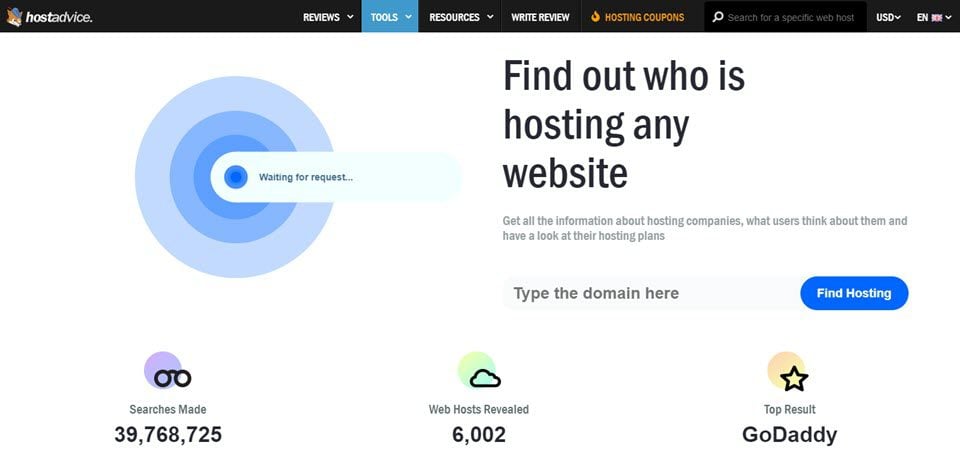
Use a WHOIS lookup tool to find a website’s host. Enter the website’s URL to get hosting details. Check the domain registrar’s website for similar information. Tools like Hosting Checker can also help identify the host.
What Is Your Website Host?
Our website is hosted by Bluehost, known for reliable performance and excellent customer support. They provide affordable hosting plans with features like free SSL, domain registration, and 24/7 support. Bluehost ensures our site remains fast, secure, and accessible. Their user-friendly interface makes managing our website easy and efficient.
How Can I Find My Host?
Check your website’s hosting details in the domain registrar account. Use online tools like “Whois” to find hosting information. Contact your website developer or administrator for assistance. Access your website’s control panel to view hosting details. Consider checking email records for hosting provider information.
How Much Does It Cost For A Website Host?
Website hosting costs vary from $3 to $300 monthly. Pricing depends on factors like hosting type, features, and provider. Shared hosting is cheaper, while dedicated hosting costs more. Always compare plans to find the best fit for your needs.
Conclusion
Choosing the right web host is crucial for your website’s success. Consider the key factors like reliability and speed. Customer support matters too. Compare different hosting plans carefully. Read reviews from real users. Make sure the host offers the features you need.
Budget is important, but don’t compromise quality. Start small if you’re unsure, and upgrade later. Keep your website goals in mind. Make an informed decision for a smooth online journey. Your web host can be a strong partner in your digital adventure.
Choose wisely, and watch your website thrive.


