
Struggling to make your WordPress posts stand out using the Newspaper theme? You’re not alone.
Editing post templates can seem daunting, but it doesn’t have to be. Imagine having the power to customize your blog posts exactly the way you envision them, capturing your readers’ attention right from the first glance. This guide will show you step-by-step how to effortlessly edit post templates within the Newspaper theme, turning your blog into a masterpiece.
Get ready to transform your content and keep your audience coming back for more. Dive in, and let’s unlock the full potential of your blog together!
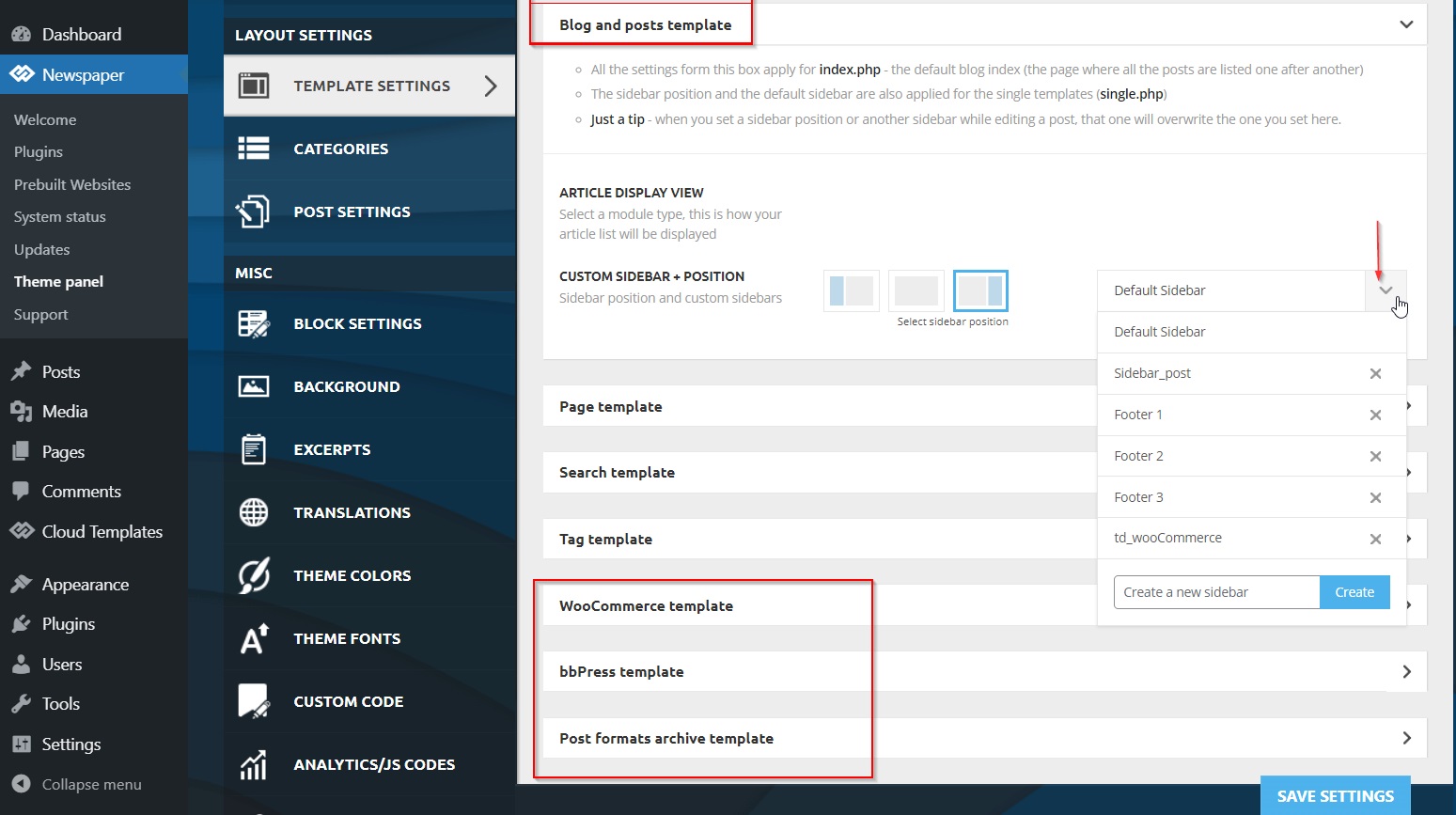
Credit: forum.tagdiv.com
Installing The Newspaper Theme
Visit the official website to get the Newspaper Theme. Click the download button. Save the theme file to your computer. Ensure the file is in .zip format. This format is needed for WordPress.
Open your WordPress dashboard. Go to the Appearance section. Click on Themes. Find the Add New button at the top. Click it. Now, choose the Upload Theme option. Select the downloaded .zip file. Click Install Now.
After installation, a success message will appear. Click the Activate button. This makes the Newspaper Theme active on your site. Check your site to see the new look. Enjoy the fresh design!
Accessing Theme Options
Start by opening your WordPress dashboard. Look for the Appearance section on the left. Click on it. You will see a list. Find the Newspaper Theme option. Click on it to access the Theme Panel. This panel is where you make changes.
Inside the Theme Panel, find the General Settings. Click on it. You can change the layout and the colors. Choose what looks best for your site. Save your changes. These changes will update your post template. Make sure to check your site. See how it looks with the new settings.
Modifying Post Templates
Find the template files in the WordPress dashboard. Go to Appearance and then Theme Editor. Look for files with names like single.php or content.php. These files control how your posts look. Be careful when editing these files. Always keep a backup.
Use the WordPress Editor to make changes. Open the file you want to edit. Make small changes first. Preview your changes before saving. Check if everything looks good. If not, undo your changes. This way, you can fix mistakes easily.
Child themes help keep changes safe. Create a child theme for your site. Copy the template files you want to edit. Make changes in the child theme, not the main one. This keeps your edits safe during updates. Updates will not remove your edits.
Customizing Layouts And Styles
Change the layout to suit your needs. Choose from different templates. Each template has a unique style. Pick one that fits your content. Use the theme options panel. This helps in selecting the layout. Experiment with various settings. Find the best look for your post.
Typography is crucial for readability. Adjust font size and style. Make sure text is clear. Use easy-to-read fonts. Bold headings to stand out. Ensure body text is simple. This keeps readers engaged. Test different settings. See what works best for your audience.
Custom CSS offers more control. Add your own styles. Make the theme unique. Use CSS codes to change colors. Adjust margins and padding. Create a personal touch. Ensure your design is special. Learn basic CSS for more options. This enhances your site’s appearance.
Utilizing Page Builder Features
Building custom layouts can be fun with the Newspaper theme. Use the page builder to drag and drop different blocks. Arrange them in various ways. Choose from many layout options. Experiment with different designs. Each layout can be unique. Customize it to fit your style. Mix and match elements to make it yours.
Adding elements is easy. Simply select what you need. Drag it to the desired spot. Configure each element by clicking on it. Adjust sizes and colors. Use the element settings for more options. Try different fonts and styles. Make each post look its best. These steps help create beautiful pages.
Optimizing For Performance
Fast websites make users happy. Slow sites can upset them. To make your website faster, use small image sizes. Images should be quick to load. Use a tool to check your website speed. It helps find slow parts. Make necessary changes to improve it.
Caching helps load pages faster. It stores parts of the webpage. This makes it load quickly next time. Use a caching plugin for WordPress. This can make a big difference. Choose settings that work best for your site. Always test changes. See how they affect loading speed.
Testing And Previewing Changes
Use the preview mode to see changes before saving. This helps to ensure everything looks good. Check the layout and design. Make sure all elements appear correctly. It’s like seeing the future of your post. Does it look right? If yes, great! If not, make changes. Try different styles. Experiment with colors and fonts. Keep testing until satisfied.
Open your site on various devices. Use a phone, tablet, and computer. Does it look good on all? If yes, your design is responsive. This means it adjusts to screens. No need for zooming or scrolling sideways. Everything should be easy to read. Images should fit well. Buttons should be easy to tap. If something looks wrong, adjust your template. Make sure everyone can enjoy your site.

Credit: m.youtube.com
Troubleshooting Common Issues
Layout issues can be frustrating. Check your theme settings first. Sometimes, a simple reset helps. Ensure all plugins are updated. Old plugins can cause problems. Disable any plugins not needed. This might fix the layout. Use the WordPress customizer to adjust settings. Always preview changes before saving. Small steps can solve big issues. Keep trying until you find the solution.
Style conflicts occur with different themes or plugins. Try switching to the default theme. This can help identify the problem. Make sure all CSS files are up to date. Outdated files can clash with new updates. Look for any custom CSS added. Remove or fix any errors. Clear the browser cache after making changes. This ensures you see the latest style updates.
Updating And Maintaining The Theme
Always keep your theme up-to-date for best performance. New updates fix bugs and add features. Go to your WordPress dashboard. Find the Themes option. Click on Update Now. It’s important to backup before updating. This keeps your site safe. If anything goes wrong, you can restore it. Updates make your theme better and more secure. They help with speed and functionality. Never skip updates. They are crucial for your website’s health.
Save your custom changes before updating the theme. Use a backup plugin for this. Plugins like UpdraftPlus or BackupBuddy are good choices. They save your settings and files. If you have customized code, save it separately. Copy it to a safe place. This way, you won’t lose your work. Backups are like safety nets. They protect your hard work. Always make a backup before big changes.
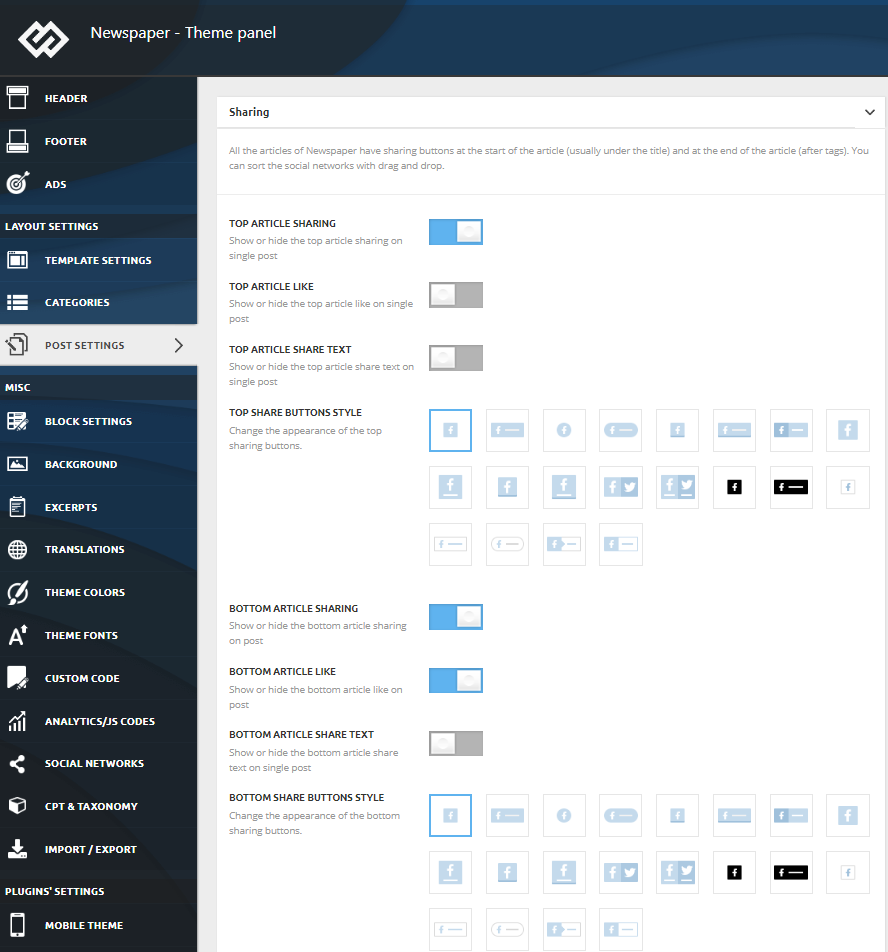
Credit: forum.tagdiv.com
Frequently Asked Questions
How Do I Access Post Templates In Newspaper Theme?
To access post templates in the Newspaper Theme, navigate to your WordPress dashboard. Go to “Newspaper” settings, then select “Templates. ” Here, you can view, edit, or create new post templates. This allows you to customize the design and layout of your blog posts easily.
Can I Customize Newspaper Theme Post Templates?
Yes, you can customize post templates in the Newspaper Theme. Use the built-in tagDiv Composer or WordPress Customizer. Modify layouts, colors, fonts, and other elements to suit your branding. These tools offer an intuitive way to enhance your site’s appearance without coding expertise.
What Tools Help Edit Newspaper Theme Templates?
The Newspaper Theme provides several tools for editing templates. Use the tagDiv Composer for drag-and-drop editing. The WordPress Customizer allows for quick changes in appearance. These tools offer flexibility and user-friendly interfaces to tailor your website’s design to your needs.
How To Save Changes In Newspaper Theme Templates?
To save changes in Newspaper Theme templates, click the “Save” or “Publish” button. This action ensures your edits are applied. Always preview your changes before saving to ensure the desired outcome. Regularly saving your progress prevents data loss during unexpected interruptions.
Conclusion
Editing post templates in the Newspaper theme on WordPress is straightforward. Follow the steps to customize your blog’s appearance. Adjust layouts, fonts, and colors to fit your style. This enhances your site’s look and feel. Always save changes to avoid losing progress.
Experiment with different designs to find what works best. Consistency in design ensures a pleasant user experience. Keep learning to improve your editing skills. Practice makes perfect in template customization. Your WordPress site can stand out with the right tweaks.
Enjoy creating a unique look for your blog.


