
Are you ready to unleash your creativity and take control of your website’s design? Developing or designing your own WordPress theme can be a game-changer.
Imagine the freedom to craft a site that truly reflects your brand and vision. No more settling for generic templates or struggling with limited customization options. With your unique WordPress theme, you can stand out from the crowd and offer a tailored experience to your visitors.
But where do you start? The process might seem daunting, but it’s more accessible than you think. Whether you’re a seasoned developer or a curious beginner, understanding the steps to design a WordPress theme can open up a world of possibilities. And here’s the secret: it’s not just about coding. It’s about creating an engaging, user-friendly experience that keeps your visitors coming back for more. Dive into this guide, and discover how you can transform your ideas into a stunning WordPress theme. You’ll learn the essential tools, tips, and tricks to make your design process smooth and successful. Ready to make your website truly yours? Let’s get started.
Credit: www.hostinger.com
Getting Started With WordPress Themes
Developing a WordPress theme needs the right tools. A text editor is crucial. Choices include Sublime Text and VS Code. They help write code easily. A local server is also needed. Options include XAMPP or MAMP. These servers help test themes locally. Graphics software like Adobe Photoshop or GIMP is good for design. These tools are basic yet important.
A theme framework helps build themes faster. Genesis and Divi are popular choices. They offer many features. They save time and effort. Frameworks provide templates and widgets. This makes designing easy. Starter themes like Underscores are also helpful. They offer basic structures. These save developers from starting from scratch.
Understanding WordPress Theme Structure
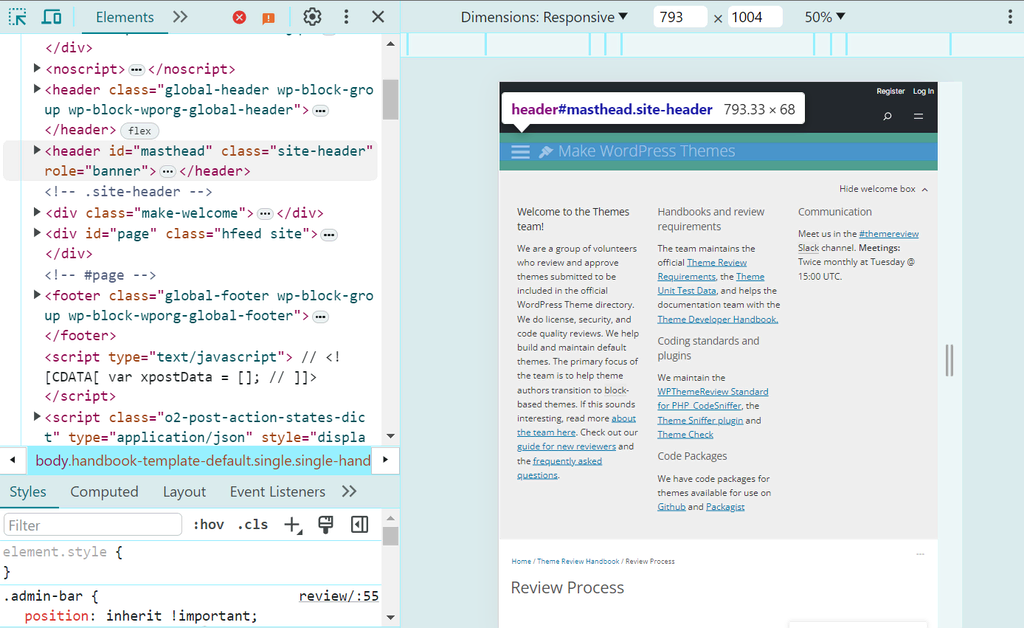
Creating a WordPress theme involves understanding its structure. Begin by exploring theme files and folders. Learn how templates, styles, and functions work together. This knowledge helps design unique and functional themes, enhancing the website’s appearance and user experience.
Key Files And Directories
WordPress themes are made of several key files and directories. The style.css file controls the look of the site. It includes colors, fonts, and layouts. The index.php file is the main template. It often acts as the default page. The functions.php file adds custom features. It can change how the theme works. The header.php file contains the header layout. It shows the site’s logo and menu. The footer.php file has the footer design. It includes contact info and links. The sidebar.php file adds side widgets. It displays recent posts or ads.
Template Hierarchy Explained
WordPress uses a template hierarchy to decide which file to show. Different pages use different templates. The home.php file shows the front page. The single.php file displays single posts. The page.php file is for pages. The archive.php file lists posts by date or category. The search.php file shows search results. Template hierarchy helps keep websites organized. It allows for easy changes and updates. Understanding this hierarchy is key for theme development.
Creating A Custom Theme
Start with installing WordPress on your computer. Use a local server like XAMPP or MAMP. They help run WordPress smoothly. Download your favorite code editor. Options include Visual Studio Code or Sublime Text. These tools simplify coding. Create a new folder in WordPress themes directory. Name it wisely. This folder is the home for your new theme.
Start with the style.css file. This file holds your theme details. Next, create index.php. This file is the main template. Add a header.php for the theme header. Then, include a footer.php for the footer area. Use functions.php to add unique features. Each file plays a role in theme development. Assemble these files together. You create the skeleton of your theme.

Credit: www.dreamhost.com
Designing For User Experience
A theme must fit all devices. Phones, tablets, and computers. This is called responsive design. It helps users see your site clearly. No matter the screen size. Use flexible grids and images. CSS media queries are important tools. They make the design adjust automatically. It’s like magic. Users have a smooth experience. This keeps them happy and engaged.
A fast site is a happy site. Users do not like to wait. Use optimized images and clean code. This improves speed. Choose plugins wisely. Too many slow the site down. Fast loading keeps users on your page. It also helps with search rankings. A quick site is good for everyone. Keep it simple and speedy.
Adding Functionality With WordPress Hooks
Action hooks make your theme do cool stuff. They let you add or change things. Example: You can add a new widget area. Use them to tell WordPress when to do something. Easy to learn. Easy to use. Just write some code. WordPress listens for it. Then it does what you say. Action hooks are like magic buttons.
Filter hooks change how things look or work. They are powerful tools. You can change text or colors. You can make your theme look special. Use filter hooks to adjust things before they show. They are fun to use. You just need simple code. WordPress will do the rest. With filter hooks, you make your theme unique.
Styling Your Theme
Create beautiful designs with CSS. It helps style your WordPress theme. Colors, fonts, and layout come alive. SASS is a tool that makes CSS easier. It lets you use variables and functions. This saves time. Code is cleaner and organized. Start with basic CSS. Then explore SASS features. They make styling fun and simple.
WordPress Customizer allows you to change your theme’s look. You can adjust colors, fonts, and layouts. It’s easy to use. No coding needed. Preview changes in real-time. Save when happy with the look. Your site will be unique. Customizer ensures your theme fits your style. Explore all options for the best design.
Testing And Debugging
Testing and debugging are essential steps in developing a WordPress theme. Ensure your theme functions correctly by checking every feature. Fix errors to improve user experience and maintain high performance.
Debugging Common Errors
Errors happen. They can be tricky. Debugging helps fix them. Start by checking your code. Look for typos or missing elements. Use WordPress debugging tools. These tools show error messages. They help find what went wrong. Remember to save changes. Test again after fixing. This helps ensure the problem is gone. Ask others for help if needed. Fresh eyes see mistakes better.
Ensuring Cross-browser Compatibility
Every browser works differently. Make sure your theme works everywhere. Test on Chrome, Firefox, and Safari. Also try on Internet Explorer. Use browser developer tools. These tools show how your theme looks. Fix any layout issues. Use responsive design. It helps your site look good on all screens. Always keep testing. Browsers update often. Stay ahead of problems.
Deploying Your Theme
Crafting a WordPress theme involves coding, styling, and testing to ensure seamless functionality. Deploying your theme requires uploading files to your WordPress site and activating it. Proper deployment ensures your design is visible and operates smoothly for users.
Preparing For Launch
Make sure your theme is ready. Check every detail. Look for any missing parts. Test your theme on different devices. Ensure it looks good everywhere. Compatibility is key. Make sure it works with plugins. Fix any errors before going live.
Back up your theme files. Save them in a safe place. You might need them later. It’s important to have a copy. Keep all the documentation ready. Help others understand your theme. Make it easy to use.
Submitting To WordPress Repository
First, create a WordPress.org account. Log in with your details. Go to the theme submission page. Follow the instructions carefully. Upload your theme files. Wait for approval. It may take some time. Be patient during this process.
WordPress team reviews your theme. They ensure quality and safety. Fix any issues they find. Resubmit if needed. Approval means your theme is live. People can now download it. Celebrate your hard work!
Credit: neilpatel.com
Frequently Asked Questions
How Do I Start Designing A WordPress Theme?
Begin by understanding your audience and their needs. Sketch out your design on paper or digitally. Familiarize yourself with WordPress theme structure and coding languages like PHP, HTML, and CSS. Use WordPress starter themes or frameworks to streamline development. Test your design thoroughly before launching.
What Tools Help In WordPress Theme Development?
Several tools can assist you in developing a WordPress theme. Popular ones include theme frameworks like Underscores and starter themes like Sage. Use code editors like Visual Studio Code or Sublime Text. Design software like Adobe XD or Sketch can aid in creating your theme layout.
How Long Does It Take To Design A Theme?
The time required to design a WordPress theme varies based on complexity. Simple themes may take a few days. More intricate designs can take several weeks. Experience and familiarity with WordPress development tools can significantly reduce the time needed.
What Skills Are Needed For WordPress Theme Design?
WordPress theme design requires proficiency in HTML, CSS, and PHP. Understanding JavaScript can be beneficial for interactive elements. Familiarity with WordPress functions, hooks, and APIs is crucial. Design skills and creativity play a significant role in crafting visually appealing themes.
Conclusion
Creating a WordPress theme can be straightforward. Start by learning the basics. Use online tutorials and resources for guidance. Experiment with different designs. Try new features. Keep your code clean and organized. This helps with troubleshooting later. Seek feedback from users or peers.
It can provide useful insights. Regularly update your theme. This ensures compatibility with WordPress updates. Remember, practice makes perfect. The more you develop, the better you become. Crafting themes can be rewarding. It enhances your skills and creativity. Dive in and start designing today.


