
Are you ready to take your WordPress website to the next level? Designing a custom WordPress theme might be just what you need to stand out in the crowded online world.
Imagine having a site that not only looks unique but also perfectly aligns with your brand and vision. By creating a custom theme, you gain full control over your site’s appearance and functionality, ensuring it meets your specific needs and preferences.
In this guide, you’ll discover the straightforward steps to design your own WordPress theme, even if you’re not a tech wizard. Let’s dive in and unlock the potential of your website!

Credit: www.dreamhost.com
Understanding WordPress Themes
A WordPress Theme changes how your site looks. It controls the design and layout. Themes can be simple or complex. Some themes are free. Others cost money. A theme can have many features. For example, colors, fonts, and styles. Themes also affect menus and widgets. Choosing the right theme is important. It can make your site look good. Or not so good.
Custom themes offer unique designs. They match your brand better. Custom themes are more flexible. You can change them easily. They can be more secure. Some free themes have weak security. Custom themes can load faster. This helps your site work well. And visitors like fast sites. Custom themes can be simple or complex. It’s your choice.
Setting Up Your Development Environment
Start with a good code editor. Some popular choices are Visual Studio Code and Sublime Text. They help you write clean code. A local server is needed too. Try XAMPP or MAMP. These tools are free. They simulate a real web server. This helps you test your theme easily.
First, download WordPress from its website. It’s free and open-source. Next, extract the files into your local server’s folder. This folder is usually named htdocs. Open your browser and type localhost/wordpress. Follow the steps to install WordPress. You will set up a database. Give it a simple name. Use root as the username. No password is needed. This setup lets you see your theme in action.
Planning Your Theme Design
Start by knowing what you need. Identify what you want your theme to do. Think about your audience. What do they want? A good theme attracts visitors. It should be easy to use and helpful. Consider your website’s goals. Will it be a blog, a shop, or something else? Write down your ideas. This will help you stay focused. Knowing your goals guides your design.
Wireframes are simple drawings. They show how your site will look. You can use paper or a computer tool. Wireframes help you plan the layout. They keep your design organized. Next, create mockups. These are more detailed than wireframes. Mockups show colors and fonts. They give a preview of the final design. Check the mockups. Make sure they meet your objectives. This step is important for a good theme.
Building Theme Structure
Every WordPress theme needs essential files to work. These files include style.css for styles and index.php for layout. The functions.php file adds special features. Create a directory for your theme. Place these files inside.
Other important files are header.php, footer.php, and sidebar.php. These files help structure your site. They make your theme work better. Organize your theme with folders like css, js, and images.
WordPress uses a system called template hierarchy. This system decides which file to use. It makes your theme flexible. Different pages use different templates. For example, single.php is for single posts. page.php is for pages. archive.php is for archives.
Learn the order of templates. Make sure your theme has the right files. This helps WordPress find them easily. It’s like a map for your theme. A well-structured theme is key.
Styling With Css
Start by creating a new stylesheet file. Use a simple text editor. Name it style.css. Place it in your theme folder. This file controls your site’s look. You can change colors, fonts, and more. Make sure to link it in your header.php file. This way, your styles show up on the site.
Use CSS selectors to target elements. For example, to change the background color, use body { background-color: blue; }. This line makes the site background blue. Experiment with different styles. The goal is to make your site unique.
Ensure your theme looks good on all devices. Use media queries to change styles on smaller screens. For instance, @media (max-width: 600px) { body { font-size: 14px; } }. This code makes text smaller on phones.
Choose a flexible layout. Use percentages instead of fixed pixels. It helps your site adjust to different screen sizes. Always test your site on various devices. This ensures everyone has a good experience.
Adding Functionality With Php
Crafting a custom WordPress theme with PHP adds unique functionality and design. PHP allows developers to create dynamic elements, enhancing user experience. This flexibility ensures the theme aligns perfectly with specific needs, offering a tailored look and feel.
Dynamic Content With Php
PHP makes WordPress powerful. It helps create dynamic content. For example, you can show different content to logged-in users. PHP also lets you connect to databases. This way, you can store and retrieve data easily. Want to add a contact form? PHP is the tool for that. It can handle form submissions and send emails. Using PHP, you can create custom post types. These make your website unique and interesting.
Utilizing WordPress Functions
WordPress has many built-in functions. These functions make tasks simple. They help display posts and pages. Need to customize your theme? Use WordPress functions for that. You can also add menus with ease. WordPress functions help manage user roles. This keeps your site secure. Remember, functions make coding easier. They save time and effort. Use them to enhance your theme.
Incorporating Javascript
Integrating JavaScript enhances functionality when designing custom WordPress themes. It allows dynamic features like interactive menus and real-time data updates. This approach ensures a smoother user experience, making the theme more engaging and responsive.
Enhancing User Experience
JavaScript makes websites lively. It improves user experience greatly. Users love fast and smooth sites. JavaScript helps make pages load faster. It reduces waiting time. Users can find information quickly. This makes them happy. They stay longer on your site. Engaging content keeps users interested. JavaScript helps create this. It ensures smooth transitions. Users enjoy browsing through different sections. They appreciate the effort in design.
Adding Interactivity
Interactive elements attract attention. JavaScript adds these features easily. Buttons can change colors when clicked. Forms can show alerts for errors. Users get instant feedback. This keeps them engaged. They feel part of the site. JavaScript enables dynamic content. Images can rotate or zoom. Videos can play automatically. This adds excitement to the pages. Users enjoy exploring these features. They feel involved with the content. Interactivity enhances their overall experience.
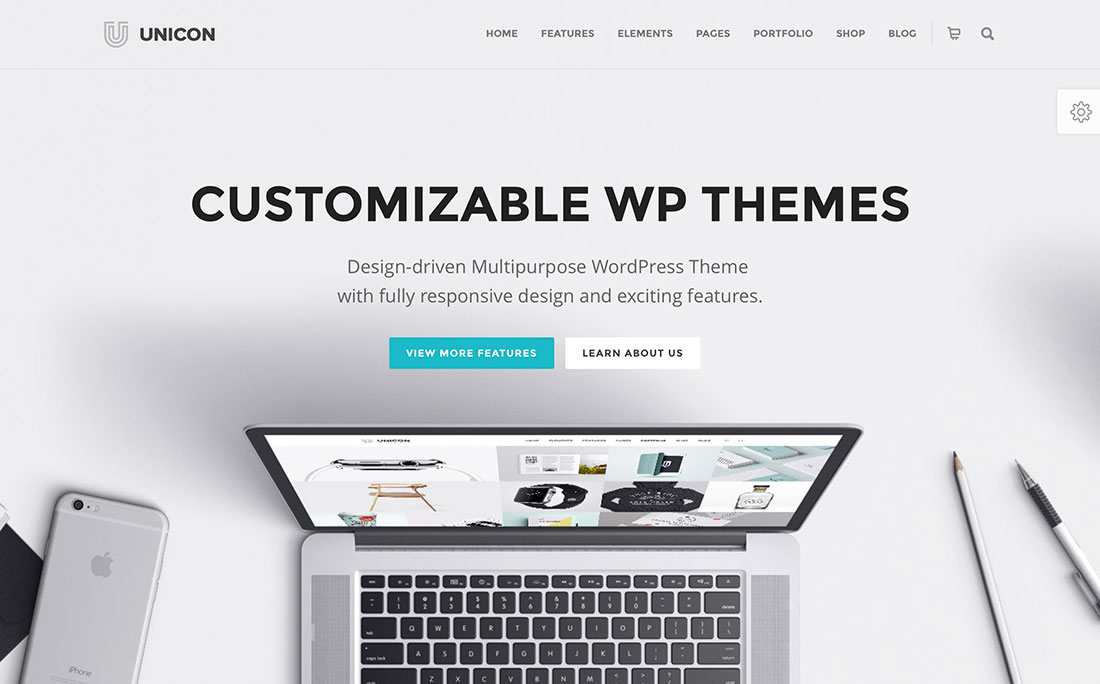
Credit: colorlib.com
Testing And Debugging
Designing a custom WordPress theme involves careful testing and debugging. Identifying errors ensures smooth functionality. Adjusting code and visuals enhances user experience.
Cross-browser Testing
Websites can look different on various browsers. Ensure your theme works on Chrome, Firefox, and Safari. Each browser has unique rules. Test your design on each. Use tools like BrowserStack or CrossBrowserTesting. They help find issues. Fix them for a smooth experience. Users will enjoy your site more.
Fixing Common Issues
Small errors can make a big mess. Broken links are a common problem. Check all links. Ensure they work. Images might not load sometimes. Keep image sizes small. Use correct paths. Text should be easy to read. Make sure fonts are clear. Too many scripts slow down sites. Minimize them for speed. Regular checks prevent problems.
Optimizing Performance
Crafting a custom WordPress theme improves site performance by tailoring features to specific needs. Simplified code reduces load times, enhancing user experience. Efficient design ensures smoother navigation and faster access to content.
Improving Load Times
Fast websites keep visitors happy. Always aim for a quick load time. A slow site can make users leave. Compress images to reduce size. Smaller images load faster. Use a caching plugin to save time. Cached pages load without delays. Minimize CSS and JavaScript files. This cuts down load time. Fewer files mean faster loading. Choose a reliable hosting provider. Good hosting improves speed. Regularly update your WordPress theme. Updates fix bugs and boost performance.
Seo Best Practices
SEO helps search engines find your site. Use keywords wisely. Place them in your content. Use them in titles and headings too. Avoid keyword stuffing. It harms your ranking. Write short, clear sentences. Easy to read content ranks better. Add alt text to images. This helps search engines understand them. Use internal links to connect your pages. Links guide users and help search engines. Regularly update content. Fresh content improves SEO. Monitor your site’s performance. Use tools like Google Analytics. They help track your SEO efforts.
Deploying Your Theme
Crafting a custom WordPress theme involves deploying your design. Ensure it functions properly across all devices. Utilize WordPress’s built-in tools for a smooth deployment.
Preparing For Launch
Check your theme works well. Test it on different devices. Ensure it looks good everywhere. Fix any small errors you find. Double-check your links. Make sure they go to the right places. Clean up unused files. This keeps your site fast. Backup your theme files. Store them safely. This is important. It helps if things go wrong.
Uploading To A Live Server
Use FTP software to upload your theme. Connect to your server. Find the theme folder. Upload the files there. Wait for it to finish. Look at your site. Check everything works. Refresh the browser. See if changes appear. Fix any problems you find. Keep your site updated. Regularly check for updates. Keep your theme fresh.
Maintaining And Updating
Keeping your WordPress theme updated is very important. Updates fix bugs and add new features. They also protect your site from threats. Always check for updates regularly. WordPress itself often releases updates. Themes and plugins need updates too. Missing updates can make your site unsafe. Regular updates keep everything running smoothly.
Listening to user feedback is crucial. Users often spot issues you might miss. They can suggest new features too. Feedback helps you make your theme better. Always thank users for their feedback. Make changes based on their ideas. This makes users happy. Happy users stay with your theme longer.
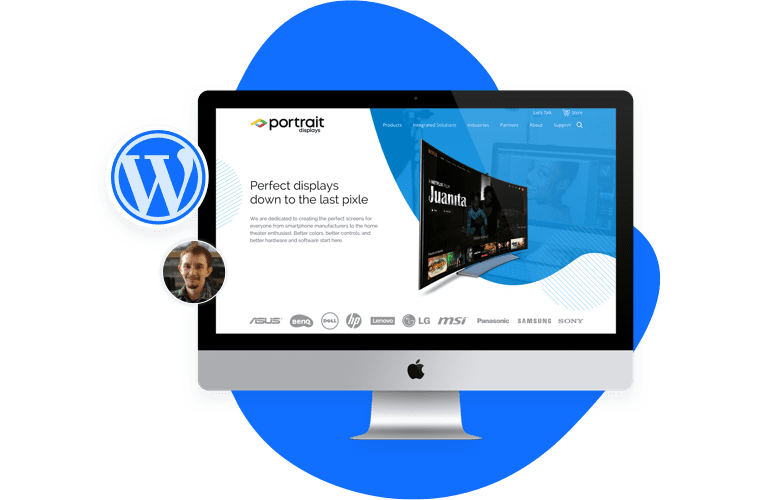
Credit: www.sayenkodesign.com
Frequently Asked Questions
How Do I Create My Own Template In WordPress?
To create a WordPress template, access your theme folder via FTP. Duplicate a template file, rename it, and customize the PHP code. Save changes and upload the file back to the server. Visit the WordPress dashboard to activate your new template under “Page Attributes.
” Ensure your code is correct for functionality.
Which Theme Builder Is Best For WordPress?
Elementor is highly popular for WordPress theme building. It offers a drag-and-drop interface and numerous customizable widgets. Users appreciate its ease of use and flexibility. Additionally, Divi and Beaver Builder are also strong contenders, known for their robust features and intuitive design capabilities.
Which Language Is Used To Develop A Theme In WordPress?
WordPress themes are primarily developed using PHP. Developers also use HTML, CSS, and JavaScript for styling and functionality. These languages work together to create dynamic and visually appealing themes, enhancing user experience and site performance.
How To Create A Custom Setting In WordPress?
To create custom settings in WordPress, use the Settings API. Register settings, add sections, and define fields in functions. php. Access settings via the admin panel. Use plugins like Advanced Custom Fields for more flexibility. Customize themes by editing theme files carefully.
Conclusion
Creating a custom WordPress theme can feel daunting. But it’s rewarding. You gain control over design and functionality. Start by sketching ideas. Then, choose the right tools and resources. Learn about HTML, CSS, and PHP. Test your theme thoroughly before launch.
Ensure it is responsive and user-friendly. Remember to keep your design simple and clean. User experience should be a priority. With practice, your skills will improve. Soon, you’ll create unique themes with ease. Enjoy the process and creativity involved. Happy designing!


