
Are you eager to give your WordPress site a unique and captivating look? Customizing the Idyllic theme might be just what you need.
With its clean design and flexible options, the Idyllic theme offers a perfect canvas for creativity. But where do you start? What tweaks will make your website truly stand out? In this guide, you’ll discover simple yet powerful techniques to personalize the Idyllic theme to match your vision.
Whether you’re a seasoned developer or a WordPress beginner, these tips will empower you to transform your site effortlessly. Ready to captivate your visitors and keep them coming back for more? Let’s dive in and unlock the full potential of your WordPress site!
Installing Idyllic Theme
First, visit your WordPress dashboard. Find the “Appearance” tab and click on it. Next, go to “Themes”. You will see an “Add New” button. Click on it. In the search bar, type “Idyllic“. The theme will appear in the results. Click on “Install” to add it to your site. Once installed, you need to activate it. Find the “Activate” button and click on it. Your theme is now ready to use.
Explore the customization options to make it yours. Change the colors, add a logo, or adjust the layout. The Idyllic theme is user-friendly. It helps you build a beautiful site. Start customizing today!
Theme Customization Options
The general settings help change the site title and tagline. Users can upload their logo here. It’s easy to set up a favicon, too. This tiny icon appears in browser tabs. Simple steps make your site unique.
Choose from many color schemes to make your site look nice. You can select colors for the background and text. Pick colors that match your style. This helps create a pleasant user experience. Bright or calm, the choice is yours.
Many typography choices are available for customizing text. Select different fonts and sizes for headings and paragraphs. Good fonts make reading easy. Stylish fonts make the site look better. Make sure they fit your site’s theme.
Homepage Layout
Choose a simple header with a clear logo. Keep the menu items short. Align the logo to the left. Place the menu on the right. Use colors that match your brand. Ensure the header is easy to read. The font size should be large enough. Make the header sticky for ease. Ensure the header looks good on phones.
Highlight important parts of your site. Use sections to show key info. Display popular posts or products. Add a short description for each item. Keep it clean and not crowded. Use images to grab attention. Each section should have a clear purpose. Make sure sections load fast. This helps keep visitors on your site.
The footer should have contact info. Include links to important pages. Add social media icons here. Keep the design simple and neat. Make sure text is readable. Use contrasting colors for clarity. Add a back-to-top button for easy navigation. Ensure the footer is the same on all pages. This helps users find information quickly.
Widget Management
Widgets help make a website look good. The Idyllic Theme has many sidebar widgets. Drag and drop them where you want. Add a search bar or recent posts. You can also add a calendar. Each widget makes your sidebar more useful. Customize it to fit your style. Experiment with different widgets. Find what works best for you.
Footer widgets are at the bottom of the page. They can show contact info or social media links. Add a copyright notice or privacy policy. You can also include a newsletter sign-up. This makes your site look professional. Arrange them to look neat and tidy.
Custom widgets let you add special features. Use them to add text or images. You can also add HTML code. Make your website unique. Choose widgets that match your brand. Custom widgets allow for more creativity. Adjust settings to get the perfect look.
Integration With Plugins
SEO plugins help your site rank better. Yoast SEO is popular. It offers tips and checks your content. All in One SEO is another option. It helps with meta tags and site maps. Plugins improve your site’s visibility. Using them is easy. Most of them work with the Idyllic theme.
Social media tools let you share content. Jetpack offers sharing buttons. Social Warfare gives stylish buttons. These plugins increase your site’s reach. Connect your site to Facebook, Twitter, and others. They help users share your posts. Building an audience becomes easier.
Page builders make designing easy. Elementor works well with Idyllic. It offers drag-and-drop features. Beaver Builder is another choice. It makes custom designs simple. These builders save time. They enhance your site’s look. Adjusting your site is quick and fun.

Credit: www.youtube.com
Responsive Design Adjustments
Make sure your website looks good on all devices. Start by checking your site on mobile phones. Use WordPress tools to adjust the layout. This helps in making your site mobile-friendly. Change font sizes for smaller screens. You can also rearrange images and text blocks. This ensures that everything fits well.
Use the customizer in WordPress. This tool lets you preview changes. Try different settings until it looks right. Adjust spacing between elements. This keeps the site neat and easy to read. Always save your changes. This keeps your work safe.
Experiment with your theme options. Keep testing until your site looks great. Remember, good design makes visitors happy.
Troubleshooting Common Issues
Customizing the Idyllic Theme in WordPress can lead to various common issues. Fix layout problems by checking widget settings and theme options. Ensure compatibility by updating plugins and WordPress version.
Theme Conflicts
Many themes may not work well together. Conflicts can cause errors. Deactivate plugins to find the problem. Switch to a default theme to test. Check the theme’s settings. Contact the theme developer for help.
Performance Optimization
Slow websites can frustrate users. Optimize images for faster load times. Use a caching plugin to speed up the site. Minimize CSS and JavaScript files. Choose a reliable hosting service for better performance.
Support Resources
Help is important when you face problems. Visit forums for advice. Read documentation for solutions. Email support teams for assistance. Join community groups for more tips.

Credit: wordpress.org
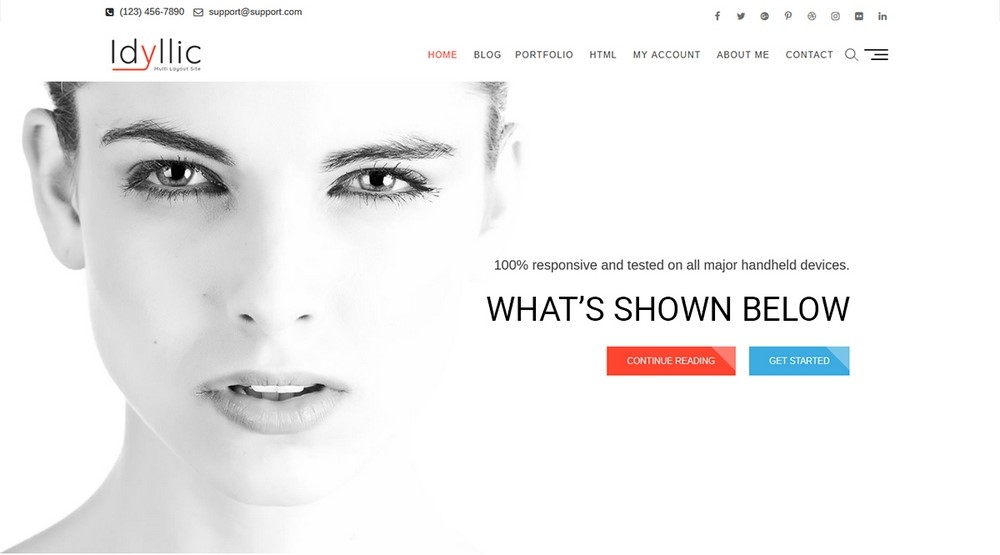
Credit: ultimateelementor.com
Frequently Asked Questions
How To Install Idyllic Theme On WordPress?
To install the Idyllic theme, navigate to ‘Appearance’ in your WordPress dashboard. Click ‘Themes’ and then ‘Add New’. Search for ‘Idyllic’ in the search bar, select the theme, and click ‘Install’. After installation, activate the theme to start customizing.
Can I Customize Idyllic Without Coding?
Yes, you can customize Idyllic without coding. Use the WordPress Customizer to change colors, fonts, and layouts. It’s user-friendly and requires no technical skills. Drag-and-drop options and live previews make customization straightforward and accessible to all users.
What Are The Key Features Of Idyllic Theme?
Idyllic offers responsive design, customizable header, and multiple layout options. It supports WooCommerce for online stores and includes social media integration. The theme is SEO-friendly, ensuring your website ranks well on search engines. It also provides multilingual support for global reach.
How To Change Idyllic Theme Colors?
To change colors, go to the WordPress Customizer. Select ‘Colors’ from the menu and choose your preferred palette. The theme allows you to customize background, header, and text colors. Preview changes instantly to ensure they match your brand’s identity.
Conclusion
Customizing the Idyllic theme in WordPress is straightforward. Start with color choices. Change fonts to match your style. Add widgets for extra features. Update the header and footer for a personal touch. Use the theme options to make changes. Experiment with layouts for better design.
Keep the site easy to navigate. Your website reflects your brand. Make sure it’s user-friendly. Test your site on different devices. Adjustments may be needed. Personalize your WordPress site with Idyllic theme. Enjoy the creative process. Connect with your audience effectively.


