
Creating your WordPress site on a web hosting platform can feel like a daunting task, but it’s easier than you think. Imagine the excitement of seeing your very own website live, connecting with people around the world.
You have a message, a business, or a passion to share, and WordPress is your gateway to the digital world. By following a few simple steps, you can turn your vision into reality. Whether you’re a beginner or looking to refine your skills, this guide is tailored just for you.
Dive in, and let’s uncover the secrets to launching a WordPress site that’s not just functional, but captivating. Your journey to a stunning online presence starts right here.
Choosing The Right Web Hosting
Web hosting comes in different types. Shared hosting is the most common. It’s affordable. Many sites use one server. VPS hosting is a bit different. It offers more control. It’s like having your own small server. Dedicated hosting is another option. You get a whole server to yourself. It’s powerful but costly. Cloud hosting is the last type. It uses many servers. It’s flexible and can grow with your needs.
Think about your site’s needs. How much traffic do you expect? More traffic needs more resources. What’s your budget? Some hosting is cheap, some is not. Look at support. Is help available when you need it? Check for features. Some hosts offer extra tools. Security is also key. Keep your site safe from harm.
Setting Up Your Domain
First, pick a name for your website. This is your domain name. It should be easy to remember. Avoid long or hard words. Check if the name is available. Many sites help with this. Once you find a good name, register it. This process is simple. Follow the steps on the registration site. Pay the fee to secure your domain.
After registering, link your domain to your web hosting. This makes your site live. Go to your hosting account. Find the DNS settings. Here, add your domain name. Save the settings. It might take time to update. Be patient. Soon, your domain will point to your hosting.
Installing WordPress
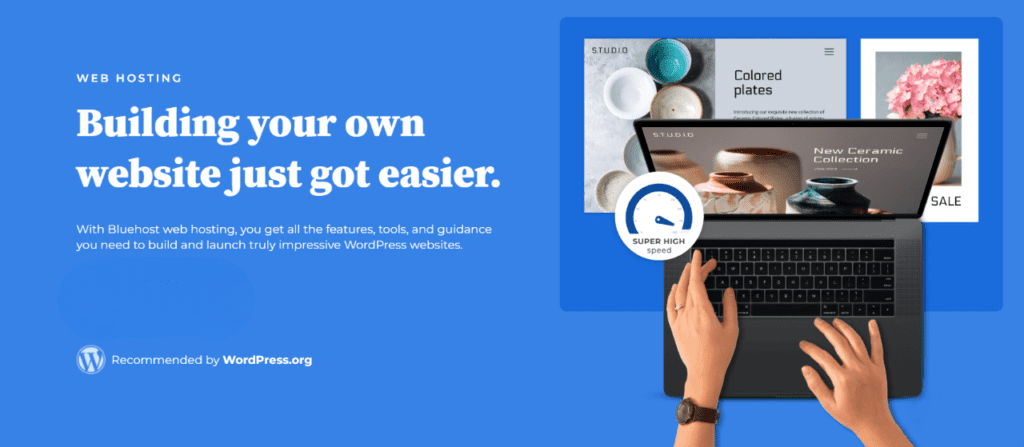
Many web hosting services offer a one-click install for WordPress. This feature is easy and quick. Begin by logging into your web hosting account. Look for the control panel. In the control panel, find the WordPress icon. Click it. Follow the instructions. Enter your site name and email. Choose your username and password. Click ‘install’. Wait a few minutes. Your WordPress site is ready! This method is perfect for beginners. No coding is needed.
Manual installation takes more steps. First, download the WordPress files from the official site. Unzip the files on your computer. Open your web hosting control panel. Find the file manager. Upload the files to your web hosting space. Next, create a database. Use the database wizard. Remember your database name, username, and password. Now, open your browser. Go to your domain. Follow the steps to connect the database. Enter your site info. Complete the setup. Your site is live!
Credit: www.bluehost.com
Configuring WordPress Settings
Setting up your WordPress site is easy. General settings are the first step. Here, you choose your site title and tagline. These show at the top of your site. Make sure they tell what your site is about. Set your email address. WordPress will use it for updates. Choose your time zone. This makes sure your posts have the right time. Pick a date format you like. This is how dates will show on your site. Save your changes. Your site is now ready for the next step.
Permalinks are how your page URLs look. A good URL helps people find your page. Go to settings, then permalinks. Choose the post name option. This makes your URLs easy to read. For privacy, check your site’s privacy settings. You can make a privacy page. This tells visitors how you use their data. It’s important to keep your visitors safe.
Choosing A Theme
Free themes are great for starting. They cost nothing and offer many features. There are many free themes available. They can be customized to fit your needs. But they often lack support and updates. Premium themes cost money. They offer more features and better support. Many premium themes have regular updates. They often come with more customization options. Choosing between free and premium depends on your budget and needs.
Customizing your theme makes your site unique. Change colors and fonts to match your style. Use widgets to add more features to your site. Many themes allow you to change the layout. Add your own logo and images. This helps with branding. Make sure your site looks good on phones too. Test it on different devices. This is important for all visitors. Keep your site simple and easy to use.
Adding Essential Plugins
Essential plugins enhance functionality on your WordPress site, simplifying tasks like SEO, security, and content management. With the right plugins, streamline your site setup and maintain an efficient, user-friendly experience for visitors.
Security Plugins
Protecting your WordPress site is important. Use security plugins to help. Wordfence is a popular choice. It guards against threats. Sucuri Security is another good option. It offers a firewall and malware scanning. These tools keep your site safe. They stop hackers from getting in. Always update your plugins. This helps fix security holes. A safe site is a happy site.
Seo Plugins
SEO plugins make your site easy to find. Yoast SEO is very helpful. It guides you to improve your posts. All in One SEO is another plugin. It helps with meta tags and sitemaps. These plugins boost your site’s visibility. They help more people find your content. Regular updates keep your plugins effective. Better SEO brings more visitors to your site.
Creating Content
Create a post for your WordPress site by clicking “Add New.” Posts are like news updates. They tell your readers what is new. Pages are different. They stay the same. Use them for important information. To make a page, click “Add New Page.” Write your text in the big box. Add a title at the top.
Pictures make your content fun. Click “Add Media” to upload. Choose a picture from your computer. You can also use videos. Videos must be short and clear. Add them the same way as pictures. Media helps tell your story. But don’t add too many. Too many will make your site slow. Always remember to save your work.

Credit: www.greengeeks.com
Optimizing Your Site
Fast websites keep visitors happy. Use a lightweight theme for your WordPress site. Avoid heavy plugins. They slow down your site. Choose plugins wisely. Compress images before uploading. Smaller images load quicker. Use a caching plugin. This saves resources. Your site loads faster.
Many people use phones to browse. Your site must be mobile-friendly. A responsive design adjusts to screens. Check your site on different devices. Make sure text is readable. Buttons should be easy to click. Test often. Keep your site user-friendly. Happy mobile users stay longer.
Launching Your Site
Before launching, perform some final checks on your WordPress site. Ensure all pages look good. Check for any spelling mistakes. Test your site on different devices. Make sure links work. Review your images. They should load fast. Ask a friend to look over your site. They might find issues you missed. Fix any problems they see. Finally, back up your site. This keeps your work safe.
Promoting Your Site
Tell people about your new site. Share it on social media. Invite friends to visit. Write a short email to your contacts. Mention your site and its purpose. Join online groups related to your site. Share your link there. Create a blog post about your site. Share your journey and ideas. People love stories. They will connect with your message. Remember, patience is key. Growth takes time.
Credit: www.godaddy.com
Frequently Asked Questions
How To Build A WordPress Site On Hosting?
Choose a hosting provider with WordPress support. Install WordPress via the hosting dashboard. Customize your site using themes and plugins. Configure settings and add content. Regularly update and maintain your site for security.
Can We Install WordPress On Web Hosting?
Yes, you can install WordPress on web hosting. Most hosting providers offer one-click WordPress installation. Ensure your hosting plan supports PHP and MySQL. Follow the hosting provider’s setup instructions for a seamless installation. WordPress provides flexibility for creating websites efficiently.
How To Use WordPress For Web Hosting?
To use WordPress for web hosting, choose a hosting provider supporting WordPress. Install WordPress via the hosting dashboard. Customize your site using themes and plugins. Regularly update WordPress, themes, and plugins for security. Backup your website frequently to prevent data loss.
How To Create A Self-hosted WordPress Site?
Choose a hosting provider and domain name. Install WordPress via your host’s control panel. Customize your site with themes and plugins. Configure settings for SEO and security. Publish content regularly for engagement.
Conclusion
Creating a WordPress site on web hosting is simple and rewarding. Follow the steps closely, and you’ll have a functioning site. Choose reliable hosting. Install WordPress. Customize your design and add content. Remember to keep your site updated for security.
Regular backups are important too. A well-maintained site attracts more visitors. Enjoy the process and explore different features. With practice, you’ll grow more confident. Your WordPress site will be a valuable online presence. Stay patient and keep learning. Happy building!


