
Are you ready to give your WordPress site a unique look that truly reflects your brand or personality? Creating your own theme can be a game-changer, transforming your website from ordinary to extraordinary.
Imagine having complete control over every detail, from the layout to the color scheme, ensuring everything aligns perfectly with your vision. This guide will walk you through each step, making the process straightforward and enjoyable. You’ll discover the secrets to customizing your site with ease, and soon you’ll be impressing your visitors with a design that’s as unique as you are.
Dive in and unlock the full potential of your WordPress site—because your website deserves to stand out.
Credit: www.wpzoom.com
Understanding WordPress Themes
A WordPress theme is a collection of files. It controls the look of your website. It includes layout, colors, and fonts. Themes make your site unique and attractive. They can be changed easily. This helps keep your site fresh.
Custom themes offer many benefits. They match your brand perfectly. This creates a strong identity. Your site becomes more user-friendly. Custom themes improve site speed. This keeps visitors happy. They provide better SEO optimization. This helps your site rank higher. Custom themes are flexible. They can grow with your needs.
Setting Up Your Development Environment
Start with a good code editor. VS Code and Atom are popular choices. They help you write and edit code easily. XAMPP or Local by Flywheel can set up a local server. This lets you test your WordPress site on your computer. Use Git for version control. It helps track changes in your code. Node.js and npm manage dependencies. They ensure your tools are up to date.
Install WordPress locally. This allows testing without affecting your live site. Use MAMP or WAMP for local server setup. They create a space to run WordPress on your computer. Create a local database with phpMyAdmin. It stores all your website data. Enable error reporting for debugging. This helps find and fix coding mistakes. Regular backups protect your work. They ensure you don’t lose progress.
WordPress Theme Structure
Every WordPress theme has core files. The style.css file is crucial. It controls the look of your site. The index.php file is another key file. It displays content on your site. The functions.php file adds features to your theme. These files form the backbone of a theme.
Directories are also important. The template-parts directory stores reusable pieces of code. The assets directory holds images and scripts. Understanding these directories helps in organizing your theme.
WordPress uses a template hierarchy. It decides which file to load first. For example, single.php displays single blog posts. The archive.php file shows a list of posts. If no specific file is found, WordPress uses index.php. This hierarchy helps in customizing different parts of your site.
Credit: www.hostinger.com
Creating A Theme From Scratch
Choose a blank theme to begin. This gives you a clean slate. Blank themes are simple and easy to use. They have no fancy designs. You can add your own style. Explore options like _Underscores_ or _BlankSlate_. These are popular choices. Download and install it on WordPress. Now you’re ready to start building.
The header is the top part of your website. It usually has a logo or title. You can also add navigation links here. Use simple HTML and CSS to create it. The footer is at the bottom. It may have contact info or links. Make sure your header and footer look nice. They should match your theme’s style.
Your theme needs a main layout. This is where content goes. Create a few sections like a sidebar, content area, and widgets. Use _flexbox_ or _grid_ for easy layout designs. Keep the layout simple. People like clean and organized sites. Test your layout on different devices. Make sure everything looks good. Adjust as needed.
Styling Your Theme
CSS helps you make your theme pretty. Change colors, fonts, and sizes. Make sure every part looks good. SASS is like a helper for CSS. It makes your code cleaner and faster. You can use mixins and variables in SASS. This saves time and keeps your code neat. Use SASS to write less and do more.
Remember to keep your theme responsive. This means it looks good on phones and computers. Use media queries in CSS for this. Check how your theme looks on different screens. Test it on a phone and a tablet. Make sure buttons are big enough to press. Keep text easy to read and images clear.
Adding Functionality
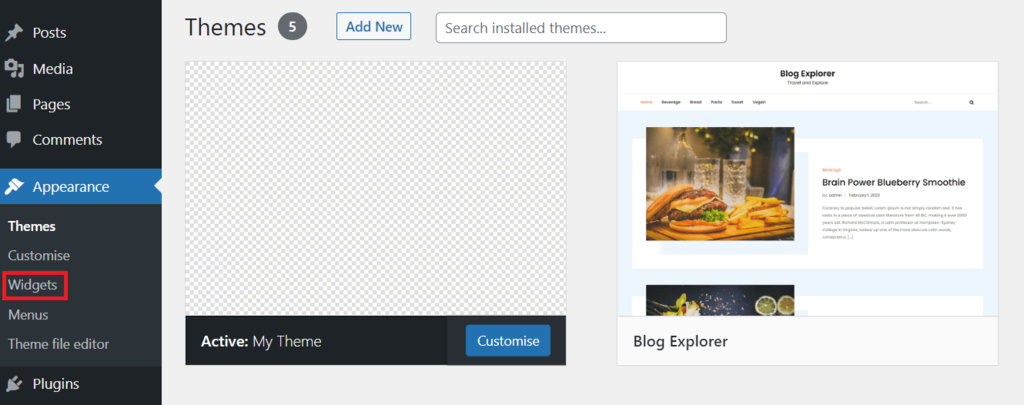
Adding custom widgets can make your theme special. These widgets let you show extra content. For example, you can add text or images. You can also create new menus. Menus help users find pages easily. They make navigation simple. You can make widgets and menus in the WordPress dashboard.
Plugins give extra features to your theme. They can add new tools or functions. Some plugins help with design. Others help with SEO or security. You can find many plugins in the WordPress plugin store. Choose plugins that match your theme’s style.
Testing And Debugging
Creating your own WordPress theme involves careful testing and debugging. Ensure smooth functionality by identifying and fixing errors. Use tools to spot issues and improve performance.
Common Issues And Fixes
Creating a theme can be tricky. Some problems might pop up. A common issue is a broken layout. This can happen if your CSS isn’t correct. Double-check your styles. Make sure they match your design.
Another issue is missing images. Ensure your image paths are correct. Missing images can spoil your theme’s look. Also, check for slow loading. This can be due to large image files. Try compressing them for faster load times.
Using Debugging Tools
Debugging tools can help find errors. Inspect Element is a helpful tool. It shows how your site looks in the browser. You can see and fix CSS problems quickly. Another tool is WordPress Debug Mode. It shows errors in your PHP code. Turn it on in the wp-config.php file. Always test your theme on different devices. This ensures it looks good everywhere.
Launching Your Custom Theme
Crafting a custom theme on WordPress involves selecting a basic framework and customizing its elements. Focus on layout, color schemes, and typography to reflect your personal style. Utilize WordPress tools to test and refine your design for a unique online presence.
Preparing For Deployment
First, check your theme’s code for any errors. Use a tool like Theme Check to help. Next, ensure all files are in the right folders. This keeps things organized. Make sure your theme looks good on different screens. It should work on phones and tablets too.
Submitting To The WordPress Repository
Visit the WordPress theme submission page. Fill out the form with your theme details. You must include a good description. Add clear instructions for users. This helps them use your theme easily. Don’t forget to upload your theme files. After submission, wait for the review. The WordPress team will check your theme. They will contact you with their feedback.

Credit: www.youtube.com
Frequently Asked Questions
How Do I Start Creating A WordPress Theme?
Start by setting up a local WordPress environment. Use tools like XAMPP or MAMP for easy setup. Create a new theme folder in the wp-content/themes directory. Begin with basic files like style. css and index. php. Customize these files by adding HTML, CSS, and PHP to define your theme’s layout and style.
What Tools Are Needed For Theme Development?
You’ll need a code editor, like Visual Studio Code or Sublime Text. A local server environment, such as XAMPP or MAMP, is essential. Familiarize yourself with WordPress Codex for guidelines. Additionally, use Chrome Developer Tools for debugging CSS and JavaScript.
These tools help streamline the development process.
How Can I Customize The Theme Layout?
Modify the theme’s template files, such as header. php, footer. php, and sidebar. php. Use WordPress functions and hooks to add features. Customize CSS styles in style. css for visual changes. Implement responsive design using media queries. This approach ensures your theme adapts to different devices and screen sizes.
Is Coding Knowledge Necessary For Theme Creation?
Basic HTML, CSS, and PHP knowledge is essential. These skills help you structure and style your theme effectively. Understanding WordPress functions and hooks is crucial for adding dynamic features. Beginners can start with tutorials and gradually enhance their coding skills.
It’s a valuable learning experience for customizing themes.
Conclusion
Creating your own WordPress theme is a rewarding task. It lets you customize your site fully. You gain control over design and functionality. This process enhances your web development skills. You can make your site unique to your brand. Start by understanding basic coding principles.
Use WordPress Codex to guide you. Experiment with different styles and structures. Don’t rush, take your time to learn. Each step brings you closer to your ideal theme. Enjoy the journey of crafting your digital space. It’s a chance to express creativity and technical skills.


