
Are you ready to transform your WordPress site into a thriving online store? Creating a custom eCommerce theme can be the key to standing out in the crowded digital marketplace.
Imagine having a unique, tailor-made design that perfectly aligns with your brand’s identity and captivates your audience. In this guide, you’ll discover the step-by-step process to craft your very own WordPress eCommerce theme. Whether you’re a seasoned developer or a curious beginner, you’ll find insights and tips that cater to your level of expertise.
This is your opportunity to harness the power of WordPress and create a shopping experience that not only meets but exceeds your customers’ expectations. Keep reading, and you’ll learn how to merge functionality with aesthetics, ensuring your online store not only looks stunning but also operates seamlessly. Dive in and unlock the potential of your eCommerce business with a custom WordPress theme that truly speaks to your audience.
Choosing The Right Tools
Plugins help in adding features to your site. WooCommerce is a top choice for ecommerce. It makes selling products easy. Yoast SEO helps with search engine traffic. Contact Form 7 lets you add forms to your site. Each plugin has its own job. Choose them wisely for best results.
A framework is like a base for your theme. Genesis is popular for its speed. Divi allows for easy customization. Underscores is simple and lightweight. Use frameworks to save time and effort. They give you a solid start for theme creation.
A good environment helps in coding. Local by Flywheel is great for beginners. XAMPP works well for testing. MAMP is another good option. These tools help you build and test your theme. Choose one that fits your needs.
Setting Up The Development Environment
First, download WordPress from its official website. Extract the files to a new folder on your computer. Use software like XAMPP or MAMP to set up a local server. This software helps run WordPress on your computer. Open the server software, start Apache and MySQL services. Place WordPress files in the server’s htdocs folder.
PHP and MySQL are important for WordPress. Check that PHP version is up-to-date. Go to the server software and look for PHP settings. Update them if needed. MySQL needs a database for WordPress. Create a new database from the software’s interface. Remember the database name and user credentials. WordPress needs these details to connect.
Version control keeps track of changes. Install Git on your computer. Open a terminal or command prompt. Navigate to your WordPress theme folder. Run git init to start version control. Add files to the repository with git add .. Commit changes with git commit -m "Initial commit". This saves a snapshot of your work. Use GitHub to store your code online.
Designing The Theme Layout
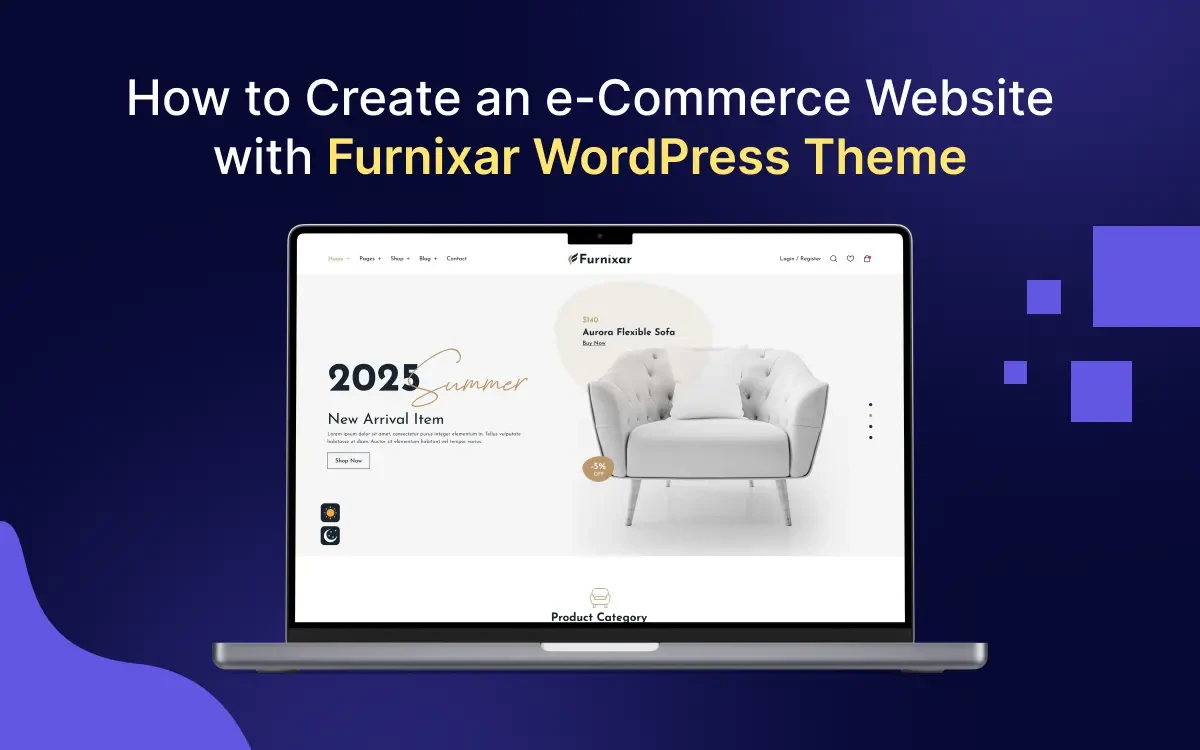
Start with a simple wireframe. It helps plan your design. Use tools like Balsamiq or Sketch for this. Draw the main parts of your website. This includes the header, footer, and product pages. Keep your ideas clear and simple. Once the wireframe is ready, create mockups. Mockups show how your site will look. Use Photoshop or Figma for mockups. They help in visualizing the colors and fonts. Keep designs neat and user-friendly.
Make sure your theme is responsive. This means it works on all devices. Use flexible grids and layouts. CSS media queries help with this. Check how it looks on phones and tablets. It should be easy to use everywhere. Images should resize well. Buttons should be easy to click. A responsive design improves user experience.
Focus on user experience. Make navigation simple. Users should find products easily. Use clear call-to-action buttons. Ensure the website loads fast. Slow sites frustrate users. Use readable fonts and pleasing colors. Test with real users to gather feedback. Their input is valuable. A good user experience keeps visitors coming back.
Credit: electronthemes.com
Developing Theme Structure
Start by making the basic template files. Use index.php for the homepage. Create style.css for styles. Make sure each file serves a specific purpose. This helps in organizing the theme well.
The header and footer are important parts. Use header.php to define the top section. The bottom is in footer.php. Add logos and important links here. Make sure they are clear and easy to read.
The homepage should be user-friendly. Use widgets to add content easily. Add featured products to attract visitors. Make sure the layout is clean and simple. Use images to make it look nice.
Integrating Ecommerce Features
WooCommerce is a powerful tool. It helps create online stores. Start by installing the plugin. Follow the setup wizard. Add product categories. Enter product details. Ensure prices are correct. Configure payment options. Choose shipping methods. Don’t forget tax settings.
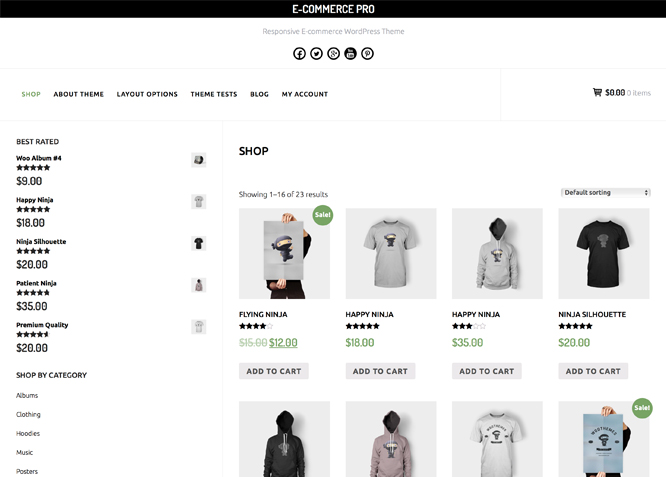
Show products in an attractive way. Use grids or lists. Highlight best-selling items. Use clear images. Provide detailed descriptions. Include user reviews. Make navigation easy. Use filters for sizes, colors, or brands. Ensure mobile-friendly design. Keep layout simple.
A good shopping cart is crucial. Allow users to add items easily. Display item count clearly. Provide options to update quantities. Offer a smooth checkout process. Include multiple payment gateways. Ensure security for transactions. Minimize steps to complete purchases.
Enhancing User Experience
Good navigation helps users find products easily. Use simple words for menu items. Keep the menu clean and organized. Make sure it is visible on all pages. Users should not struggle to find what they want.
Adding search and filter options improves user experience. Users can quickly find items they need. Filters should be clear and easy to use. Use categories like size, color, and price. This helps users narrow down choices.
A smooth checkout process makes users happy. Avoid too many steps. Keep it simple and fast. Use clear instructions and buttons. Users should know what to do next. Offer multiple payment methods for convenience.
Customizing Style And Appearance
Use CSS to make your theme look nice. Change colors and fonts. Make buttons bigger or smaller. Add borders to boxes. CSS helps your website look pretty. It is like painting a picture with code. You can make websites look unique with CSS.
SASS and LESS are special tools. They help write CSS faster. They use variables and mixins. This saves time. Imagine having a magic paintbrush for your site. SASS and LESS make it possible. They help keep your styles neat and clean.
Choose fonts that are easy to read. Typography matters a lot. Colors should match your brand. Pick colors that look nice together. Use a color wheel for ideas. Colors can make your site feel happy or calm. Good colors and fonts make users stay longer.

Credit: www.youtube.com
Testing And Debugging
Testing and debugging ensure your WordPress eCommerce theme works smoothly. Check each feature thoroughly. Fix errors quickly to provide users a seamless shopping experience.
Cross-browser Compatibility
Ensure your theme works on all popular browsers. Test on Chrome, Firefox, Safari, and Edge. Each browser may show your site differently. Fix any layout issues. Use browser tools to check code problems. Keep your theme consistent across browsers.
Mobile Responsiveness
Mobile users are important. Make sure your theme looks good on phones. Test on different screen sizes. Use tools to simulate mobile views. Adjust images and text. Your theme must be easy to use on small screens.
Performance Optimization
Fast sites are crucial. Check your theme’s load time. Compress images and code. Remove unused plugins and scripts. Use caching for speed. Keep your theme light and quick. Users love fast and smooth sites.
Launching And Maintenance
First, transfer your WordPress files to the live server. You can use FTP software to do this. Next, set up your database on the server. Import your local database to the live one. Remember to update your wp-config.php file. Ensure it connects to the right database. Finally, test your site. Make sure everything works well. A small error might cause problems.
Check your site’s speed. Use tools like Google PageSpeed Insights. Fast sites make users happy. Keep an eye on server uptime. Downtime hurts customer trust. Regularly check for broken links. They harm user experience. Ensure images are optimized. Large files slow down pages.
Keep WordPress and plugins updated. Updates fix bugs and security gaps. Install a security plugin. This protects against hacks. Always use strong passwords. Change them regularly. Backup your site often. If something goes wrong, you can restore it. Check for malware regularly. A clean site is a safe site.
Credit: catchthemes.com
Frequently Asked Questions
What Is A WordPress Ecommerce Theme?
A WordPress ecommerce theme is a template designed for online stores. It includes features like product pages, shopping carts, and payment gateways. These themes help create attractive, functional ecommerce websites. They are customizable to fit different business needs and branding styles.
How To Choose The Best Ecommerce Theme?
Choose a theme based on design, functionality, and responsiveness. Ensure it supports plugins and is SEO-friendly. Check reviews and support options. Test its loading speed and compatibility with WordPress updates. A good theme enhances user experience and boosts sales.
Can I Create A Theme Without Coding Skills?
Yes, you can create a WordPress ecommerce theme without coding. Use theme builders like Elementor or Beaver Builder. They offer drag-and-drop interfaces and pre-designed templates. Customize elements easily to suit your style. These tools simplify the theme creation process for beginners.
Are Free Ecommerce Themes Reliable?
Free ecommerce themes can be reliable but vary in quality. Check if they are regularly updated and have good reviews. Ensure they offer essential features like product pages and payment integration. They often lack advanced features found in premium themes.
Conclusion
Creating a WordPress eCommerce theme is simple with the right steps. Start with a clear plan. Design with your customers in mind. Choose easy navigation for your website. Add features that enhance shopping. Optimize for mobile devices. Test your theme before launching.
Keep updating and improving it. Focus on security and speed. Your theme should offer a seamless shopping experience. With dedication, your eCommerce site will thrive. Stay creative and user-focused. Remember, your theme reflects your brand. Happy building!


