
Ready to build your own website but don’t know where to start? WordPress makes it simple for you to create a professional-looking site without needing to be a tech expert.
Whether you want a blog, a business page, or an online store, WordPress gives you the tools to bring your ideas to life quickly and affordably. In this guide, you’ll discover easy steps to set up your website, choose the right design, and customize it to fit your style.
Keep reading, and you’ll be amazed at how fast and fun building your website can be!
Choosing WordPress Platform
Choosing the right WordPress platform is the first step in creating a website. WordPress offers two main options: WordPress.com and WordPress.org. Each serves different needs and goals. Understanding these options helps you pick the best fit for your site.
Deciding between WordPress.com and WordPress.org can affect your website’s control, cost, and features. This section explains the differences and benefits of each choice.
WordPress.com Vs WordPress.org
WordPress.com is a hosted platform. It handles hosting, security, and backups for you. It is easier for beginners who want quick setup.
WordPress.org is self-hosted. You download the software and install it on your own server. This option offers full control over your site.
With WordPress.com, you get limited customization. WordPress.org allows you to use any theme or plugin.
WordPress.com plans include free and paid tiers. WordPress.org is free software but requires paid hosting.
Pros And Cons Of Each Option
WordPress.com Pros: Easy setup, managed hosting, automatic updates, and built-in security.
WordPress.com Cons: Limited themes and plugins, restrictions on monetization, and less control.
WordPress.org Pros: Full control, unlimited themes and plugins, ability to monetize freely, and custom coding.
WordPress.org Cons: Requires hosting setup, manual updates, and responsibility for security and backups.
Your choice depends on your website goals, budget, and technical skills. Both platforms power millions of websites worldwide.
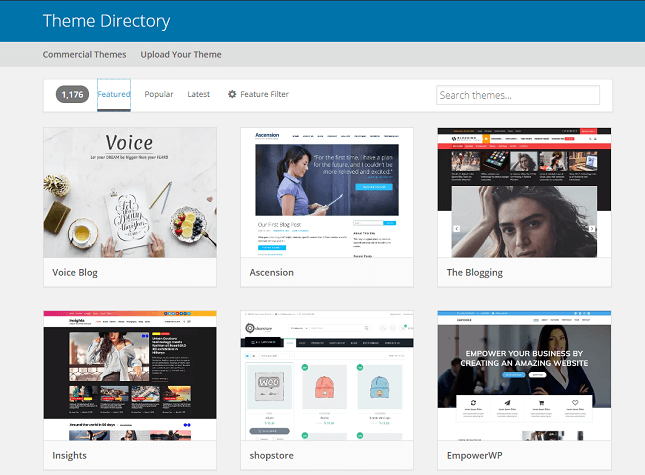
Credit: www.websitebuilderexpert.com
Selecting A Domain Name
Selecting a domain name is a key step in creating your WordPress website. It gives your site a unique identity and helps visitors find you online. The right domain name can build trust and improve your site’s visibility in search engines.
Think about your website’s purpose and audience before choosing a domain. Keep it simple and easy to remember. Avoid long or complex names that might confuse visitors.
Tips For Picking A Good Domain
Choose a domain name that matches your brand or topic. Use short words that are easy to spell and pronounce. Avoid numbers or hyphens, which can cause mistakes.
Try to include keywords related to your website’s content. This can help your site rank higher in search results. Check if the domain name is available on social media to keep your brand consistent.
Pick a domain with a popular extension like .com or .net. These are familiar and trusted by users. Think about your target location; country-specific extensions like .us or .uk work well for local sites.
How To Register A Domain
Register your chosen domain through a reliable domain registrar. Many hosting providers also offer domain registration services. Create an account and search for your preferred domain name to check availability.
Once you find an available domain, add it to your cart. Fill in your personal information for the registration process. Choose how long you want to register the domain, usually from one to ten years.
Complete the payment to secure your domain name. After registration, link your domain to your WordPress hosting. This step will make your website accessible online using your new domain.
Picking A Web Hosting Service
Choosing the right web hosting service is a key step in creating a WordPress website. Hosting affects your site’s speed, security, and uptime. A good host keeps your site online and running smoothly. It also supports WordPress features and updates. Understanding hosting options helps you pick a service that fits your needs and budget.
Types Of Hosting For WordPress
Shared hosting is the most affordable option. Multiple websites share one server’s resources. This may slow down your site if traffic grows.
VPS (Virtual Private Server) hosting offers more power. You get a dedicated portion of server resources. It suits growing websites with more visitors.
Dedicated hosting gives you an entire server. This option is best for large sites needing full control and high performance.
Managed WordPress hosting focuses only on WordPress sites. The host handles updates, backups, and security. This reduces technical work for you.
Recommended Hosting Providers
Bluehost is popular for beginners. It offers easy WordPress installation and good support.
SiteGround provides fast servers and strong security. It includes helpful tools for WordPress users.
HostGator is affordable and reliable. It has flexible plans for different website sizes.
WP Engine specializes in managed WordPress hosting. It offers excellent speed and expert support.
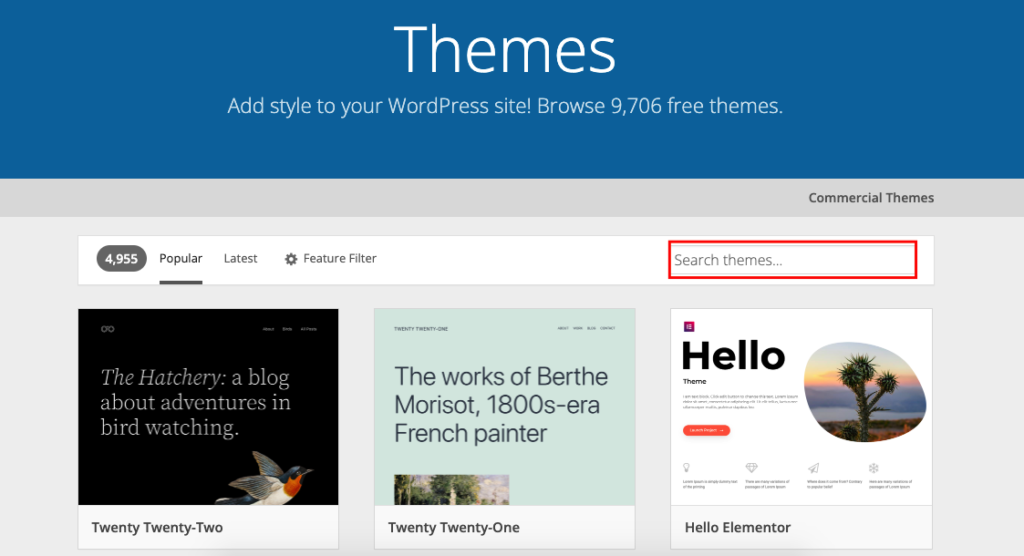
Credit: wedevs.com
Installing WordPress
Installing WordPress is the first step to creating your website. This process sets up the platform where you build pages, add content, and manage your site. WordPress offers simple methods to install it on your hosting server. You can choose between an easy one-click install or a manual setup. Both methods prepare your website to start working quickly and efficiently.
One-click Installation
Many web hosts provide one-click WordPress installation. This method is fast and perfect for beginners. You just log into your hosting account and find the WordPress installer. Click on the install button, choose your domain, and fill in basic site details. The host takes care of the technical setup automatically. In minutes, WordPress is ready to use without complex steps.
This option saves time and avoids mistakes. It also includes automatic database creation and configuration. One-click install is the easiest way to start your WordPress website.
Manual Installation Steps
Manual installation gives you full control over the process. Start by downloading the latest WordPress package from wordpress.org. Next, upload the files to your web server using an FTP client. Create a MySQL database through your hosting control panel. Then, run the WordPress installation script by visiting your domain in a web browser.
During the setup, enter your database details and site information. WordPress will connect to the database and finish the installation. Manual setup suits users who want to customize advanced settings or who use hosts without one-click options. It takes more time but ensures a tailored installation.
Choosing A Theme
Adding essential plugins enhances your WordPress website’s functionality. Plugins allow you to add features without coding. They help improve performance, security, and user experience. Choosing the right plugins ensures your site runs smoothly and meets visitors’ needs.
Must-have Plugins For Beginners
Some plugins are vital for every new WordPress site. A security plugin protects your site from attacks. SEO plugins help your site rank higher in search engines. Caching plugins improve loading speed, making your site faster. Contact form plugins let visitors reach you easily. Backup plugins save your data in case of problems.
How To Install And Activate Plugins
Log in to your WordPress dashboard. Go to the “Plugins” menu and click “Add New.” Use the search bar to find the plugin you want. Click “Install Now” on the chosen plugin. After installation, click “Activate” to start using it. Configure plugin settings from the dashboard as needed.
Adding Essential Plugins
Optimizing your WordPress website for SEO is essential for attracting visitors. A well-optimized site ranks higher in search results. This improves visibility and drives more organic traffic. SEO involves various techniques, both simple and advanced, to enhance your site’s performance in search engines.
Using the right tools and following best practices ensures your website is easy to find. Search engines like Google prefer websites that load fast, have clear content, and follow SEO rules. Keep your site user-friendly and search engine-friendly at the same time.
Using Seo Plugins
SEO plugins make optimization easier for WordPress users. Popular plugins like Yoast SEO and All in One SEO help manage keywords, meta tags, and sitemaps. These tools provide suggestions to improve your content and site structure.
They also help create clean URLs and optimize images. Plugins guide you on adding titles and descriptions for pages. This helps search engines understand your content better and rank your site higher.
Basic Seo Practices
Start with keyword research to find terms your audience searches for. Use these keywords naturally in titles, headings, and content. Write clear and short sentences to improve readability.
Optimize your images by adding alt text and reducing file size. Make sure your website loads quickly and works well on mobile devices. Use internal links to connect related pages and improve navigation.
Regularly update your content to keep it fresh and relevant. Avoid duplicate content, which can hurt your rankings. These basic steps help your website become more visible and useful to visitors.
Creating Key Pages
Launching your WordPress website is an exciting step. It means your site is ready to welcome visitors. This phase requires careful preparation to ensure a smooth start.
Preparing to launch involves checking all parts of your site. Testing features and fixing errors helps you avoid problems after launch. Planning how to share your site with others builds early traffic and interest.
Pre-launch Checklist
Review your website content carefully. Make sure all text is clear and free of mistakes. Check all images to ensure they load correctly and look good on different devices.
Test every link on your site. Broken links can frustrate visitors and harm your SEO. Confirm that your contact forms work and send messages properly.
Set up basic SEO settings. Add meta titles and descriptions for each page. Use keywords naturally in your content to help search engines understand your site.
Ensure your website loads fast. Use caching plugins and optimize images for better speed. Fast sites keep visitors engaged and improve search rankings.
Make sure your site is mobile-friendly. Test it on phones and tablets. A responsive design improves user experience across all devices.
Promoting Your Site
Start by sharing your website on social media platforms. Create posts that invite people to visit your new site. Use simple, clear messages to attract attention.
Tell friends and family about your launch. Word of mouth is a powerful way to get initial visitors. Ask them to share your site with others.
Submit your website to search engines. This helps your site appear in search results faster. Use tools like Google Search Console for better indexing.
Create useful content regularly. Blog posts or updates keep your site fresh and engaging. Fresh content encourages visitors to return and improves SEO.
Consider email marketing to reach your audience. Collect emails and send newsletters with updates and offers. This builds a loyal visitor base over time.
Optimizing Website For Seo
Maintaining and updating your WordPress website keeps it secure and running smoothly. Regular care prevents issues and improves performance. It also helps protect your site from hackers and data loss. Simple tasks done often save time and trouble later.
Regular Backups
Backing up your website regularly is essential. It saves a copy of your site’s data and files. If something goes wrong, you can restore your site quickly. Use backup plugins or your hosting service’s tools. Schedule automatic backups to avoid forgetting this step. Store backups in a safe place outside your website server.
Updating Themes And Plugins
Themes and plugins need frequent updates. Updates fix bugs and close security gaps. Old versions can cause your site to break or slow down. Check for updates in your WordPress dashboard often. Always update one at a time and test your site after. Avoid skipping updates to keep your website healthy and secure.

Credit: wordpress.org
Frequently Asked Questions
Can I Create My Own Website Using WordPress?
Yes, you can create your own website using WordPress by choosing a domain, design, and customizing it easily.
Why Are People Moving Away From WordPress?
People move away from WordPress due to security risks, frequent updates, complex customization, and slower site performance.
How Much Does It Cost To Create A Website Using WordPress?
Creating a WordPress website costs between $0 and several thousand dollars. Free plans exist, but premium themes, hosting, and custom domains increase expenses. Self-hosted sites require hosting fees, often $3-$25 monthly. Overall, costs depend on features, design complexity, and whether you hire professionals.
Can A Beginner Build A Website On WordPress?
Yes, beginners can easily build websites on WordPress using its intuitive drag-and-drop tools and beginner-friendly tutorials.
Conclusion
Creating a website with WordPress is simple and accessible. Choose a domain, pick a theme, and customize your pages. Regular updates keep your site safe and running well. Use plugins to add features without coding. Start small and grow your site step by step.
WordPress offers flexibility for beginners and experts alike. With patience, your website will reflect your ideas clearly. Take action today and enjoy building your online presence.


