
Are you ready to take control of your online presence? Creating your own web hosting can seem daunting, but it’s easier than you might think.
Imagine having the power to manage your website’s performance, security, and resources all by yourself. No more waiting for third-party providers to solve your issues. Instead, you have the freedom to customize and optimize your hosting environment to suit your needs.
This guide will walk you through the steps you need to take to create your very own web hosting. By the end, you’ll have the confidence and tools to transform your website into a robust, self-hosted platform. Let’s dive in and unlock the secrets of web hosting!
Choosing The Right Server
Dedicated servers are for one user. Shared servers are for many users. Dedicated servers are faster. They are also more expensive. Shared servers are cheaper. But they can be slow. Choose based on your needs. Consider your budget too.
Linux and Windows are common choices. Linux is free. Windows costs money. Linux is popular for web hosting. Windows is good for specific software. Think about your software needs. Choose the best fit for you.
Hardware is important. You need a good CPU. You also need enough RAM. More RAM means better performance. Storage is important too. SSDs are faster than HDDs. Choose based on your needs. Keep future growth in mind.
Domain Name Registration
Choosing a domain name is important. It should be easy to remember. Make sure it’s short and simple. Avoid using numbers or hyphens. They can confuse people. Also, check if the name is available. You can use online tools for this. A unique name stands out and helps your website.
After selecting a domain, you need to register it. Find a trusted domain registrar online. Many companies offer this service. Compare their prices and services. Once you choose, create an account with them. Then, pay for your domain. Remember to renew it before it expires. This keeps your domain safe and in use.
Setting Up The Server
First, choose a control panel like cPanel or Plesk. These panels help manage websites easily. Download the panel from the official website. Run the installer on your server. Follow each step carefully. Check that it installs correctly.
DNS is like the phonebook for the internet. Log in to your control panel. Go to the DNS settings area. Add your domain name. Set the correct IP address for your server. Save changes. This connects your domain to your server.
Security is important for your server. Install SSL certificates for secure connections. Use firewalls to block bad traffic. Update server software regularly. This keeps your data safe. Monitor server logs for unusual activity.
Installing Web Hosting Software
Picking the best software is very important. Software helps your website run smoothly. Some popular choices are cPanel, Plesk, and DirectAdmin. Each software has its own features. Check if the software supports your needs. Read reviews from other users. This can help you decide.
Installing web hosting software is simple. First, download the installer from the official site. Then, run the installer on your server. Follow the on-screen instructions carefully. You might need to enter some settings. For example, server name or password. After installation, restart your server. This makes sure everything works well. Always keep your software updated. Updates fix bugs and add new features.
Creating Hosting Packages
Choose the right storage for each package. Some users need more space. Others need less. Storage can be in GB or MB. Higher packages offer more storage. Lower packages offer less. Decide what is best for your clients.
Bandwidth is important for websites. More bandwidth means more visitors. Small packages need less bandwidth. Big packages need more. Decide the right limit for each package. Be clear about extra charges.
Pricing affects customer choices. Make sure prices are fair. Consider your costs when setting prices. Look at competitors for ideas. Offer different prices for different needs. Make sure customers get value.

Credit: www.hostingseekers.com
Managing User Accounts
User accounts are important for web hosting. Each user gets a unique account. This helps keep things organized. It is easy to create these accounts. Just fill in the user’s name and email. Then, assign a password. Make sure the password is strong. This keeps the account safe.
Permissions control what a user can do. Some users need more access. Others need less. Set permissions carefully to protect your site. Use admin tools to adjust these settings. Check permissions regularly. This helps keep everything secure.
Track how much each user uses. This is important to manage server load. Check usage reports often. Look for unusual activity. This can help catch problems early. Save these reports for future reference. They are helpful for planning.
Ensuring Website Security
SSL Certificates keep data safe between user and server. They make websites trustworthy. Users see a padlock icon in the address bar. This means their information is protected. SSL helps prevent data theft. It is essential for any site handling sensitive data.
Security audits help find weak spots in a website. Experts check the site for vulnerabilities. They test for malware and other threats. Regular audits keep your site safe. This process helps prevent attacks. Audits are an important part of security.
Backups keep your data safe from loss. They are a copy of your site’s content. If something goes wrong, backups help restore your site. They prevent data loss. It’s smart to backup often. This ensures your data is secure.
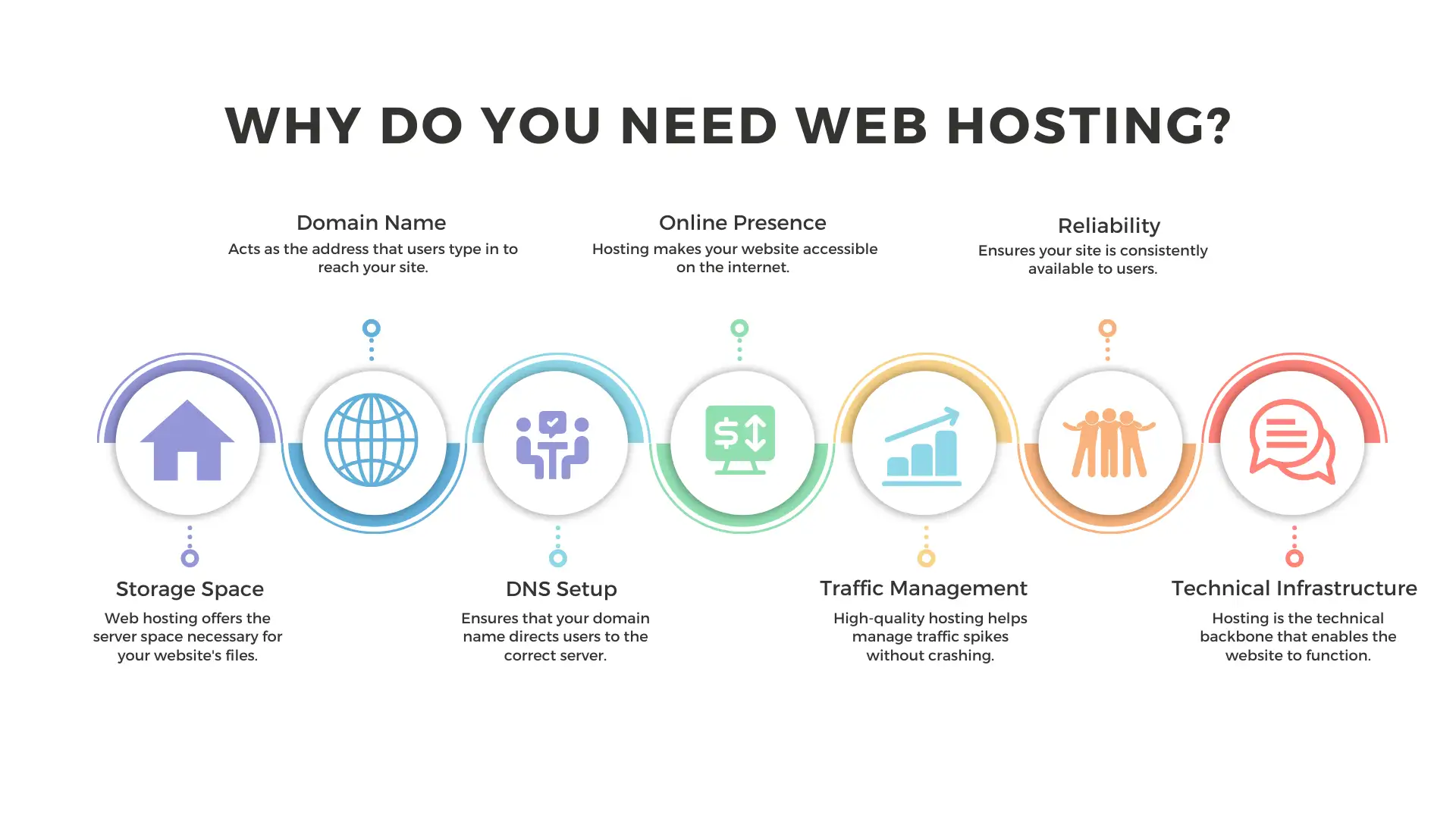
Credit: wegic.ai
Optimizing Server Performance
Load balancing helps share the work between servers. This keeps them from getting too busy. A load balancer decides which server gets the next job. This makes sure no server is too busy. It helps the website run better. Load balancing can also make the website work even if one server fails.
Caching saves some data for later use. It makes the website faster. Caches store data so it doesn’t have to load again. This helps save time and speed up page loads. Websites use caching strategies to keep data ready for users.
Servers need regular maintenance to work well. Check them often to find problems early. Fixing small issues can stop big problems later. Keep software updated to protect the server. Regular checks make sure everything runs smoothly.
Providing Customer Support
Good support starts with easy access. Offer support through multiple channels like email, chat, and phone. Make sure these channels are accessible and easy to use. Train your team to be friendly and helpful. Quick responses make customers happy. A fast reply builds trust.
A knowledge base helps customers find answers fast. Create articles with clear steps and simple words. Include pictures to make it easy to understand. Update the base often. New info keeps it helpful. This saves time for both customers and support staff.
Listen to customers carefully. Understand their problem before you answer. Be patient and kind. Use simple words to explain solutions. If needed, offer to help them step-by-step. Always thank them for reaching out.

Credit: www.siteuptime.com
Frequently Asked Questions
Can I Create My Own Web Hosting?
Yes, you can create your own web hosting. Set up a server, install necessary software, and configure settings. Ensure reliable internet, security, and backup plans. This approach offers control but requires technical skills and ongoing maintenance. It’s ideal for tech-savvy users seeking customization and independence.
How To Start A Web Hosting?
Begin by researching reliable hosting providers and determine your target audience. Choose a hosting plan that suits your needs. Set up a domain name and configure your server. Install necessary software and ensure security measures are in place. Regularly update and maintain your hosting service for optimal performance.
What Are The 3 Types Of Web Hosting?
The three types of web hosting are shared hosting, VPS hosting, and dedicated hosting. Shared hosting involves multiple sites sharing a server. VPS hosting provides a virtual private server with dedicated resources. Dedicated hosting offers a whole server exclusively for one website, providing maximum control and performance.
Is Google Web Hosting Free?
Google does not offer free web hosting. Google Cloud Platform provides hosting services at competitive prices. Users can explore free tier options for limited resources or a trial period. Always check current pricing and plans on Google’s official website for accurate details.
Conclusion
Creating web hosting involves several simple steps. Start with understanding your needs. Choose a reliable hosting provider. Secure your domain name. Set up your server with the right software. Ensure your site is user-friendly and fast. Remember to keep your data safe.
Regular updates are essential. Testing your site improves performance. Good web hosting supports your goals. It provides a solid foundation for growth. Now, you’re ready to host your site. Enjoy the journey of managing your own web space. Your successful web hosting adventure awaits.


