
Are you ready to transform your WordPress site into a unique masterpiece? Creating your own theme is not just about choosing colors and fonts; it’s about crafting a digital experience that aligns perfectly with your vision.
Imagine having total control over every aspect of your site’s appearance and functionality. Sounds exciting, right? But how do you get started without feeling overwhelmed? In this guide, we’ll break down the process of designing a WordPress theme into simple, manageable steps.
Whether you’re a coding novice or have some tech-savvy skills, you’ll find tips and tricks tailored just for you. By the end of this article, you’ll not only understand how to build a theme but also feel empowered to infuse your personality into every pixel. Let’s dive in and unlock the potential of your creativity!
Getting Started With WordPress Themes
Themes are like clothes for your website. They change how it looks. Each theme has a different design. Some are colorful. Others are simple. You can pick one you like. Themes also affect how your site works. They can make it fast or slow. It’s important to pick the right one. Choosing wisely can help your site look great. It will also make it easy to use. Each theme has its own features. Some have more options than others. Explore to find the best one for your needs.
To create a WordPress theme, you need some tools. A good computer is important. You also need a text editor. This helps you write code. Visual Studio Code is a popular choice. You need a web browser too. This lets you see your theme live. Google Chrome is very common. You will also need WordPress installed. This is the platform your theme works on. Local by Flywheel can help you set it up easily. These tools are key for making themes. With them, you can create something unique.
Credit: www.wpzoom.com
Setting Up The Development Environment
Start by setting up WordPress on your computer. Download the latest WordPress package. Install a local server like XAMPP or WAMP. Unzip WordPress files. Place them in the server’s root directory. Open your browser. Type “localhost” in the address bar. Follow the instructions to install WordPress.
Pick a code editor that you like. Popular choices are Visual Studio Code or Sublime Text. These editors help write and edit code. They offer features like syntax highlighting and plugins. Use them to make coding easier.
Local servers run web apps on your computer. XAMPP and WAMP are common options. Download and install one of them. Open the server control panel. Start the Apache and MySQL services. These services help run WordPress locally. Check their status regularly.
Theme Structure And Files
A WordPress theme needs some important files. These include index.php, header.php, and footer.php. The index.php is the main file. It displays your site content. The header.php shows the top part of your site. The footer.php shows the bottom part. Every theme must have these files. They make the theme work properly.
WordPress uses a template hierarchy. This decides which template file to use. For example, it can choose single.php for single posts. Or page.php for pages. This helps display the right content. Knowing this hierarchy is important. It makes your theme flexible.
The style.css file is vital. It controls your site’s look. This file has CSS code. It changes colors, fonts, and layouts. Also, it has theme information. This includes the theme name and author. Without style.css, the theme won’t work.
Designing The Theme
Start by sketching your ideas. Think about the structure you want. Consider where the header, footer, and sidebar will be. Simple designs work best. They are easy to navigate. Keep the user in mind. Plan for a responsive layout. This means it looks good on phones too.
Colors set the mood of your theme. Choose two or three colors. They should complement each other. Use a color wheel for help. Fonts should be easy to read. Pick two fonts. One for headings, one for body text. Consistency is key. This makes the theme look professional.
A wireframe is a basic outline. Draw simple boxes for each section. This shows where content will go. It’s like a map for your theme. Wireframes help in visualizing the design. They are quick to make and easy to change. Use tools like paper or digital apps.
Coding The Theme
The header starts with basic HTML. Add site title and navigation. The footer includes important links and copyright info. Use CSS for styling. Make sure everything is aligned. Headers and footers make the site look nice.
The main loop fetches posts from the database. It displays titles and content. Use PHP to set up the loop. It repeats until all posts show. This is how WordPress displays blogs. Keep the code clean and simple.
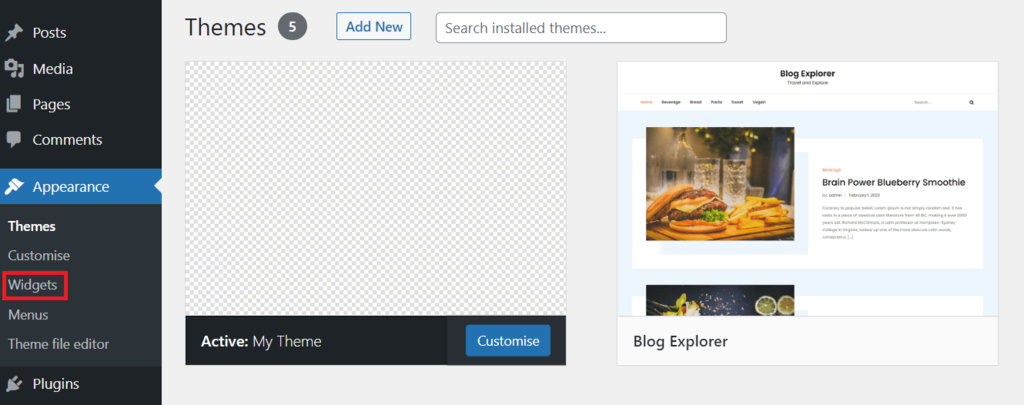
Sidebars hold extra content. Widgets are small blocks. They show recent posts or ads. Use WordPress functions to create sidebars. Add widgets using the admin panel. Customize them for a unique look. Sidebars help users find things easily.
Adding Theme Features
Custom menus help users find what they need. They make navigation easy. To add them, use the register_nav_menus function. This function is in your theme’s functions.php file. It creates menu locations. Users can then assign menus to these locations.
Featured images make posts look nice. They appear at the top of posts. Use the add_theme_support function. This function enables featured images in your theme. After this, you can add images to posts easily.
Custom page templates give pages a unique look. They help in creating special layouts. To make one, create a new PHP file. Add the Template Name at the top. Save this file in your theme folder. Now, you can choose this template in the page editor.
Testing And Debugging
Validating HTML and CSS ensures themes work well. Use tools like W3C Validator. They help find errors in code. Fixing errors improves website performance. Clean code makes themes faster and more reliable. Validating also helps in making your theme accessible.
Cross-Browser Compatibility is important for user experience. Test your theme on different browsers. Check it on Chrome, Firefox, and Safari. Make sure it looks good everywhere. Some elements may not work in all browsers. Use CSS resets to fix common issues. This ensures everyone sees the same thing.
Using Debugging Tools helps find problems. Tools like Firebug and Chrome DevTools are useful. They show how code works in real-time. Debugging tools help fix layout issues. They also help in optimizing theme performance. Regular testing keeps your theme bug-free.
Credit: www.hostinger.com
Optimizing For Performance
Minifying CSS and JavaScript makes files smaller. It removes unnecessary spaces and comments. This boosts site speed. Faster sites keep users happy. It’s simple to do with tools online. Minify your files to enhance performance.
Browser caching saves website data. It speeds up repeat visits. Users don’t download the same files again. This reduces loading time significantly. Set cache rules in your server. Make your site faster with caching.
Large images slow websites down. Optimize images to improve speed. Use smaller image sizes. Choose the right format. Tools can compress images without losing quality. Optimized images help sites load faster.
Publishing The Theme
Your theme should be ready for release. Check all the files. Ensure they are well-organized and clean. The code must be easy to read. Test your theme many times. Fix any problems you find. It is important to have good documentation. This helps users understand your theme. Include a user guide. Add a FAQ section.
Submit your theme to the WordPress repository. Visit the official WordPress site. Create an account if needed. Follow their theme submission guidelines. Upload your theme files. Fill out all required forms. Be patient after submission. The review process might take some time. You will get feedback from reviewers.
Promotion helps your theme reach more users. Share it on social media platforms. Engage with communities online. Write a blog post about your theme. Highlight its features and benefits. Offer support for your theme. Users appreciate quick help. Consider making a video tutorial. This can show how to use your theme.
Credit: blog.templatetoaster.com
Frequently Asked Questions
How Do I Start Creating A WordPress Theme?
To start, set up a local development environment using tools like XAMPP. Familiarize yourself with PHP, HTML, and CSS. Download WordPress and use its default themes as a reference. Create a new theme folder and start coding the necessary files, like style.
css and index. php.
What Tools Are Essential For Theme Development?
Essential tools include a code editor like Visual Studio Code and a local server environment like XAMPP. Use the WordPress Codex for guidance. Debugging tools such as Xdebug are also helpful. Additionally, version control systems like Git help manage code changes efficiently.
Can I Create A Theme Without Coding Knowledge?
Creating a theme without coding knowledge is challenging but possible. Use theme builders like Elementor or Divi that offer drag-and-drop features. These tools simplify design and layout creation. However, understanding basic HTML and CSS can enhance customization and functionality.
How Do I Test My WordPress Theme?
Testing involves checking functionality, responsiveness, and browser compatibility. Use tools like BrowserStack to test across different browsers. WordPress debugging tools help identify errors. Ensure your theme is responsive by testing on various devices and screen sizes.
Conclusion
Creating WordPress themes can seem challenging at first. Break it down into steps. Start with planning your design. Choose simple, clean layouts. Use tools like WordPress theme frameworks. They simplify the coding process. Test your theme on different devices. Ensure it works well on mobile and desktop.
Keep user experience in mind. Speed and ease of navigation matter. Regularly update your theme. This maintains security and functionality. Remember, practice makes perfect. Experiment with different styles. Soon, you’ll build beautiful themes with confidence. Enjoy the journey of learning and creating.


