
Imagine being able to share knowledge with students from all corners of the globe, right from your own computer. Creating an online university might sound like a daunting task, but with the right tools, it can be a straightforward process.
If you’re ready to step into the world of digital education, the power of WordPress is at your fingertips. Using a WordPress theme, you can build a professional and engaging online university that meets your specific needs. This guide will walk you through the simple steps to bring your vision to life.
Ready to discover how you can create an impactful educational platform with ease? Let’s dive in and unlock the potential of your online university today!
Credit: weadown.com
Choosing The Right WordPress Theme
Selecting the right theme is crucial for an online university. A good theme must be responsive and work on all devices. It should have customizable options so you can change colors and fonts. Look for integration with plugins like learning management systems. A theme with SEO optimization is important to help students find your site. Don’t forget about security features to keep data safe. A user-friendly interface makes it easy for students and teachers to use.
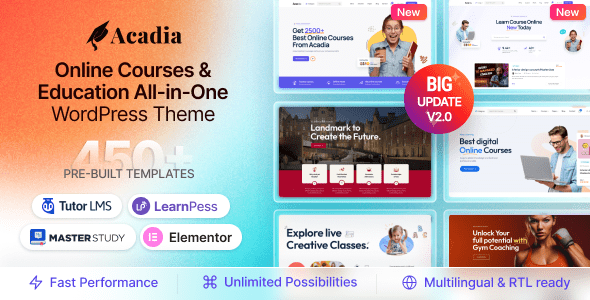
Some themes are popular for online learning. Education WP offers many features and is easy to use. Eduma is another top choice with strong tools for teaching. MasterStudy has options for courses and quizzes. All these themes help make learning online simple and fun. They have many users who find them helpful and reliable.
Setting Up Your WordPress Site
Choosing the right domain name is very important. It should be easy to remember. A good name helps people find your site easily. Next, get a reliable hosting service. This keeps your site running smoothly. It also protects your site from hackers. Some popular hosting services are Bluehost and SiteGround. Make sure your hosting plan has enough space for your site.
Start by downloading WordPress from its official site. Then, upload it to your hosting account. Many hosts offer one-click installation. This makes installing WordPress very easy. Follow the steps shown by the host. After installing, check if the site works. You should see a welcome screen. Now you can start building your online university.
Customizing The WordPress Theme
Choose a layout that suits your university. Use simple layouts for clarity. Organize sections for courses and events. Add menus for easy navigation. Include sidebars for quick access to resources. Make sure the layout is neat. Ensure the design is user-friendly. Students should find info easily. Keep pages clean and responsive. Test on different devices. Adjust design for tablets and phones. Keep it visually appealing and functional.
Start with the university logo. Place it at the top of the page. Use university colors throughout the site. Select fonts that match the university style. Upload photos of the campus. Include images of faculty and students. Add a section for university news. Share achievements and events. Create a banner with the university motto. Make branding visible on every page. Help users feel the university’s presence. Keep branding consistent and recognizable.
Implementing Essential Plugins
Choose a Learning Management System (LMS) plugin for your site. It helps in managing courses. Popular LMS plugins include LearnDash and LifterLMS. They offer features like quizzes and progress tracking. These tools make learning fun and easy for students.
Students need an easy way to enroll in courses. Use plugins to manage this. Plugins like WPForms help with enrollment forms. They are simple and effective. Students can sign up and start learning quickly. This helps in keeping the process smooth.
Creating Course Content
Start with a clear plan for your course materials. Use a simple list to keep track. Divide topics into modules. Each module should cover one main idea. Use bullet points for key points. Simple headings make materials easy to find. Keep sentences short. Avoid long paragraphs. Students like neat organization. It makes learning easier. Use tables for complex information. Tables help with comparisons. Keep designs simple and clean. This aids understanding.
Multimedia brings courses to life. Add videos and pictures to support learning. Upload multimedia resources into your course. Use small file sizes for fast loading. This keeps students engaged. Name files clearly for easy access. Students find materials faster this way. Use alt text for images. It helps everyone understand. Keep your videos short and interesting. Use simple language in voiceovers. Avoid complicated graphics. Clear visuals are better. Multimedia should match the lesson topic. It strengthens learning.
Setting Up User Roles And Permissions
Teachers need special access to build courses. They should have permissions to upload lessons. Also, they can manage student records. Instructors can post assignments. They also need to grade student work. Make sure they can send messages to students. This access is important for smooth teaching. Teachers should feel empowered.
Students need access to course materials. They should be able to submit assignments. Also, they can see grades and feedback. Students must be able to contact instructors. Access to discussion boards is helpful. This helps students learn and ask questions. Simple access makes learning easy. It keeps students engaged.
Optimizing For Seo And Performance
Building an online university with a WordPress theme improves SEO and performance. Choose a responsive theme for faster loading. Use plugins to optimize content and structure for search engines.
Seo Best Practices
Use keywords wisely. Put them in titles, headings, and URLs. Write clear meta descriptions. These tell what your page is about. Make sure each page has one. Internal linking is also important. This helps users and search engines find your content.
Images should have alt text. This helps search engines understand them. Use short sentences and simple words. This makes your content easy to read.
Improving Site Speed
Fast sites keep users happy. Compress images to make them smaller. Use a content delivery network (CDN). This helps load your site faster. Remove extra plugins. Too many can slow your site.
Enable browser caching. This stores some data on users’ devices. So, next time, your site loads quicker. Always update your WordPress and themes. New updates often improve speed.

Credit: www.youtube.com
Ensuring Security And Compliance
Creating an online university with a WordPress theme requires careful security and compliance measures. Protect data using secure plugins and regular updates. Ensure compliance with educational regulations through detailed documentation and user privacy policies.
Implementing Security Measures
Security is very important for online universities. Install security plugins to protect data. Use strong passwords for all accounts. Update themes and plugins regularly. Enable two-factor authentication for extra safety. Backup data often. Always monitor your site for threats. Keep students’ information private.
Compliance With Educational Standards
Online universities must follow educational rules. Understand the local education laws. Make sure courses meet accreditation requirements. Use licensed materials for classes. Provide accessible content for all students. Keep records of students’ progress. Regularly review your curriculum. Ensure teachers are qualified. Offer support to students. Always check for updates in standards.
Testing And Launching Your University
Building an online university with a WordPress theme involves careful planning and testing. Ensure functionality and user-friendliness before launching. This step is crucial for providing a seamless learning experience.
Pre-launch Testing
Check if all your pages work well. Make sure links go to the right place. Ensure images and videos load quickly. Test forms to see if they send information. Use different devices like phones and tablets. This ensures everyone can see your site. Ask friends to try it too. They might find things you missed.
Going Live
Ready to show your site to the world? Double-check everything again. Fix any last-minute issues. Back up your site data. Announce your launch on social media. Tell your friends and family. Once live, keep an eye on your site. Watch for any problems. Fix them quickly. Your university is now open online!
Marketing Your Online University
Social media is a powerful tool. Share engaging content about your courses. Use images and videos. People love visuals. Interact with students. Answer their questions. This builds trust. Be consistent. Post regularly. Keep your audience interested. Encourage students to share their experiences. Their stories matter. They create a sense of community. Use polls and quizzes. These make learning fun. They also increase engagement. Don’t forget to monitor feedback. Improve where necessary. Respond promptly. Show that you care.
Partnerships can grow your university. Collaborate with other institutions. Share resources. This saves money. It increases your reach. Engage with industry leaders. Invite them for talks. Their insights are valuable. Students love learning from experts. Partner with local businesses. Offer courses that meet their needs. This creates job opportunities. Students will appreciate this. Collaboration boosts credibility. It shows you are serious. It builds a strong network. This supports your growth.
Providing Support And Maintenance
Students may face issues with their online courses. Teachers might need help with course materials. Providing quick and reliable support is crucial. Make sure there is a help desk available. It should be easy to contact. Use live chat or a simple email system. Train staff to solve problems fast. A FAQ section can also help. It answers common questions. This makes the support process smoother.
Updating your WordPress theme is very important. It keeps your site secure and fast. Regular updates bring new features. They fix bugs too. Set a schedule for updates. Remind users about updates. Make sure all plugins are up to date. This keeps the online university running well. An updated site improves the user experience. It keeps students and teachers happy.

Credit: themeforest.net
Frequently Asked Questions
What Is The Best WordPress Theme For Online Universities?
When choosing a WordPress theme for online universities, opt for one with educational features. Look for themes that offer course management, student registration, and responsive design. Astra and Eduma are popular choices. They provide customizable templates and integrations with learning management systems.
How To Install A WordPress Theme?
To install a WordPress theme, go to your WordPress dashboard. Navigate to Appearance > Themes > Add New. You can upload a theme or search from the repository. Once you find a suitable theme, click ‘Install’ and then ‘Activate’ to apply it to your site.
Can I Customize A WordPress Theme?
Yes, WordPress themes are highly customizable. Use the WordPress Customizer to change colors, fonts, and layouts. Many themes offer page builders like Elementor for drag-and-drop customization. You can also add plugins for additional features. Always create a child theme to preserve changes during updates.
Do I Need Plugins For An Online University Site?
Yes, plugins enhance your online university site. Essential plugins include learning management systems like LearnDash or LifterLMS. Use membership plugins for student access control. SEO plugins like Yoast help with search engine visibility. Ensure plugins are compatible with your theme.
Conclusion
Building an online university with WordPress is simple and effective. Choose a theme that fits your needs. Customize the design to match your brand. Add essential plugins for functionality. Ensure your site is secure and user-friendly. Focus on creating engaging content for students.
Test your site thoroughly before launching. Regular updates keep your site fresh and functional. Promote your university through social media channels. Encourage feedback for improvement. With dedication, your online university will thrive. Students worldwide can access quality education easily. Start today and make a difference in online learning.


