
Creating a login page in your WordPress theme is more than just a technical task—it’s the gateway to your website’s inner workings. Imagine offering your users a seamless entry point, one that reflects the professionalism and style of your brand.
Whether you’re looking to enhance security, personalize the user experience, or simply streamline access, designing a custom login page can significantly elevate your site. But how do you get started? What steps ensure a flawless integration into your existing theme?
You’re about to discover the secrets to crafting a login page that not only looks great but functions flawlessly. Dive in, and unlock the potential to transform your WordPress site into a user-friendly powerhouse.
Credit: www.isitwp.com
Choosing The Right Plugins
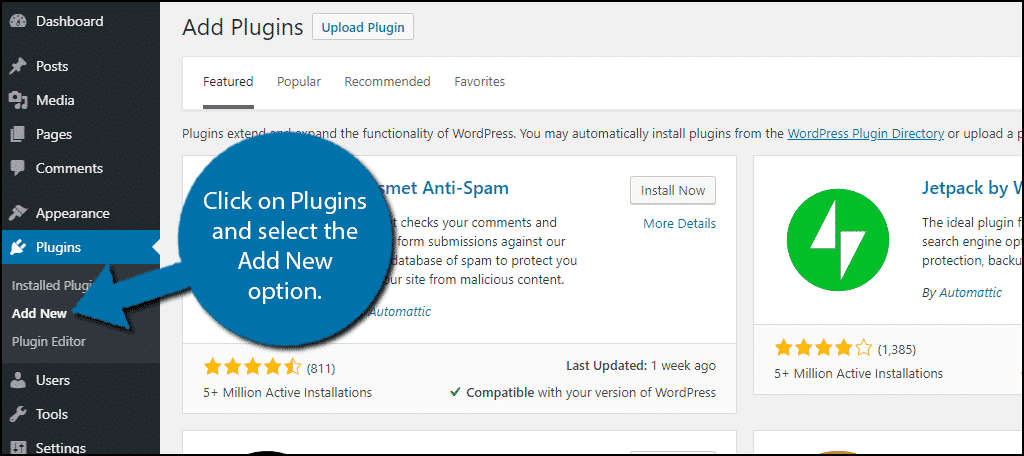
WordPress has many plugins for login pages. Some are very popular. WPForms is one. It is easy to use. LoginPress offers many design choices. Theme My Login helps with user registration. Each plugin has unique features.
Think about security. Some plugins offer two-factor authentication. This keeps accounts safe. Customization is another feature. You may want to change the look of the login page. Look for plugins with good customer support. It’s important if you have questions. Also, consider compatibility with your theme. Not all plugins work with every theme.
Customizing The Login Page
To change the colors on your login page, go to the WordPress theme settings. Choose colors that match your brand. Use a color picker tool to find the exact shade you want. Fonts can also be changed. Select a font that is easy to read. Use the theme customizer to apply your chosen font. Make sure the font size is not too small. Choose colors and fonts that look good together. This makes your page attractive.
Add a custom logo to your login page. This makes the page look professional. Go to the theme settings to upload your logo. Use a clear image of your logo. Make sure the logo is the right size. A large logo may not fit well. You can adjust the logo size in settings. Ensure the logo represents your brand well. Having a custom logo builds trust.
Using Shortcodes
Shortcodes make tasks easy in WordPress. They help embed forms quickly. To use them, find the shortcode for your login form. Add it to your page. The form will appear where you place the code. This saves time and effort. Users will see the login form right on the page. No need for complex coding.
Always use correct shortcodes for best results. Check documentation for details. This avoids errors and keeps the site working well. Test shortcodes before using them live. It helps find mistakes early. Keep the shortcode simple. It should do one job at a time. This makes it easy to update or fix.
Credit: www.greengeeks.com
Enhancing Security Measures
Captcha helps to keep your site safe. It stops bots from logging in. Users must solve a puzzle. This proves they are human. Adding Captcha is easy. Many plugins can help with this. Choose a plugin that fits your needs. Install it and follow the steps. Your site will be more secure.
Strong passwords are very important. They protect user accounts. A good password has letters, numbers, and symbols. Encourage users to choose strong passwords. Some plugins can enforce this. They make sure passwords are hard to guess. Set rules for password strength. This helps keep accounts safe.
Utilizing Custom Code
WordPress themes allow creating a custom login template. This gives a personalized look to the login page. Start by creating a new file named login-template.php. Place this file in your theme folder. This file will contain HTML and PHP code. Use it to design your login page. Include WordPress functions to retrieve user data. Modify the header.php and footer.php for consistent design. Customize the CSS for styling. Ensure the login form is user-friendly.
Adding Functions To Functions.php
The functions.php file is crucial for adding functionality. Begin by opening this file in your theme directory. Add code to hook the custom login template. Use add_action and add_filter functions. These functions help control login behavior. Create a function for redirecting users after login. Use wp_redirect to define destination URLs. Ensure security by validating user inputs. Add error messages for incorrect login attempts. This enhances user experience. Keep the code clean and organized.
Credit: blog.templatetoaster.com
Testing And Debugging
Creating a login page can be tricky. Sometimes, things don’t work right. Common issues include broken links or missing images. Check your code for errors. Errors often cause these problems. Be sure to test each function. This helps find what’s wrong. Ensure all buttons work. A non-working button frustrates users. Look at your plugins too. Some plugins may conflict with others. Disable them one by one. This can help find the troublemaker. Always keep WordPress updated. Updates fix many issues.
Troubleshooting Common Issues
Check your internet connection first. A slow connection may cause problems. Clear your browser cache. Old data can make things act oddly. Look at error messages carefully. They give clues to what’s wrong. Double-check your login details. Mistyped passwords happen often. Review your theme settings. Incorrect settings can break the login page.
Ensuring Mobile Responsiveness
Many people use phones to browse. Your login page must fit small screens. Test on different devices. Check how it looks on phones and tablets. Use flexible layouts. Flexible layouts adjust to different screen sizes. Avoid large images. Large images load slowly on phones. Check button sizes. Buttons must be big enough to tap. Ensure text is readable. Small text can be hard to see on phones. Try using a mobile-friendly theme. Mobile-friendly themes work well on all devices.
Optimizing For User Experience
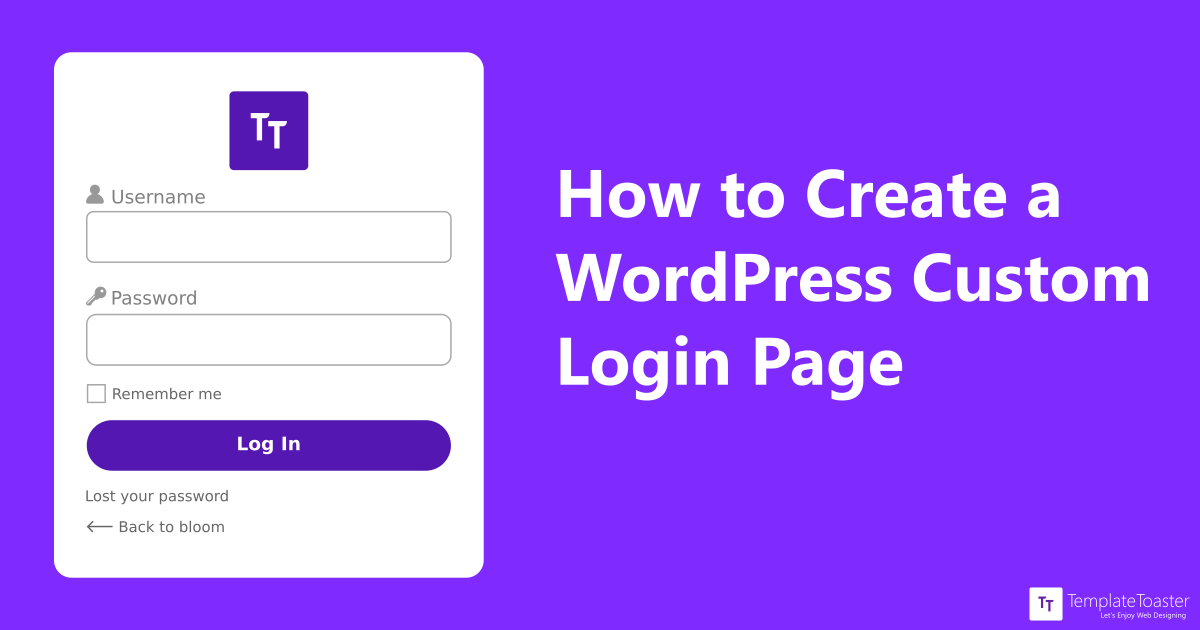
Streamlining the login process is crucial for better user experience. Make sure the login button is easy to find. Use simple words for labels like “Username” and “Password.” Keep the login form clean with no extra fields. Offer a “Remember Me” option for users. This saves their login details securely. Provide clear error messages if something goes wrong. Users appreciate quick feedback.
Ensuring accessibility is vital for all users. Make sure screen readers can read the login page. Use labels that describe what the user needs to enter. Ensure the contrast between text and background is clear. This helps people with visual challenges. Provide keyboard navigation for all elements. This is helpful for users who cannot use a mouse.
Frequently Asked Questions
How To Start Creating A Login Page In WordPress?
To create a login page in WordPress, start by installing a suitable plugin like Theme My Login. Customize the login form using the plugin settings. Ensure the design matches your theme. This approach is user-friendly and requires minimal coding knowledge.
Can I Customize My WordPress Login Page?
Yes, you can customize your WordPress login page. Use plugins like Custom Login Page Customizer to change colors, backgrounds, and logos. These plugins offer flexibility in design and functionality, allowing you to create a unique login experience that aligns with your brand identity.
Is A Plugin Necessary For A Login Page?
Using a plugin is recommended for creating a login page. Plugins like WPForms provide an easy way to add custom login forms. They simplify the process and offer additional features like spam protection and user management, enhancing the security and usability of your WordPress site.
How To Ensure Security On A Login Page?
Ensure login page security by using strong passwords and implementing two-factor authentication. Regularly update your WordPress and plugins to patch vulnerabilities. Consider using security plugins like Wordfence for additional protection. These steps help safeguard your site against unauthorized access.
Conclusion
Creating a login page in a WordPress theme is straightforward. With clear steps, anyone can do it. Customization adds a personal touch, enhancing user experience. Security is crucial; always use strong passwords and secure plugins. Testing ensures everything works smoothly for users.
A good login page boosts user engagement and trust. Keep it simple and user-friendly. Follow best practices to maintain site security and functionality. Enjoy building a seamless login experience for your WordPress site. Your users will appreciate the effort and care in crafting a reliable entry point.


