
Have you ever wondered how to secure your WordPress theme with a license key, ensuring only authorized users can access your hard work? Creating a license key for your WordPress theme isn’t just about protection; it’s about maintaining control over your creations and adding value to your product.
Imagine the peace of mind knowing that your theme is safe from unauthorized distribution, and only paying customers are reaping the benefits of your expertise. In this guide, you’ll discover the straightforward steps to generate a license key for your WordPress theme.
You’ll find out how this small step can significantly boost your theme’s credibility, increase your sales, and protect your intellectual property. Ready to take control and maximize the potential of your WordPress theme? Let’s dive in and explore how you can create a robust license key system that works for you.
Choosing A Licensing System
Open source systems are free. They are easy to use and modify. Many people trust them. Proprietary systems cost money. They often have more features. They can offer better support. Choose wisely. Your theme’s protection matters.
There are many plugins. Some are very popular. WooCommerce is a top choice. It is easy and reliable. Easy Digital Downloads is another option. It offers great features. License Manager is also famous. It helps manage keys well. Each plugin has its benefits. Pick what suits your needs.
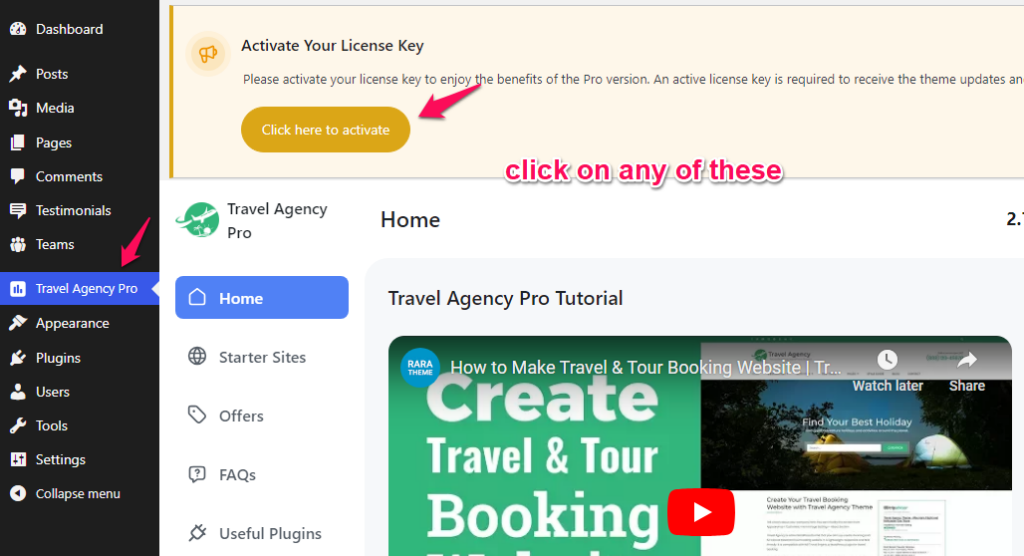
Credit: rarathemes.com
Setting Up License Key Generation
Create license keys for your WordPress theme by using plugins or custom scripts. Ensure secure and unique keys to protect your theme. Automate key generation for easy distribution and better management.
Install And Activate Licensing Plugin
First, choose a licensing plugin for your WordPress theme. Find one that suits your needs. Download the plugin to your computer. Log in to your WordPress dashboard. Go to the Plugins section. Click on Add New. Upload the plugin file. Click Install Now. Wait for the installation to complete. Activate the plugin by clicking Activate Plugin.
Configure Api Settings
Open the plugin settings page. Look for the API settings section. Enter your API key. This key connects your site to the plugin server. Set up server endpoints. These endpoints will handle requests. Save your settings after entering all details. Double-check everything. A mistake might stop the license key from working. Your plugin should now be ready to create keys.
Integrating License Keys With Theme
Begin by opening the theme files. You need to locate the functions.php file. This file is usually found in the theme folder. Once located, open it with a text editor. This file will help you add new functions for the license key. Make sure to keep a backup of the original file.
Now, you will insert the license verification code. This code checks if the key is valid. Place the code in the functions.php file. The code should connect to the server. It verifies the license key online. If the key is valid, the theme works fine. If not, it shows an error message. This ensures only users with a valid key can use the theme.
Customizing License Key Options
Setting a license expiration date is important. It helps manage software access. Choose a time frame that fits your needs. Common periods are one year or six months. Users must renew after this time. This keeps the theme updated and secure. Always inform users about the expiration. This builds trust and ensures satisfaction.
Limiting usage protects your work. Decide how many sites a license can cover. One site per license is common. This approach prevents misuse. Users will need more licenses for multiple sites. Clarify these rules in your terms. Clear rules help users understand their rights. This keeps your theme valuable and fair for everyone.
Testing License Key Functionality
Creating a license key for a WordPress theme ensures secure distribution and usage. Start by generating unique keys for each user. Implement a validation system to check the key’s authenticity during theme activation. This process helps protect your theme and maintain control over its use.
Verify Key Activation
Check if the key activates properly. Ensure it unlocks all features. The user should enter the key in the theme settings. The theme should respond with a success message. This shows the key is valid. Test different scenarios. Use both valid and invalid keys. This helps catch errors early. Ensure the theme reacts correctly.
Simulate Expiry And Renewal
License keys expire after a set time. Simulate the expiry process. Check how the theme behaves. It should alert users about the expiry. Users should know their key needs renewal. Test the renewal process. Make sure it is simple. Users should enter a new key easily. The theme should accept the new key. It should restore full functionality.

Credit: forums.envato.com
Troubleshooting Common Issues
A license key might show as invalid if typed wrong. Always check for any typos. Make sure to copy and paste it correctly. Another reason could be an expired key. Contact the theme provider for help. Some keys work only for certain sites. Ensure the key matches the site it is for.
API issues happen if there is no internet. Ensure your device is connected. Sometimes, firewalls block connections. Check your firewall settings. Also, the API server might be down. This is a temporary issue. You can try again after some time.
Best Practices For License Management
Crafting license keys for WordPress themes involves a straightforward process. Start with a secure algorithm to generate unique keys. This ensures each theme user has a distinct code, enhancing security and control. Regularly update and monitor the keys for effective license management, maintaining theme integrity.
Regular Updates And Support
WordPress themes need constant care. Regular updates help fix bugs. They also keep themes secure. Support is essential for user help. A team should be ready to assist. This ensures user satisfaction. Users trust themes with good support. Quality support builds user loyalty. Users feel safe with regular updates. This improves the theme’s reputation.
Monitoring And Analytics
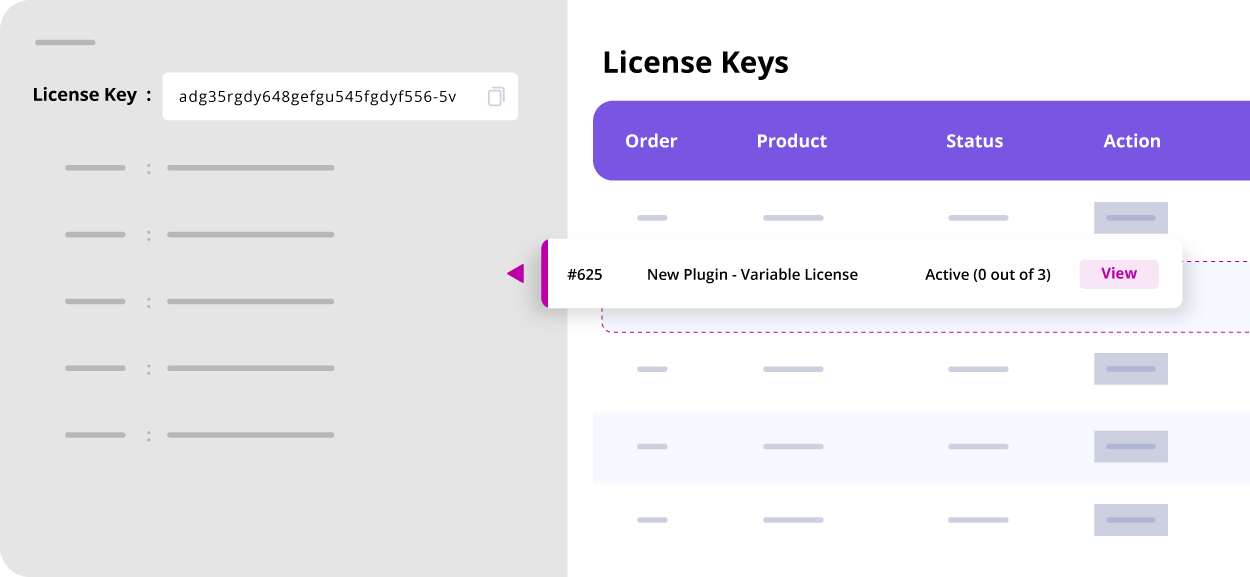
Tracking licenses is important. Monitoring tools help manage licenses. They show how licenses are used. Analytics give insights about user behavior. They help in making decisions. Tools can track expired licenses. This helps in renewing licenses. Analytics improve user experience. They show what users like. This helps in theme improvements. Regular monitoring keeps themes efficient.
Credit: www.themehigh.com
Frequently Asked Questions
How Do I Generate A License Key?
To generate a license key for a WordPress theme, use a reliable license key generator plugin. Install and activate the plugin, then configure the settings. Follow the instructions to create unique keys for your theme. Ensure the keys are securely stored and easily accessible for future reference.
Why Is A License Key Important For Themes?
A license key is crucial for protecting your WordPress theme from unauthorized use. It ensures only valid users can access updates and support. This helps maintain the theme’s functionality and security. Additionally, it enables developers to track usage and manage distribution effectively.
Can I Automate License Key Creation?
Yes, you can automate license key creation using specialized plugins or scripts. These tools generate unique keys based on predefined rules. Automation saves time and reduces human error. It also ensures consistency in key format and delivery, enhancing user experience and management efficiency.
What Tools Help Create WordPress License Keys?
Several tools help create WordPress license keys, including Easy Digital Downloads and WooCommerce. These plugins offer built-in licensing systems. They allow you to generate, manage, and validate keys easily. Choose a tool that integrates well with your theme and meets your specific needs.
Conclusion
Creating a license key for your WordPress theme is simple. It boosts security and manages user access. Follow each step carefully for the best results. Ensure your theme is secure and user-friendly. This helps build trust with your users. Your theme stays protected from unauthorized use.
Regular updates maintain functionality and security. With these tips, your WordPress theme remains efficient and reliable. Always prioritize security and user experience. Keep your theme up-to-date and safe. This approach ensures a smooth experience for everyone using your theme. Happy coding and theme development!


