
Are you ready to launch your own website but worried about the cost of web hosting? Imagine having the power to bring your ideas to life online without spending a dime.
Yes, it’s possible, and it’s easier than you think! In this guide, you’ll discover how to create a free web hosting account that can serve as the perfect platform for your digital dreams. Whether you’re a budding blogger, an aspiring entrepreneur, or simply curious about web development, this step-by-step tutorial will walk you through the process effortlessly.
By the end of this article, you’ll not only know how to set up your free web hosting account but also understand how to maximize its potential. Don’t miss out on this opportunity to take your first step into the digital world without breaking the bank. Let’s dive in and get your website up and running today!
Choosing The Right Free Web Hosting Provider
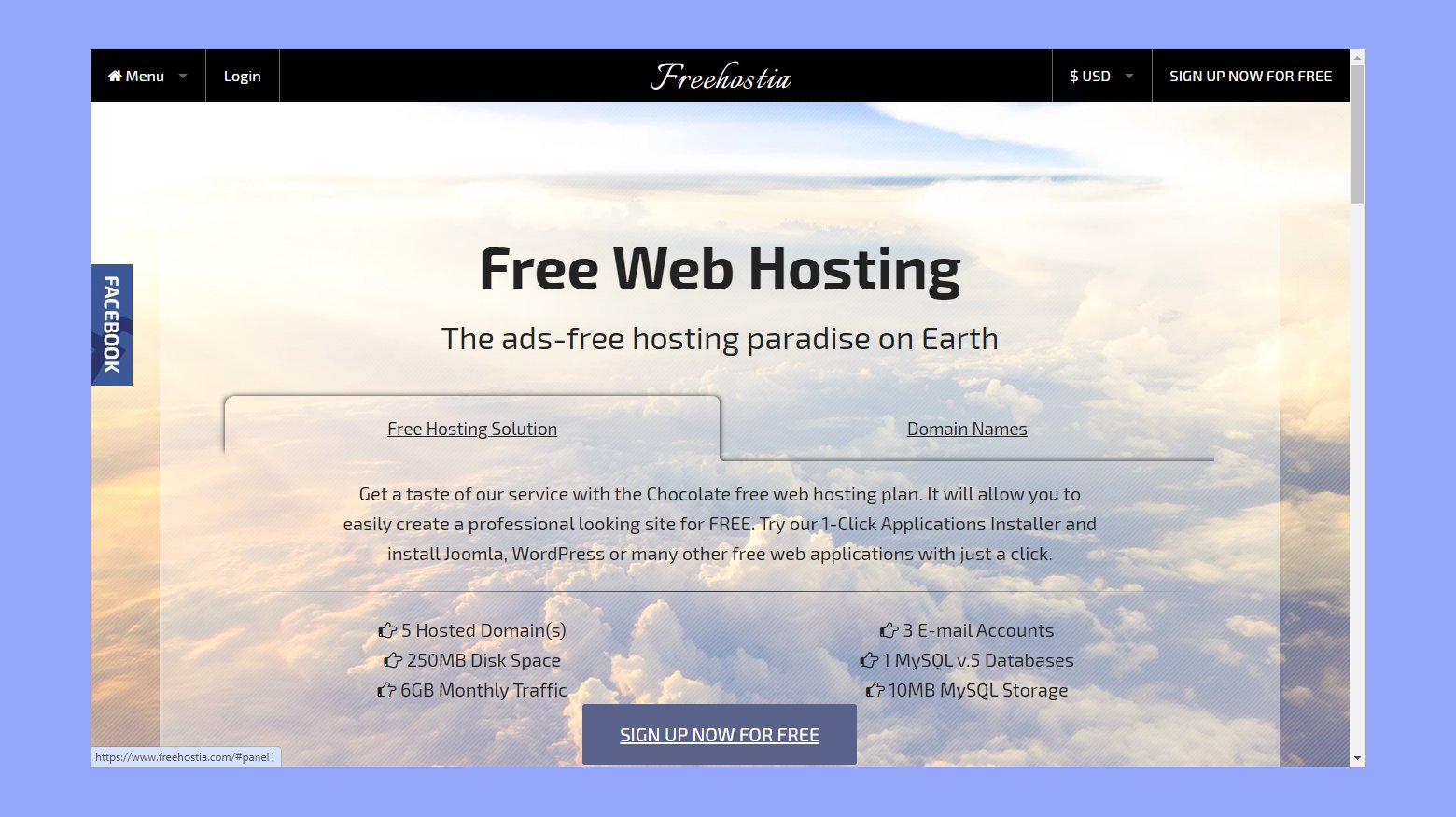
Some hosts are popular and trusted. Examples include InfinityFree, 000webhost, and FreeHosting. They offer basic features to start. InfinityFree provides unlimited storage. 000webhost is known for no ads. FreeHosting offers one free domain.
Look for enough storage to hold your files. Check if the host gives a free domain. Some hosts offer SSL certificates for security. A good host has 24/7 support. Support helps when you have questions. Also, see if they have easy-to-use tools. These tools make building a site simple.

Credit: www.youtube.com
Setting Up Your Account
Start by visiting the web hosting site. Look for the sign-up or register button. Click it to begin. Enter your name, email, and password. Make sure your password is strong. Use letters, numbers, and symbols. Read the terms and conditions carefully. You must agree to them. Finally, click submit or create account. You will get a confirmation message. Check your email for more instructions.
After signing up, check your email inbox. Look for an email from the hosting site. Open it and find the verification link. Click on the link to verify your email. This step is important. It makes sure your email is correct. If you don’t see the email, check spam or junk folders. Contact support if you still can’t find it. Once verified, your account is ready to use. You can start setting up your website.
Configuring Your Domain
Choosing the right domain name is important. It must be easy to remember. Also, make sure it’s short and simple. Avoid using numbers or hyphens. These can confuse people. Think about the theme of your website. Your domain should match it. Check if the domain is available. Many names might be taken. Use a domain checker online. Once found, register it quickly. Someone else might grab it.
After selecting your domain, you need to connect it to your hosting. First, log into your hosting account. Find the DNS settings or domain management area. Enter your domain name here. You’ll need to point it to your hosting provider. Use the nameservers provided by them. Save the changes. It might take a few hours to update. Be patient during this time. Once updated, your domain will link to your hosting.

Credit: www.youtube.com
Uploading Your Website Files
Creating a free web hosting account involves selecting a reliable provider and signing up on their platform. Upload website files using the hosting provider’s file manager or an FTP client to make your site live. Ensure all files are correctly placed to avoid errors.
Using Ftp Clients
FTP clients help move files from your computer to the web server. Popular choices are FileZilla and Cyberduck. First, download and install an FTP client on your computer. Then, open the client and connect to your server. You will need to enter the host name, username, and password. These are provided by your hosting service. After connecting, you can see files on your computer and server. Drag and drop your website files from your computer to the server. Make sure to upload all necessary files for your website.
Web-based File Managers
Many hosts offer a file manager in their dashboard. Login to your hosting account. Find the File Manager option. This tool works like a file explorer. You can upload files directly from your browser. Select the upload button and choose files from your computer. Upload each file needed for your site. This method is easy and quick for small websites.
Managing Your Web Hosting Account
The dashboard is your control center. See all important tools. Check your website status. Find settings and statistics here. It’s easy to navigate. The dashboard gives quick access to features. Look for notifications and updates. You can manage files and databases. It helps you stay organized. Customize the dashboard to your needs. Make it user-friendly.
Bandwidth shows how much data flows. Storage tells how much space you use. Keep an eye on both. They are important for website performance. Too much bandwidth use can slow sites. Limited storage can be a problem too. Use dashboard tools to check usage. Find alerts for high usage. Stay within limits to avoid issues. Efficient monitoring ensures smooth operations.
Credit: 10web.io
Troubleshooting Common Issues
Creating a free web hosting account can face common issues like server downtime or login difficulties. Ensure your internet connection is stable, and double-check login credentials to minimize problems. Use reliable platforms that offer user support to help solve technical challenges swiftly.
Resolving Domain Connection Problems
Domains sometimes fail to connect. Check your DNS settings first. Ensure they point to your hosting server. Changes in DNS may take time, often up to 48 hours. Verify your domain is active. An expired domain won’t connect. Also, confirm that the nameservers are correct. Wrong nameservers can cause issues. If problems persist, contact your hosting support. They can help with further checks.
Fixing File Upload Errors
File upload errors can be frustrating. Make sure files are not too large. Many hosts have a size limit. Use FTP for larger files. Check file permissions too. Incorrect permissions can block uploads. Ensure your file names are correct. No special characters or spaces. Finally, clear your browser cache. Sometimes old data causes errors.
Frequently Asked Questions
Can I Create And Host A Website For Free?
Yes, you can create and host a website for free. Platforms like WordPress. com, Wix, and Weebly offer free plans. These plans often include basic features and subdomains. Consider upgrading for more functionality and a custom domain.
Is There Free Web Hosting?
Yes, free web hosting options exist. Providers like InfinityFree and FreeHosting offer basic services without charge. These services usually have limited features and slower performance compared to paid plans. Always read the terms of service to understand any restrictions or potential upsells involved.
Is Wix Really Free Hosting?
Wix offers free hosting with its basic plan. Users will see Wix ads and have a Wix-branded domain. Upgrading to a premium plan removes ads and allows a custom domain.
Can I Get Free Domain And Hosting?
Yes, some providers offer free domain and hosting plans. These often include limited features and resources. Research and compare options to find a suitable service for your needs. Be cautious of hidden costs or restrictions in free plans.
Conclusion
Creating a free web hosting account is simple. Follow the right steps. Start by choosing a reliable provider. Remember to check features offered. This helps avoid limitations later. Sign up with your details. Choose a plan that suits your needs.
Don’t rush this process. Take time to understand options. Use tutorials if needed. They can guide you well. Ensure you know your login information. This keeps your account secure. With these steps, you’re ready. Enjoy your new web space. Build, explore, and learn.
Your online journey begins here.


