
Creating online courses can be a game-changer for your educational business or personal brand. If you’re looking to make an impact in the digital learning space, the Masterstudy Education WordPress Theme is your go-to tool.
This theme is designed to simplify the process, allowing you to focus on what truly matters—delivering value to your students. Imagine having the ability to design, customize, and launch your courses with ease. It’s more than just a theme; it’s a powerful platform that empowers you to bring your educational vision to life.
Are you ready to unlock the potential of your online courses? Dive into this guide and discover how you can transform your knowledge into engaging digital content with Masterstudy. Your journey to becoming an influential online educator starts here.
Credit: themeforest.net
Getting Started With Masterstudy
Begin by downloading the Masterstudy theme from your theme store. Ensure it is the correct version. Next, log into your WordPress dashboard. Navigate to the Themes section. Click on Add New. Upload the downloaded theme file. Click Install, then Activate. This sets up the theme on your site.
Now, go to the Plugins section. Install necessary plugins for Masterstudy. This includes the STM LMS plugin. These plugins ensure your theme functions well. Finish the setup by importing demo content. This gives your site a ready layout.
The dashboard is where you manage your courses. Find the STM LMS on the left panel. Click it to start creating courses. Use the Courses tab to add new ones. Fill out each field with course details.
Remember to save your progress often. Preview changes to see how it looks. Adjust settings as needed. The dashboard is your course control center.
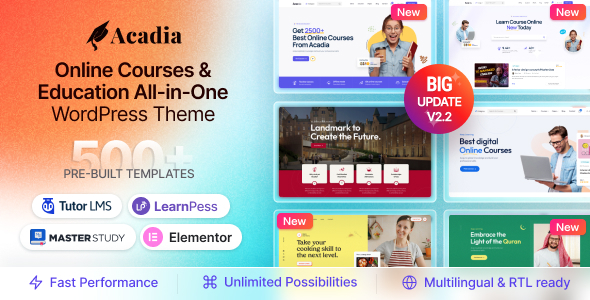
Credit: themeforest.net
Course Creation Basics
First, click on the Courses tab. Then, select New Course. Choose a title for your course. Write a short description that explains what students will learn. Pick the course duration. Set the price if your course is not free. Upload a cover image to attract students.
Course categories help students find your courses. Choose a category that fits your course. You can create a new category or select from existing ones. Categories make your course easier to search. Organizing courses into categories improves your site navigation. Always check your category before saving.
Designing Course Content
Start by planning your course outline. Break the course into clear sections. Each section should have a focus topic. Inside each section, add lessons. A lesson should cover one key point. Make sure lessons are simple and clear. Use easy words and short sentences. This helps people understand better. Keep the structure the same for all sections. This makes learning easy and fun.
Add videos to explain hard topics. Videos make learning fun. Use images to show ideas. Add charts for numbers. Sounds can help too. For example, use voice clips. Multimedia helps people remember better. Keep files small. Big files take time to load. Use clear and bright images. Make sure everything works on phones and tablets. This way, everyone can learn anywhere.
Customizing Course Settings
Choose how students join your course. Set it to open or closed. Open means anyone can join. Closed means only invited students can. You can also set a start date. This way, everyone starts together. It’s good for group learning. Another choice is self-paced. Students go at their own speed. This works well for busy learners.
Decide how much your course costs. It can be free or paid. If paid, set the price clearly. Offer discounts for early sign-ups. This attracts more students. Choose payment methods like credit card or PayPal. Ensure they are easy and secure. This makes payment smooth for everyone. Make sure all details are clear. Students should understand how to pay and what they get.
Integrating Quizzes And Assessments
Quizzes help learners test their knowledge. Masterstudy makes quiz creation easy. Use the quiz builder tool. Add questions with answers. Choose question types like multiple choice or true/false. A mix of questions keeps quizzes interesting. Set a time limit for each quiz. This helps learners stay focused. Preview quizzes before publishing. Check for errors or issues.
Feedback is important for learning. It guides students on their progress. Use Masterstudy’s grading tools. You can show correct answers after quizzes. Give feedback on wrong answers. This helps students understand mistakes. You can set automatic grading or grade manually. Choose what suits your course best. Create feedback messages that are clear. Ensure students know what to improve. Feedback boosts learning and confidence.
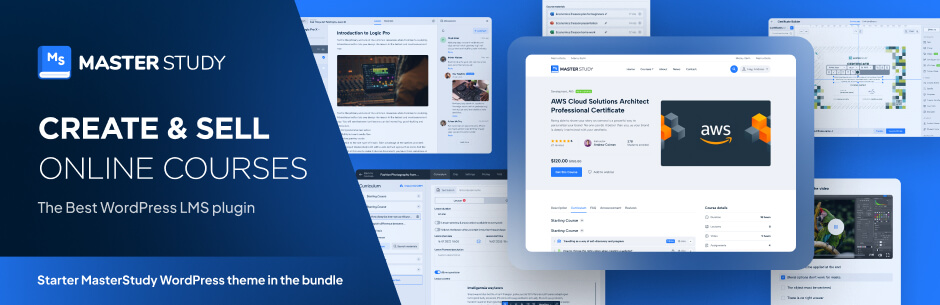
Credit: nb.wordpress.org
Enhancing Course Engagement
Interactive features make courses more fun. They help students learn better. Videos and quizzes keep students active. Games can turn learning into play. Students enjoy these activities. They feel more involved. This helps them remember lessons longer.
Teachers can ask questions in videos. This makes students think. Discussions let students share ideas. They learn from each other. This builds a strong learning community. Students feel part of a group. It encourages them to take part.
Group projects teach teamwork. Students solve problems together. They learn new skills. This makes learning exciting. Students look forward to classes. They become eager to learn more. Interactive features make courses come alive.
Managing Courses
Creating courses in Masterstudy is simple and efficient. The WordPress theme lets you organize content easily, making course management a breeze. Use its intuitive interface to add lessons, quizzes, and assignments effortlessly.
Tracking Student Progress
Teachers can track student progress easily. Use the dashboard to see scores. Check which lessons students finished. Monitor quiz results and assignments. It helps in understanding students better. Teachers can offer help quickly. This makes learning effective. Parents can also view student progress. Keep everyone informed and engaged.
Course Maintenance And Updates
Courses need regular updates. Add new information to keep them fresh. Fix errors to improve quality. Make changes based on feedback. This keeps courses useful and relevant. Update lessons as needed. Ensure students have the best learning materials. Regular maintenance makes courses better over time.
Promoting Your Courses
Use keywords in course titles. Add them in descriptions too. This helps search engines. Your course will appear in results. Use short and clear sentences. This makes it easy to read. Search engines like clear content. Add meta tags and alt texts for images. This improves visibility. More people will find your courses.
Share your courses on social media. Use Facebook and Twitter. Post links to your courses. Encourage sharing and comments. This creates buzz. Use catchy images. People love visuals. They click more often. Connect with groups interested in learning. Join discussions. Share your course info there. People will notice. Create short videos about your courses. Share them online. Videos attract attention. More people will enroll.
Troubleshooting Common Issues
Creating courses in Masterstudy can be tricky due to common setup issues. Resolve them by ensuring plugin compatibility and correct theme settings. Double-check course content uploads and user permissions for smoother course creation.
Addressing Technical Problems
Technical issues can cause frustration. First, check your internet connection. Slow internet might be the problem. Restart your device to clear minor bugs. Always use the latest browser version. Outdated browsers can cause problems.
Another issue is plugin conflicts. Deactivate unnecessary plugins. Then, activate them one by one. This helps find the problematic plugin. Update your theme regularly. Updates fix bugs and improve performance.
Support And Resources
Help is available if problems persist. Masterstudy support is ready to assist. Use their online chat for quick help. Email support is also available. Their documentation is extensive. It includes guides and tutorials. These resources can solve most issues. Join online forums for community support. Sharing experiences can help find solutions. Don’t hesitate to ask for help. Support is there to assist you.
Frequently Asked Questions
How Do I Start Creating A Course In Masterstudy?
To start, access the Masterstudy dashboard. Click ‘Add New Course’ in the Courses section. Fill in course details, including title, description, and curriculum. Customize settings like pricing and instructors. Finally, preview and publish your course. This process is user-friendly, ensuring you can efficiently create engaging educational content.
Can I Customize Course Layouts In Masterstudy?
Yes, Masterstudy allows extensive customization of course layouts. Use the built-in visual composer to arrange sections, add multimedia, and personalize designs. Adjust colors, fonts, and styles to fit your brand. This flexibility ensures your course looks professional and appealing to potential students.
What Types Of Content Can I Add To Courses?
Masterstudy supports various content types for courses. You can include videos, quizzes, assignments, and downloadable materials. Add text lessons, interactive elements, and discussion forums. This variety helps cater to different learning styles, enhancing the educational experience and engagement for students.
How Do I Manage Course Pricing In Masterstudy?
Manage course pricing easily through the Masterstudy dashboard. Set fixed prices or create subscription models. Offer discounts and promotions to attract more students. Use integrated payment gateways like PayPal for transactions. This flexibility ensures your pricing strategy aligns with business goals.
Conclusion
Creating courses in Masterstudy is easy and efficient. With its user-friendly interface, you can design engaging content. Organize lessons, quizzes, and assignments seamlessly. This theme supports your educational needs. Customize your courses to fit your audience. Use multimedia elements to enhance learning.
Remember to keep your content clear and concise. Reach out to your learners effectively. Masterstudy provides tools for a smooth teaching experience. Now, you’re ready to share knowledge and inspire others. Happy teaching!


