
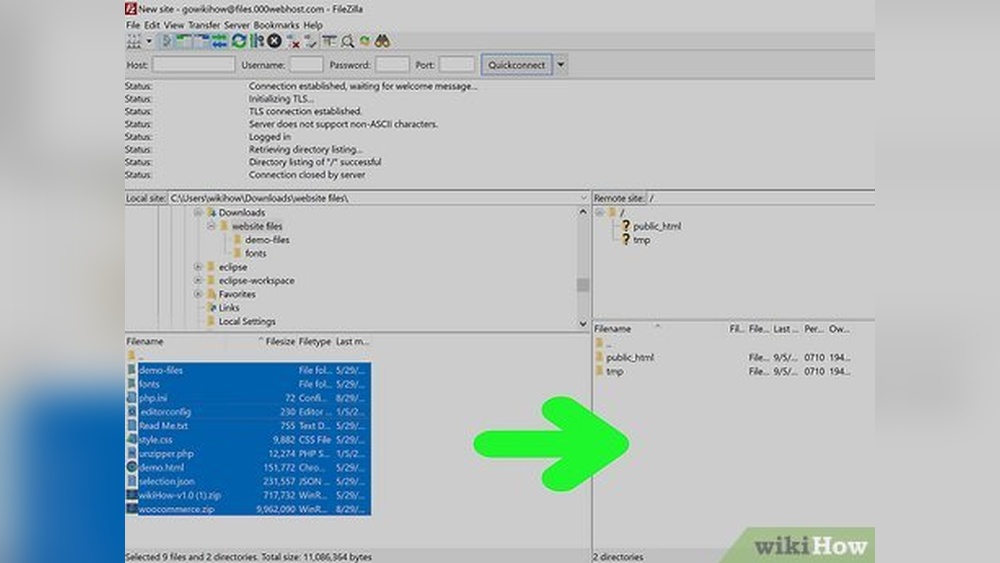
Have you ever wanted to own a website with your very own domain name? Imagine having a unique address on the internet that represents you or your business.
Creating and hosting your own domain might sound complicated, but it’s easier than you think. This guide will walk you through every step, using simple language and clear instructions. By the end, you’ll have the confidence to make your site live and ready for visitors.
Ready to take control of your online presence? Keep reading to discover how you can make it happen today.
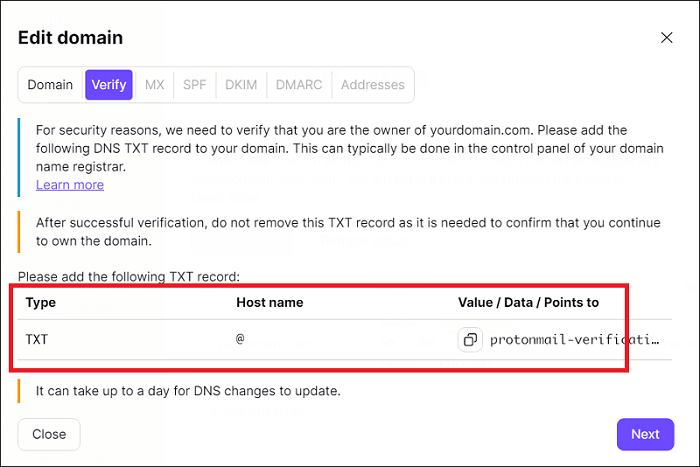
Credit: proton.me
Choosing A Domain Name
Choosing a domain name is the first step to creating your website. It defines your brand and helps visitors find you online. A good domain name is easy to remember and matches your content. It should be short, clear, and simple.
Brainstorming Ideas
Start by writing down words related to your website topic. Think about what you want people to know about your site. Use common words that are easy to spell. Mix and match words to create unique combinations. Avoid using numbers or special characters that confuse users.
Checking Availability
Use domain search tools to see if your ideas are free. Many websites offer free checks for domain names. If your first choice is taken, try variations or add small words. Keep checking until you find a name that is not in use. Choose a name that is not too similar to others.
Selecting The Right Extension
Pick a domain extension that fits your website’s purpose. The most common is .com, which works for most sites. Other options include .net, .org, or country-specific endings like .us or .uk. Some extensions show your site type, like .shop for stores. Choose one that helps visitors understand your site.
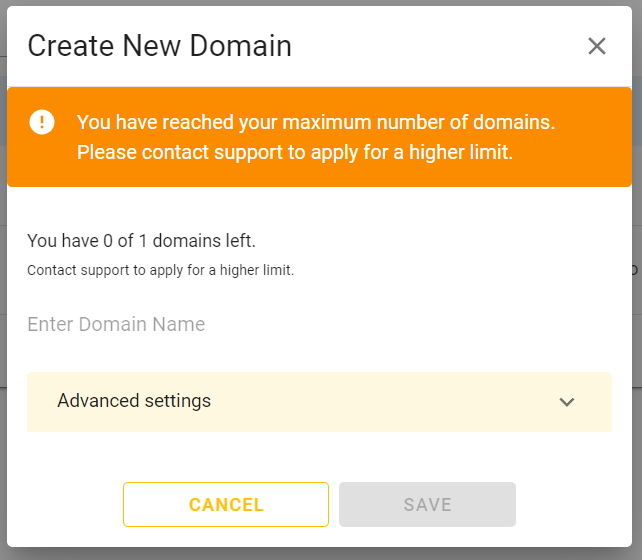
Credit: talk.desec.io
Registering Your Domain
Registering your domain is the first step to creating your online presence. This process gives your website a unique name on the internet. A domain name helps people find your site easily. It also builds trust and professionalism. Follow these steps to register your domain smoothly.
Picking A Registrar
A domain registrar is a company that sells domain names. Choose a reliable registrar with good reviews. Check if they offer support and easy management tools. Avoid registrars with hidden fees or poor customer service. Popular options include GoDaddy, Namecheap, and Google Domains.
Understanding Pricing And Renewals
Domain prices vary depending on the extension and registrar. Common extensions like .com or .net cost less. Some special domains may cost more. Pay attention to renewal fees; they can be higher than the first price. Set reminders to renew on time and avoid losing your domain.
Completing The Registration Process
Once you pick a domain and registrar, start the registration. Provide accurate personal and contact information. Choose privacy protection to hide your details from public records. Review all information carefully before payment. After payment, you will get confirmation and control over your domain.
Setting Up Web Hosting
Setting up web hosting is the next important step after registering your domain. Hosting makes your website visible online. It stores your site files on a server connected to the internet. Choosing the right hosting affects your website’s speed, security, and uptime. This section explains different hosting types, compares popular providers, and helps you pick the best plan.
Types Of Hosting Services
Shared hosting is the most common and budget-friendly option. Multiple websites share one server and its resources. Ideal for small or new websites with low traffic.
VPS hosting offers more power and control. It divides a server into virtual compartments. Each website gets dedicated resources. Suitable for growing sites needing better performance.
Dedicated hosting provides a whole server for one website. It gives full control and maximum power. Best for large websites or businesses with high traffic.
Cloud hosting uses a network of servers. It offers flexibility and scalability. Your site can handle traffic spikes smoothly. Good for sites with variable or growing traffic.
Comparing Popular Providers
Many companies offer web hosting services. Bluehost is user-friendly with good customer support. HostGator offers affordable plans and easy setup. SiteGround is known for speed and security. DreamHost provides a strong money-back guarantee. Each provider has strengths that suit different needs.
Choosing The Best Plan
Start by estimating your website’s traffic and size. Choose a plan that meets your current needs. Look for enough storage and bandwidth. Check if the plan includes free SSL certificates for security.
Consider customer support availability. 24/7 support helps solve issues quickly. Review upgrade options to grow your hosting later. Pick a plan that fits your budget without sacrificing quality.
Linking Domain To Hosting
Linking your domain to hosting is a key step in making your website live. This connection allows visitors to find your site by typing your domain name in their browser. Without linking, your domain and hosting work separately and your site won’t show online. The process involves changing settings so that the domain points to your hosting server.
Understanding how to link your domain correctly ensures smooth website operation. It also helps avoid common errors like site downtime or incorrect page loading. Follow these simple steps to connect your domain to your hosting provider.
Configuring Dns Settings
DNS stands for Domain Name System. It tells the internet where to find your website. To configure DNS, log in to your domain registrar account. Find the DNS settings or zone editor section. Here, add or edit records that point to your hosting server’s IP address. The most common record is the A record, which links your domain to an IP.
Make sure the IP address matches your hosting server. Save changes after updating DNS records. This step directs visitors to the right server when they enter your domain.
Using Name Servers
Name servers manage your domain’s DNS records. Your hosting provider gives you specific name servers to use. Replace your domain’s current name servers with these new ones. This action transfers DNS control from your registrar to your host.
To update name servers, go to your domain registrar’s control panel. Enter the name servers exactly as your host provides. Save the changes to link your domain fully to your hosting service.
Propagating Changes
After updating DNS or name servers, changes need time to spread worldwide. This process is called propagation. It can take anywhere from a few minutes to 48 hours. During this time, some users may see the old website or no site at all.
Be patient and avoid making more changes during propagation. Check your site after some time to confirm the domain is properly linked to hosting.
Building Your Website
Building your website is the next step after securing your domain. This part shapes how visitors see your site. You want it to be clear, attractive, and easy to use. There are several ways to build a website. Choose the method that fits your skills and needs.
Focus on a clean design and simple navigation. Visitors should find what they want quickly. The website must work well on phones and computers. Let’s explore three common ways to build your website.
Using Website Builders
Website builders offer easy tools to create your site. They have drag-and-drop features and ready-made templates. No coding is needed. You can add text, images, and buttons with simple clicks. Builders like Wix, Squarespace, and Weebly are popular. They include hosting, so setup is fast and simple. Great for beginners or quick projects.
Installing Content Management Systems
Content Management Systems (CMS) give more control over your site. WordPress is the most common CMS. It lets you add themes and plugins for extra features. You need to install it on your hosting server. This may need basic technical skills. CMS is ideal if you want to expand your site later. It supports blogs, shops, and portfolios well.
Designing For User Experience
User experience means how easy and pleasant your site is. Keep your layout simple and consistent on all pages. Use readable fonts and colors with good contrast. Make buttons and links easy to find and click. Test your site on phones and tablets. Fast loading times keep visitors happy. Good user experience helps keep visitors longer.
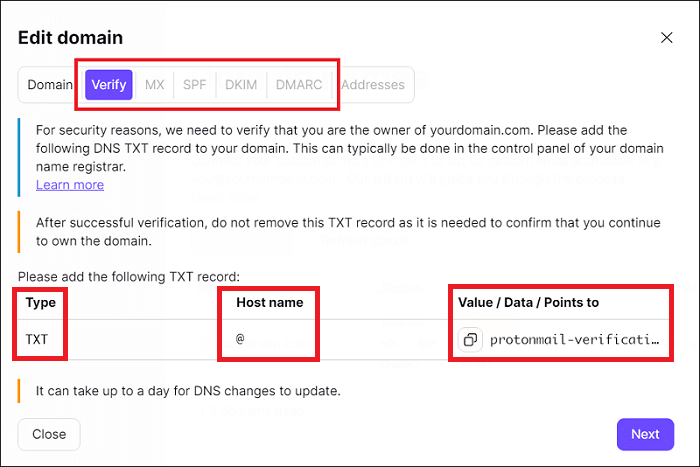
Credit: proton.me
Securing Your Domain And Site
Securing your domain and website protects your online presence from threats. Without proper security, hackers can steal data or damage your site. Taking simple steps improves safety and builds trust with visitors. This section covers key methods to keep your domain and site secure.
Setting Up Ssl Certificates
SSL certificates encrypt data between your site and visitors. This keeps information like passwords and payments safe. Most hosting providers offer free SSL certificates. Enable SSL in your hosting dashboard to activate HTTPS. Visitors see a padlock icon, signaling a secure site. This boosts your site’s credibility and search rankings.
Enabling Domain Privacy
Domain privacy hides your personal contact details in the public WHOIS database. Without privacy, spammers and scammers can access your information. Most domain registrars offer domain privacy protection for a small fee. Turning it on keeps your name, address, and email private. It reduces unwanted calls and emails.
Implementing Security Best Practices
Use strong, unique passwords for your domain and hosting accounts. Change them regularly to prevent unauthorized access. Keep your website software and plugins updated to fix security holes. Enable two-factor authentication for an extra security layer. Backup your site often to recover quickly from attacks. Monitor your site for suspicious activity daily.
Maintaining And Updating Your Site
Maintaining and updating your website keeps it safe and attractive. A well-kept site runs smoothly and brings visitors back. Small tasks done often prevent big problems later.
Regular Backups
Back up your site files and databases regularly. Store backups in a safe place outside your web server. This protects your data if something goes wrong. Schedule backups weekly or after major changes. Restoring from backup saves time and stress.
Updating Content And Software
Keep your website content fresh and useful. Update text, images, and links to stay relevant. Also, update your software like CMS, themes, and plugins. Updates fix bugs and improve security. Outdated software can lead to hacks or errors.
Monitoring Site Performance
Check your website speed and uptime often. Use tools to track loading times and errors. Slow sites lose visitors and rank lower in search results. Fix issues quickly to keep your site running well. Monitor traffic to understand visitor behavior.
Frequently Asked Questions
What Is The First Step To Create Your Own Domain?
The first step is choosing a unique domain name that fits your brand. Then, register it through a domain registrar to secure ownership.
How Do I Host My Domain On A Server?
To host your domain, buy a hosting plan from a provider. Next, link your domain to the hosting server via DNS settings.
Can I Create A Domain For Free?
Yes, some platforms offer free subdomains, but full domain ownership usually requires payment for registration and hosting.
What Are Dns Settings And Why Are They Important?
DNS settings connect your domain name to your website’s server. Proper DNS setup ensures visitors reach your website without issues.
Conclusion
Creating and hosting your own domain is simpler than it seems. Choose a good domain name and register it. Find a reliable hosting service that fits your needs. Upload your website files carefully and check if everything works well. Keep your site updated to stay secure and fast.
With patience and practice, your site will grow. Enjoy sharing your ideas with the world through your own space online. Start today and build your web presence step by step.


