
Are you ready to turn your creative flair into a profitable venture? Creating a WordPress theme for sale might just be your perfect opportunity.
Imagine transforming your ideas into a digital product that web developers and designers across the globe can purchase and use. This isn’t just a chance to earn money; it’s an opportunity to showcase your unique style and technical skills to a vast audience.
Whether you’re a seasoned developer or a passionate beginner, this guide will walk you through the steps to design a theme that’s not only functional but also marketable. Stick with us to discover how you can craft a WordPress theme that stands out in the crowded digital marketplace and meets the needs of your potential buyers.
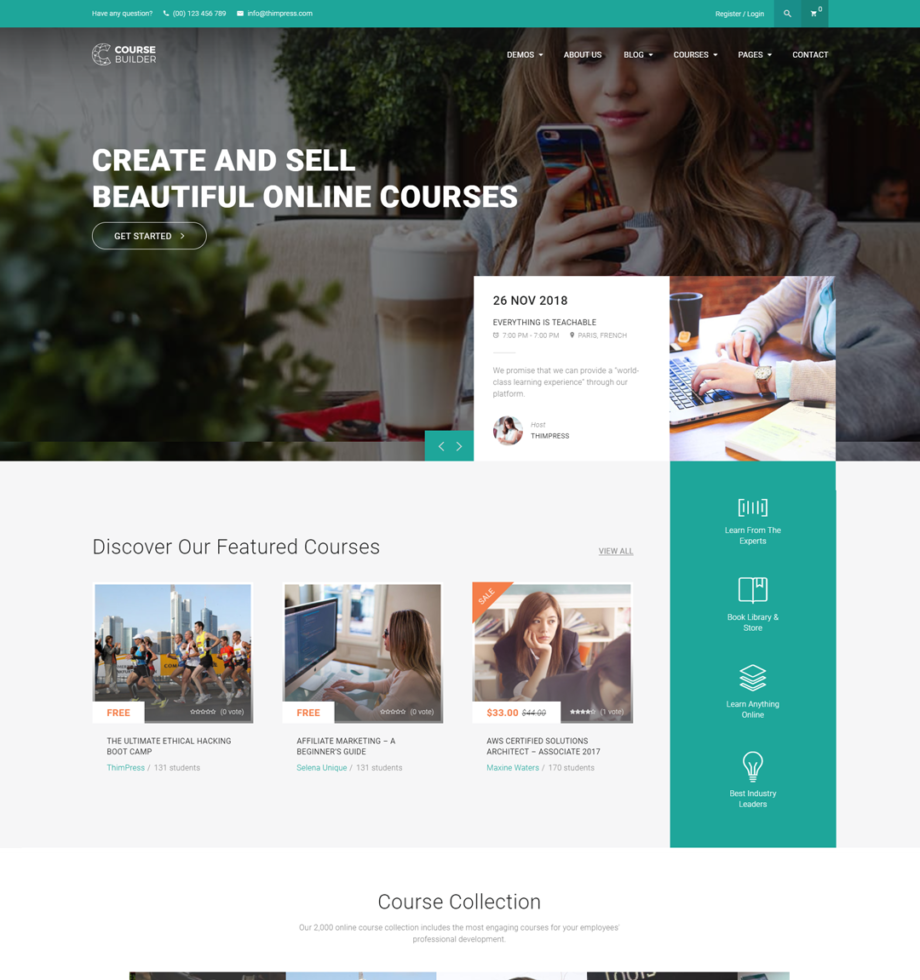
Credit: thimpress.com
Market Research
Stay updated with the latest design styles. Check popular sites for color palettes and layouts. Find out what features users love. Use this info to plan your theme.
Know who will use your theme. Are they bloggers or businesses? Each group wants different things. Bloggers need a simple design. Businesses prefer a professional look. Understanding them helps you create a better product.
Look at themes that are popular now. What makes them special? Are they easy to use or have unique features? List their strengths and weaknesses. Use this knowledge to improve your own theme. Aim to offer something new and better.
Planning Your Theme
Stand out from other themes by finding what makes yours special. Think about what your users need. Focus on these points. Are you offering a cleaner design? Or maybe faster loading times? Highlight these features. They will help attract users.
Decide what features your theme will have. Essential features like responsiveness are important. Users love easy navigation. Think about adding a customizable menu. Include widget areas for flexibility. These features make your theme more appealing.
Draw your theme on paper. Think about where to place menus. Decide colors and fonts. Visualize the user experience. Simple layouts work best. Organize content clearly. This helps users find information easily.
Setting Up Development Environment
Choose Necessary Tools for building a WordPress theme. Start with a good code editor. Some popular ones are Visual Studio Code and Sublime Text. These editors help in writing clean and structured code. Also, get a version control system like Git. It tracks changes in your code. This is important for teamwork and managing updates.
Install WordPress Locally on your computer. Use software like XAMPP or MAMP. These tools create a local server. This lets you test your theme without going online. Download WordPress from its official site. Set it up in the local server folder. This makes theme development faster.
Select a Base Theme to start with. A base theme gives a basic structure. Popular choices are Underscores and Bootstrap. These themes are lightweight and customizable. They save time by providing a foundation. You can build your design on this base.

Credit: themeforest.net
Designing The Theme
Creating a WordPress theme for sale involves a blend of creativity and technical skills. Focus on user-friendly design and clean code. Customize features to meet various needs, ensuring compatibility with plugins.
Create A Style Guide
A style guide keeps your theme consistent. It includes colors, fonts, and spacing. Choose a color palette with complementary hues. Select readable fonts for headings and body text. Define the spacing for elements like buttons and images. This makes the theme look neat. It also helps in maintaining a professional appearance. A well-defined style guide is essential for a polished theme.
Design Responsive Layouts
Responsive layouts adjust to different devices. This means phones, tablets, and desktops. Use flexible grids and layouts. Images should resize automatically. Test your theme on various screen sizes. This ensures everyone sees the same great design. A responsive layout is important. It improves user satisfaction and engagement.
Focus On User Experience
User experience is how easy your theme is to use. Menus should be simple and clear. Content should be easy to read. Links and buttons need to be easy to click. Keep navigation logical and intuitive. This helps users find what they need quickly. A good user experience keeps users happy. Happy users stay longer and might buy your theme.
Coding The Theme
Creating a WordPress theme for sale involves designing unique layouts and writing clean, efficient code. Focus on user-friendly features and responsive design to attract buyers. Ensure compatibility with popular plugins to enhance functionality and appeal.
Structure Html And Css
Start with a basic HTML framework. Include the header, footer, and main content areas. Use CSS to style your theme. Ensure it is responsive and looks good on all devices. Break the CSS into sections. This helps in organizing styles for different parts.
Integrate Php And WordPress Functions
PHP connects your theme with WordPress. Use template tags to display site content. Functions like get_header() and get_footer() are essential. These functions pull data from WordPress. They keep your theme updated with new content. Ensure all PHP code is error-free.
Implement Javascript For Interactivity
JavaScript adds interactivity to your theme. Use it for sliders, drop-downs, and pop-ups. Keep scripts organized. External files are better than inline scripts. Use wp_enqueue_script() to load scripts. This ensures they load correctly with WordPress.
Testing And Debugging
Ensure cross-browser compatibility by testing your theme on different browsers. Use tools like BrowserStack. Make sure the theme looks the same everywhere. Check for any layout issues. Fix them quickly. This will make users happy.
Optimize for performance to make the theme load fast. Remove any unnecessary code. Compress images to reduce size. Use fewer plugins. Fast themes keep visitors on your site longer. Check the speed with tools like Google PageSpeed.
Validate code and fix bugs to ensure quality. Use a code validation service. Look for errors in HTML, CSS, or JavaScript. Fix any bugs you find. Check for broken links. Test all features to make sure they work.
Documentation And Support
Detailed documentation helps users understand your theme. Write clear instructions. Use simple words. Explain all features. Give examples. Include images where needed. Make sure users can follow easily. Address common questions. This builds trust.
Support system is crucial. Users may face issues. Offer help when needed. Set up a ticket system. Reply fast to queries. Use emails for support. Make users feel heard. Happy users will buy again. Support builds loyalty.
Tutorials and guides show users how to use your theme. Create step-by-step videos. Write simple guides. Use simple language. Help users learn quickly. Tutorials reduce confusion. Users appreciate extra help.
Marketing And Sales
Selecting the right sales platforms is crucial. Popular choices include ThemeForest and Creative Market. Each platform has different rules and fees. Research before you decide. Compare their audience and reach. Ensure your theme fits the platform’s style. This boosts visibility and potential sales.
A strong marketing strategy is essential for success. Use social media to showcase your theme. Create tutorial videos for users. Write blog posts about features. Collaborate with influencers to increase reach. Keep your message clear and simple. Highlight the theme’s unique aspects. This attracts more buyers.
Engaging with your audience builds trust. Respond to comments and questions quickly. Offer helpful support and advice. Host live sessions to demonstrate your theme. Encourage feedback and use it to improve. Build a community around your product. This keeps users interested and loyal.
Post-launch Maintenance
Update your theme often. Themes need to stay current with WordPress updates. Add new features or fix bugs. This makes your theme safe and fast. People like that.
Collect feedback from users. Ask what they like or what they don’t. Use their suggestions. Make your theme better. Happy users will recommend it.
Plan for future improvements. Think about new trends. Add features people want. This keeps your theme fresh and in demand. Your theme will sell more.

Credit: themeforest.net
Frequently Asked Questions
How To Start Designing A WordPress Theme?
Begin by sketching your theme layout using wireframes. Define the overall structure, including header, footer, and sidebars. Choose a color scheme and typography that aligns with your target audience. Use design tools like Adobe XD or Sketch to create detailed mockups.
This groundwork sets the stage for development.
What Tools Are Needed For Theme Development?
You’ll need a code editor like Visual Studio Code, and a local server environment like XAMPP. Familiarize yourself with WordPress Codex and PHP for functionality. CSS and JavaScript are essential for styling and interactivity. GitHub can help manage version control and collaboration with other developers.
How To Ensure Theme Responsiveness?
Use CSS media queries to adapt your theme to various screen sizes. Test your theme on different devices and browsers. Implement flexible grid layouts and responsive images. Tools like BrowserStack can simulate user experiences across different platforms, ensuring consistent design and functionality.
How To Optimize Theme For Seo?
Ensure your theme uses clean, semantic HTML. Optimize for speed with compressed images and minimal CSS/JS files. Use proper heading structures and alt tags for images. Implement schema markup for enhanced search visibility. Regularly update your theme to ensure compatibility with the latest SEO practices.
Conclusion
Creating a WordPress theme for sale is a rewarding journey. Start with a solid design plan. Focus on user needs and simplicity. Use clean code for better performance. Test your theme thoroughly before launching. Pay attention to responsive design. Make sure it works on all devices.
Consider feedback from early users. It helps improve your theme. Marketing plays a crucial role. Use social media and blogs to promote. Remember, patience and persistence are key. Keep refining your skills. A successful theme can open new opportunities. Happy designing!


