
Are you dreaming of launching your own website but feel overwhelmed by the idea of dealing with a web host? Imagine having the freedom to create and manage your site without being tied down by hosting plans or technical jargon.
The good news is, it’s possible! Whether you’re a budding entrepreneur, a creative writer, or just someone with a passion to share, you can build your online presence without needing a traditional web host. In this guide, we’ll show you how to take control and create a website that’s uniquely yours.
Let’s dive into the simple, stress-free steps to make your digital dreams a reality. Stick around, and discover just how easy it can be to bring your vision to life on the web.
Choosing The Right Platform
Static Site Generators are great for simple websites. They make websites fast. No need for a web host. Popular ones are Jekyll and Hugo. They turn text files into web pages. Use templates to style your site. The setup is easy. Changes are simple. It’s perfect for blogs and portfolios.
Content Management Systems help manage website content. No coding is needed. They are user-friendly. WordPress is the most popular. It offers many themes and plugins. Joomla is another option. It’s flexible and powerful. Both help in building large sites. Many use them for business websites. They are easy to update and maintain.
Credit: wegic.ai
Setting Up Your Local Environment
First, you need a computer. It should have enough memory. Find a good code editor. Examples are VS Code or Sublime Text. Install them on your computer. You need a local server too. XAMPP or WAMP can help. They create a server on your computer. Download and install one. Follow the steps on the website.
Open your server software. Start the Apache and MySQL modules. These make your computer act like a server. Create a new folder for your website. Name it as you want. Save all your files here. Open your browser. Type localhost in the address bar. Your website will show here. Ensure all files are in the right place. Check your code if errors appear.
Designing Your Website
Choose a simple template for your website. Templates help your site look nice. Look for a design that matches your style. Color and layout matter. Think about what you like. Some templates are free, others cost money. Free ones can still be good.
Change the layout to fit your needs. Move things around if you want. Choose colors that match your brand or taste. Fonts make a big difference. Pick fonts that are easy to read. Add images to make it look nice. Pictures help tell your story. Keep it simple and clean.
Adding Content
It’s fun to create pages. Each page can hold different information. For example, one page can be about your hobbies. Another page can show your favorite pictures. Posts are like mini stories. You can write about your day or share a funny joke. Writing is the first step to make your website interesting. Think of ideas that make you smile. Short sentences keep readers interested. People love easy words. Use simple words that everyone understands.
Pictures and videos make websites bright. They tell stories without words. A picture can show your favorite place. Videos can share your favorite songs. Adding multimedia is easy. Just click and upload. Choose colorful pictures. Pick fun videos. Everyone loves to see new things. Multimedia makes your website lively. It’s a great way to share experiences. Friends will enjoy visiting your site. Happy visitors will come back again and again.
Testing Your Website
Creating a website locally allows for testing without a web host. Utilize tools like XAMPP or WAMP to set up a server environment on your computer. This method offers flexibility and control over development and testing processes.
Checking For Errors
Check your website for any errors. Mistakes can make it hard to use. Look for broken links and fix them. Check that all forms work. Make sure buttons are easy to click. Errors make visitors unhappy. They might not come back. It is important to have a smooth website.
Ensuring Mobile Compatibility
Your website should work well on mobile devices. Many people use phones to browse. Test your site on a phone. Check if everything looks good. Text should be easy to read. Images should fit the screen. Mobile users want a smooth experience. Always make sure your site is mobile-friendly.
Deploying Locally
Start by downloading a local server software. This software helps run your website on your computer. Use simple tools like XAMPP or WAMP. After downloading, install the software. Follow the instructions carefully. Once installed, open the server program. Look for the control panel. This panel lets you start the server. Click “Start” for Apache and MySQL. Your local server is now running.
Place your website files in the server folder. Check the folder name “htdocs” or “www”. Open your browser and type localhost in the address bar. Your website should appear. Now you can see and test your site locally.
To share your website, connect all devices to the same network. Find your computer’s IP address. Open the command prompt and type “ipconfig”. Note down the address. On other devices, open the browser. Type the IP address followed by your website folder name. Example: “192.168.x.x/yourwebsite”. Your website should load on other devices.
Ensure network settings allow sharing. Check firewall settings. Allow access to your site. Now friends can see your website on their devices. Easy sharing for local networks.
Future Maintenance
Updating content is important for any website. Fresh content keeps your site active. This helps users find what they need. It also helps search engines rank your site better. Change your text, images, or videos often. This keeps your site exciting. It also makes it more useful.
Improving design can make your website look better. A nice design attracts more visitors. Change colors, fonts, or layout. This can make your site more fun. A clean and simple design is best. It helps people find things easily. Make sure your site works well on phones too.

Credit: www.neo.space

Credit: www.interserver.net
Frequently Asked Questions
Can You Build A Website Without A Host?
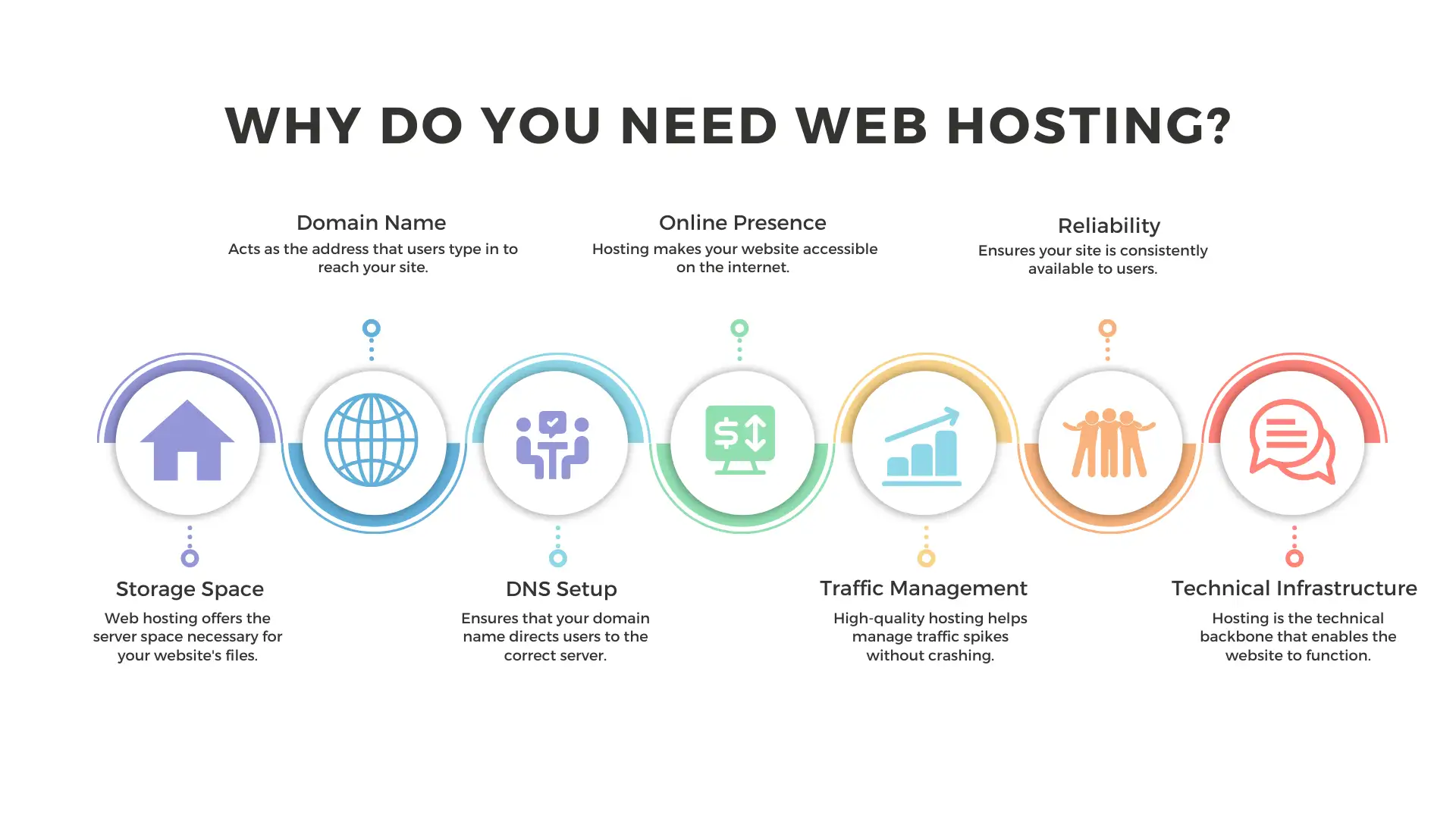
You need a host to make your website accessible online. Hosting stores your site’s files and data. Without hosting, your site can’t go live for users. Consider free or paid hosting options based on your needs and budget to ensure your website is functional and visible on the internet.
Do You Need Web Hosting To Have A Website?
Yes, web hosting is essential for a website. It stores website files and makes them accessible online. Without hosting, your website cannot be viewed by others on the internet. Choose a reliable hosting provider to ensure your site is secure, fast, and available to visitors.
Can Chatgpt Actually Create A Website?
ChatGPT can’t directly create a website. It can guide on coding, design tips, and recommend tools. Utilize its advice for HTML, CSS, and JavaScript. For full development, collaborate with developers or use site builders like WordPress or Wix. ChatGPT is a helpful assistant, not a substitute for technical skills.
What Happens If You Don’t Have Web Hosting?
Web hosting is essential for a website to be accessible online. Without it, your site remains offline, invisible to users. Hosting stores website files, enabling internet access. Consider reliable hosting to ensure your site’s availability and performance.
Conclusion
Building a website without a web host is possible. Use local servers to start. Tools like XAMPP or MAMP help manage your site. These solutions suit small projects and personal sites. For larger sites, consider web hosting later. Understand your needs before choosing this method.
Local hosting offers control and customization. It’s a hands-on approach to web development. Experiment and learn as you go. This method saves money and offers flexibility. Start small, grow big. Your website journey begins here.


