
Are you ready to bring your online dreams to life without the hassle of complex coding? Creating a website using WordPress themes is your golden ticket to a stunning, professional-looking site that you can build in no time.
Imagine having the power to customize your site with just a few clicks, offering the perfect blend of design flexibility and functionality. You don’t need to be a tech wizard to get started—WordPress themes make it easy and accessible. In this guide, you’ll discover how to transform your ideas into a live website, capturing your audience’s attention and driving your online success.
Let’s dive in and unlock the secrets to creating a website that truly stands out.
Choosing The Right WordPress Theme
A good theme makes your site look nice. Check if it’s mobile-friendly. Many people use phones to browse. Speed is important too. A fast theme keeps visitors happy. Look for customizable options. You want to change colors and fonts easily. Check if it supports plugins. Plugins add cool features to your site.
Free themes are good for beginners. They cost nothing. But they might have fewer features. Premium themes cost money. They offer more options and support. If you need more help, premium might be better. Both have pros and cons. Choose based on your needs.
The WordPress Theme Directory is a great place. It has many free themes. ThemeForest offers premium themes. It has many designs. Elegant Themes is another option. They have stylish themes. Check reviews before picking. Good reviews mean happy users.

Credit: themeforest.net
Installing WordPress On Your Domain
Choosing the right hosting provider is important. Look for providers with good reviews. Check if they support WordPress installation. Some popular options include Bluehost and SiteGround. Compare prices and features. Consider their customer support quality. Make sure they offer a user-friendly control panel.
First, buy a domain name. It is your website’s address. Choose a name that is easy to remember. Avoid using complex words. Next, link your domain to your hosting account. Follow the hosting provider’s instructions. This process is called domain mapping. Now, your website is ready for WordPress.
Access your hosting account dashboard. Look for the WordPress installer. Most hosts offer a one-click installation. Click the install button. Follow the steps on the screen. Set up your admin username and password. Keep this information safe. Your WordPress website is now ready to use.
Installing And Activating A Theme
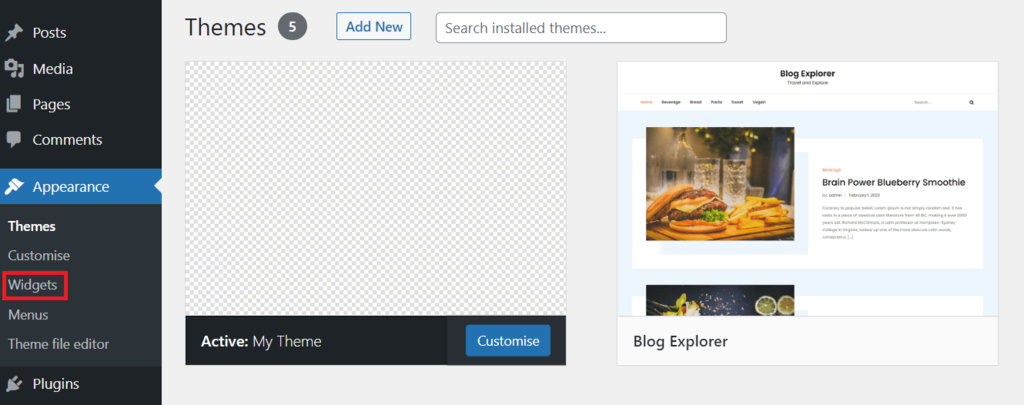
Start by logging into your WordPress site. Use your username and password. Once logged in, find your dashboard. The dashboard is your control center. You can add themes here. Look for the “Appearance” tab. Click it to see your theme options.
Find a theme you like. Download it to your computer. Go back to the dashboard. Click on “Themes” under “Appearance”. Select “Add New”. Choose “Upload Theme”. Find the file you downloaded. Press “Install Now”. Wait for the upload to finish.
After uploading, find your theme in the list. Click “Activate” to use it. Your site will now use this theme. Check your site to see changes. You can customize it further. Use the “Customize” option under “Appearance”. Make your site look the way you want.
Customizing Your WordPress Theme
The Theme Customizer helps you change your website’s look. Find it in your WordPress dashboard. It is easy to use. You can see changes in real-time. This tool lets you adjust many settings. Pick new colors, change fonts, and more. It is a great way to make your site unique.
Colors and fonts can make your site special. You can choose from many color schemes. It is fun to try different looks. Fonts are important too. They make your text easy to read. You can find many fonts to choose from. Pick the ones you like best.
Widgets and menus help visitors find things easily. Widgets can show things like recent posts. Menus help users navigate your site. You can add them from the dashboard. Arrange them to make sense. It makes using your site fun and easy.
Creating Essential Pages
Designing the home page is important. It welcomes visitors. Use simple colors and images. Make sure it is easy to read. Add a menu bar. This helps users find other pages. Keep text clear and short. Show what your website is about. Use bold words for important ideas. Make sure the page loads quickly. This keeps visitors happy.
About page tells your story. Share who you are. Explain what you do. Keep it simple. Make it easy to understand. Add contact details. Include email and phone number. Use a contact form. This helps visitors reach you. Make sure information is correct. Update it when needed.
Blog posts share ideas. Write clear and simple sentences. Use short paragraphs. Add pictures to make it fun. Keep topics interesting. Use tags and categories. This helps readers find posts. Make sure posts are easy to read. Include links to other pages. This keeps readers engaged.
Credit: www.hostinger.com
Enhancing Functionality With Plugins
Must-Have Plugins for any WordPress site include those that improve speed. Faster websites make users happy. Also, install plugins for backups. These save your site from problems. Plugins for forms help connect with visitors. Easy contact is important.
SEO and Analytics Tools are key. They help your site be found. Use tools to track visits. Knowing who comes to your site helps make better content. This attracts more visitors.
Security Enhancements protect your site from harm. Use plugins for security checks. They block bad users. Secure sites keep user data safe. Always update security plugins. They must be current to work well.
Testing And Launching Your Website
Every browser shows websites differently. Test your site on Chrome, Firefox, and Safari. Make sure all links work properly. Check images and text alignment. This ensures everyone can see your site correctly.
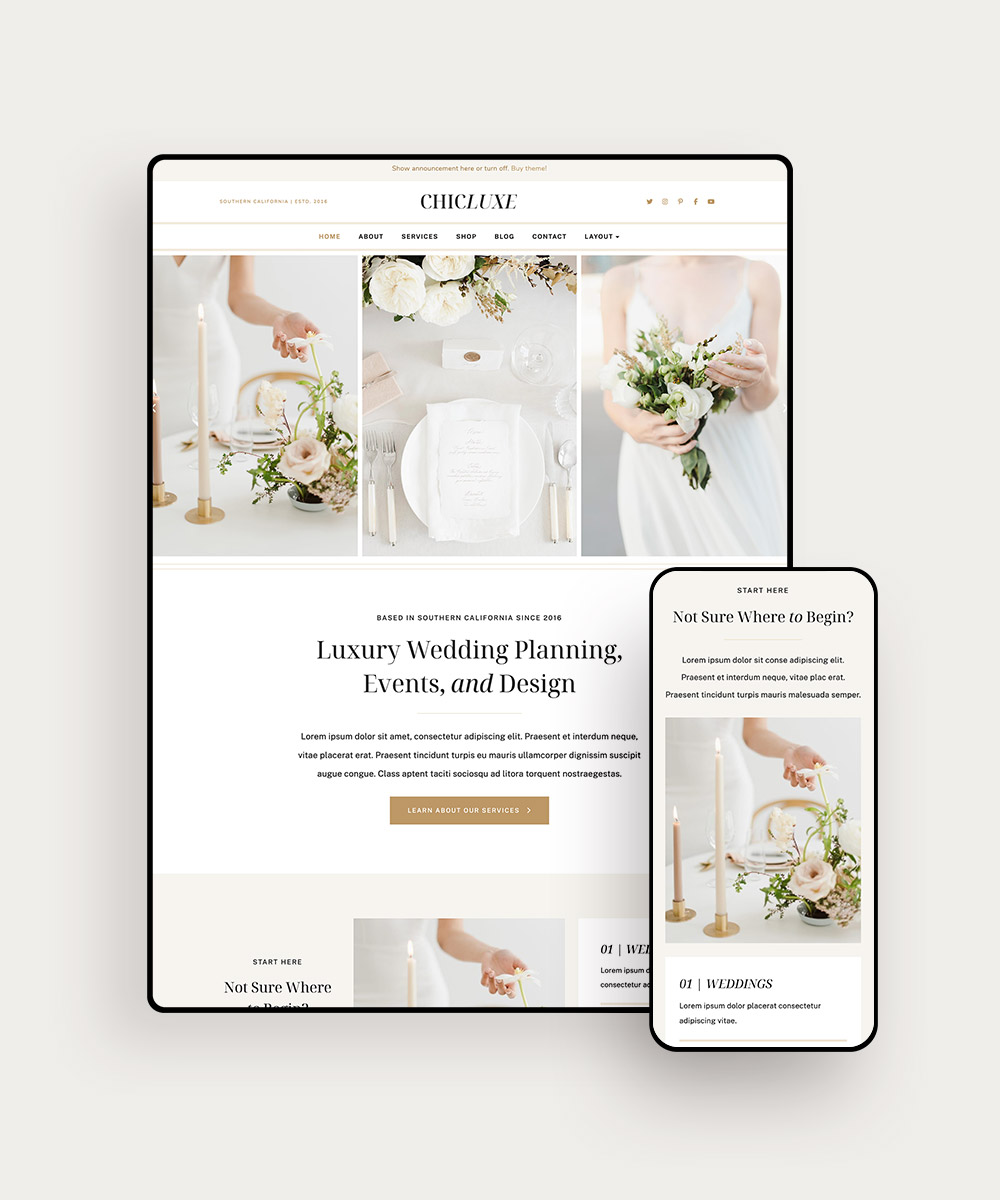
Many people use phones to view websites. Your site must look good on small screens. Adjust layouts and fonts for mobile devices. Use tools to test mobile views. This helps in reaching more users.
Everything looks good? Time to launch your site. Use a reliable web host. Choose a domain name people will remember. Tell friends and family about it. Share on social media. Let the world see your work.
Credit: www.bluchic.com
Maintaining Your WordPress Website
Crafting a website with WordPress themes is simple and intuitive. Choose from a wide range of themes to suit your style. With just a few clicks, customize design and layout effortlessly.
Regular Updates
Always keep your WordPress site updated. New updates fix bugs and security issues. Update your themes and plugins often. This keeps your site running smoothly. Updating is easy. Just click the update button in the dashboard. It’s that simple!
Backup Strategies
Backups are very important. They protect your data. If something goes wrong, you can restore your site. Use a good backup plugin. Schedule backups regularly. Store your backups in a safe place. Cloud storage is a good option. This way, your data is always safe.
Monitoring Performance
Check your website’s performance often. It should load fast. Slow sites make visitors leave. Use tools to monitor speed. Google PageSpeed Insights is useful. Make adjustments if needed. Keep your website fast and efficient. This helps keep your visitors happy.
Frequently Asked Questions
What Are WordPress Themes?
WordPress themes are pre-designed templates that determine your site’s layout and style. They offer customization options, enabling users to create a unique design. Themes can be free or premium, catering to various needs and preferences. They simplify the website creation process, making it accessible for beginners.
How Do I Choose A WordPress Theme?
Choosing a WordPress theme involves considering your site’s purpose and audience. Evaluate design, features, and customization options. Check for responsiveness and compatibility with plugins. Read reviews and test demos before deciding. Selecting the right theme enhances user experience and aligns with your brand identity.
Can I Customize WordPress Themes?
Yes, WordPress themes are customizable. You can adjust colors, fonts, and layouts using the built-in editor. Some themes offer advanced customization options through additional plugins or page builders. Customization allows you to tailor your site to meet specific design and functional requirements.
Are Free WordPress Themes Reliable?
Free WordPress themes can be reliable if sourced from reputable developers. They undergo regular updates and security checks. However, they may have limited features compared to premium themes. Always check user reviews and ratings to ensure reliability. Free themes are great for beginners and small projects.
Conclusion
Creating a website with WordPress themes is straightforward. Start by choosing a theme that fits your needs. Customize it using simple tools available in WordPress. Add content and images to make your site appealing. Regularly update your site to keep it fresh and engaging.
WordPress offers a user-friendly experience for beginners and experts alike. Explore plugins to enhance your site’s functionality. Consider your audience while designing each page. With practice, building a professional-looking site becomes easier. Embrace the process and enjoy creating your online presence.
Happy website building!


