
Are you ready to give your WordPress site a unique look that truly reflects your brand or personality? Creating a custom theme might sound like a daunting task, but it doesn’t have to be.
Imagine the satisfaction of designing a website that’s a perfect fit for you, from the layout and colors down to the smallest details. This guide will walk you through the process of creating your own WordPress theme, step by step.
You’ll discover how to make your site stand out in the crowded online space, attracting more visitors and keeping them engaged. Let’s dive in and transform your WordPress site into something special that you and your audience will love.
Getting Started With Theme Development
First, gather the essential tools and software. You need a text editor like Visual Studio Code or Sublime Text. These help you write code. A browser like Chrome or Firefox lets you test your theme. WordPress itself is necessary. Download it from the official site.
Use local development tools like XAMPP or MAMP. These create a server on your computer. This way, you don’t need an online server. It’s safer and faster to test your theme locally. Also, install PHP, a programming language, which WordPress uses.
Install XAMPP or MAMP on your computer. These are easy to set up. Open the software and start the server. This is like turning on your computer. Next, create a folder for your new theme. This is where all files will go.
Understanding WordPress Theme Structure
A WordPress theme needs specific files. The style.css file is key. It controls the design. The index.php file is the main template. It displays the content. The functions.php file adds features. Think of it as the theme’s toolbox. The header.php file manages the top part of the site. The footer.php file shapes the bottom. Each file has a role. They work together to create the theme.
WordPress uses a template hierarchy. It decides which file to load. The hierarchy starts with index.php. It moves to single.php for single posts. Pages use page.php. The hierarchy is smart. It picks the right template automatically. This makes themes flexible. Easy to customize.
Creating A Basic Theme
Start by creating a file named style.css. This file tells WordPress about your theme. Add a theme name, author, and version inside. Use comments at the top of the file for this information. Keep it simple and clear. Make sure to include basic CSS styles. These styles control how your site looks. Colors, fonts, and layout all come from this file. Ensure your styles are neat and organized.
The file index.php is crucial for your theme. It acts as the main template. Begin with basic HTML structure. Use PHP tags to display content. WordPress functions fetch posts and pages. Keep your code clean. Break it into small parts. This file will display your content to visitors. Test your theme as you build it. Ensure everything works correctly.
Integrating Html And Css
Creating a theme on WordPress involves integrating HTML and CSS to design unique layouts and styles. HTML structures the content, while CSS adds aesthetic elements like colors and fonts. Together, they shape the overall appearance of a WordPress site, making it visually appealing and functional.
Designing The Layout
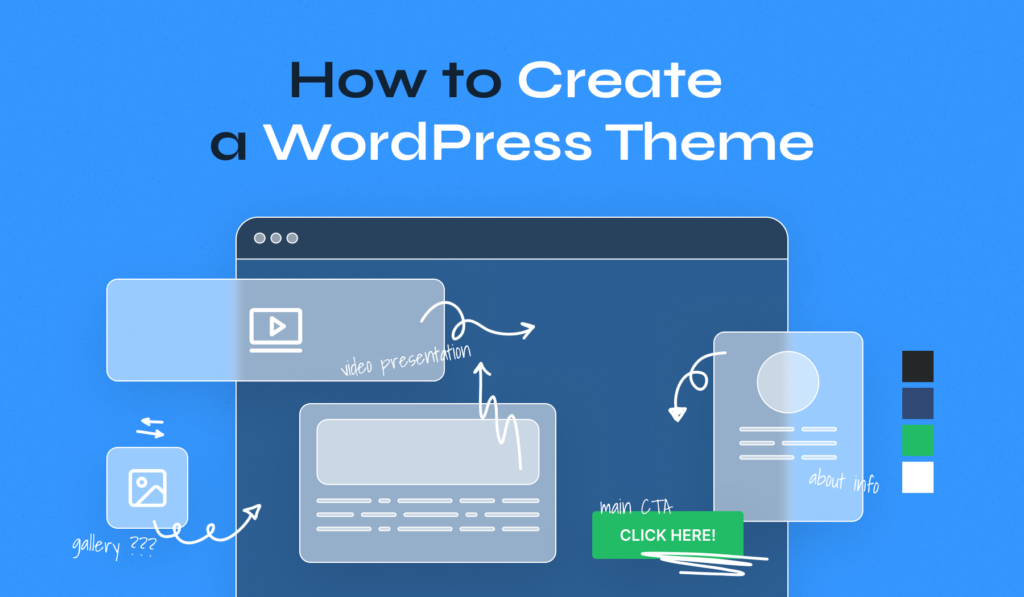
Start by drawing your website plan. Use a pencil and paper. Think about where to put the header, footer, and content. A good layout is like a map. It helps users find their way. Keep it simple. Too many things can confuse people. Remember, less is more.
Adding Styles With Css
CSS makes your site look pretty. It changes colors, fonts, and sizes. Use CSS to make text bigger or smaller. You can change background colors too. Add styles to your buttons. Make them easy to click. Use CSS to make your site nice and neat. It’s like dressing up your words.
Adding Dynamic Content
WordPress Loop helps display dynamic content. It checks for posts in the database. If posts are found, they get displayed. Each post shows title, content, and date. This loop repeats for each post. It’s the backbone of most themes. Using it, themes can show latest posts. Make sure to call the loop in your theme.
Template tags are crucial for adding content. They are small pieces of code. They fetch and display information. For example, the php the_title(); ? tag shows the post title. Another tag, php the_content(); ?, displays the post content. These tags work within the WordPress loop. Use them to control what users see. Each tag has a specific role. They make your theme functional and dynamic.
Enhancing With Javascript
Adding jQuery to your theme can make things easy. It helps with making cool effects. You can add it using a simple link tag. Put it in the section of your HTML. This makes your theme more interactive. Remember to check for compatibility. Some plugins might not work well with jQuery. Always test before finalizing your theme.
Custom scripts give your theme a unique touch. Write short and clear scripts. Keep them organized. Place them in separate files. This helps in managing them easily. Add the script files in the of your HTML. This ensures faster loading. Don’t forget to debug your scripts. Fix errors to make them run smoothly. Your theme will work better with clean scripts.
Customizing With Functions.php
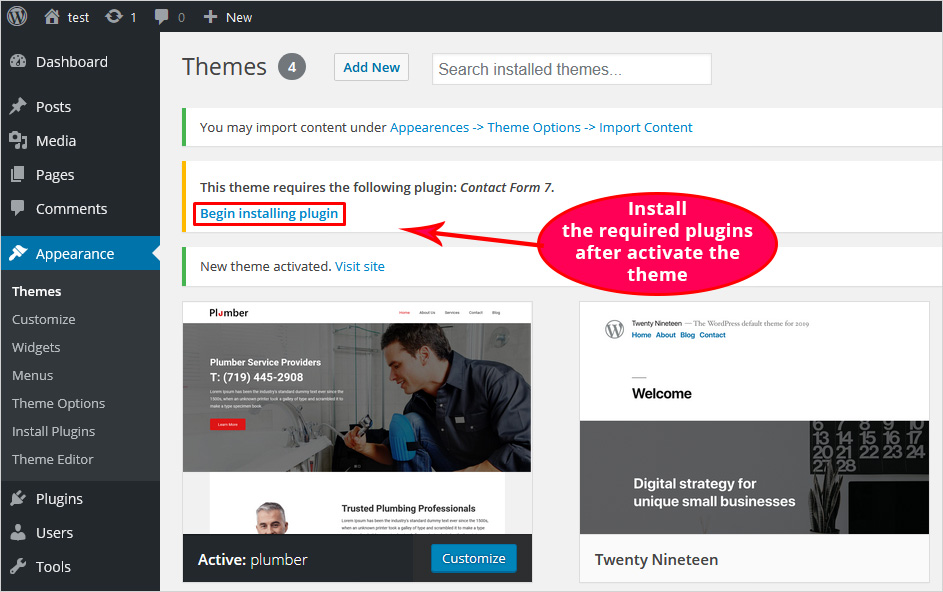
The functions.php file is very useful. It helps add new features to your theme. You can use it to add theme support for custom logos, post thumbnails, and more. This file is like a toolbox. It holds all the special tools for your theme. Each tool adds a special feature. Make sure to add only what you need.
Creating custom functions is simple. Each function performs a task. You can create a function to show a special message. Or maybe change the way your site looks. Use PHP code to write these functions. Place your code inside the functions.php file. This way, your theme will have new powers. Always test your functions. Make sure they work properly.
Credit: blog.templatetoaster.com
Responsive Design Considerations
Creating a WordPress theme requires understanding responsive design for seamless user experience. Make sure your theme adjusts to different screen sizes. Prioritize mobile-friendly layouts to enhance accessibility and engagement.
Media Queries Implementation
Use media queries to make your theme look good on all screens. Set breakpoints for different devices like phones, tablets, and desktops. Adjust your design at each breakpoint. Change font sizes, layout, and images. Keep the design flexible and adaptive. Ensure users have a great experience. Media queries help cater to different screen sizes. This enhances usability and aesthetics. Remember, a responsive site attracts more visitors.
Testing Across Devices
Test your theme on multiple devices. Check on phones, tablets, and desktops. Use different browsers. Ensure your theme functions well everywhere. Fix any issues you find. Make sure images load quickly and correctly. Check text readability. Verify links work. Keep the design consistent. Testing ensures the best user experience. Happy users mean more engagement.
Optimizing For Performance
Make your website load faster by reducing file sizes. Smaller files mean quicker load times. Combine multiple CSS files into one. Do the same for JavaScript files. Use tools like Minify to remove extra spaces and comments. This makes files lighter. Avoid large libraries if not needed. Only use necessary code. This reduces the total file size. Lazy loading can help too. It loads images only when needed.
Images can slow down a website. Make them smaller without losing quality. Use tools like TinyPNG or JPEGmini. These tools compress images. They make them load faster. Choose the right format. Use JPEGs for photos. Use PNGs for graphics. Use SVGs for logos. They are small and load quickly. Always use the right size for images. Avoid uploading huge files.
Credit: www.wpzoom.com
Ensuring Theme Security
Sanitization and validation are key for theme security. These processes protect against harmful data. Malicious code can harm your site. Properly sanitize user inputs. Validate data before processing it. This ensures clean, safe entries. Use functions like esc_html() and sanitize_text_field(). These functions clean data. They prevent unwanted scripts.
Using nonces adds an extra security layer. Nonces are unique numbers. They protect against unauthorized actions. They verify requests come from your site. Nonces guard against cross-site attacks. Use functions like wp_create_nonce(). This function generates nonces. They should be used in forms and URLs. Check nonces before processing any action. This prevents unwanted changes.
Testing And Debugging
Debugging tools help find errors in your WordPress theme. These tools show what went wrong. One popular tool is WP Debugging. It shows PHP errors and warnings. Another tool is Query Monitor. It checks database queries and scripts. These tools make fixing issues easier. Use them to test your theme.
Themes sometimes have common issues. Pages may load slowly. Check image sizes. Large images slow pages. Reduce image size for faster loading. Another issue is broken links. Broken links cause errors. Use a tool to find them. Fix links to improve site performance. CSS problems can also occur. Use a CSS validator to check styles. Correct any CSS errors found. These fixes help make your theme better.
Preparing For Theme Release
Choose a good license for your theme. A popular choice is GPL. This makes sure others can use and share your theme. Write clear documentation for users. Explain how to install and use the theme. Also, include tips and common problems. Make it easy to read. Add pictures if you can. This helps users understand better. Good documentation saves time. It reduces user questions. Happy users mean happy developers.
First, check the theme guidelines. WordPress has rules for themes. Make sure your theme follows these rules. Then, create an account on the WordPress site. Next, use the Theme Check tool. This tool checks your theme for problems. Fix any issues it finds. Now, you can submit your theme. Go to the WordPress Theme Upload page. Follow the steps. Wait for approval. This might take some time. Be patient. Once approved, your theme is live. Many people can see and use it.
Credit: www.hostinger.com
Frequently Asked Questions
How Do I Start Creating A WordPress Theme?
To start, you’ll need basic knowledge of HTML, CSS, and PHP. Install WordPress locally, then create a new theme folder in the `/wp-content/themes/` directory. Develop your theme by building essential files like `style. css`, `index. php`, and `functions. php`. Test your theme thoroughly before deploying it.
What Are Essential Files For A WordPress Theme?
Essential files include `style. css`, `index. php`, `functions. php`, `header. php`, and `footer. php`. `style. css` contains theme information and styling rules. `index. php` is the main template file. `functions. php` adds custom functionality. `header. php` and `footer. php` manage the header and footer sections.
These files create the theme’s structure.
Can I Create A Theme Without Coding?
While coding knowledge is beneficial, you can use WordPress theme builders. Tools like Elementor or Divi allow you to create themes visually. They offer drag-and-drop functionality and pre-built templates. However, understanding basic coding concepts can help you customize and optimize your theme effectively.
How Do I Customize A WordPress Theme?
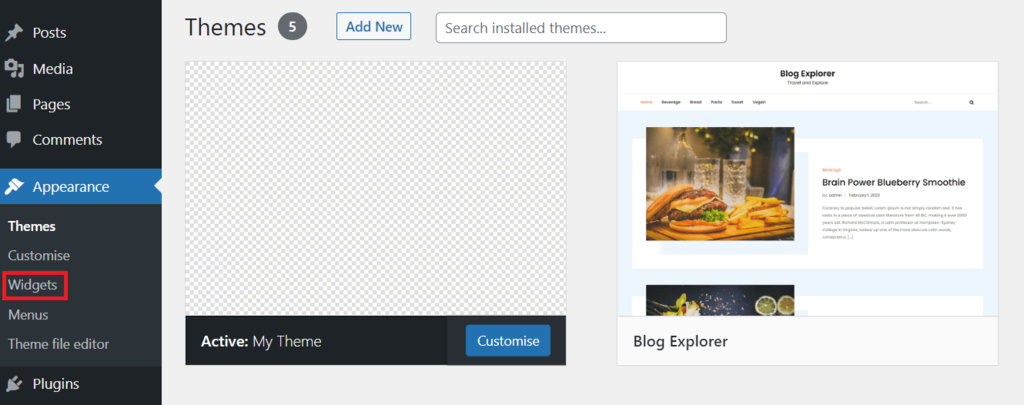
Customize your theme through the WordPress Customizer. Access it via the WordPress dashboard under Appearance > Customize. Here, you can adjust colors, fonts, layouts, and more. For advanced customizations, edit your theme’s CSS and PHP files directly, ensuring you use a child theme to preserve changes.
Conclusion
Creating a WordPress theme can be simple. Start by understanding your needs. Design your layout using clear ideas. Plan each step carefully. Choose colors that match your vision. Use tools like WordPress Theme Customizer. Test your theme thoroughly. Make sure it looks good on all devices.
Keep your design clean and easy to navigate. This helps users find what they need quickly. Remember, practice makes perfect. As you grow, your skills will improve. Enjoy the process and create themes that express your style. Your WordPress journey is just beginning.
Keep learning and exploring.


