
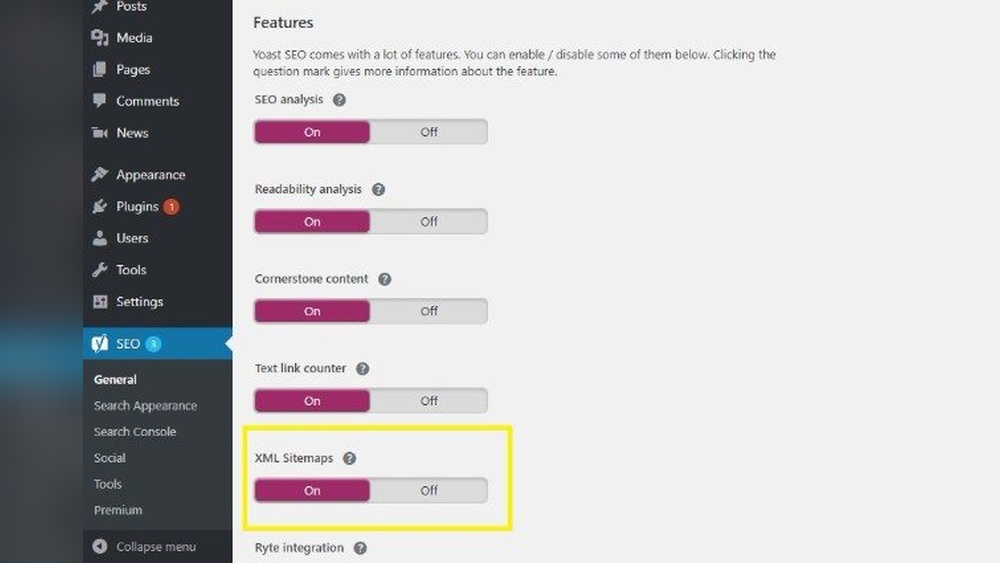
If you want your WordPress site to get noticed by search engines and attract more visitors, creating a sitemap is a crucial step. But how do you make sure your sitemap is set up correctly and works smoothly?
You’ll discover simple, clear steps to create a sitemap for your WordPress site, even if you’re not a tech expert. By the end, you’ll have a powerful tool that helps search engines find and rank your pages faster, boosting your site’s visibility and traffic.
Keep reading to unlock this easy yet effective SEO secret!
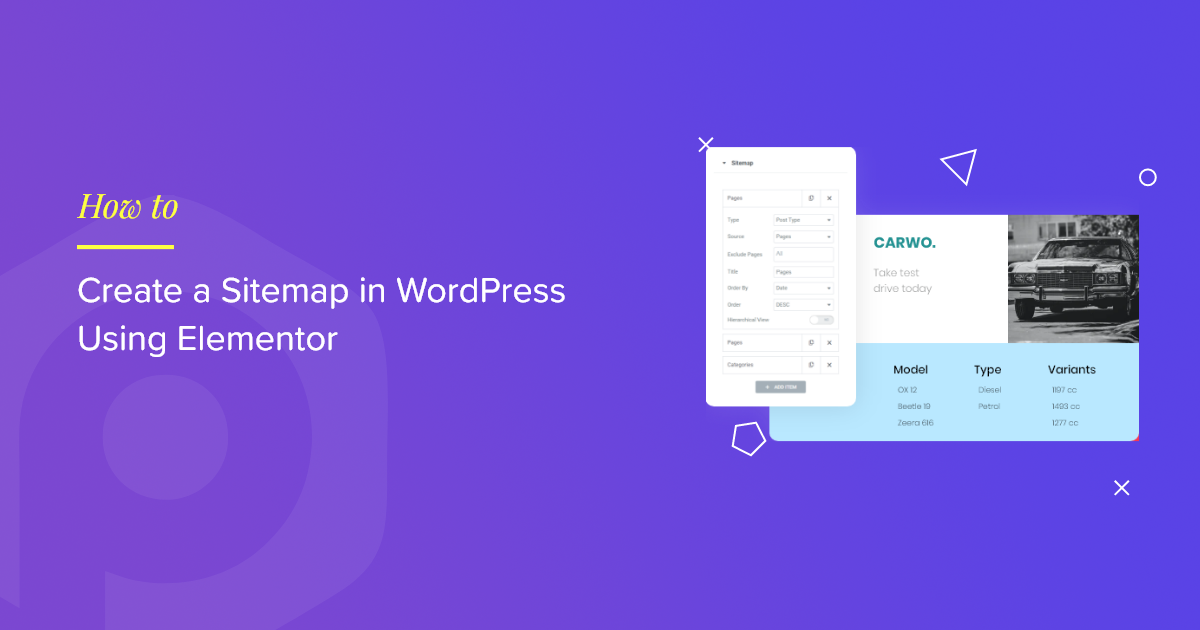
Credit: powerpackelements.com
Benefits Of A Sitemap
A sitemap is a file that lists all pages on your website. It helps search engines and visitors find content easily. Using a sitemap brings many benefits to your WordPress site. It improves SEO, helps users navigate, and makes crawling easier for search engines.
Improving Seo
Sitemaps help search engines discover your pages faster. This can boost your site’s ranking on search results. Search engines know which pages are important. New or updated content gets noticed quickly. This makes your site more visible online.
Enhancing User Experience
A sitemap acts like a map for visitors. It shows them where to find information. Users spend less time searching and more time reading. This keeps visitors happy and encourages them to return. Easy navigation reduces frustration on your site.
Facilitating Website Crawling
Search engines use bots to scan websites. A sitemap guides these bots through your content. It ensures all pages get indexed properly. This prevents pages from being missed or ignored. It helps keep your website up to date in search engines.
Types Of Sitemaps
Sitemaps guide search engines through your website’s pages. They help crawlers find content fast. Different types of sitemaps serve different purposes. Knowing these types helps you pick the best one for your WordPress site.
Xml Sitemaps
XML sitemaps list all important pages on your site. They use a code format that search engines easily read. These sitemaps include page URLs and metadata like update dates. XML sitemaps improve how search engines index your content. Most SEO plugins for WordPress can create XML sitemaps automatically.
Html Sitemaps
HTML sitemaps are for website visitors, not just search engines. They show a simple page listing all site links. Visitors find pages quickly using this sitemap type. It improves user experience and site navigation. Creating an HTML sitemap in WordPress is easy with many plugins available.
Video And Image Sitemaps
Video and image sitemaps focus on multimedia content. They tell search engines about your videos and pictures. This helps your media appear in search results. WordPress sites with lots of images or videos benefit from these sitemaps. Special plugins can generate video and image sitemaps automatically.
Preparing Your WordPress Site
Preparing your WordPress site is the first step to creating a sitemap. A well-prepared site helps search engines find your pages easily. This process includes checking your site’s layout, updating your content, and installing tools needed for your sitemap.
Checking Site Structure
Start by reviewing your website’s structure. Make sure your pages are organized clearly. Use categories and menus that guide visitors well. A simple structure helps search engines crawl your site faster. Fix any broken links or missing pages before moving on.
Updating Content
Next, update your site content. Remove old or irrelevant information. Add new pages or posts if needed. Fresh content improves your site’s value to visitors and search engines. Check that all your titles and descriptions are clear and accurate.
Installing Necessary Plugins
Finally, install plugins that create sitemaps automatically. Popular plugins like Yoast SEO or Google XML Sitemaps work well. These tools generate sitemaps and keep them updated. Make sure the plugin settings fit your site’s needs.
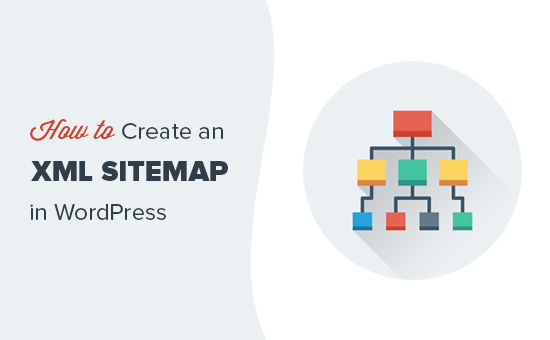
Credit: www.wpbeginner.com
Creating Xml Sitemap With Plugins
Creating an XML sitemap helps search engines find and index your website pages. Plugins make this task easy for WordPress users. They generate sitemaps automatically and update them as you add new content.
Using a plugin saves time and ensures your sitemap follows search engine rules. Below are popular plugins that create XML sitemaps efficiently.
Using Yoast Seo
Yoast SEO is a popular plugin that includes sitemap features. After installing it, the sitemap is created automatically. You can find it by adding /sitemap_index.xml to your website URL.
Yoast SEO updates the sitemap whenever you publish or change pages. It also organizes your sitemap by content type, like posts and categories. You can control which pages to include from the settings.
Using Google Xml Sitemaps
Google XML Sitemaps is a simple plugin focused only on sitemaps. It creates a sitemap file that works well with all search engines. The plugin runs in the background and updates the sitemap automatically.
You can customize which pages and posts appear in the sitemap. This plugin is lightweight and easy to use for beginners. It also notifies search engines when your sitemap changes.
Comparing Plugin Features
Yoast SEO offers many SEO tools along with sitemaps. It is great for users who want an all-in-one solution. Google XML Sitemaps is simpler and focuses only on sitemap creation.
Choose Yoast if you want extra SEO help and sitemap control. Pick Google XML Sitemaps for a fast, dedicated sitemap plugin. Both work well and help search engines index your site better.
Manual Sitemap Creation
Creating a sitemap manually helps control what search engines see. It ensures all important pages are listed clearly. This process takes more time but offers full customization and accuracy. Below are the key steps for manual sitemap creation.
Generating Sitemap Files
Start by listing all URLs on your website. Use a plain text editor or an online XML sitemap generator. Make sure the file follows XML sitemap rules. Each URL should be inside sitemap.xml.
Uploading To Server
Use an FTP client or your hosting control panel to upload the sitemap file. Place it in the root directory of your WordPress site. This folder usually contains wp-config.php and index.php. Uploading here helps search engines find the sitemap easily.
Linking Sitemap In Robots.txt
Open your robots.txt file in the root directory. Add the line Sitemap: https://yourdomain.com/sitemap.xml. This tells search engines about your sitemap location. Save and upload the updated robots.txt file. It improves your site’s crawl efficiency and indexing speed.
Submitting Sitemap To Search Engines
Submitting your sitemap to search engines helps them find and index your website pages. This step improves your site’s visibility in search results. It lets search engines know about your new content faster.
After creating a sitemap, submit it to popular search engines. Two main tools are Google Search Console and Bing Webmaster Tools. These platforms allow you to upload your sitemap and track its status.
Google Search Console
Sign in to Google Search Console with your Google account. Select your website property or add it if missing. Go to the “Sitemaps” section on the left menu.
Enter your sitemap URL in the “Add a new sitemap” box. Click “Submit” to send your sitemap to Google. This helps Google crawl your site more efficiently.
Bing Webmaster Tools
Log in to Bing Webmaster Tools using your Microsoft account. Add your website if it is not already listed. Find the “Sitemaps” option under the “Configure My Site” menu.
Paste your sitemap URL and click “Submit.” Bing will use this sitemap to discover your pages faster. This increases your chances of appearing in Bing search results.
Monitoring Sitemap Status
Check the status of your sitemap regularly in both tools. Look for errors or warnings that may affect indexing. Fix issues quickly to keep your sitemap effective.
Monitoring helps you see how search engines read your sitemap. It also shows how many pages have been indexed. Stay updated to maintain good website health.
Maintaining And Updating Sitemaps
Maintaining and updating your sitemap is essential for keeping search engines aware of your website’s structure. A current sitemap helps search engines find new pages and changes quickly. It improves your site’s visibility and ranking.
Regular updates prevent broken links and outdated information. You want search engines to crawl your site smoothly. This section explains how to keep your sitemap accurate and useful.
Automated Updates
Many WordPress plugins update sitemaps automatically. They detect new posts, pages, or changes. This saves time and effort. Plugins like Yoast SEO or Google XML Sitemaps handle this well. Set the plugin once, and it updates your sitemap on its own.
Handling New Content
Adding new content means adding new URLs to your sitemap. Automated tools usually do this. If you add custom post types or special pages, check if your plugin includes them. Manually update the sitemap if needed. Submit the updated sitemap to search engines for faster indexing.
Fixing Sitemap Errors
Errors in sitemaps can stop search engines from crawling your site. Common issues include broken links, wrong URLs, or XML formatting problems. Use tools like Google Search Console to find errors. Fix mistakes quickly to keep your sitemap clean. Regular checks ensure your sitemap works well over time.

Credit: verpex.com
Troubleshooting Common Issues
Troubleshooting common issues with your WordPress sitemap helps keep your site visible. A sitemap guides search engines to your pages. Errors can block this process and hurt your rankings. Fixing these issues quickly improves your site’s SEO and user experience.
Sitemap Not Found
Sometimes, the sitemap file is missing or not accessible. Check your sitemap URL in the browser. If it shows a 404 error, the sitemap is not found. Clear your cache and refresh the page. Make sure your SEO plugin is activated and updated. Regenerate the sitemap from the plugin settings. If the problem persists, check your .htaccess file for rules blocking the sitemap.
Incorrect Url Structures
Incorrect URLs in the sitemap confuse search engines. Ensure URLs use the right format, including http or https. Avoid duplicate URLs or trailing slashes inconsistently. Review your WordPress permalink settings for correctness. Some SEO plugins allow you to customize URL formats. Fix any broken or outdated links in your sitemap. Proper URLs help search engines crawl your site efficiently.
Plugin Conflicts
Plugins may clash and disrupt sitemap generation. Deactivate other plugins one by one to find conflicts. Especially check caching and security plugins. Some plugins create their own sitemaps, causing duplication. Use only one SEO plugin to avoid issues. Update all plugins regularly to maintain compatibility. Resolving conflicts ensures your sitemap works smoothly and stays updated.
Frequently Asked Questions
What Is A Sitemap In WordPress?
A sitemap is a file listing all important pages on your WordPress site. It helps search engines find and index your content efficiently.
How Do I Create A Sitemap In WordPress?
You can create a sitemap using SEO plugins like Yoast SEO or Rank Math. These plugins generate sitemaps automatically with minimal setup.
Why Is A Sitemap Important For Seo?
Sitemaps improve SEO by helping search engines crawl your site better. They ensure new and updated pages get indexed faster.
Can I Submit My WordPress Sitemap To Google?
Yes, you can submit your sitemap via Google Search Console. This helps Google discover your site structure and content quickly.
Conclusion
Creating a sitemap helps search engines find your site’s pages fast. It improves your site’s visibility in search results. WordPress makes it easy to build and update sitemaps. Regularly check and submit your sitemap to Google Search Console. Keep your sitemap clean by removing old or broken links.
A clear sitemap guides visitors and search engines alike. Start today and watch your site become easier to explore. Simple steps lead to better site performance and traffic growth.


