
Do you want to create your very own WordPress theme but feel overwhelmed by complex coding? You’re not alone!
Crafting a simple WordPress theme doesn’t have to be a daunting task. Imagine having complete control over your site’s look and feel, tailored to your unique style or business. You don’t need to be a tech wizard to achieve this—just some basic knowledge and a bit of creativity.
In this guide, you’ll discover straightforward steps to design a theme that’s not only functional but also eye-catching. Whether you’re a blogger, entrepreneur, or hobbyist, this article will empower you to transform your WordPress site into a custom masterpiece. Ready to start your WordPress theme journey? Let’s dive in and simplify the process for you!
Getting Started
Creating a WordPress theme needs a few steps. First, install WordPress on your computer. This is your local development environment. You can use tools like XAMPP or MAMP. They help run WordPress locally. Make sure you have a text editor. Visual Studio Code is a good choice. It’s easy to use and free. You also need a browser like Google Chrome or Firefox. These tools help test your theme.
Having the right tools makes work easier. You need an FTP client like FileZilla. It helps upload files to the web server. Learn about CSS and HTML. They are the building blocks for themes. PHP is also important. WordPress uses PHP for its functions. Lastly, a version control system like Git is helpful. It tracks changes in your code.
Understanding Theme Files
Every WordPress theme has key files. These files help the theme work. The style.css file is very important. It controls how the theme looks. The index.php file is the main template file. It decides what is shown on each page. The functions.php file adds extra features to the theme. It is like a toolbox. Another important file is header.php. This file includes the top part of the theme. The footer.php file is for the bottom part. Together, these files make the theme complete.
WordPress uses a template hierarchy. This decides which file is used when showing content. The hierarchy starts with specific files. For example, single posts use single.php. Pages use page.php. If these files are not there, WordPress uses index.php. This system helps in organizing the theme files. It makes the theme flexible and easy to modify.
Design And Layout
Start with a clean header. Include your site name and logo. Use simple HTML tags. Add a navigation menu. This helps users find pages. The header should be clear and neat. Next, design the footer. Place contact info here. You can also add links to social media. This makes it easy for visitors to connect. Keep the footer simple and user-friendly.
The main content area is where you place articles. Use a clear and readable font. Ensure the text is easy to scan. Add images to make it more engaging. Use HTML tags to format text. This helps in organizing content. Keep paragraphs short and to the point. The layout should be clean and simple. Focus on providing a good reading experience.
Adding Functionality
Enhance your WordPress theme by adding functionality through custom widgets and plugins. Integrate menus, sidebars, and footers for better navigation. Ensure your theme is responsive and user-friendly.
Integrating Custom Menus
Custom menus help users navigate your site. They can be added in the functions file. Use the register_nav_menus function. It is simple to use. Just add the code inside the PHP tags. Assign a name to your menu. Now, go to the WordPress admin area. Find the Appearance section. Click on Menus. Here you can see your custom menu. Add pages or links to it. This makes navigation easy.
Implementing Widgets
Widgets add extra content to your theme. They can be placed in sidebars or footers. First, open your theme’s functions file. Use the register_sidebar function. This makes a new widget area. Give it a name and ID. Save your changes. Go to the WordPress admin area. Look for the Widgets option under Appearance. Drag and drop widgets into your new area. Widgets can display text, images, or links.
Styling With Css
Colors can change the feel of your site. Use bright colors for excitement. Use soft colors for calmness. Fonts matter too. Bold fonts grab attention. Simple fonts are easy to read. Spacing is key. Good spacing makes things clear. Too little spacing can confuse readers.
Screen sizes are different. Phones are small. Computers are big. Make sure your site looks good on both. Fluid grids help with this. They adjust automatically. Media queries are useful. They change styles based on device size. This keeps your site looking nice everywhere.
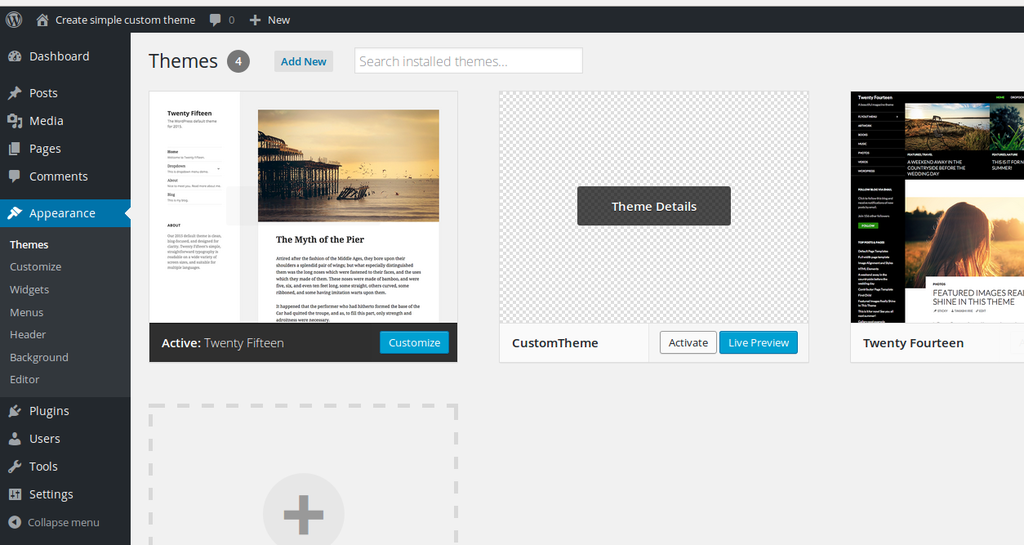
Credit: assist-software.net
Testing And Debugging
Testing and debugging ensure your WordPress theme works well. Identify errors by checking code and fixing bugs. This process makes your theme reliable and user-friendly.
Common Issues And Solutions
Themes often face common issues during testing. One issue is broken links. Ensure all links lead to the correct pages. Another issue is missing images. Check if image paths are right. Themes may also show incorrect fonts. Verify the font files are loaded correctly. Sometimes, layout problems appear. Adjust CSS to fix layout errors. Use browser developer tools to identify and solve these problems quickly. Testing on a local server can help catch issues early. Keep a checklist of common issues for each theme test. This helps find problems faster.
Cross-browser Compatibility
Themes should work on all popular browsers. This includes Chrome, Firefox, and Safari. Also, test on mobile browsers. Differences in browser engines can cause display issues. Ensure your theme uses standard HTML and CSS. Avoid browser-specific code where possible. Use tools like BrowserStack for testing on different browsers. Media queries help ensure mobile compatibility. This ensures users have a smooth experience. Consistent testing helps maintain compatibility across updates. Regular updates to your theme can help improve this as well.
Packaging And Distribution
Preparing Theme for Release: Make sure your theme works well. Check for any errors or bugs. Ensure all features are running smoothly. Organize your files clearly. Use folders for easy access. Include a readme.txt file. This helps users understand your theme. Add a screenshot.png. This shows how your theme looks. Compress all files into a .zip format. Now, your theme is ready for release.
Submitting to WordPress Repository: Go to the WordPress website. Sign in to your account. Find the theme submission page. Fill out the required details. Upload your .zip file. Wait for the review process. WordPress checks your theme. They ensure it follows all guidelines. Once approved, your theme goes live. Users can now find and download it.
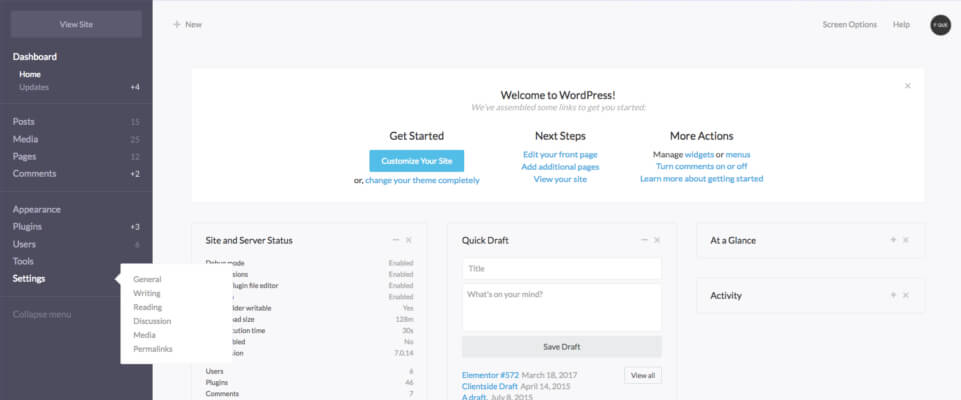
Credit: wpcodeus.com
Credit: www.wpexplorer.com
Frequently Asked Questions
How To Build A Simple WordPress Theme?
Start by installing WordPress on your server. Create a new theme folder in wp-content/themes. Add essential files like style. css, index. php, and functions. php. Use HTML, CSS, and PHP to design your theme. Test and activate it through the WordPress dashboard.
Customize as needed for unique features.
How Do I Create My Own Template In WordPress?
To create a WordPress template, access your theme folder via FTP. Create a new PHP file. Add template header comments at the top. Insert HTML and PHP code as needed. Save and upload the file. Assign the new template to a page in your WordPress admin.
How Do I Create A Simple WordPress Plugin?
To create a simple WordPress plugin, start by creating a new folder in the “wp-content/plugins” directory. Add a PHP file with a plugin header comment. Write your plugin’s code in this file. Use hooks and functions to add functionality. Activate the plugin from the WordPress dashboard.
Which Language Is Used To Develop A Theme In WordPress?
WordPress themes are primarily developed using PHP, HTML, CSS, and JavaScript. PHP handles dynamic content, HTML structures the layout, CSS styles the design, and JavaScript adds interactive features. These languages work together to create responsive, functional, and visually appealing themes for websites.
Conclusion
Creating a simple WordPress theme doesn’t need to be complex. Start with basic coding skills. Follow a clear, step-by-step guide. Focus on design and functionality. Test your theme regularly. Keep it user-friendly and responsive. Make sure it loads quickly. Aim for an appealing look.
Check compatibility with plugins. Update your theme for security. Stay creative and explore new ideas. Your unique theme can enhance your website’s appeal. Practice regularly to improve your skills. With patience and dedication, you can craft a theme that stands out.


