
Imagine turning your WordPress site into a visually stunning magazine, capturing readers’ attention as soon as they land on your page. Creating a magazine-style WordPress theme is not just about aesthetics; it’s about crafting an experience that invites visitors to dive deeper into your content.
You might be wondering how to achieve this transformation without needing to be a coding wizard. Well, you’re in the right place. This guide is designed just for you, breaking down the process into simple, actionable steps. Whether you’re looking to enhance your blog or launch a new publication, the secrets to a captivating magazine-style theme are within your reach.
Stay with us to unlock the potential of your WordPress site and make your content shine.
Choosing The Right Base Theme
Many themes are perfect for magazines. Astra is a popular choice. It is fast and simple. Another is OceanWP. It has many features. GeneratePress is great too. It is light and flexible. These themes help you start quickly. They offer good designs. You can change them to fit your needs.
It’s important to change your theme easily. Customizing makes your site unique. Look for themes with many options. Page builders like Elementor help. They let you drag and drop. You can add colors, fonts, and layouts. This makes your site special. A flexible theme saves you time. It also saves you effort.
Designing The Layout
Grid systems help organize content. They create neat and tidy layouts. Everything fits into boxes. Big boxes for big things. Small boxes for small things. This style makes the page look nice. It helps readers find stuff easily.
Columns are part of grids. They split the page into sections. Two columns are common. Three columns work too. Pick what suits your design. Rows stack content on top of each other. They keep things lined up.
Responsive design is important. It makes sure the theme works everywhere. On big screens. On small screens. Content should adjust to fit. Text should be easy to read. Images should stay clear. Buttons should be clickable.
Use media queries for this. They change styles for different devices. Test on phones and tablets. Check on computers too. Everything should look good. No matter where it’s seen.
Incorporating Typography
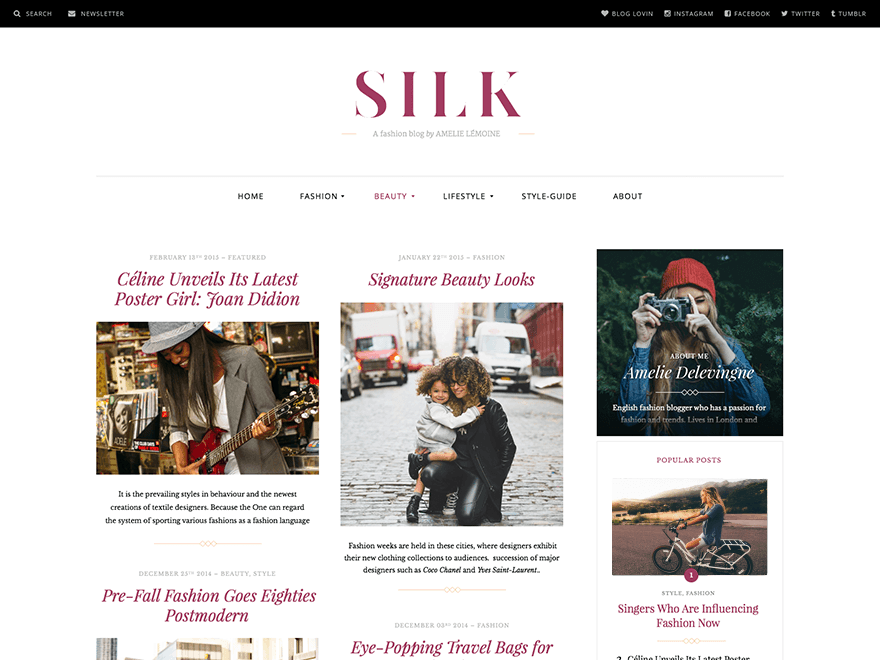
Choosing the right fonts is important. It affects how readers see your content. Use fonts that fit your theme’s style. They should be easy to read. Many websites use serif and sans-serif fonts. Serif fonts have little lines at the ends of letters. Sans-serif fonts do not.
Think about readability and aesthetics. Fonts should look nice but be simple. Fancy fonts can be hard to read. Use them sparingly. For body text, stick with basic fonts. They are easier on the eyes.
Try different font sizes. Headers can be larger. Body text should be smaller. Ensure there’s enough space between lines. This helps make text clear and readable.
Credit: wptavern.com
Adding Visual Elements
Integrating visual elements enhances the appeal of a magazine-style WordPress theme. Use images and videos to break up text. This approach keeps readers engaged and improves the overall user experience.
Image Galleries
Image galleries make your magazine theme look great. They show many pictures in one place. You can use a plugin to add them. Some plugins are free. Others cost money. Choose the one you like best. Make sure pictures are high quality. They should not be blurry. Clear pictures attract more readers. Organize pictures in a nice way. People like to see neat galleries. They spend more time on your site.
Video Integration
Videos make your theme more interactive. They keep people on your site longer. Use a plugin to add videos easily. Many plugins work with YouTube and Vimeo. Choose videos that fit your content. Videos should load fast. Nobody likes to wait. Test your videos. Ensure they play well on phones and tablets. Good videos make your site fun.
Enhancing User Experience
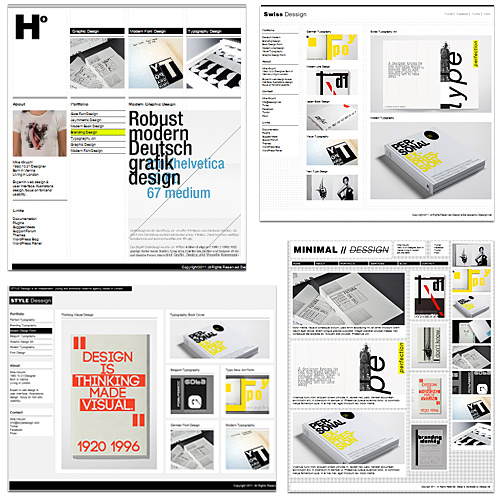
Good navigation design helps users find content fast. Create a clear menu. Use simple labels for each section. Keep important links at the top. Use drop-down menus for many options. Add a search bar for easy searches. Make buttons large for easy clicks. Keep colors and fonts consistent. Test your design on different devices. Ensure it looks good everywhere.
Fast loading keeps users happy. Compress images to save space. Use caching to load pages quickly. Minimize code for better speed. Use a fast server for hosting. Limit plugins to avoid slowdowns. Test your site speed often. Improve it when needed. Speed affects user satisfaction. Slow sites lose visitors.
Credit: www.smashingmagazine.com
Customizing Widgets And Plugins
Essential widgets make your magazine theme special. They help show content better. Use a popular posts widget to highlight top articles. A recent posts widget keeps readers updated. Add a search bar widget for easy navigation. Widgets create a clean and organized layout.
Integrating social media connects your theme to the world. Add social media buttons for sharing. Readers love to share good stories. Use a social feed widget to show live updates. This keeps your site fresh and lively. Social media links make your site interactive and engaging.
Seo And Performance Optimization
Crafting a magazine-style WordPress theme involves balancing design and performance optimization. Focus on clean layouts and responsive designs to enhance user experience. Streamlined code and strategic plugin use improve load times, boosting SEO and visitor engagement.
Seo Best Practices
Creating a magazine style theme needs good SEO practices. Use clean code that search engines understand. Add alt text to images. This helps Google see them. Choose keywords smartly. Place them in titles, headings, and content. Use meta tags for better ranking. Keep URLs short and clear. Link your pages internally. This makes the site easy to explore. Check your site speed. Slow sites rank low. Use tools like Google PageSpeed Insights. They help you improve speed.
Performance Testing Tools
Tools check how fast your site is. Google PageSpeed Insights is popular. It shows how fast your page loads. GTmetrix is another tool. It gives detailed reports. Pingdom checks speed from different places. Use these tools often. Fix problems they show. Fast sites make users happy. Happy users stay longer. Longer visits mean better ranking. Keep testing your site speed. Improve it whenever possible. Tools help you find weak spots.
Testing And Launching
Crafting a WordPress theme involves testing for design consistency and functionality. Launch the theme smoothly by ensuring all features work seamlessly and the layout displays correctly across devices.
Cross-browser Testing
Ensuring your theme works on different browsers is important. Test on Chrome, Firefox, Safari, and Edge. Each browser displays pages a bit differently. Check if images load properly. Verify links are clickable. Make sure buttons work as expected. Fonts might look different. Adjust settings for each browser. Use browser developer tools for testing. Find errors and fix them quickly.
Final Checks Before Launch
Review every page of the theme. Look for spelling errors. Check image sizes. Ensure menus are easy to use. Test the contact form. Verify all links work. Make sure the site loads fast. Check mobile view. Test on tablets and phones. Fix any broken parts. Double-check privacy settings. Ensure security measures are active. Backup your site before launching.

Credit: athemes.com
Frequently Asked Questions
What Is A Magazine Style WordPress Theme?
A magazine style WordPress theme features a clean, professional layout. It includes multiple sections for content, images, and advertisements. This theme is perfect for online publications seeking to display diverse content. It often includes customizable widgets and responsive design for optimal viewing on all devices.
How Do I Customize A Magazine Theme?
To customize a magazine theme, use WordPress’s built-in Customizer tool. Access it through your dashboard and adjust colors, fonts, and layouts. You can also add widgets to enhance functionality. Many themes offer additional customization options through theme-specific settings and plugins.
Can I Add Ads To My Magazine Theme?
Yes, you can add ads to your magazine theme. Most themes support ad placements in various sections. Use ad management plugins for easier control. Ensure your theme supports responsive ads to maintain the site’s aesthetics on mobile devices. This can help monetize your content effectively.
Are Magazine Themes Mobile-friendly?
Most magazine themes are designed to be mobile-friendly. They include responsive layouts that adapt to different screen sizes. This ensures a seamless viewing experience on smartphones, tablets, and desktops. Mobile-friendly themes improve user engagement and SEO, helping attract more visitors to your site.
Conclusion
Creating a magazine-style WordPress theme can be simple and rewarding. Focus on user-friendly design. Choose colors that appeal to your audience. Ensure your layout is clean and organized. Use readable fonts and engaging visuals. Optimize for mobile devices. This improves user experience.
Keep your site fast and responsive. Regular updates keep it fresh. Test your theme regularly. This helps maintain quality and functionality. With these tips, your website can attract more visitors. A well-designed theme boosts your brand’s credibility. Start crafting your unique magazine-style theme today.
Your creative journey awaits!


