
Creating a blog can feel like a daunting task. You might wonder where to start or which theme to choose.
If you’re looking for a stunning design that stands out, the Salient theme on WordPress could be your best choice. Whether you’re a novice or someone with a bit of experience, using Salient can elevate your blog’s appearance effortlessly. Imagine a blog that not only looks professional but is also easy to navigate for your readers.
That’s what Salient offers. But how exactly do you create a blog using this theme? Stay with me, and I’ll guide you through each step, ensuring your blog is as captivating and functional as you envision. By the end of this guide, you’ll be ready to hit publish with confidence.

Credit: www.youtube.com
Choosing The Right Hosting
Picking the right web hosting is crucial. It keeps your site online. Several options exist. Shared hosting is popular. It’s cheap and easy. But, it can be slow. Dedicated hosting offers more power. It’s faster but costs more. There’s also VPS hosting. It’s a middle ground. You get some power and a decent price. Choose based on your needs. Consider speed and cost. Always check reviews first.
A good domain name is essential. It’s your online address. Keep it short and simple. Avoid numbers and hyphens. Make it easy to spell. A catchy name helps. It should relate to your content. Ensure it’s available. Use a domain checker tool. Consider using .com. It’s the most recognized. Other extensions are also okay. Always register your domain name quickly. It might get taken.
Installing WordPress
First, download the WordPress package from its official site. Extract the files on your computer. Next, upload these files to your web server. Use an FTP client for this step. Make sure all files are transferred correctly.
Now, it’s time to configure the database. Access your hosting control panel. Find the database section. Create a new MySQL database. Set a strong password for your database user. Write down the database name, username, and password. You’ll need these later.
Open the WordPress folder you uploaded. Look for the wp-config-sample.php file. Rename it to wp-config.php. Open this file in a text editor. Enter the database details you saved earlier. Save the changes.
Visit your site URL to start the installation process. Follow the on-screen instructions. Complete each step carefully. Your WordPress setup is now complete!
Salient Theme Installation
First, go to the Salient Theme website. Find the theme and click on the buy button. After buying, a download link will appear. Click it to save the theme file to your computer. The file is usually in a zip format. Remember where you save it. You will need it soon.
Open your WordPress dashboard. On the left menu, click “Appearance” and then “Themes.” Next, click “Add New” and then “Upload Theme.” A button will appear. Click “Choose File” and find your downloaded file. After selecting the file, click “Install Now.” Wait for the upload to finish. Once done, click “Activate” to make the theme live. Your site now has the new look.
Customizing The Salient Theme
Creating a blog with the Salient Theme on WordPress is simple. Customize its unique features to design an attractive layout. Enhance user experience with easy navigation and engaging visuals.
Design Settings
You can change the layout and style of your blog. Choose between different layouts that fit your content. Adjust the header and footer. This makes your site look unique. Small changes can make a big difference.
Typography And Fonts
Pick fonts that are easy to read. Salient offers many font choices. You can use Google Fonts or upload your own. Font size and spacing can be adjusted too. This helps readers understand your content easily.
Color Schemes
Colors set the mood of your blog. Choose a color scheme that matches your theme. You can change the background, text, and button colors. Make sure colors are easy on the eyes. This will keep visitors on your site longer.
Creating Essential Pages
Home Page Layout is important for your blog. Start with a clean design. Add a logo and a menu. Use widgets to show recent posts. Include a search bar. Make sure your layout is easy to navigate. Choose colors that fit your theme. Keep the design simple and clear.
About and Contact Pages help visitors know you. On the About page, share your story. Explain why you started your blog. On the Contact page, provide ways to reach you. Include an email address or a contact form. Add social media links if you have them. Keep these pages updated.
Blog Page Setup is where your posts live. Use categories to organize posts. Tags help readers find topics. Choose a layout that shows posts clearly. Add a sidebar for extra info. Show post previews on the main page. Make sure the design is clean.
Adding Plugins For Functionality
SEO Optimization is key for your blog’s success. Install an SEO plugin. It helps your blog rank better. It also suggests keywords and improves readability. A popular choice is Yoast SEO. This plugin guides you step by step. You can easily manage titles, descriptions, and keywords. Make your blog shine in search results.
Social Media Integration connects your blog to the world. Use a plugin to link social media. Share buttons on posts encourage readers to share. This increases your audience. Jetpack is a useful plugin for this. It offers social media sharing tools. Your blog becomes more visible and engaging.
Security Enhancements protect your blog from threats. A security plugin is essential. It keeps your blog safe and secure. Wordfence Security is a top choice. It offers firewall protection and scans for malware. It also tracks login attempts. Your blog stays secure with these features.
Content Creation Strategy
Know who reads your blog. Are they young or old? Do they like tech or travel? Understand their interests and needs. This helps you write better. Make your content fit their world. This way, readers stay longer on your page.
Create a plan for your blog posts. Use a calendar to schedule topics. This keeps you organized. You know what to write and when. A good plan saves time. It also keeps your blog fresh and interesting.
Write in a way that is fun to read. Use short sentences and simple words. This makes your blog easy to understand. Tell stories if you can. Stories grab attention. Make sure your posts have a clear message. End with a question to make readers think.

Credit: themenectar.com
Optimizing For Search Engines
Keywords are words people use to find things online. To find good keywords, use tools like Google Keyword Planner. Look for high-volume and low-competition words. These words help your blog rank better. Use them in your blog title and in headings. They should also be in the first paragraph. Sprinkle them through your content. But don’t use them too much. It should feel natural when you read it.
On-Page SEO helps make your blog easy to find. Use meta tags like title and description. These tags describe your page to search engines. Add alt text to images. This helps search engines understand the images. Make sure your blog is fast. Compress images and use caching plugins. Internal links guide readers to other pages on your site. This keeps them on your blog longer.
Analytics show how well your blog is doing. Use tools like Google Analytics. These tools tell you how many people visit your blog. They show which pages are popular. You can see how long readers stay on your site. Use this data to make your blog better. Monitoring helps you see problems early. Fix issues before they become big problems.
Promoting Your Blog
Social media helps your blog grow. Share your posts on Facebook, Twitter, and Instagram. Create eye-catching images. Use simple and clear captions. Ask friends to share your posts. Respond to comments quickly. This builds a strong connection.
Emails keep readers engaged. Collect email addresses on your blog. Send updates regularly. Share special news or offers. Make your emails short. Use friendly language. Encourage replies to start a conversation. This keeps readers interested.
Influencers can boost your blog’s reach. Find influencers who like similar content. Reach out to them politely. Offer to collaborate on posts. Share each other’s blogs. Build a friendly relationship. This opens new opportunities.
Credit: johnwolfecompton.com
Frequently Asked Questions
How Do I Install The Salient Theme In WordPress?
To install the Salient theme, navigate to your WordPress dashboard. Click ‘Appearance’ and then ‘Themes. ‘ Choose ‘Add New’ and search for ‘Salient. ‘ Click ‘Install,’ then ‘Activate’ to use the theme on your blog.
What Are Salient Theme’s Standout Features?
Salient offers a responsive design, drag-and-drop page builder, and customizable elements. It includes advanced typography options, multiple demos, and SEO optimization features. These make it ideal for creating visually appealing blogs.
How Can I Customize My Blog With Salient?
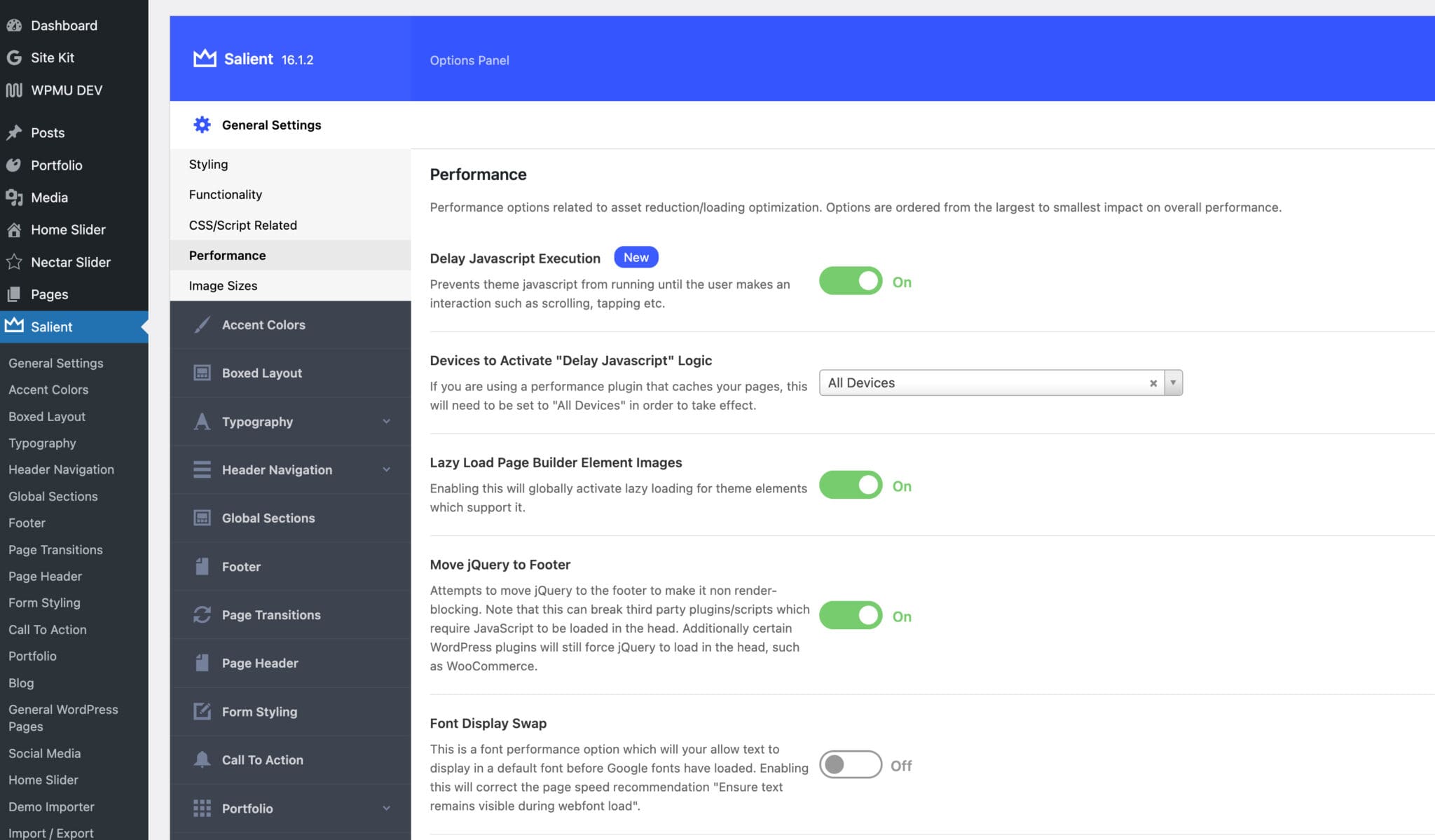
Customize your blog via the Salient theme options panel. Adjust colors, layouts, and fonts easily. Use the WPBakery Page Builder for intuitive drag-and-drop customization. Access the demo importer for ready-to-use layouts.
Is Salient Theme Suitable For Beginners?
Yes, Salient is beginner-friendly with its intuitive interface. Its visual page builder simplifies design tasks. Extensive documentation and video tutorials assist new users in setting up and customizing their blogs effectively.
Conclusion
Creating a blog with the Salient theme is simple. You now know how to install and customize it. Use engaging content to attract readers. Ensure your blog is visually appealing. Focus on readability and ease of navigation. Keep your design clean and professional.
Regular updates will keep your audience interested. Monitor your blog’s performance regularly. Make adjustments as needed. Stay committed to delivering quality content. Your WordPress blog can grow successfully. Enjoy the process and connect with your readers.


