
Creating a block theme in WordPress might sound like a daunting task, but it’s much simpler than you think. Imagine having the power to design every aspect of your website exactly how you envision it, with complete flexibility and control.
Sounds enticing, right? Whether you’re a seasoned developer or just starting out, mastering the art of block themes can elevate your WordPress skills and transform your site. Why is this important for you? In a digital age where user experience is everything, a personalized website can set you apart from the competition.
You want your visitors to have a seamless and engaging experience, and a custom block theme can help you achieve just that. As you dive deeper into this guide, you’ll discover step-by-step instructions, expert tips, and common pitfalls to avoid. Unlock the secrets to creating a stunning block theme that not only looks great but also functions perfectly. Ready to take your WordPress game to the next level? Let’s get started!

Credit: kinsta.com
Introduction To Block Themes
Block themes help you design websites with blocks. Blocks are like building parts. You use blocks to put things on a page. They make designing easy for everyone. No need for coding. Just pick a block and place it. Titles, texts, images—everything fits like a puzzle. Block themes offer a flexible way to create websites. Perfect for beginners and experts alike.
Block themes make website building fun and easy. You can change the look with a few clicks. No need for coding skills. Flexibility is key. Blocks offer many choices. You can try new designs every day. Block themes also work well on phones and computers. They save time and effort. User-friendly tools are available for everyone. Start creating today and enjoy the process.
Setting Up Your Development Environment
Building a block theme needs the right tools. Install a code editor like VS Code. This helps you write clean code. Node.js is key for running development scripts. Git keeps track of changes. Use it for version control. Install npm for package management. These tools make coding smoother.
Start by setting up WordPress on your computer. Download XAMPP or MAMP for local hosting. These create a server on your machine. Create a database using phpMyAdmin. This holds your site data. Download WordPress from its website. Place it in the server’s folder. Visit “localhost” in your browser. Follow the setup steps. This lets you test changes easily.
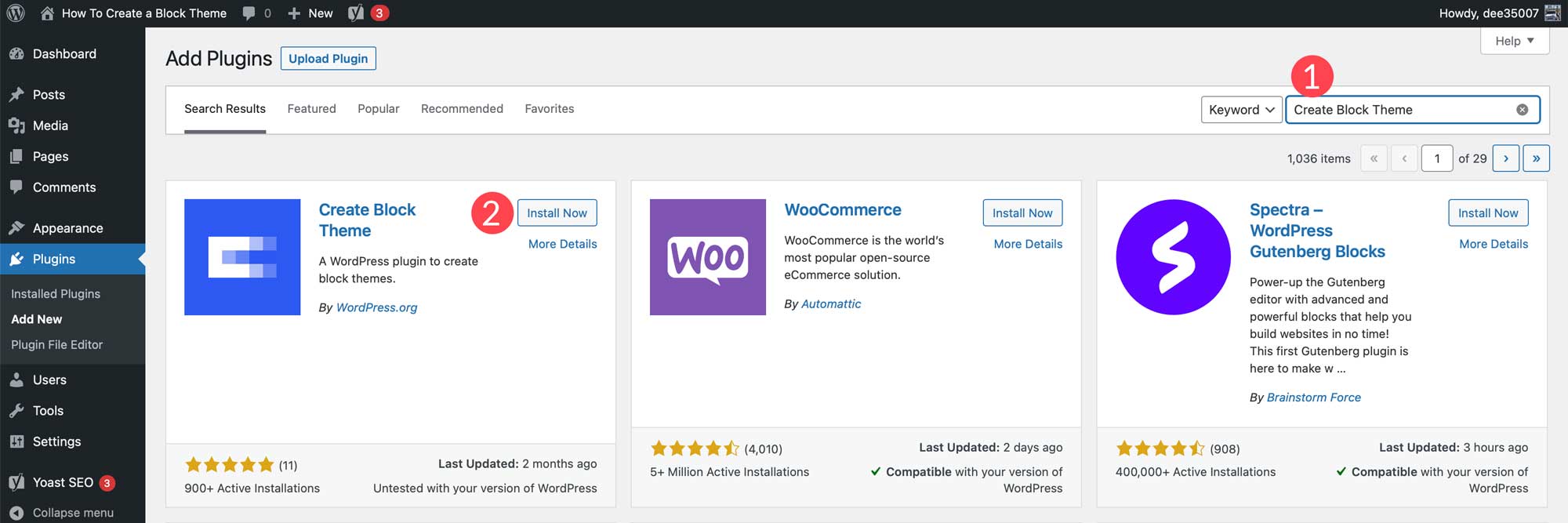
Creating A New Block Theme
A block theme needs different files. The main ones are index.php and style.css. These files help the theme work. You also need a functions.php file. This file tells WordPress what to do. Other files can include header.php and footer.php. These make your site look better. Always keep files organized in folders. It makes finding them easy. This helps when you want to make changes.
The style.css file is very important. It holds your theme’s design. You can change colors and fonts here. Always start with a comment block. This tells WordPress about your theme. Keep your CSS code clean. Use comments to remember what each part does. This file helps make your site look unique. Remember to save changes often. Back up your files to avoid losing work.
Credit: www.elegantthemes.com
Working With Template Parts
Creating a block theme in WordPress involves working with template parts. These parts are reusable sections that help design a cohesive layout. By organizing content into blocks, you can easily customize and manage your website’s appearance.
Understanding Template Parts
Template parts are small pieces of a webpage. They help in building and managing the website easily. Imagine them as building blocks. Each block has a different role. You can have a block for the header, footer, or sidebar. Using template parts makes your site flexible. You can change the design without touching all pages. This saves time and keeps things neat.
Creating Header And Footer Templates
Headers are the top part of a webpage. They usually show the site name or logo. Footers are found at the bottom. They often contain contact info or links. Building headers and footers with template parts is simple. You can use the same header on many pages. This ensures the site looks consistent. Footer templates help too. They make sure each page has useful links and info. This is good for visitors.
Building Custom Blocks
Creating a custom block theme in WordPress allows for personalized design and functionality. Start by understanding the structure of WordPress themes. Next, use the block editor to design custom layouts, enhancing user experience with unique features.
Introduction To Block Editor
The block editor is part of WordPress. It helps design pages. Blocks are small parts of a page. Each block does something different. They can be text, images, or videos. Learning the block editor is easy. Drag and drop blocks where you want them. You can also customize each block. Change colors or fonts with a few clicks. Blocks make your site look nice.
Developing Custom Blocks
Creating custom blocks is fun. You need HTML, CSS, and JavaScript. These are coding languages. They help you build blocks. First, write the block’s HTML. This gives it shape. Next, use CSS to style the block. Finally, add JavaScript for actions. Custom blocks make your site unique. You can add special features. This improves user experience. Users enjoy a well-designed site.
Theme.json Configuration
Configuring Settings and Styles in a Block Theme is essential. Use the theme.json file for this. It controls many aspects of your theme. This includes layout, color, and typography. You can set global styles here. This makes your theme consistent. It ensures every block looks the same.
Defining Color Palettes and Fonts is crucial. A color palette adds vibrancy. Choose colors that match your brand. The palette should have main colors and shades. Fonts give personality to your theme. Pick fonts that are easy to read. Use font-family in theme.json to set fonts.
| Element | Configuration |
|---|---|
| Color Palettes | Define main colors and shades |
| Fonts | Set readable font-family |
Testing And Debugging
Creating a block theme in WordPress involves careful testing and debugging to ensure smooth functionality. Regularly check for errors and fix bugs to maintain a seamless user experience. Efficient debugging tools can simplify this process, helping you build a reliable and user-friendly theme.
Testing Your Theme
Testing a block theme is important. It helps find any problems early. Use different browsers for testing. Try different devices too. Check if the theme looks good on phones and tablets. Verify the loading speed. Slow themes make people leave. Ensure all links work. Click each one to check. Test any forms on your site. Make sure they submit correctly. Look at the content. It should be easy to read. Images should be clear and not blurry.
Common Debugging Techniques
Debugging fixes problems. Start by checking error messages. They show what went wrong. Use debugging tools. These help find errors. Inspect your code carefully. Look for typos or mistakes. Disable plugins one by one. This finds conflicting plugins. Clear the cache regularly. It helps see changes quickly. Review logs for more clues. Logs often show hidden issues. Test changes often. This ensures everything still works.
Deploying Your Block Theme
Get your block theme ready for the world. Check every part works well. Fix broken links and images. Test on different devices and browsers. Your theme must look good everywhere.
Ensure your theme loads fast. Users like quick sites. Compress images for speed. Use clean code. Remove unnecessary files.
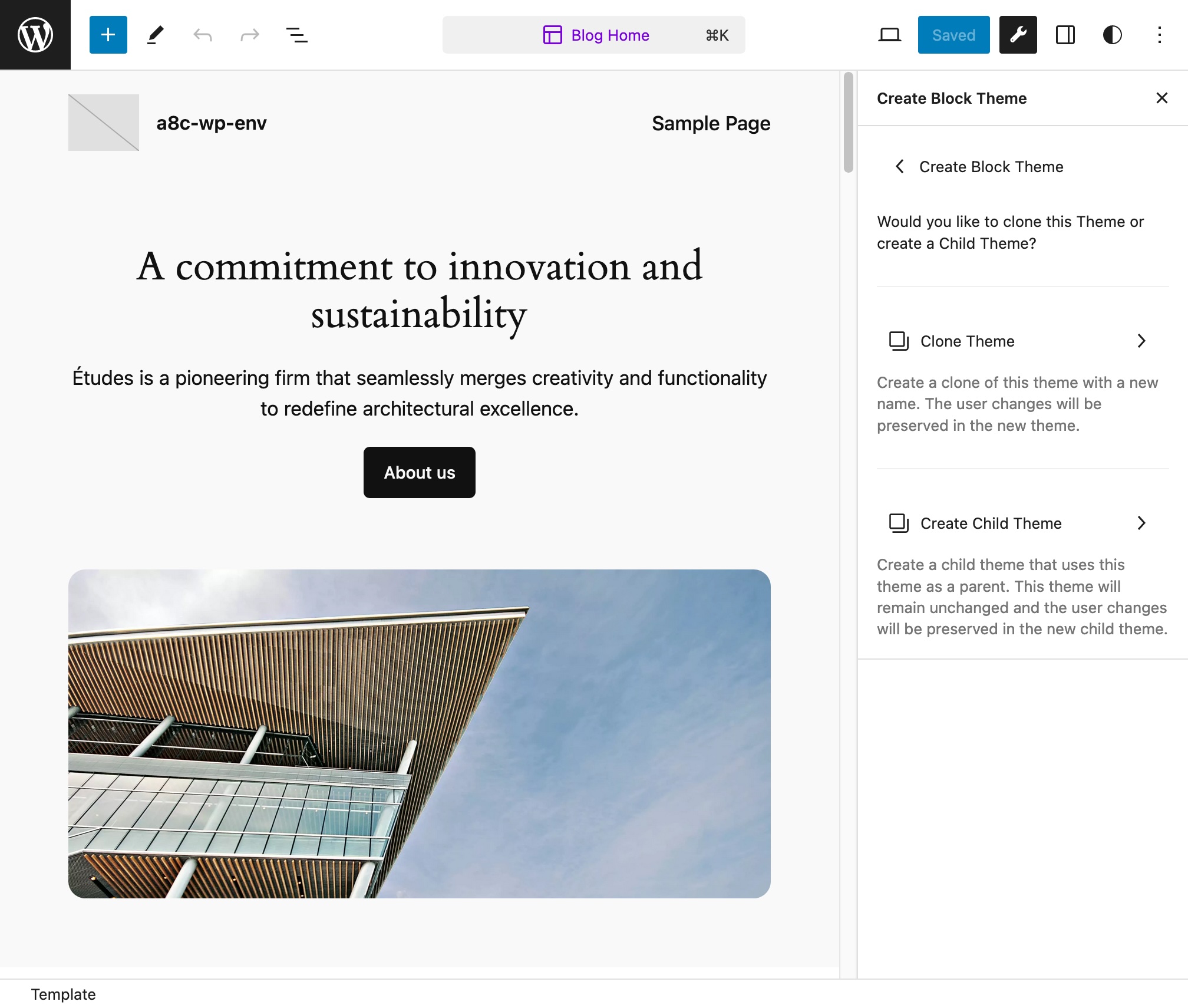
Upload your theme to WordPress. Use the theme uploader. Follow the steps. Make sure everything is right. Check your theme again.
Write a clear description. Tell users what your theme offers. Highlight unique features. Keep it simple. Users should understand easily.
Credit: wordpress.org
Frequently Asked Questions
What Is A WordPress Block Theme?
A WordPress block theme uses blocks to design layouts. It offers flexibility and customization for your website’s appearance. Blocks are modular elements that can be rearranged to create unique designs. With block themes, you can easily modify your site’s look without coding.
This makes web design accessible and intuitive for users.
How Do I Create A Block Theme?
Creating a block theme involves using the WordPress Site Editor. Start by selecting a base theme and customizing it. Use blocks to design layouts and adjust settings. Save changes to create your personalized theme. Familiarity with WordPress and its tools will enhance your theme creation process.
Why Use A Block Theme For WordPress?
Block themes offer flexibility and ease of customization. They allow users to create unique designs without coding skills. With modular blocks, you can rearrange elements to suit your vision. This makes block themes ideal for creating personalized, visually appealing websites.
Their intuitive design process is perfect for both beginners and experts.
Can I Customize Block Themes Easily?
Yes, block themes are designed for easy customization. Use the WordPress Site Editor to modify layouts and styles. Adjust settings and rearrange blocks to create your desired look. This user-friendly process enables quick and efficient changes. You can personalize your site’s appearance without technical expertise or coding.
Conclusion
Creating a block theme in WordPress can be straightforward. Start by understanding your site’s needs. Experiment with different blocks and layouts. Keep design simple and user-friendly. Customize colors and fonts to match your brand. Test your theme on various devices.
Ensure responsiveness and fast loading times. Seek feedback to refine your design. With practice, your skills will improve. Your site will look modern and professional. Remember, patience and creativity are key. The more you practice, the better your themes will become.
Enjoy the process of designing your unique WordPress block theme!


