
Ever stumbled upon a stunning WordPress site and wished you could replicate its theme for your own blog? You’re not alone.
Many website owners dream of capturing that perfect look. But the question is, how can you copy any WordPress theme without breaking a sweat? The good news is that this isn’t just a fantasy. With the right tools and guidance, you can make it a reality.
Imagine the possibilities. Envision your site boasting that elegant design you’ve always admired. Think about the visitors you’ll attract with a professional and inviting appearance. Now, you’re probably wondering how to achieve this. The answer is simpler than you might think, and you don’t need to be a tech wizard to do it. In this guide, you’ll discover the secrets to copying any WordPress theme quickly and efficiently. We’ll break down the process into easy steps, so you can enhance your website’s aesthetics and functionality in no time. Ready to transform your site into a masterpiece? Let’s dive in and unlock the door to limitless design possibilities.
Choosing The Right Tools
Selecting the right tools is key to copying a WordPress theme. Browser extensions like “WhatRuns” or “Wappalyzer” help identify theme details. They show the theme name and plugins used. Theme detectors are another option. Websites like “WordPress Theme Detector” offer similar features. These tools are simple to use. They quickly reveal theme information.
For more advanced users, FTP clients can be useful. Tools like “FileZilla” allow access to theme files. This requires some technical knowledge. Always remember to respect copyright rules. Use these tools for learning or inspiration only.

Credit: wpfactory.com
Analyzing The Desired Theme
Find out what makes the theme special. Check the color schemes and layout. Notice the fonts used on the site. Images and graphics play a big role too. Understand the navigation menu style. Look at the header and footer design. Each part helps the theme stand out.
Open the theme on a phone and a tablet. Does the content fit well? Is the text easy to read? Check if buttons are clickable and links work. Images should look good everywhere. Make sure everything adjusts to the screen size. Responsiveness is key for a good theme.
Accessing Theme Files
Find the theme details with your web browser. Right-click on the page. Choose “Inspect” from the menu. A panel will open showing the code. Look for the theme name in the CSS files. It usually appears in the header. You can also see the images and styles used. This helps in understanding the theme design.
To get the theme files, use a WordPress theme detector. It shows the theme and plugins used. Once you know the theme name, search for it online. Some themes are free to download. Make sure the download is from a trusted source. Avoid sites that look unsafe. Downloading from the official site is best.
Recreating Theme Structure
A child theme lets you change your site safely. First, create a new folder in your theme directory. Name it something like my-child-theme. Then, make a file called style.css inside this folder. Add a template line to it. This line should point to your main theme. Now, create a file named functions.php. This file helps you enqueue styles from the parent theme. You need these files to make your child theme work.
Open your style.css file. Here, you can change colors and fonts. Want your header to look different? Add new CSS rules. Need a new layout? Use flexbox or grid in your CSS. Test changes by refreshing your browser. If something breaks, you can always go back. Keep your changes simple and easy to manage.
Replicating Functionality
Adding essential plugins is key to copying a theme. Plugins give extra features. These features are often needed. Select plugins that fit your site’s needs. Most themes use plugins for forms, SEO, and social media. Choose plugins that are easy to use. This ensures smooth integration. Check plugin reviews. Good reviews mean the plugin works well.
Configure theme settings to match the original theme. Each theme has unique settings. Settings control colors, fonts, and layout. Match these settings for a similar look. Use the theme’s customizer tool. This tool helps adjust settings easily. Save changes regularly. This prevents loss of work.
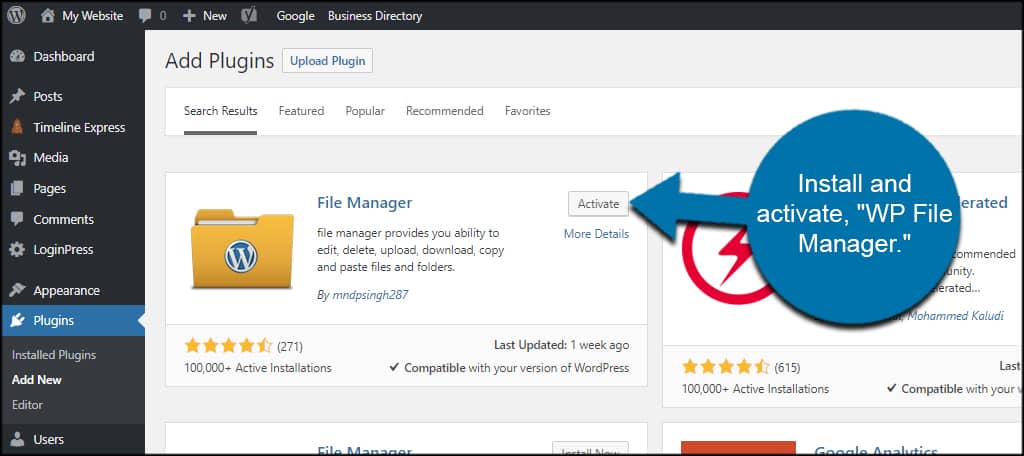
Credit: www.greengeeks.com
Testing And Debugging
Every website must look good on all browsers. Test the theme on Chrome, Firefox, and Safari. Each browser may display things differently. Check for any odd behavior. Fix any layout issues.
Use tools to see how the theme renders. BrowserStack and LambdaTest are helpful. They show your site on different devices. Ensure everything is consistent and clear.
A fast website keeps users happy. Check your theme’s speed with Google PageSpeed. A slow site can lose visitors. Reduce image sizes and use caching.
Limit the number of plugins. Too many can slow down the site. Enable compression for faster loading. Fast themes make better user experiences.
Legal Considerations
Reading licensing terms is very important. It tells what you can do. Many themes have rules about copying. Some are free to use. Others need you to pay or give credit. Always check if a theme is under GPL. This means you can change and share it. But, you must follow the GPL rules.
Copyrights protect original work. Themes have copyrights too. Copying without permission is wrong. It can lead to legal trouble. Respect the author’s hard work. Always ask for permission if unsure. Giving credit to creators is a good practice. It shows respect and keeps you safe.

Credit: www.youtube.com
Frequently Asked Questions
How Can I Duplicate A WordPress Theme?
To duplicate a WordPress theme, access your site’s file manager or FTP. Locate the theme folder in wp-content/themes. Copy the entire folder and rename it to avoid conflicts. Ensure to update the stylesheet details. This process allows you to experiment without affecting the original theme.
Is Copying A WordPress Theme Legal?
Copying a WordPress theme may be legal if the theme is licensed under GPL. However, ensure you respect copyright laws and the developer’s terms. Always check the licensing details before proceeding. Proper attribution might be required, depending on the licensing agreement.
What Tools Help In Copying WordPress Themes?
Tools like WP Clone or Duplicator can simplify theme duplication. These plugins allow you to clone your entire site, including themes. They ensure a smooth and secure process. Always backup your site before using such tools to prevent data loss.
Can I Copy A Theme Without Coding Skills?
Yes, you can copy a WordPress theme without coding skills. Use plugins like WP Clone or Duplicator for a straightforward process. Follow the plugin instructions carefully. These tools automate much of the process, making it accessible to non-developers.
Conclusion
Copying a WordPress theme can enhance your site’s design flexibility. Always respect copyright laws when replicating themes. Use available tools to streamline the process safely. Test your copied theme for functionality. Ensure it meets your website’s needs. A well-chosen theme boosts user experience and engagement.
Keep backups of your original theme. This safeguards against unwanted changes. Stay updated with WordPress developments. They offer new features regularly. Explore theme customization options. This helps create a unique site appearance. Remember, a good theme improves your brand image online.
Consider expert advice when needed for technical challenges.


