
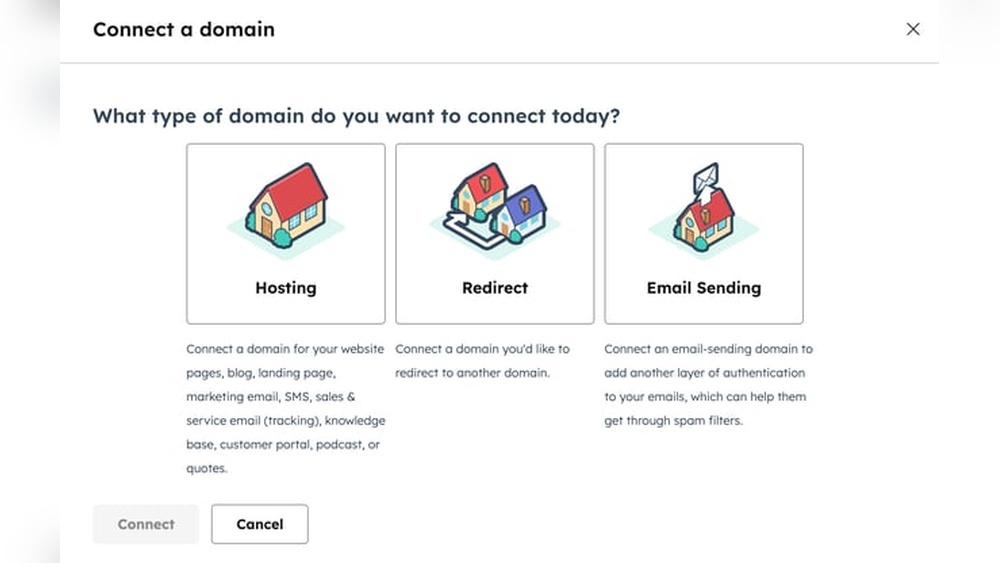
Are you ready to make your podcast stand out with a professional touch? Connecting your domain to your podcast host is the secret step that can boost your brand’s credibility and make it easier for listeners to find you.
If you’ve ever felt overwhelmed by the technical side of podcasting, don’t worry—you’re not alone. In this guide, you’ll discover simple, clear steps to link your domain to your podcast host without any confusion. Keep reading, and you’ll have your podcast’s online home set up in no time, attracting more listeners and growing your audience faster than you thought possible.
Choosing The Right Domain
Choosing the right domain is a key step in connecting your podcast to a host. The domain name represents your podcast online. It helps listeners find and remember your show. A strong domain also builds trust and professionalism. Take time to pick a domain that fits your podcast’s theme and style.
Picking A Memorable Domain Name
Choose a domain name that is easy to say and spell. Keep it short and clear. Avoid using numbers or special characters. Use words related to your podcast topic. A memorable name helps people recall your podcast quickly. Think about how the name sounds when spoken aloud.
Checking Domain Availability
Check if your desired domain name is free to register. Use domain search tools online. Make sure the name is not taken or trademarked. Verify availability on popular domain extensions like .com or .net. Confirm that social media handles match your domain name for branding consistency.
Registering Your Domain
Choose a reliable domain registrar to register your domain. Complete the registration process with accurate contact details. Select a registration period that suits your needs. Consider adding privacy protection to keep your information private. After registering, link your domain to your podcast host by updating DNS settings.
Selecting A Podcast Host
Selecting a podcast host is a key step in sharing your podcast with the world. The host stores your audio files and creates your podcast feed. This feed connects your podcast to platforms like Apple Podcasts and Spotify. Choosing the right host impacts your podcast’s reach and quality. It also affects your budget and ease of use. Take time to explore your options carefully.
Popular Podcast Hosting Platforms
Several podcast hosts serve millions of podcasters globally. Some of the most popular are Libsyn, Anchor, Podbean, and Buzzsprout. Each has a strong reputation for reliability and support. These platforms offer tools to publish, distribute, and track your podcast. Many provide free plans or trials to test their services.
Comparing Features And Pricing
Hosts differ in storage limits, bandwidth, and analytics. Some include website builders and monetization options. Pricing varies from free to monthly fees based on storage and features. Check if the host supports custom domains for branding. Understand your podcast needs to select the best plan. Focus on what features benefit your show most.
Setting Up Your Hosting Account
Start by creating an account on your chosen platform. Follow the setup wizard to upload your first episode. Add podcast details like title, description, and artwork. Configure settings such as episode scheduling and distribution. Connect your domain if the host allows it. Test your feed to ensure it works on podcast directories.
Configuring Dns Settings
Configuring DNS settings is a key step to connect your domain to a podcast host. DNS settings tell the internet where to find your podcast files. Correct setup ensures your listeners reach your show easily. This section guides you through accessing your DNS manager, adding records, and checking DNS propagation.
Accessing Your Domain Dns Manager
Start by logging into your domain registrar’s website. The DNS manager is often found under “Domain Settings” or “DNS Management.” Some registrars label it as “Zone Editor” or “DNS Zone.” Locate the option to edit DNS records for your domain. This area controls how your domain points to different services.
Adding Cname And A Records
Add a CNAME record to link your subdomain with your podcast host. Use the host name provided by your podcast service as the target. For example, “podcast.yourdomain.com” pointing to your podcast host URL.
Add an A record to point your root domain to an IP address if required. The IP address will come from your podcast host or web service. Save the changes after adding these records. Double-check the entries for typos or errors to avoid connection problems.
Verifying Dns Propagation
DNS changes take time to spread across the internet. This process is called DNS propagation. It can take from a few minutes up to 48 hours. Use online tools like “DNS Checker” to track your domain’s DNS status worldwide.
Enter your domain name and check if the CNAME and A records appear correctly. Once propagation completes, your domain will connect smoothly to your podcast host. Test by visiting your domain or using your podcast app.

Credit: www.defenceconnect.com.au
Linking Domain To Podcast Host
Linking your domain to your podcast host is an important step to create a professional online presence. It allows listeners to find your podcast easily using your custom web address. This connection makes your podcast appear more credible and trustworthy.
Setting up the domain link involves entering domain details, securing the connection with SSL, and testing the link. Each step ensures your podcast website works smoothly and safely.
Entering Domain Details In Host Dashboard
Start by logging into your podcast host dashboard. Locate the section for domain settings or custom domains. Enter your domain name exactly as registered. Your host may ask for additional details like DNS records. Follow the instructions to connect your domain properly. Save the changes to proceed to the next step.
Ssl Setup For Secure Connection
SSL keeps your website secure by encrypting data. Most podcast hosts offer free SSL certificates. Enable SSL in your host dashboard under security settings. This process may take a few minutes to complete. A secure connection shows a padlock icon on your website. It protects your visitors and improves your search ranking.
Testing Domain Connection
After setup, test if your domain links to your podcast host correctly. Open a browser and type your domain address. Check if your podcast page loads without errors. Use online tools to verify DNS and SSL status. Fix any issues by revisiting your host dashboard settings. Proper testing ensures your audience finds your podcast easily.
Troubleshooting Connection Issues
Connecting your domain to a podcast host should be smooth. Sometimes, issues arise that block the connection. Troubleshooting helps find and fix these problems fast. This section covers common errors and how to solve them.
Common Dns Errors
DNS settings must be correct for your domain to work. Wrong records or delays can cause errors. Check that your A record or CNAME matches your podcast host’s instructions.
Propagation can take time. Usually, it takes a few hours but can stretch to 48 hours. Use online tools to see if DNS updates have spread worldwide.
Double-check for typos in your DNS entries. Even a small mistake stops connection.
Resolving Ssl Problems
SSL certificates secure your domain and podcast site. Without them, browsers show warnings. This scares visitors away.
Make sure your podcast host supports SSL for your domain. Some hosts provide free SSL certificates. Others need manual setup.
Clear your browser cache to fix false SSL errors. Also, check if the certificate is still valid and not expired.
When To Contact Support
If problems persist after checking DNS and SSL, seek help. Podcast host support can provide detailed guidance.
Prepare details like domain name, DNS settings, and error messages. This helps support diagnose the issue faster.
Don’t delay contacting support. Quick help reduces downtime and keeps your podcast live.

Credit: www.amazon.com
Optimizing Domain For Podcast Growth
Optimizing your domain is important for podcast growth. It makes your podcast appear professional and trustworthy. A well-optimized domain helps listeners find you easily. It also improves your brand’s visibility online. Managing your domain effectively supports your podcast success over time.
Setting Up Custom Email
Use your domain to create a custom email address. This looks more professional than generic emails. For example, use yourname@yourpodcastdomain.com. Custom emails build trust with listeners and partners. They also help organize podcast-related messages efficiently. Most domain providers offer easy email setup tools.
Tracking Podcast Analytics
Connect your domain to tools that track listener data. Analytics show how many people listen to your episodes. You can see where your audience comes from and what they like. Use this data to improve your content and marketing. Proper tracking helps you grow your podcast steadily.
Maintaining Domain And Hosting
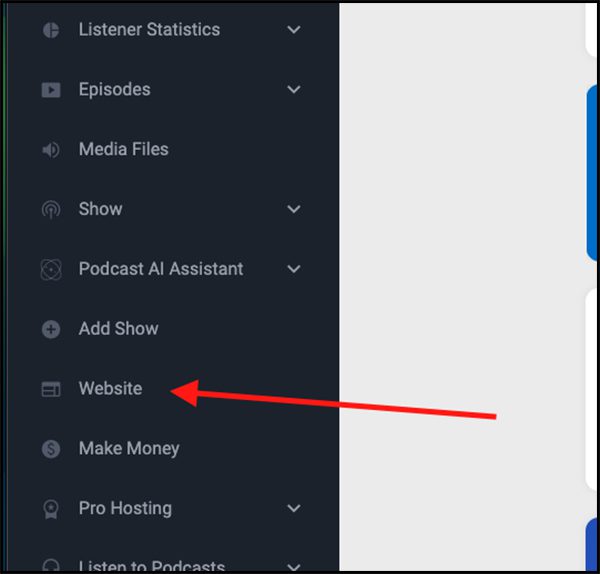
Keep your domain registration and hosting active. Expired domains can cause your podcast to go offline. Regularly update your domain information and renew on time. Choose reliable hosting to ensure fast and stable access. Good maintenance protects your podcast’s availability and reputation.
Credit: blubrry.com
Frequently Asked Questions
How Do I Link My Domain To A Podcast Host?
To link your domain, update your domain’s DNS settings. Point the A record or CNAME to your podcast host’s server. This ensures your domain directs listeners to your podcast seamlessly.
Can I Use Any Domain Registrar For Podcast Hosting?
Yes, you can use any domain registrar. Just ensure it allows DNS record changes. This flexibility lets you connect your domain to your preferred podcast hosting platform easily.
How Long Does Domain Connection To Podcast Host Take?
Domain connection typically takes a few hours up to 48 hours. DNS propagation speed depends on your registrar and internet service provider.
What Dns Records Are Needed For Podcast Domain Connection?
Usually, an A record or CNAME record is required. These records direct your domain to the podcast host’s server, enabling smooth access to your podcast episodes.
Conclusion
Connecting your domain to a podcast host is simple with clear steps. This link helps listeners find your show easily. It also builds your brand and trust. Keep your settings correct to avoid errors. Check your connection often for smooth podcast delivery.
Now, your podcast is ready to reach more people. Start sharing your voice with confidence today.


