
Are you looking to supercharge your Divi theme WordPress site with the power of Mailchimp? Imagine effortlessly capturing email subscribers and nurturing them with targeted campaigns.
This combination can transform your online presence and grow your audience like never before. But how do you seamlessly integrate these two powerful tools? In this guide, we’ll walk you through the simple steps to connect your Divi theme WordPress site with Mailchimp.
By the end, you’ll have a streamlined system that works for you, even while you sleep. Ready to unlock the potential of your website? Let’s dive in and get your site working smarter, not harder.
Credit: www.elegantthemes.com
Setting Up Mailchimp Account
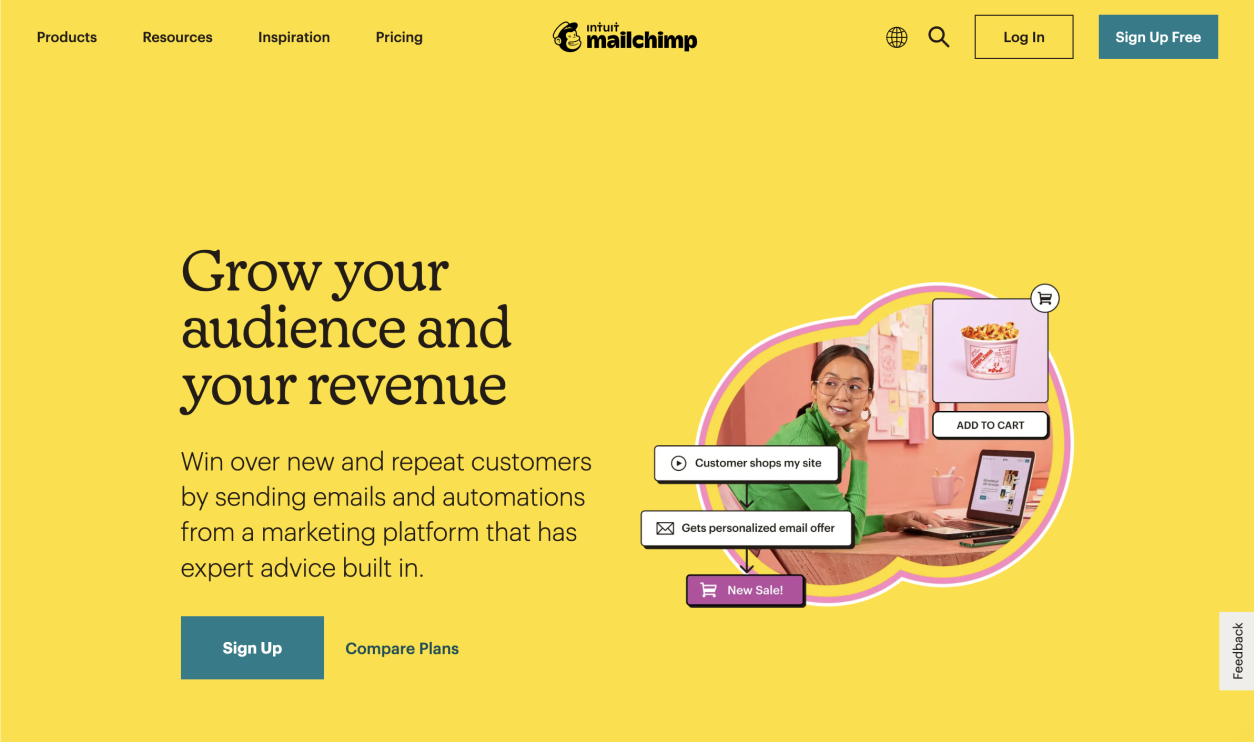
Start by visiting the Mailchimp website. Click on the Sign Up button. Enter your email, username, and password. Mailchimp will send a verification email. Check your inbox and click the link to verify. Now, you have a new Mailchimp account. It’s free and easy to use.
Log in to your Mailchimp account. Go to the Audience section. Click on Create Audience. Fill in the details such as your business name and email. Make sure to set a strong default email address. It’s where replies will go. Adjust your contact information too. Save your settings. Your audience is now ready for emails.

Credit: lovelyconfetti.com
Installing Divi Theme On WordPress
Connecting a Divi Theme WordPress site with Mailchimp enhances email marketing efforts. First, install the Mailchimp plugin on WordPress. Then, integrate it with Divi by adding Mailchimp API keys in the Divi settings. This setup enables seamless email list management and campaign creation directly from your WordPress site.
Downloading And Installing Divi
Download Divi from the Elegant Themes website. Save it on your computer. Open your WordPress dashboard. Find “Appearance” on the left menu. Click “Themes” under “Appearance.” Press “Add New” at the top. Choose “Upload Theme.” Select the Divi zip file from your computer. Click “Install Now.” Wait a few seconds for installation.
Activating The Divi Theme
After installation, find the “Activate” button. Click “Activate” to make Divi your theme. Check the site to see Divi is active. Visit your website to confirm changes. Look for the new design features. Divi should show its unique style. Explore the settings for customization. Adjust the colors and layouts as needed. Make your site look great with Divi!
Integrating Mailchimp With Divi
Connecting a Divi theme WordPress site with Mailchimp enhances email marketing efforts. Install the Mailchimp plugin for seamless integration. Customize subscription forms using Divi’s builder, ensuring easy visitor engagement and effective email list growth.
Accessing Divi Integration Settings
First, go to your WordPress dashboard. Find the Divi option on the left menu. Click on it. A new page opens. Look for Integration in the options. Select it. Here, you can add codes and settings. Ensure you have the right login details. This helps in connecting with Mailchimp easily.
Adding Mailchimp Api Key
Visit the Mailchimp website. Log in to your account. Find the API Key section. Generate a new key if needed. Copy this key. Return to the Divi Integration page. Paste the API Key in the given box. This step is crucial. It links your Mailchimp to the Divi theme. Save your settings. Your site is now ready. It can collect emails from visitors.
Creating Subscription Forms
Integrating Mailchimp with a Divi Theme WordPress site involves creating subscription forms. Use Divi’s built-in options to design forms that capture visitor details. Then, connect these forms to Mailchimp for seamless email list management and engagement. This process enhances user interaction and boosts subscriber growth.
Using Divi Email Optin Module
The Divi Email Optin Module helps you create forms. This module is easy to use. Just drag and drop it onto your page. It connects with Mailchimp quickly. Enter your Mailchimp API key. Then, select your list. Now, your form is ready to capture emails.
Customizing Form Appearance
Make your form look nice. Choose colors that match your site. Use the Divi builder to change text size and font. Add a background image if you like. Keep the form simple and clean. This helps people understand it better. A good-looking form gets more sign-ups. Engage your visitors with a neat design.
Testing The Connection
Verifying email subscription is important. It ensures subscribers receive updates. After connecting Divi with Mailchimp, send a test email. Check if the email lands in the inbox. Confirm that the subscription process works smoothly. Use a different email address to test. Ensure all forms are functional. Double-check the integration settings. Make sure nothing is missing. Keep the process simple for users. A clear and easy subscription process helps.
Troubleshooting Common Issues
Issues can occur during the connection process. Check the API key first. Make sure it is correct. Look for any plugin conflicts. Disable plugins one by one. Test the subscription form again. Check your internet connection. Sometimes, a slow connection causes problems. Verify the Mailchimp account settings. Ensure all data is entered correctly. Review the form fields. Ensure they match your Mailchimp list. These steps help solve common issues quickly.
Optimizing Email Campaigns
Connecting a Divi Theme WordPress site with Mailchimp enhances email campaign effectiveness. Simplify the integration process using plugins designed for seamless connectivity. Gather subscribers effortlessly and automate your email marketing strategy with this straightforward setup.
Segmenting Audiences
Grouping people helps in sending the right message. Segments are like groups of friends. Each group likes different things. Some like sports, others like music. When you know what they like, you can send the right emails. This makes them happy. Happy people read more emails. They also click more links. This is good for your campaign.
Designing Effective Email Templates
Good templates make emails look nice. Pictures and colors make emails fun. But too many can be confusing. Use simple designs. This helps people read easily. Always add a call to action. This tells people what to do next. Like, “click here” or “buy now.” This makes your emails work better. People will follow your links.

Credit: www.youtube.com
Frequently Asked Questions
How Do I Integrate Divi With Mailchimp?
To integrate Divi with Mailchimp, first install the Mailchimp plugin. Then, in Divi Builder, use the Email Optin module. Enter your Mailchimp API key in the module settings. This connects your Divi site with your Mailchimp account for seamless email marketing.
Why Connect Divi Theme To Mailchimp?
Connecting Divi Theme to Mailchimp enhances your email marketing strategy. It allows you to capture leads directly from your website. This integration simplifies subscriber management and automates email campaigns. It also helps in growing your email list effectively.
Can I Use Divi Forms With Mailchimp?
Yes, you can use Divi forms with Mailchimp. Use the Email Optin module in Divi Builder. Configure the module with your Mailchimp API key. This enables seamless data transfer between Divi forms and your Mailchimp account.
What Is Mailchimp Api Key In Divi?
The Mailchimp API key is a unique identifier for your Mailchimp account. It’s necessary for connecting Divi with Mailchimp. You can find it in your Mailchimp account settings. Enter it in Divi to enable integration and manage subscribers.
Conclusion
Connecting Divi with Mailchimp boosts your website’s efficiency. Easy integration helps manage email lists effortlessly. Engage your audience through tailored campaigns. Automation saves time and improves interaction. With Mailchimp, track your email performance seamlessly. Divi’s compatibility ensures smooth workflow. Follow the steps for successful setup.
Enhance communication with visitors. Keep content fresh and engaging. Foster relationships with subscribers. Improve your site’s reach. Enjoy the benefits of a connected platform. Make email marketing simple and effective. Start enhancing your digital presence today.


