
Have you ever stumbled upon a beautifully designed WordPress website and wondered which theme it uses? If so, you’re not alone.
Many of us find ourselves captivated by the aesthetics or functionality of a site, wishing we could replicate it for our own projects. Knowing the theme behind the design can save you countless hours of trial and error in your quest to create the perfect website.
You’ll discover simple yet effective methods to uncover the name of any WordPress theme. Unlock the secrets behind those stunning sites and empower yourself to craft a masterpiece that resonates with your vision. Ready to dive in? Let’s get started and transform your web design experience.
Credit: www.greengeeks.com
Why Identify WordPress Theme Names
Knowing the name of a WordPress theme can help in many ways. You can find themes you like on other websites. This helps you to make your site look similar. It is also helpful when you want to improve your website design. You can learn from the features and styles of other themes.
Identifying themes can assist in troubleshooting issues. If your website has a problem, knowing the theme name can help. You can search for specific solutions related to that theme. This makes fixing problems much easier and quicker.
Using Browser Inspection Tools
Open your web browser. Right-click on the webpage you like. Choose Inspect from the menu. A panel will appear at the bottom or side. Look for the Elements tab. It shows the HTML of the page. Scroll through the code. Find the style.css file. This file has theme information.
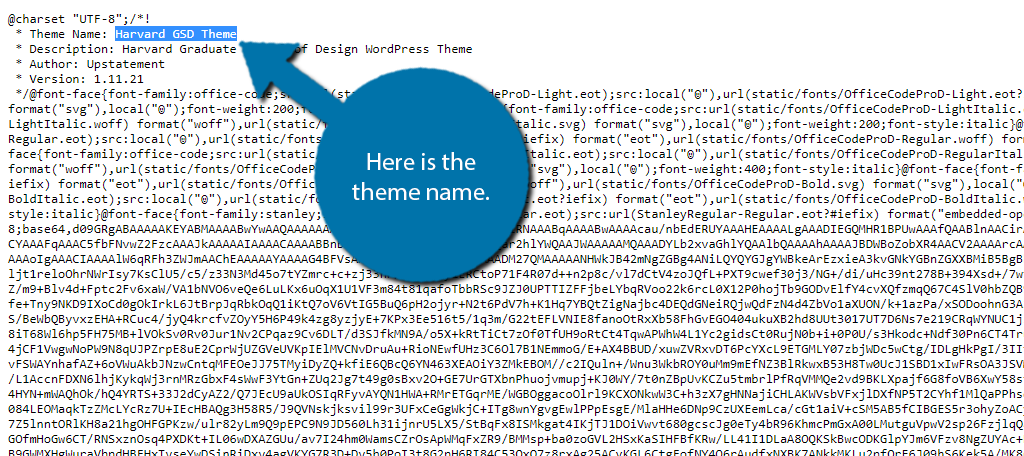
Click on style.css. Check the top part. You will see the theme name. Often, the theme name is under Theme Name:. Now you know the WordPress theme name. It is simple and quick.
Online Theme Detection Tools
Discovering the name of a WordPress theme is easy with online theme detection tools. These tools quickly identify the theme used on any website. Simply enter the website URL and get instant results. Perfect for those curious about their favorite site’s design.
Popular Theme Detection Platforms
Several platforms help find WordPress theme names. These tools are easy to use. They provide quick results. Some popular ones are WPThemeDetector, What Theme, and ThemeCheck.
Steps To Use Online Tools
First, visit the theme detection website. Enter the URL of the site you want to check. Click the “Detect” button. Wait for the tool to analyze the site. The theme name will appear on the screen. Some tools give extra theme details too. Themes can have unique names. Knowing the theme name helps in customization.
Credit: www.namecheap.com
Exploring Theme Directory
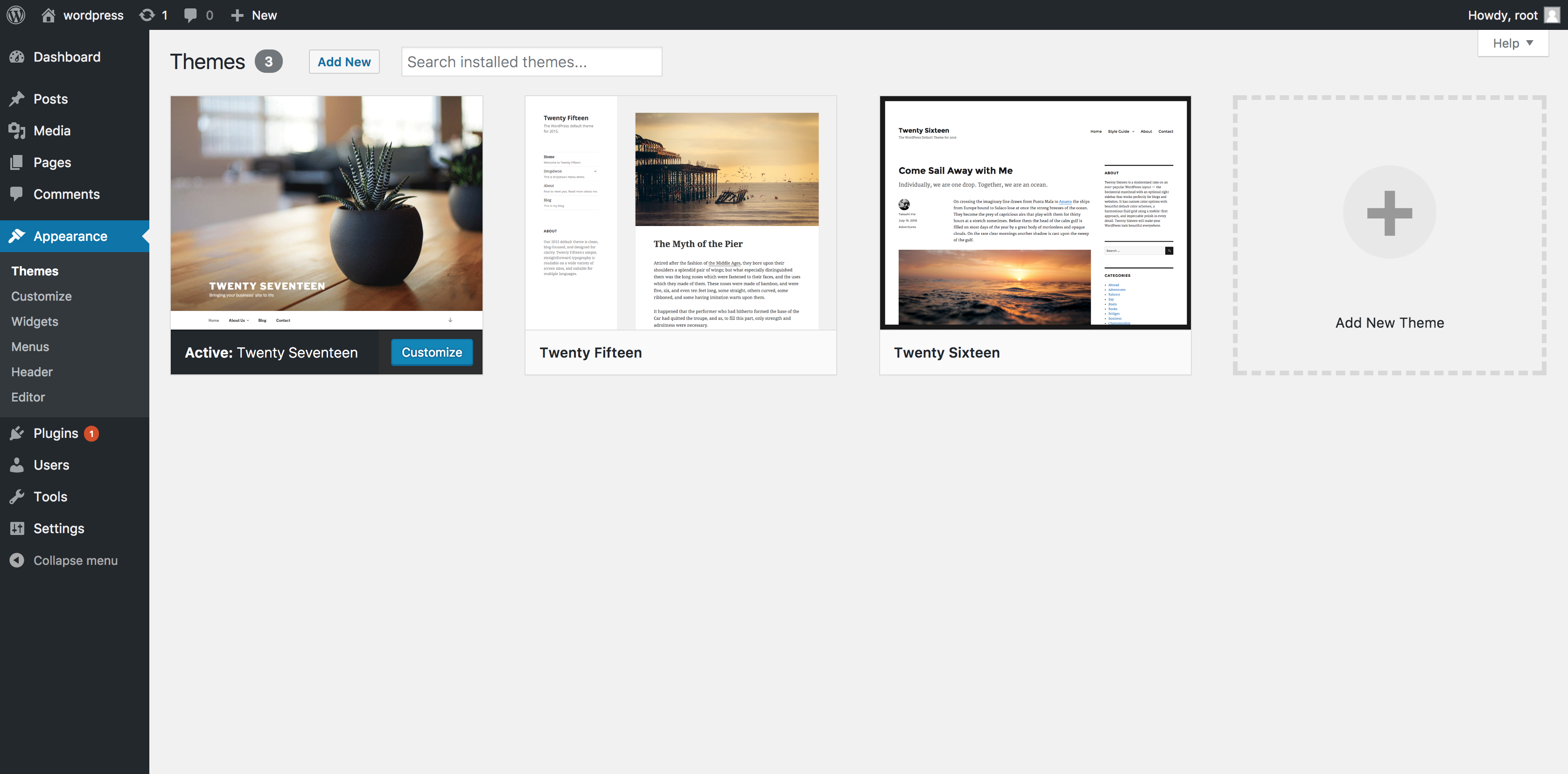
Accessing WordPress Files is simple. First, log in to your WordPress dashboard. Then, find the Appearance section. Click on the Editor option. You will see a list of theme files here.
Navigating to Style.css File is important. Look for a file named style.css in the list. This file contains theme information. Open it to find the theme name. The name is usually at the top. It might say Theme Name followed by the actual name. This is how you know the theme name.
Utilizing Plugin Solutions
Discovering the name of a WordPress theme is simple with plugins. They quickly identify theme details, saving time. This method ensures you can easily replicate or reference appealing website designs.
Recommended Plugins For Theme Detection
Plugins help find the theme name of a WordPress site. They are easy to install and use. WP Theme Detector and What WordPress Theme Is That? are popular choices. These plugins show the theme name and version. They also provide details about the theme’s author and description. Users find them helpful and reliable.
Installing And Using Plugins
First, go to the WordPress dashboard. Next, click on “Plugins” and then “Add New.” Search for the plugin you want. Click “Install Now” and then “Activate.” The plugin is ready to use. Follow the instructions given by the plugin. You will see the theme name quickly. These tools are user-friendly and need no coding skills.
Analyzing Source Code
Themes in WordPress help design your site. Each theme has a unique structure. This structure includes files like style.css and functions.php. The main file, style.css, holds important information. This includes the theme’s name.
To find the theme’s name, check the source code. Right-click on your site and select Inspect. Go to the Sources tab. Look for style.css. Open this file. At the top, you will see the Theme Name. This tells you what theme is in use. This method is easy and quick.
Contacting Website Owner
Sometimes, the best way to find theme names is to ask the site owner. Create a clear, polite message. Tell them you like their theme. Ask them for the theme name. Make sure your message is short and polite.
Use simple words. Keep your sentences short. You can say, “Hello, I like your website. Can you tell me the theme name?” This approach works well. Many owners are happy to help.
Be patient. They might take some time to reply. Always thank them for their help. Being polite and clear increases chances of getting a reply.

Credit: basicwp.com
Frequently Asked Questions
How Can I Find A WordPress Theme Name?
You can find a WordPress theme name by inspecting your website’s source code. Right-click on your site and select “Inspect”. In the “Sources” tab, locate the “wp-content/themes” directory. The folder name is usually the theme name. Alternatively, use online tools like WPThemeDetector to identify the theme.
Is There A Tool To Detect WordPress Themes?
Yes, tools like WPThemeDetector and What WordPress Theme Is That can help identify themes. Enter your website URL, and these tools will analyze the site’s code. They will provide details about the theme, including name, author, and version. These tools are generally free and user-friendly.
Can Plugins Reveal A WordPress Theme Name?
Plugins like Theme Detector can reveal the theme name easily. Install the plugin on your WordPress site and activate it. Navigate to the plugin settings, and it will display the theme details. This method is straightforward and efficient for finding theme information directly from your dashboard.
Is It Possible To Find A Theme Without Plugins?
Yes, you can manually check the theme name by inspecting the source code. Right-click on your webpage and select “Inspect”. In the “Sources” panel, locate the “wp-content/themes” directory. The folder name is typically the theme name. This method is quick and doesn’t require additional tools.
Conclusion
Discovering your WordPress theme name is simple. Follow the steps shared here. It saves time. Helps with customization. A theme name is crucial for website identity. Knowing it enables better website management. It offers flexibility in design changes. Use the discussed tools and techniques.
Keep your website unique and visually appealing. Regularly check for updates. Enhance your site’s look and functionality. Stay informed on theme trends. Ensure your site remains competitive. A well-managed theme boosts user experience. Visitors appreciate a cohesive design. Your website’s success depends on this.
Happy customizing!


