
Are you tired of slow-loading websites that scare away your visitors? If you’re nodding your head, you’re not alone.
A sluggish WordPress theme can be a silent killer of your online success. Your website’s speed is crucial; it not only impacts user experience but also affects your SEO rankings. Imagine potential customers leaving your site before it even loads.
Not a pleasant thought, right? But don’t worry, you’re in the right place. In this guide, you’ll discover how to check your WordPress theme speed quickly and effectively. By the end of this article, you’ll have the insights and tools you need to ensure your website runs at lightning speed. Stick around, because your website’s future performance depends on it.
Credit: www.inkthemes.com
Importance Of Theme Speed
Fast theme speed is crucial. It keeps users happy. Slow themes frustrate users. They might leave your site quickly. Quick loading pages make users stay longer. Visitors enjoy a smooth experience. It is important for attracting and keeping users.
Search engines love fast websites. Speed boosts your SEO ranking. Quick sites appear higher in search results. More visibility means more visitors. Your content reaches a wider audience. Speed helps search engines find your site easily.
Users trust fast websites. They are more likely to buy. Improved speed increases sales. Visitors enjoy a smooth shopping experience. They complete purchases without delay. Slow sites lose customers. Quick themes lead to higher conversion rates.
Credit: wp-rocket.me
Tools For Speed Testing
Discovering how to check WordPress theme speed is essential for optimal performance. Use tools like Google PageSpeed Insights, GTmetrix, or Pingdom. These tools help identify speed issues and suggest improvements for a faster website experience.
Google Pagespeed Insights
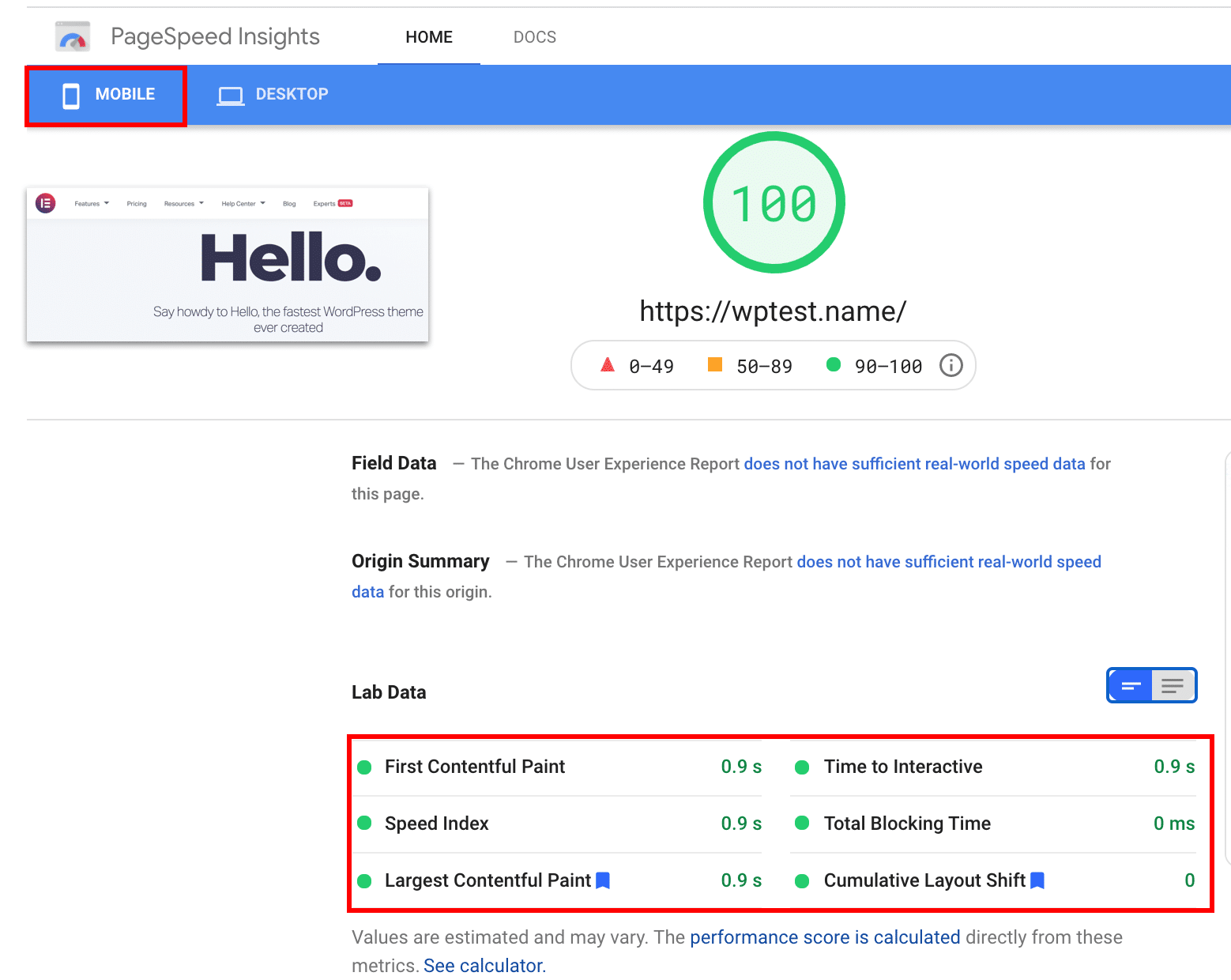
Google PageSpeed Insights checks how fast your site is. It gives a score from 0 to 100. A higher score means a faster site. It also shows tips to make your site quicker. Use this tool to find out what’s slowing your site down.
Gtmetrix
GTmetrix offers detailed reports. It tests both speed and performance. You see a grade for each part of your site. It helps you fix problems. GTmetrix is great for checking how your site loads.
Pingdom Tools
Pingdom Tools shows how fast pages load. It checks your site from different places. This tool helps find slow parts of your site. It also offers easy-to-understand charts. These charts can guide you to make improvements.
Webpagetest
WebPageTest lets you choose from many test locations. It gives detailed results. You can see how each page part loads. It’s useful for advanced checks. WebPageTest helps find hidden issues that slow down your site.
Interpreting Speed Test Results
Page load time is crucial. It’s how fast a page shows up. Faster pages keep visitors happy. Slow pages make them leave. Use tools to check speed. Aim for under three seconds. This helps your site perform better.
Performance scores tell you how your site is doing. They range from 0 to 100. Higher scores mean a better performing site. Scores show what needs fixing. They help you improve your site’s speed. Monitor scores regularly for best results.
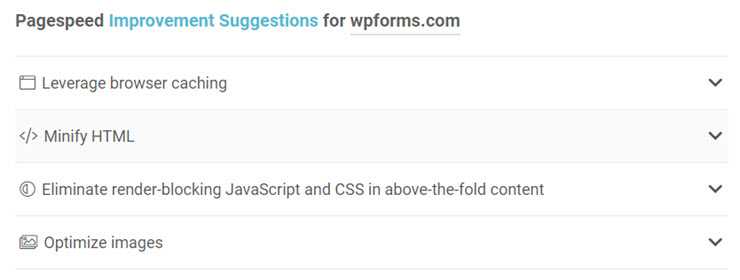
Recommendations help you fix issues. They guide you on what to change. Fixes may include compressing images or reducing scripts. These actions make your site faster. Follow these tips to improve speed. Keep your site running smoothly.
Optimizing Theme Performance
Large images can slow your site. Use tools to compress images. Smaller images load faster. WebP format is a good choice. It offers high quality with small size. Always use descriptive alt texts for images. This helps with SEO.
Too much code can slow down your site. Minify CSS and JavaScript to make them smaller. This means removing spaces and comments. Use tools like Autoptimize or WP Rocket. They help make your code clean.
Lazy loading makes your site faster. Images load only when needed. This means images load as you scroll. Less initial loading means faster site. Use plugins like Lazy Load by WP Rocket. It helps with smooth scrolling.
Choosing A Fast Theme
Lightweight themes are key for speed. These themes use fewer files. They have less code. This makes your site faster. Themes with many features can slow your site down. Choose themes that focus on speed. This will help your site load quickly.
Responsive design is important. Your site should work on phones and tablets. A good theme will adjust to any screen size. This makes sure everyone can see your site. Fast themes often have responsive designs. This helps keep your site quick and easy to use.
Regular updates keep your theme safe. Updates fix bugs and improve speed. Themes that are updated often work better. They stay fast and secure. Choose themes that get updates regularly. This helps your site run smoothly.
Credit: www.isitwp.com
Monitoring And Maintenance
Testing your WordPress theme speed ensures a smooth user experience. Tools like Google PageSpeed Insights provide valuable insights. Regular checks help maintain optimal performance and improve site loading times.
Regular Speed Checks
Regular checks help keep your site fast. Use tools like GTmetrix or Google PageSpeed Insights. These tools show how quick your website loads. They also suggest ways to improve speed. Always aim for a load time under three seconds. A slow site can make visitors leave.
Updates And Patches
Keep your theme and plugins updated. Updates fix bugs and improve speed. Developers release patches to solve issues. Ignoring updates can slow down your site. Always check for updates in your WordPress dashboard. This helps in maintaining good performance.
Hosting And Cdn Considerations
Choose a good hosting provider. A reliable host makes your site faster. Consider using a Content Delivery Network (CDN). CDNs store your site on many servers worldwide. This helps visitors load your site quickly. A faster site means happier visitors.
Frequently Asked Questions
How Can I Test WordPress Theme Speed?
To test your WordPress theme speed, use tools like Google PageSpeed Insights or GTmetrix. These platforms provide detailed insights on loading times and performance. Simply enter your website URL, and the tool will analyze your theme’s speed. Always aim for a fast-loading theme to improve user experience and SEO.
Why Is WordPress Theme Speed Important?
WordPress theme speed is crucial for user experience and SEO. A fast-loading site keeps visitors engaged and reduces bounce rates. Search engines like Google prioritize faster websites, improving your site’s rankings. Therefore, optimizing your WordPress theme for speed is essential for online success and visibility.
What Factors Affect WordPress Theme Speed?
Several factors affect WordPress theme speed, including code quality, image sizes, and installed plugins. Poorly coded themes or large images can slow down your site. Unnecessary plugins also contribute to longer loading times. Regularly optimize these elements to ensure your WordPress theme runs efficiently and quickly.
How Can I Improve Theme Speed In WordPress?
Improving theme speed involves optimizing images, minimizing CSS/JavaScript files, and using caching plugins. Ensure your theme is lightweight and well-coded. Regularly update all plugins and themes to their latest versions. These steps can significantly enhance your WordPress theme’s speed and overall performance.
Conclusion
Boosting theme speed enhances user experience. Faster sites attract more visitors. Regular checks ensure optimal performance. Use tools like GTmetrix or Google PageSpeed Insights. These tools provide detailed insights. Identify and resolve issues quickly. Keep your theme updated. Updates often improve speed and security.
Optimize images to reduce load times. Use lightweight plugins for better efficiency. Consider caching to enhance site speed. Test your site regularly. Fast themes lead to better SEO rankings. Improve your theme speed today. Enjoy a smoother, more efficient website.
Your users will thank you!


