
Are you concerned about the security of your WordPress website? You’re not alone.
Many website owners like you worry about hidden threats lurking within their themes. Malicious code can be a silent intruder, compromising your website’s security and reputation without your knowledge. But don’t worry—you’re in the right place. You’ll discover simple yet effective ways to check your WordPress theme for any harmful code.
By the end, you’ll feel empowered to take control of your website’s security. Dive in to protect what you’ve worked so hard to build and ensure your visitors enjoy a safe browsing experience.
Common Signs Of Malicious Code
Websites may load slower. Users might see strange pop-ups. These signs can mean malicious code. Unexpected ads can also appear. Look for unwanted redirects. They are a warning too.
Check your theme files. Unknown changes can be harmful. Look for new files. They might not belong. Compare with the original theme. Find out if anything changed.
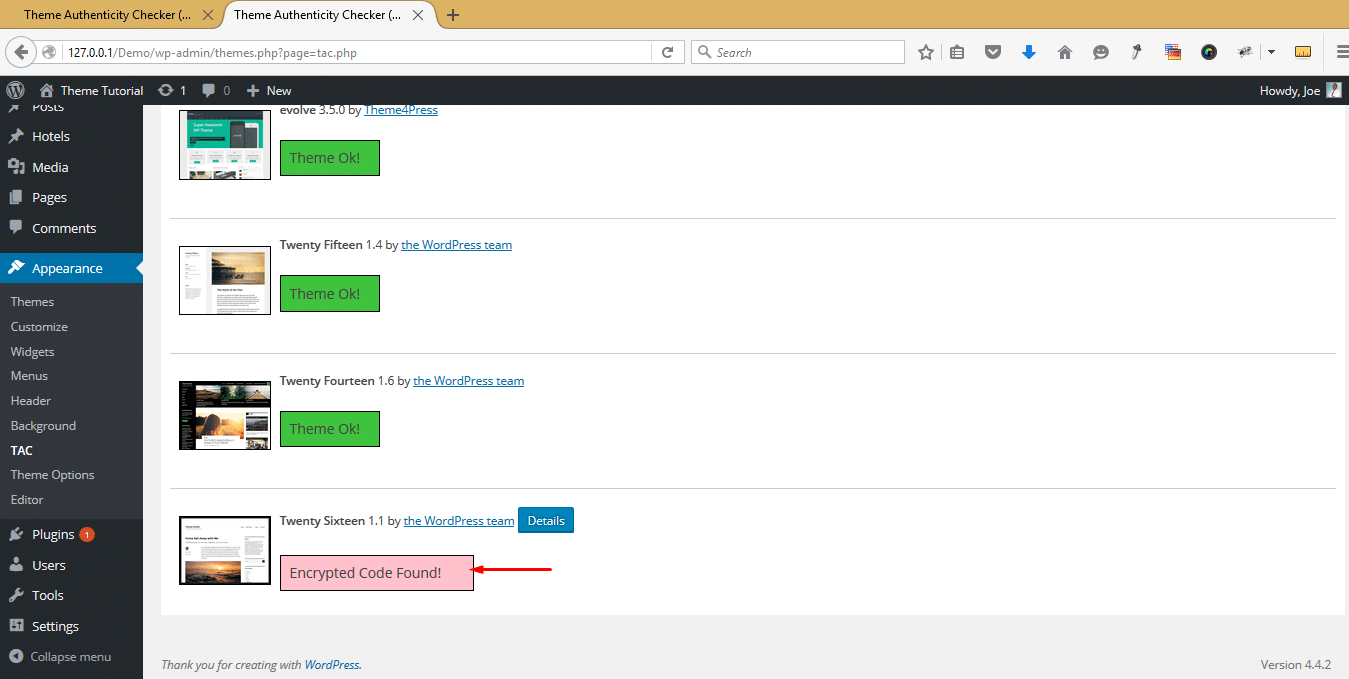
Code should look clean. Hidden code is a red flag. Look for encrypted code. These codes hide bad actions. Unknown scripts can be harmful too.
Using Security Plugins
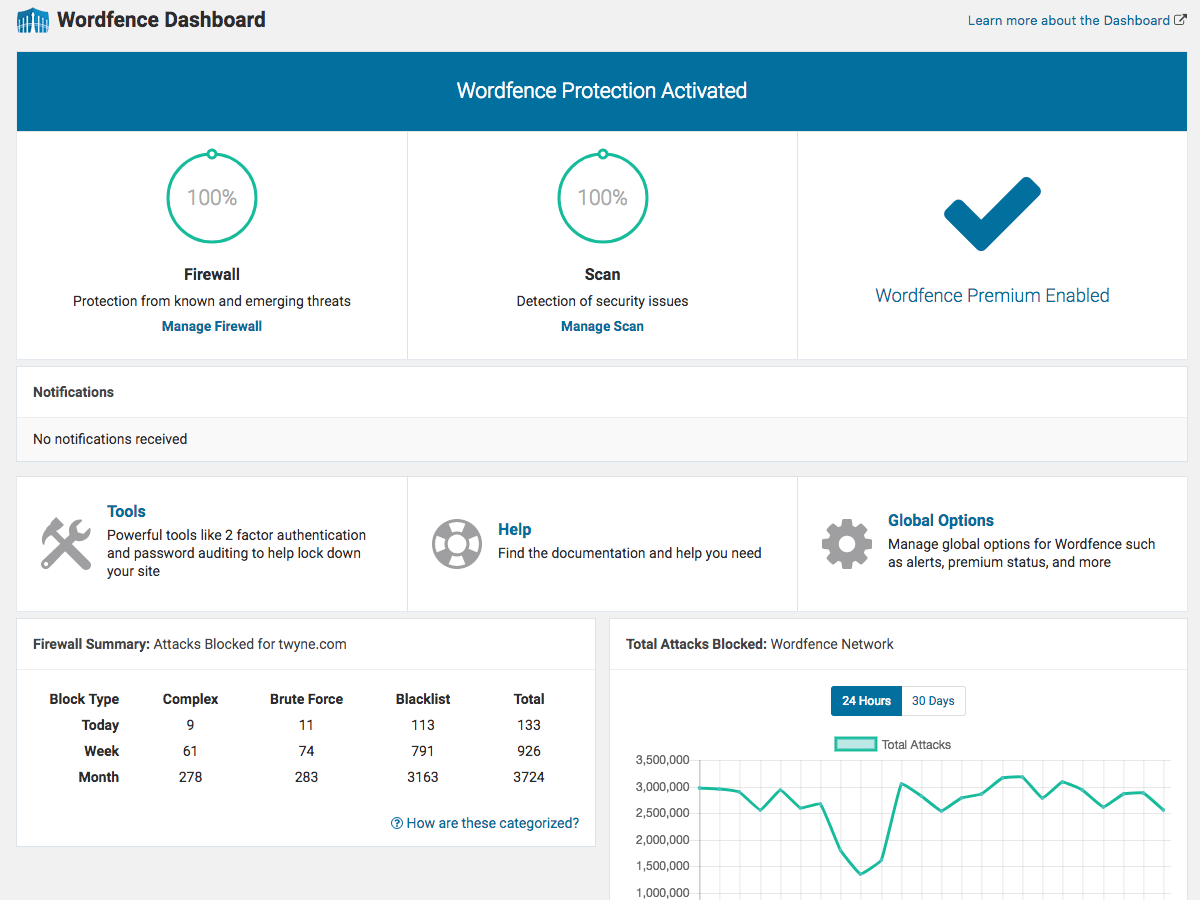
Wordfence is a popular choice for checking themes. It scans for malicious code. Sucuri is another great plugin. It offers real-time protection. Both plugins are easy to use.
Install plugins from the WordPress dashboard. Go to Plugins, then Add New. Search for the plugin name. Click on Install. After installation, click Activate. Follow setup instructions.
Setup is straightforward. Choose the basic settings. Enable scanning options. Check the plugin settings regularly. Ensure your site stays secure.
Manual Code Inspection
Look for files not part of the original theme. These files may have strange names or extensions. Backup your theme before checking. Compare files with a fresh theme version. Delete unknown files right away. Always keep your theme updated.
Watch out for functions like eval(), base64_decode(), and exec(). These can run harmful code. eval() lets code run as PHP. base64_decode() hides code. exec() runs system commands. Check each function’s use. Replace or remove suspicious code.
Credit: thimpress.com
Online Scanning Tools
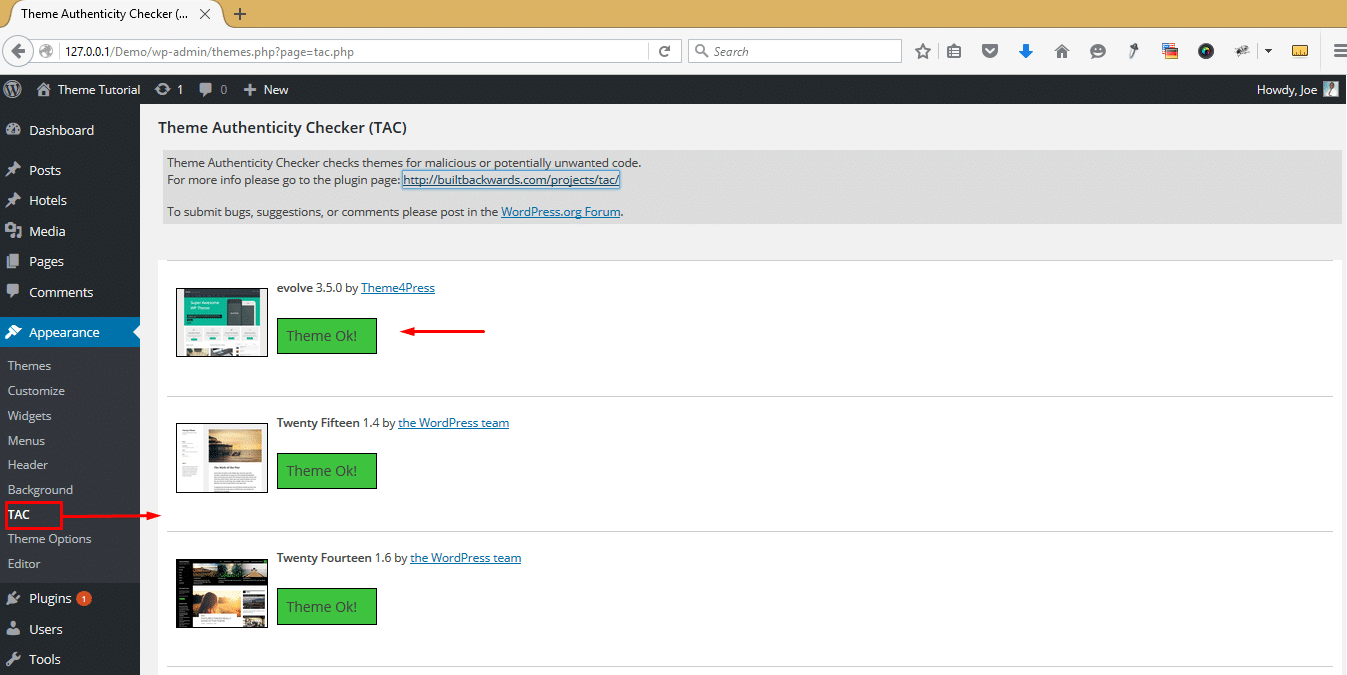
Many tools can help find bad code in themes. Some tools are free and easy to use. These tools include Theme Check and Sucuri SiteCheck. They scan the theme for any unsafe code.
Another popular tool is Exploit Scanner. It looks for strange files in your theme. These tools help keep your site safe.
First, download or open the tool on your computer. Next, upload your theme file to the tool. The tool will scan the file quickly. Results will show if there is bad code.
Follow the tool’s advice to fix any problems. Keep your site safe by checking themes often.
Theme Authenticity Verification
Always check the source of the WordPress theme. Reliable sources include the official WordPress repository or trusted developers. Look for the theme author’s credentials. A reputable author will have a track record of good themes. Make sure the author is not anonymous. Anonymous authors can be risky. Check online reviews about the author. Reviews can tell you much about their credibility.
The WordPress repository is a safe place for themes. It checks themes for malicious code. Only safe themes are listed here. Visit the repository and search for your theme. If it’s there, it’s likely safe. The repository also provides updates. Updates keep themes secure. Always use themes from this source. It lowers the risk of security problems.
Credit: theme4press.com
Regular Backups
Automatic backups help keep your website safe. They save your site data without any effort. You set them up once, and they work on their own. This way, you have a copy of your site always ready. If something goes wrong, you can restore your site quickly. Backups are like a safety net for your website.
Setting Up Automatic Backups
Choose a good backup plugin for WordPress. Some popular ones are UpdraftPlus, BackupBuddy, and BackWPup. Install and activate your chosen plugin. Set your plugin to backup your site daily or weekly. This will depend on how often you update your site. Always store backups in a safe place. Cloud storage is a good option.
Choosing Backup Solutions
There are many backup solutions available. You can use free or paid options. Free options are good for small sites. Paid solutions offer more features and support. Read reviews to find a reliable solution. Always choose a solution that fits your needs.
Staying Updated
Themes need regular updates. This keeps them safe. Updates fix bugs and holes. These holes can let bad code in. Bad code is dangerous. It can harm your site. Always check for new updates. They help protect your site. Updates make themes work better.
Alerts can help you. They tell you about new updates. Set alerts for all themes. Alerts keep you informed. This saves time. You won’t miss any updates. Use email or apps for alerts. They are easy to set up. Alerts remind you to act fast. Fast action stops threats.
Consulting Professionals
Recognizing malicious code is tough. Some signs can be tricky. This is where experts step in. They have special tools. They know what to look for. If you feel unsure, reach out. Better safe than sorry. Experts can save you time and stress.
Picking the right security service is key. Search for trusted names. Check reviews online. Ask friends for suggestions. Make sure they are experienced. A good service will offer a clear plan. They should explain their steps. This helps you understand the process. Choosing wisely keeps your site safe.
Credit: theme4press.com
Frequently Asked Questions
How Can I Detect Malicious Code In A WordPress Theme?
To detect malicious code, use plugins like Wordfence or Sucuri. These tools scan your theme for suspicious code. Always ensure your theme is from a reputable source. Regularly update your themes and plugins to prevent vulnerabilities.
What Are Signs Of A Compromised WordPress Theme?
Signs include unexpected pop-ups, slow site performance, and unauthorized redirects. You might also notice unknown users or files. These can indicate malicious code. Regularly check your site and theme for unusual behavior.
Are Free WordPress Themes Safe To Use?
Free themes can be safe, but caution is advised. Download from trusted sources like WordPress. org. Check reviews and ratings before installation. Regularly update to ensure security. Use security plugins to scan for potential threats.
How Often Should I Scan My WordPress Theme?
Scan your WordPress theme at least monthly. Regular scans help identify malicious code early. Use security plugins to automate this process. Always scan after installing new themes or plugins.
Conclusion
Checking your WordPress theme for malicious code is crucial. It protects your site and personal data. Use reliable tools to scan for threats. Regular checks prevent security breaches. Stay informed about updates and vulnerabilities. Secure themes ensure peace of mind.
Your website’s safety matters. Follow best practices to maintain security. Always download themes from trusted sources. Review theme code for hidden dangers. Protect your site with diligence and care. Safety keeps your site running smoothly. Be proactive in safeguarding your online presence.
Regular vigilance ensures a secure WordPress experience. Keep your site safe. Always prioritize security.


