
Is your website running slower than a snail on a lazy afternoon? You might not realize it, but web hosting speed can make or break your online presence.
Imagine potential customers clicking away in frustration before they even see what you have to offer. Yikes! But don’t worry, you’re not alone, and there is a solution. You’ll discover simple and effective ways to check your web hosting speed.
We’ll guide you through the process so you can ensure your website is lightning-fast. Ready to keep your visitors engaged and boost your online success? Let’s dive in and uncover the secrets to a speedy website that keeps your audience coming back for more.
Importance Of Web Hosting Speed
Fast web hosting is crucial. Websites must load quickly. Slow sites can lose visitors. People do not wait for slow pages. Visitors leave if a site is slow. Quick loading keeps users happy. Happy users stay longer. This boosts engagement on your site.
Search engines love fast sites. Google ranks fast sites higher. Higher ranking means more visitors. SEO improves with speed. Better speed helps businesses grow online. A fast website gains trust. Trust leads to more sales. Speed affects your site’s success.
Check hosting speed often. Use speed tools online. These tools show how fast your site is. Improve speed if needed. Faster speeds mean better user experience. Good hosting ensures site speed. Choose hosting wisely. Wise choice leads to success.
Tools To Measure Hosting Speed
Google PageSpeed Insights is a free tool. It checks your website’s speed. This tool gives scores from 0 to 100. A higher score means better speed. Recommendations are provided to improve speed. It works for both desktop and mobile.
GTmetrix analyzes your site’s performance. It shows load time, page size, and requests. Detailed reports are provided for better understanding. Users can see history to track changes. GTmetrix also offers suggestions to enhance speed.
Pingdom Tools is simple to use. It tests website speed from different locations. Performance insights are displayed in an easy-to-read format. It also provides a performance grade. Users can check what affects their load time.
WebPageTest offers in-depth speed analysis. It lets users test from multiple locations. Different browsers can be used for testing. Detailed waterfall charts help in understanding speed issues. Users can compare results over time.
Factors Affecting Hosting Speed
The server location affects how fast your website loads. If the server is closer to the user, the site loads faster. A server far away means a slower loading time. Choose a server location near your main audience. This makes your website faster for them.
Bandwidth is how much data your site can send. More bandwidth means faster speed. Storage is where your files live online. Enough storage ensures the site works well. Limited bandwidth or storage slows down your site. Check your hosting plan’s bandwidth and storage limits.
The type of hosting impacts speed. Shared hosting means sharing space with others. This can slow your site if others use too much. Dedicated hosting is just for you. It’s faster but costs more. VPS hosting is in between. Choose the right type for your needs.
Credit: www.dotcom-tools.com
Analyzing Speed Test Results
Speed tests show many numbers. Load time is one key number. It tells how fast a page opens. TTFB stands for Time to First Byte. It shows how long a server takes to send the first byte. Page size is also important. Large pages load slowly. Keep them small for fast loading.
Knowing the standards helps. A good load time is under 3 seconds. TTFB should be less than 200 milliseconds. These numbers show a fast site. Compare your results with these. Are they close? Aim for these numbers for a better user experience.
Improving Web Hosting Speed
Evaluating web hosting speed involves tools like GTmetrix or Google PageSpeed Insights. These platforms offer detailed reports on loading times. Identifying slow elements helps optimize your site efficiently, improving overall user experience.
Optimizing Images
Large images slow down websites. Reduce image size for faster loading. Use tools like TinyPNG or JPEG Optimizer. Resize images to fit your web page. Use the correct format, like JPEG for photos. PNG is good for graphics with transparency. Compress images without losing quality. This helps in improving speed.
Leveraging Browser Caching
Browser caching saves data for quick loading. Set expiry dates for cached files. Use tools like Cache-Control headers. This lets browsers store files longer. Users see quicker website loads. Regularly check and update cached files. This ensures users see the latest content. Faster browsing means happy visitors.
Using Content Delivery Networks
CDNs store website data in many locations. They deliver content from the closest server. This reduces load time for users. Use services like Cloudflare or Amazon CloudFront. CDNs improve site performance globally. They help manage traffic better. More servers mean faster data delivery. This boosts user experience.

Credit: www.milesweb.com
Choosing A Fast Web Host
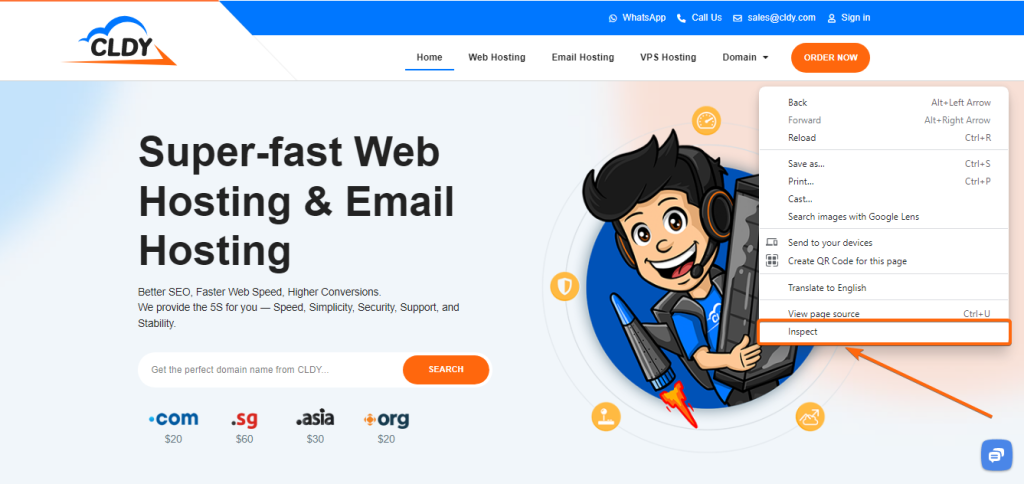
A good web host has a strong reputation. Reading reviews helps too. Happy users often share their experiences. These can guide your choice. Look for feedback on speed and reliability.
Some hosts promise fast speeds. They may offer speed guarantees. This means they will keep your site running fast. These guarantees can build trust in their service. Check for these promises.
Good hosts have technical support. They help with speed issues. Support teams should be quick and helpful. They must solve problems fast. This support is very important.
Credit: www.cldy.com
Frequently Asked Questions
How To Check Web Server Performance?
Use tools like GTmetrix or Pingdom to analyze server speed. Monitor server uptime with UptimeRobot. Check response time using WebPageTest. Evaluate server load with Apache JMeter. Analyze server logs for errors and performance bottlenecks.
How To Check The Bandwidth Of A Website?
Use online tools like Google Analytics or Pingdom to check a website’s bandwidth. These tools provide detailed traffic and bandwidth usage reports. Understanding bandwidth helps optimize website performance and improve user experience.
What Is The Best Website To Test Website Speed?
Google PageSpeed Insights is the best tool to test website speed. It provides detailed insights and suggestions for improvement.
How To Check Server Upload Speed?
Use online tools like Speedtest or Fast. com to measure server upload speed. Run tests multiple times for accuracy.
Conclusion
Checking web hosting speed is crucial. It affects user experience. Slow sites lose visitors. Fast hosting boosts engagement. Use tools to measure speed. Google PageSpeed Insights is popular. GTmetrix offers detailed analysis. Pay attention to load times. Optimize images and scripts.
Choose reliable hosting providers. Good speed improves SEO rankings. Keep testing regularly. Make adjustments as needed. Speed matters for success online. Ensure your site performs well. Visitors appreciate fast access. A smooth experience encourages return visits. Prioritize speed for better results.
Your website deserves it.


