
Ever stumbled upon a website and wondered who hosts it? Whether you’re a curious tech enthusiast, a budding entrepreneur, or a seasoned digital marketer, knowing how to check the web hosting of a website can be incredibly valuable.
Maybe you’re in the process of choosing a reliable host for your own site, or perhaps you want to learn from a competitor’s choice. Whatever your reason, this knowledge can save you time, money, and potential headaches. Imagine having the power to uncover this hidden information with just a few clicks.
By the end of this article, you’ll have the tools and tricks needed to unveil the mysteries of web hosting. You’ll discover why this skill is more than just a neat trick—it’s a strategic advantage. So, are you ready to unlock the secrets behind any website’s hosting? Dive in, and let’s get started!
Identifying Web Hosting Providers
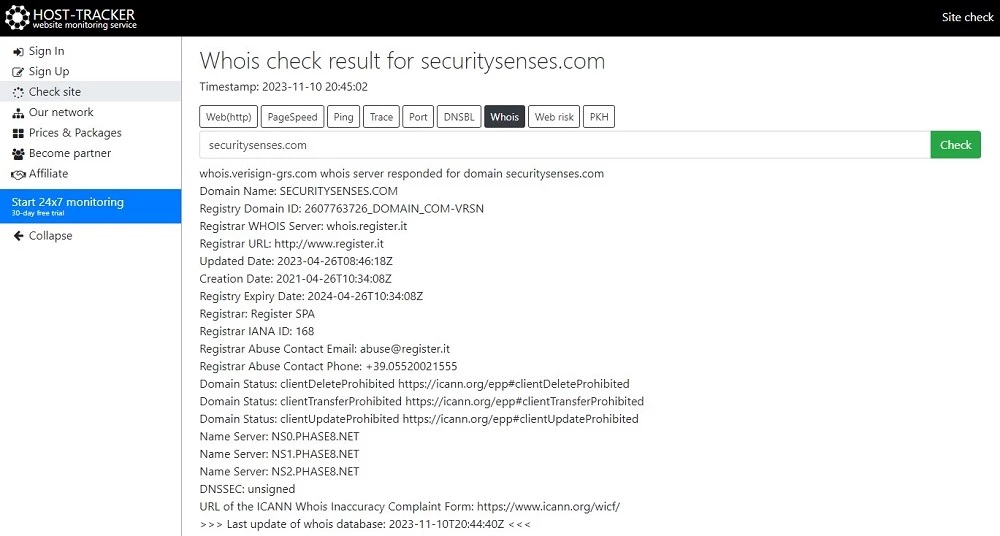
Many tools help find a website’s hosting. One popular tool is Whois Lookup. It shows the domain’s owner and hosting provider. Enter the website’s URL to get details. Another tool is Hosting Checker. It quickly shows the web host. These tools are free and easy to use. Some websites also list hosting details at the bottom. Check their footer or about page for clues. Look for words like “Powered by” or “Hosted by”. This information can be very helpful. Remember, finding a host is simple. Use these tips to learn more about a website.
Credit: securitysenses.com
Using Online Tools
Several online tools help find website hosting. These tools are easy to use. Some famous ones are WhoIsHostingThis, HostAdvice, and Site24x7. Each tool checks where a website is hosted. They provide quick results.
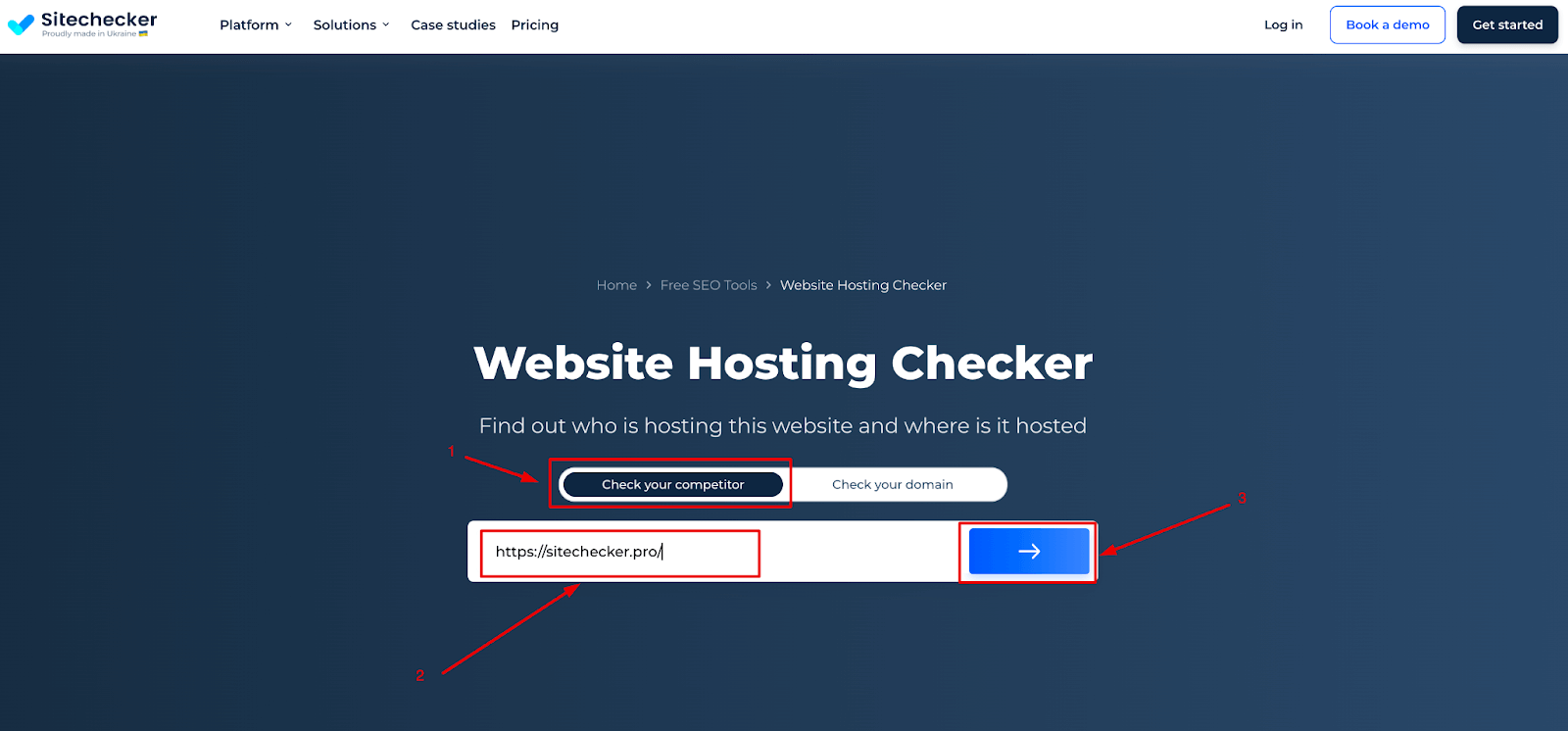
- Open the hosting tool’s website.
- Enter the website URL in the search box.
- Click the search or check button.
- Wait for the tool to load the results.
- Read the hosting information displayed.
Inspecting Domain Details
WHOIS is a tool to find out details about a domain. It shows who owns the domain and other information. This tool is very helpful. You can find the registrar’s name and the domain’s expiry date.
There are many websites to do a WHOIS lookup. Some popular sites are whois.net and whois.domaintools.com. These sites are easy to use. Just enter the domain name and click search. You will see all the details in seconds.
Knowing WHOIS details can be important. It helps you understand who manages a website. Always make sure the domain information is correct. This ensures trust and safety online.
Analyzing Server Information
Use command line to get server details. Simple tools can help. Ping and Traceroute are common tools. They tell you where a server is. They also show the path taken. Whois can find out who owns a domain. It gives registrar info. Nslookup helps see DNS records. It tells which server hosts a site. These tools are in most computers. Easy and quick to use.
Data from tools gives clues. IP address shows server location. Server response time tells speed. DNS records show domain information. Server name shows hosting company. Look for words like Apache or Nginx. These are server types. Hosting provider can be found in Whois info. Check for availability and uptime. This means how often the site is live. Data helps know more about hosting.
Checking Dns Records
Discovering a website’s web hosting involves checking its DNS records. Use tools like WHOIS to find hosting details. These records reveal the server information hosting the site.
Accessing Dns Information
DNS records show important details about a website. You can view these details using online tools. These tools are easy to find. Type the website’s address into the tool. Then, click on the search button. After a few seconds, you will see the DNS records.
DNS records include things like IP addresses. They also show mail server details and other technical information. Knowing the DNS can help understand the hosting provider. This is useful for troubleshooting problems. Also, for comparing different hosting services. Always check DNS records carefully.
Impact Of Dns On Hosting
DNS affects the website’s speed and accessibility. A fast DNS makes the site load quickly. Slow DNS can cause delays. This impacts user experience negatively. DNS settings also determine if the site stays online. Wrong settings can lead to downtime. Downtime means visitors cannot see the site.
Choosing the right DNS provider is important. This helps ensure smooth operations. Always opt for reliable DNS services. They offer better security and support. A good DNS provider helps avoid common issues.
Credit: sitechecker.pro
Exploring Website Source Code
Discovering how to check a website’s hosting is essential. Open the website’s source code using your browser’s developer tools. Look for hosting-related information within meta tags or comments, often revealing the hosting provider’s details.
Identifying Hosting Signatures
Web hosting signs can be found in website code. Look for comments or tags in HTML. These may reveal hosting provider names. Find such clues in the code.
Sometimes, hosting signatures are hidden. A deeper look in scripts might help. Check for server names or IP addresses. These can point to the host.
Analyzing Html And Scripts
HTML and scripts hold information. Look for unusual tags or attributes. They might show hosting details. Analyze scripts to find server references.
Scripts can contain hosting paths. Search for links or paths that seem unique. They often lead to the hosting provider. Pay attention to script patterns.
Consulting Hosting Provider Directories
Many websites have directories of hosting providers. These directories list various hosting companies. They can help find who hosts a website. Websites like WhoIsHostingThis and Hosting Checker are popular. They offer easy tools to check hosting providers.
Directories often show information like server location and IP address. This can give clues about a website’s host. Some directories even provide reviews. These reviews can help in choosing the right host. It is a quick way to verify hosting details.
Verification means checking if the information is right. Always double-check the details you find. Some directories might have old data. Look for the most recent updates. This ensures you get the right information. Comparing details from two sources can help. It makes the verification process more reliable.
Contacting Website Owner
Find a way to contact the website owner. Check for an email on their site. Use social media platforms to reach out. Be polite and clear. Explain why you are asking. You can also use a contact form if available.
Ask them about their web hosting provider. It helps to know their hosting plan. Also, inquire about their experience with the host. This can give you valuable insights. Ask about any issues they faced. Their answers can help you decide.

Credit: hostingchecker.com
Frequently Asked Questions
How To Find Out What Web Hosting A Site Is Using?
Use online tools like WHOIS or Hosting Checker to identify a website’s hosting provider. Simply enter the site’s URL to get the hosting details.
How Do I Know The Web Server Of A Website?
Use online tools like Netcraft or WHOIS Lookup to check a website’s server details. Access these tools, enter the website URL, and view server information, including server type and location. These services are free and provide quick, reliable server insights for any website.
How To Find Out What Platform A Website Is Hosted On?
Use online tools like BuiltWith or Netcraft to identify the hosting platform. Inspect the website’s source code for clues. Check WHOIS data for hosting information. Use browser extensions to analyze hosting details. Contact the website owner for hosting details if necessary.
What Is Your Website Host?
Our website is hosted by Bluehost. They offer reliable performance, excellent customer support, and competitive pricing. Bluehost provides a user-friendly control panel, ensuring easy website management. They support WordPress hosting and include free SSL certificates. Choosing Bluehost ensures a seamless hosting experience for our website.
Conclusion
Understanding web hosting is crucial for managing websites effectively. Checking hosting details helps with security and performance. Use simple tools to find hosting information quickly. These tools can guide you in making informed decisions. Knowing your hosting provider offers peace of mind.
It ensures your website runs smoothly and efficiently. Regular checks prevent unexpected issues. Keep your website safe and reliable by monitoring hosting regularly. With this knowledge, you’re better equipped to handle any hosting challenges. Stay informed and proactive to maintain a successful online presence.
Your website deserves the best hosting care possible.


