
Choosing a web hosting company is a critical decision that can influence your website’s performance and success. But how do you ensure you’re making the right choice?
You might feel overwhelmed by the sheer number of options available. That’s where this guide comes in. Imagine having the confidence to select a hosting provider that aligns perfectly with your needs. You deserve a reliable partner that supports your website’s growth and keeps it secure.
In the following sections, you’ll discover practical steps and insider tips to evaluate web hosting companies effectively. Don’t let the wrong choice hold your website back. Dive in to uncover the secrets to picking the best hosting company for you!
Reputation And Reviews
Reading customer feedback is very important. It tells you a lot about a company. Happy customers often leave good reviews. Sad customers may write bad things. Always check both. Look for patterns in the reviews. A problem mentioned many times might be real. Also, see how the company replies. Good companies care about feedback. They try to fix problems fast.
Awards and certificates show a company’s industry recognition. These honors mean the company is good at what it does. Many awards mean they have been good for a long time. Check if the company is part of known groups. This means other companies trust them too. A trusted company is often a good choice.
Performance Metrics
Uptime is crucial for websites. Most companies offer 99.9% uptime. This means your site will be online almost all the time. Check if they have an uptime guarantee. It’s important. Some companies offer refunds if uptime is not met. This shows they are serious about their service. Always read the fine print. Know what you are getting.
Speed is vital for user experience. Fast websites keep visitors happy. Choose hosts with fast servers. Reliable servers mean fewer problems. Ask about their server locations. Closer servers can mean faster speeds. Speed and reliability go hand in hand. Always look for both.
Security Features
SSL Certificates are vital for any website. They create a secure link between the browser and server. This keeps data safe from hackers. Websites with SSL show a padlock icon in the browser. This tells users their data is protected. It also helps with search engine rankings. Most web hosting companies offer SSL for free. Always check if your host provides this feature.
DDoS Protection is crucial to keep your site online. DDoS attacks flood your site with traffic. This can cause your website to crash. Web hosts with DDoS protection stop these attacks. They use special tools to detect and block harmful traffic. Choose a host with strong DDoS defense. This ensures your website stays up and running.

Credit: www.instagram.com
Customer Support
Check if support is available 24/7. This means help is always there. Many hosting companies promise this. But some don’t keep it. You need to verify it. Look for reviews online. Ask friends for their experiences. Ensuring constant support is important. It prevents downtime. Downtime can harm your website. Always choose reliable hosting. It keeps your site running smoothly.
Hosting companies have different support channels. Live chat is fast and easy. Email support takes longer. Phone support is direct. Choose what works best for you. Some companies offer forums for community help. Others have FAQs for common questions. More channels mean better help. It shows they care for customers. Always check their available options.
Pricing And Plans
Choosing the right plan can save money. Some plans offer more features at a lower cost. Always check what you get for the price. Storage space and bandwidth are important. Customer support can add value. Compare different plans side by side. Some plans are cheap but lack features. Choose a plan that fits your needs. Paying a bit more can be smart. Sometimes a higher price means better quality. Look for discounts and offers.
Some companies have hidden fees. These fees can surprise you later. Setup costs and renewal charges are common. Always read the terms. Cancellation fees can be high. Ask about fees before signing up. Check if there are extra charges for support. Backup services may cost extra. Some companies charge for site migration. Knowing fees can save money. Always ask for a clear fee list.

Credit: www.hostarmada.com
Scalability Options
A good web hosting company offers clear resource allocation. This means you can easily see how much CPU, RAM, and disk space you get. Shared hosting gives less control. But VPS and dedicated servers offer more. Check if they let you adjust resources. This helps if your website grows.
Check if the hosting company offers easy upgrade possibilities. Can you move from shared to VPS? Or from VPS to dedicated servers? This is important for growing websites. You need more power as your site gets more visitors. Make sure upgrades are smooth. No downtime is best.
Server Location
A server location matters for your website’s reach. Servers close to your audience can improve access. People far from the server may face delays. Global servers ensure faster access everywhere. They help your website load quickly. Check if the hosting company offers servers worldwide. This can help your site reach more people.
Speed is affected by server location. Nearby servers load sites faster. Faraway servers may cause slow loading. Site speed is crucial for visitors. Slow sites may lose users quickly. Choose a server close to your main audience. A good server location boosts your site speed. Fast websites keep users happy.
Technical Specifications
Choosing the right storage and bandwidth is crucial. Most hosting plans offer different storage sizes. Some start at 10 GB while others offer unlimited space. Bandwidth affects how much data your site can transfer. Higher bandwidth is better for busy sites. Low bandwidth may slow your site. Check if the host offers scalable options. This allows you to upgrade when needed.
A good control panel is easy to use. Most hosts offer cPanel or similar tools. These panels help manage your website. Features like file management and email setup are key. Look for a panel with one-click software installs. This saves time when adding new features. Security settings should be easy to find. A simple interface is best for beginners.
User-friendly Interface
A good web hosting company should have an easy-to-use interface. This helps users find things quickly. Look for clear menus and buttons. The design should be simple. A clean layout helps users a lot.
The setup process should be simple and quick. Users should not need help to start. Steps should be clear. Instructions should be easy to follow. This saves time and reduces stress.
Additional Services
Explore essential steps for evaluating a web hosting company. Check uptime guarantees, customer reviews, and support quality. Compare pricing, features, and security measures to ensure reliable service.
Website Builders
Many hosting companies offer website builders. These tools help create sites without coding. Drag and drop features make designing easy. Beginners can use templates for quick setup. Check if the builder is free or paid. Some builders have limited features on free plans. Paid plans often give more options and support. It’s important to read reviews about these builders. A good builder saves time and effort.
Email Hosting
Hosting companies often provide email hosting services. These services give a custom email address. It helps in branding and looks professional. Check if there are limits on storage and users. Some plans offer unlimited emails. Others might restrict the number. It’s vital to know about spam filters and security. A reliable email host protects against threats. Customer support for email issues is also crucial. Choosing the right plan ensures smooth communication.
Credit: www.elegantthemes.com
Frequently Asked Questions
How To Find Out What Company Is Hosting A Website?
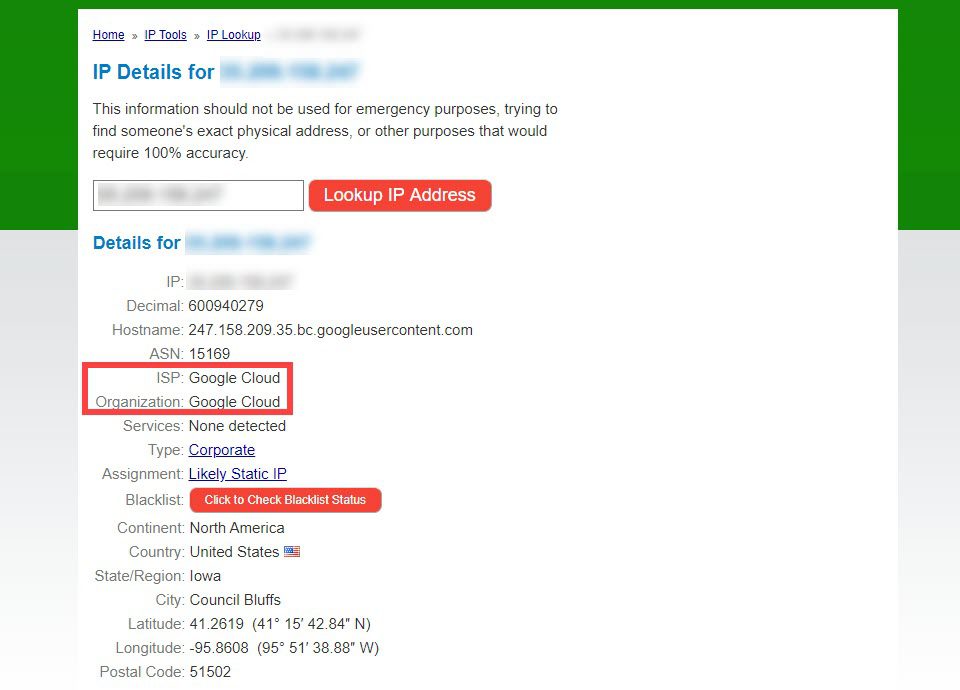
Use online tools like WHOIS or hosting checker websites. Input the domain name to find hosting details. These tools reveal the hosting company and other website information, helping you identify the provider quickly.
How To Check Website Hosting Provider?
Use online tools like WHOIS Lookup to find the hosting provider. Enter your website’s domain for detailed information. You can also check the DNS records via your domain registrar’s website for hosting details. Ensure your internet connection is secure while performing these checks.
How Do I Know What Platform My Website Is Hosting?
Check your website’s source code or use online tools like BuiltWith to identify the hosting platform. Access your hosting account’s dashboard for details. Look for any hosting-related mentions in your website settings or documentation.
How To Trace Where A Website Is Hosted?
Use online tools like WHOIS or hosting checker services to identify a website’s hosting provider. Simply enter the domain name, and these tools will display the hosting details. Alternatively, perform a DNS lookup to find the server’s IP address and trace it back to the hosting company.
Conclusion
Choosing the right web hosting company matters. It impacts your website’s performance. Start by checking reviews. They reveal user experiences. Look at uptime guarantees. They ensure your site stays online. Consider customer support. Quick help is vital during issues. Review pricing plans.
Find one that fits your budget. Analyze security features. Your data needs protection. Compare bandwidth and storage options. Adequate resources are essential for growth. Test the control panel. It should be user-friendly. These steps guide you in picking the best host.
A good choice leads to a successful website. Your effort pays off in the long run.


