
Are you curious about the health of your website? Wondering if your web hosting is up to par?
Checking your web hosting is like giving your website a regular health check-up. It’s essential for ensuring optimal performance, security, and visitor satisfaction. Imagine the peace of mind you’ll have knowing your site is running smoothly, without any hiccups that could turn visitors away.
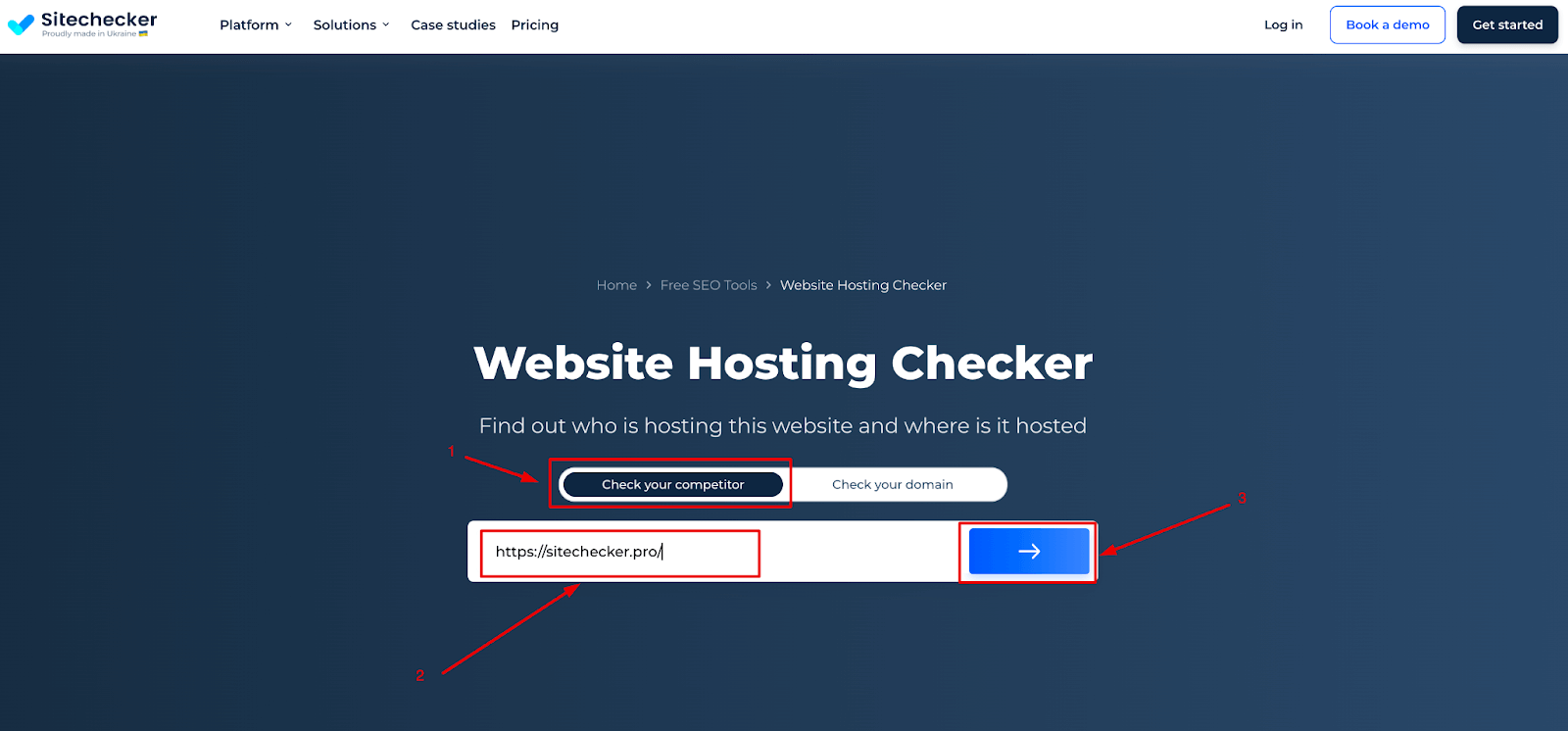
In this guide, you’ll discover straightforward steps to check your web hosting efficiently. Whether you’re a seasoned webmaster or just starting out, these insights will empower you to take control of your website’s performance. Let’s dive in and unlock the secrets to a seamless online experience for you and your visitors.
Credit: sitechecker.pro
Importance Of Web Hosting
Web hosting keeps your website online. It helps your site load fast. A fast site is good for search engines. It also makes visitors happy. They stay longer if the site is quick. Slow sites make users leave. This can hurt your business. Speed matters for success.
Good hosting makes users happy. They find what they need fast. If a site is slow, they feel upset. They might not come back. This is bad for business. A happy visitor becomes a loyal customer. Web hosting is key to user happiness. It helps your site work well.

Credit: hostarmada.com
Identifying Your Web Host
Domain tools help find your web host. Use WHOIS to check. Enter your website name in the search box. This gives information about your site. Look for the part that says nameservers. It often shows your host’s name. Sometimes you see the host’s contact details too. This is helpful if you need support.
Look at your bills or emails from when you bought hosting. They often show the host’s name. Check for emails from a web hosting company. These emails may have important details. If you can’t find emails, log into your payment account. Look for charges from hosting companies. This can show who your host is.
Assessing Hosting Features
The server type affects website speed. Shared servers are slower. Dedicated servers are faster. Server location is also important. Choose servers near your audience. This ensures quicker load times. Faster websites make visitors happy.
Bandwidth measures data transfer. High traffic needs more bandwidth. Limited bandwidth can slow your site. Storage limits are about space. More storage holds more files. Less storage can limit your content. Check these limits before choosing a host. Make sure they meet your needs.
Evaluating Hosting Performance
Uptime is crucial for any website. If your site is down, users can’t visit. Use tools like UptimeRobot and Pingdom. They check your site every few minutes. They tell you if your site is down. Alerts come via email or SMS. This helps you fix problems fast. Easy and important.
Speed matters a lot. A slow site can frustrate users. Use tools like GTmetrix and Google PageSpeed Insights. These tools show your site’s loading time. They also suggest improvements. Fast sites keep users happy. Check often to ensure speed.
Security Measures
SSL certificates keep your website safe. They make sure data stays private. Hackers can’t steal information. Customers trust websites with SSL. Look for a padlock sign in the browser. This shows the site is secure. Always update your SSL certificate. Never let it expire. Renew it regularly. Security matters for everyone online.
Backups save your data. They protect against loss. Accidents happen. Files can disappear. Regular backups help you recover. Use cloud services for backups. Easy and quick. Keep multiple copies of data. Store them in different places. Backup plans save you from trouble. Always have a backup ready. Safety for your website.
Customer Support Assessment
Response time is very important for customer support. Fast replies help solve problems quickly. Always check how long it takes for support to answer. Some hosts reply in minutes. Others might take hours or days. A quick response means they care about your needs.
Different support channels are available with most hosts. These include live chat, email, and phone. Live chat is the fastest option for many. Emails might take longer but can be detailed. Phone support is direct and useful for urgent issues. Make sure your hosting provider offers the channels you prefer. Test each channel to see which works best for you.
Cost And Value Analysis
Web hosting prices vary greatly. Some plans are cheap. Others cost more. Basic plans often offer limited features. Advanced plans provide extras. Consider what you need. Low-cost plans might be enough for small sites. Higher-priced plans suit big sites. Check what each plan includes. Look at disk space and bandwidth. These are important. Compare customer support offered. Good support is valuable. Monthly costs can add up. Annual plans might save money. Choose wisely.
Hosting providers offer extra features. Free domain names are common. Email accounts might be included. SSL certificates ensure security. These are often free. Backup services protect your data. Site builders help create websites easily. Look for control panel access. It makes management simple. 24/7 support is useful. Check for server location. Closer servers can be faster. Website speed is crucial. Uptime guarantees ensure site availability. Evaluate all features carefully.
Future Scalability
Choosing a web host with easy upgrade options is smart. Scalability is key when your website grows. Many hosts offer simple upgrades. This means more space and power. Check for customizable plans that fit your needs. Start small, then expand as needed.
Flexible plans help you adjust as your site changes. Look for hosts that offer monthly and yearly plans. This gives you control over your budget. Flexibility means you can switch or upgrade without hassle. It’s important for growing sites. Make sure your host supports this.
Credit: www.godaddy.com
Frequently Asked Questions
How Do I Know My Web Hosting Provider?
Check your website’s WHOIS information using online tools to find your hosting provider. Alternatively, log into your domain registrar or contact your website administrator for details. Your hosting provider’s details might also appear on your billing statements or emails related to your website services.
How To Find Out What Platform A Website Is Hosted On?
Use online tools like BuiltWith or Wappalyzer to identify the hosting platform. Check the website’s source code for clues. Alternatively, contact the website owner for information. These methods can help determine where a site is hosted efficiently.
What Is Your Website Host?
Our website is hosted on Bluehost. They provide reliable and fast hosting services. Bluehost ensures excellent uptime and support.
How Do I Check My Hosting Plan?
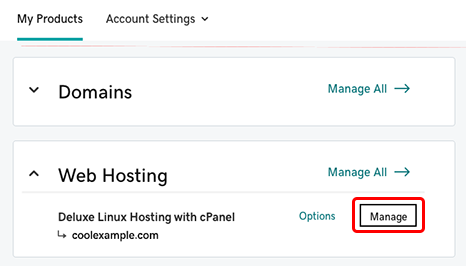
Log into your hosting account dashboard and locate the “My Services” or “Account Overview” section. Check details of your hosting plan there. If needed, contact your hosting provider’s support for assistance. Always keep your account information secure and updated for easy access.
Conclusion
Checking your web hosting is simple and crucial. Start by evaluating your hosting plan. Ensure it meets your site’s needs. Monitor your site’s speed regularly. Speed impacts user experience and SEO. Check your hosting’s uptime. Reliable uptime keeps your site accessible.
Review security features. Protect your data and your users’ data. Use online tools to analyze performance. They offer valuable insights. Explore customer support options. Good support can solve issues fast. Remember, a reliable host boosts your site’s success. Prioritize these checks to maintain a strong online presence.
Your website deserves the best hosting care.


