

Want to know who is hosting your favorite website or your own domain? Checking a domain’s host is easier than you think, and it can give you valuable insights.
Whether you’re troubleshooting website issues, planning a move, or just curious, this simple step can save you time and headaches. You’ll discover quick and clear ways to find out exactly where a domain is hosted. By the end, you’ll feel confident handling this task on your own—ready to take control of your online presence.
Keep reading to unlock this essential skill!
Credit: sitechecker.pro
What Is A Domain Host
A domain host is a company that stores your website files on their servers. These servers are powerful computers that deliver your site to visitors online. Without a domain host, your website cannot be accessed by others on the internet.
Domain hosts manage the technical side of your website. They keep your files safe and make sure your site loads quickly. Choosing the right domain host helps your website work smoothly and stay online all the time.
What Does A Domain Host Do?
A domain host stores your website files, images, and data. It sends this information to users who visit your site. The host also manages your domain name, linking it to your website.
Why Is A Domain Host Important?
A domain host keeps your website live 24/7. It ensures visitors can access your pages anytime. Good hosting improves your site speed and reliability.
Types Of Domain Hosting Services
There are many hosting types: shared, VPS, dedicated, and cloud hosting. Each offers different speed and control levels. Choose one based on your website needs and budget.
Why Check A Domain’s Host
Checking a domain’s host helps you learn important details about a website. It shows where the website’s files are stored and who manages them. This information helps with website security, performance, and troubleshooting.
Knowing the host also helps when buying or selling domains. It ensures the website is reliable and meets your needs. Understanding the host gives you control over website management and updates.
What Does A Domain Host Tell You?
A domain host reveals the company that stores your website data. It shows the server location and the type of hosting service used. This helps to know the speed and reliability of the website.
How Host Affects Website Performance
The host influences how fast a website loads. Good hosts reduce downtime and improve visitor experience. Slow or unreliable hosts can hurt website traffic and rankings.
Benefits Of Knowing Your Domain Host
Knowing your host helps you fix problems faster. It aids in planning upgrades and security measures. You can also compare hosts to find better services.
Methods To Find A Domain Host
Finding out who hosts a domain helps you understand where a website is stored. This information can aid in troubleshooting, security checks, or buying a domain. Several easy methods exist to find the host of a domain. Each method offers different details and requires simple steps.
Using Whois Lookup
WHOIS lookup shows registered details about a domain. It reveals the domain owner, registration date, and hosting provider. To use WHOIS, visit a reliable WHOIS website. Enter the domain name and check the results. The hosting company usually appears under “Registrar” or “Name Server” sections. This method works for most domains but some hide info using privacy protection.
Checking Dns Records
DNS records link a domain to its host. You can check DNS records using online DNS lookup tools or command prompt. Look for “A” records that show the IP address of the hosting server. Reverse IP lookup can then reveal the hosting company. DNS records often provide clear clues about where the domain is hosted.
Using Online Tools
Several websites offer domain host lookup tools. These tools collect data from WHOIS and DNS records. Enter the domain name, and the tool returns the hosting provider. Some popular tools include HostingChecker and Site24x7. These tools simplify the process and save time. They also show extra info like server location and uptime.
Contacting The Website Owner
Contacting the website owner can help if other methods fail. Look for a contact page or email address on the website. Politely ask the owner about their hosting provider. Some owners reply quickly and share hosting details. This method works best for small or personal websites.
Step-by-step Guide Using Whois
Checking a domain’s host is simple with the WHOIS tool. This tool shows who owns a domain and where it is hosted. Follow this step-by-step guide to get the information you need fast.
Accessing A Whois Service
Start by visiting a reliable WHOIS website. Examples include whois.icann.org or whois.domaintools.com. Enter the domain name you want to check in the search box. Click the search or lookup button. Wait a few seconds for the results to appear. You will see detailed information about the domain.
Interpreting Whois Data
Look for the “Registrar” section. This shows the company managing the domain. The “Name Server” field lists the servers hosting the domain. It often reveals the hosting provider. Check the “Registrant Contact” for owner details. Pay attention to the domain’s creation and expiration dates. These details help verify the domain’s status and history.
Reading Dns Records For Hosting Info
Reading DNS records helps you find hosting details behind a domain name. DNS records hold key information about where a website lives online. These records show which servers handle website traffic and emails. Understanding DNS records makes it easier to check a domain’s host. This section explains how to read them for hosting info.
Understanding A And Ns Records
A records link a domain to its website’s IP address. This IP address points to the hosting server. Finding the A record shows where the website is hosted. NS records identify the domain’s name servers. Name servers control the domain’s DNS settings. They often belong to the hosting company. Checking NS records can hint at the domain’s host provider.
Using Dns Lookup Tools
DNS lookup tools fetch DNS records for any domain. They display A, NS, MX, and other record types. Enter the domain name to see hosting-related info. Many free online tools show clear, simple results. Use these tools to confirm the hosting server’s IP address. Also, check name servers to find the hosting company. DNS lookup tools are fast and easy to use.

Credit: www.nameboy.com
Popular Online Tools For Host Checking
Checking a domain’s host is simple with many online tools. These tools help identify the server hosting a website quickly. They show useful details without technical knowledge.
Popular tools include websites and browser extensions. Each offers different features for easy host checking. Choose one that fits your needs best.
Hosting Checker Websites
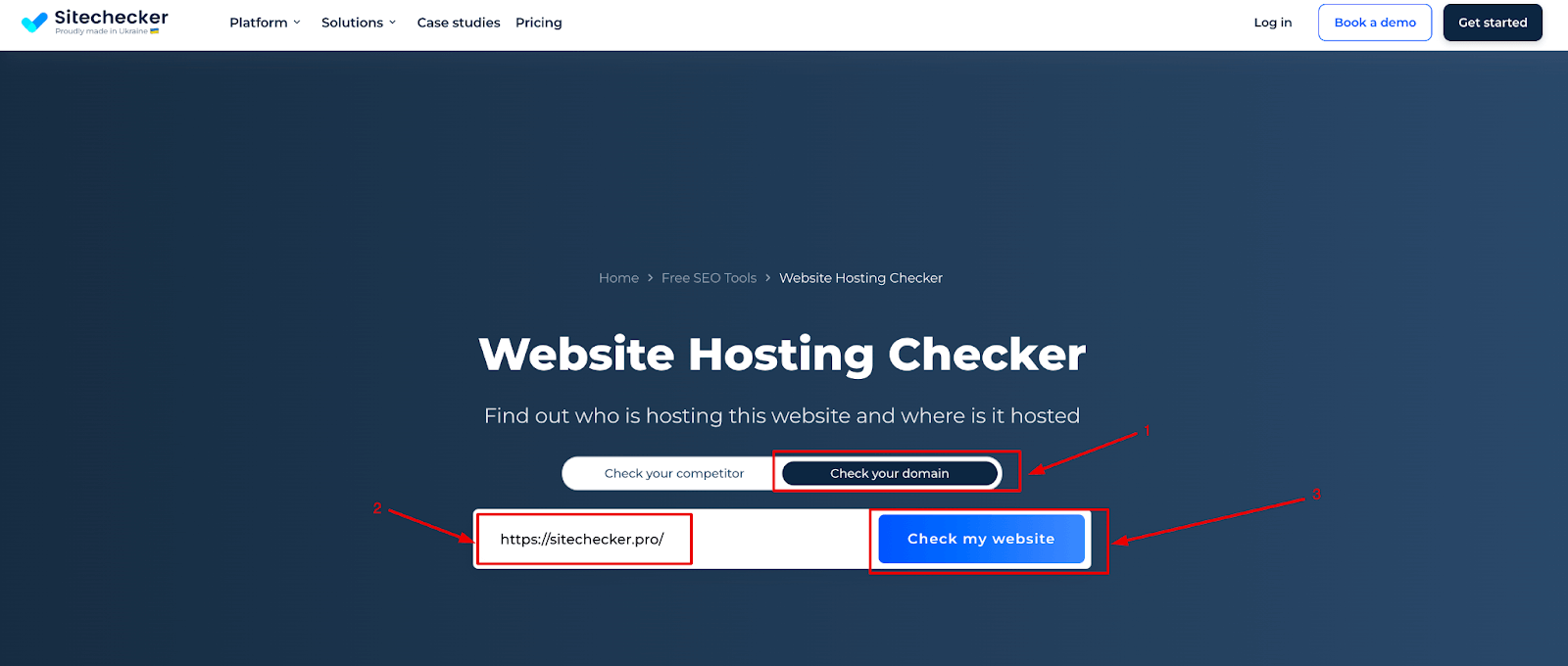
Hosting checker websites are the easiest way to find a domain’s host. Enter the domain name, and the tool shows the hosting provider. Some popular websites include HostingChecker.com and WhoIsHostingThis.com. They also provide server location and IP address information. These sites update regularly to give accurate results.
Using these websites requires no installation. Just visit, type the domain, and get results instantly. They work well on any device with internet access.
Browser Extensions
Browser extensions add host checking directly to your browser. These small tools work on Chrome, Firefox, and other browsers. Once installed, click the icon to check any website’s host. Extensions like Wappalyzer and BuiltWith reveal hosting details fast.
They save time by removing the need to open new tabs. Extensions also provide extra info about technologies used on the site. This makes them handy for quick checks while browsing.
Common Challenges And Solutions
Checking a domain’s host can bring challenges. Some issues may confuse even experienced users. Understanding these problems helps you find quick solutions. This section covers common challenges and easy ways to handle them.
Dealing With Privacy Protection
Many domains use privacy protection services. These services hide the real owner’s details. This makes it hard to see the actual host information. Privacy protection shows the service’s data instead.
To solve this, use specialized WHOIS tools. Some tools can bypass basic privacy shields. They may show hosting details through indirect data. Another option is to check the domain’s DNS records. These records often reveal the hosting provider.
Handling Complex Dns Setups
Domains with complex DNS setups can be tricky. Multiple records or custom configurations confuse basic checks. Different services might manage parts of the domain.
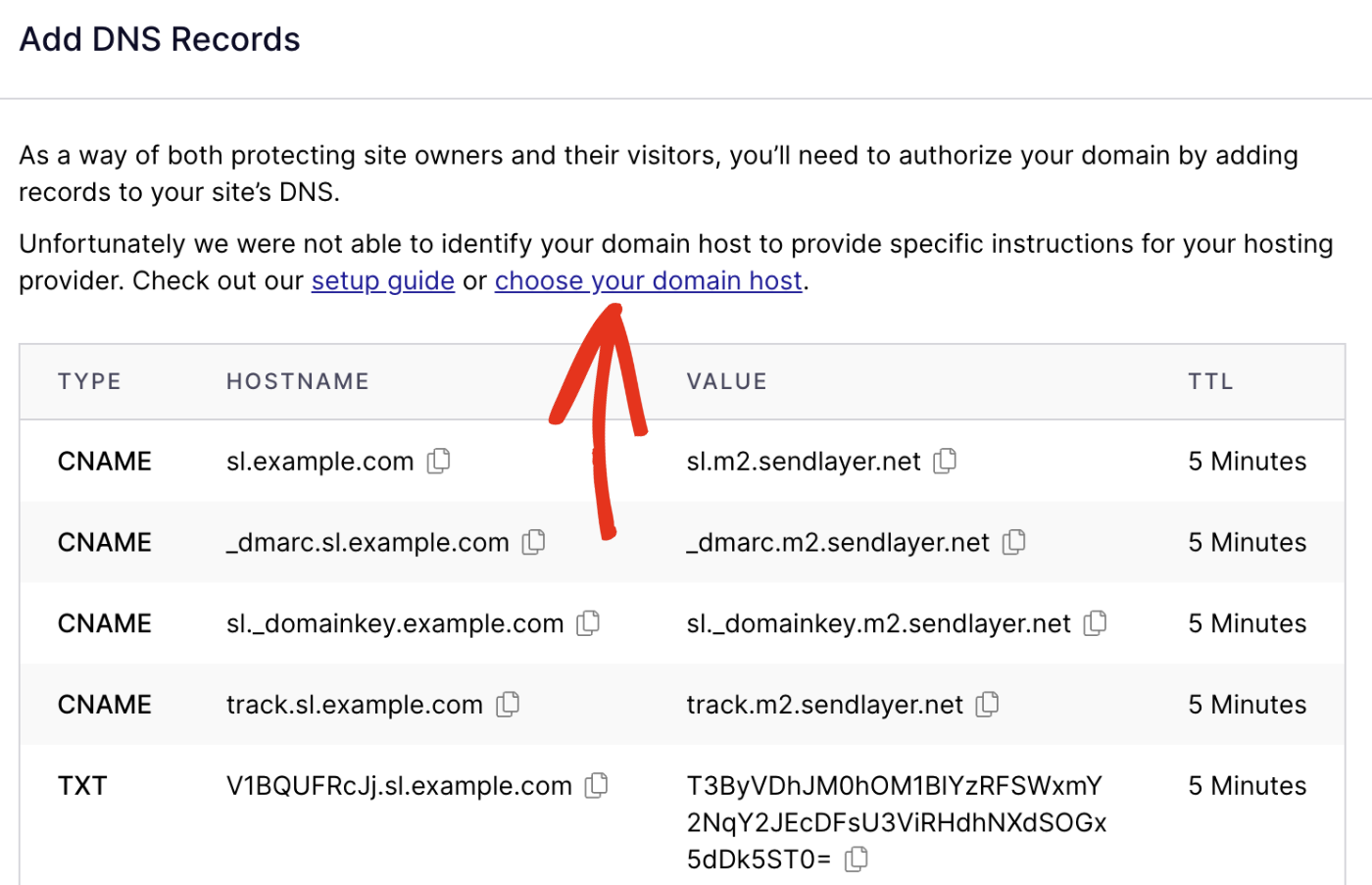
Use advanced DNS lookup tools to get full details. Look for A, CNAME, and NS records closely. These records help identify where the site is hosted. Also, check for content delivery networks (CDNs) that may mask the host.
Tips For Beginners
Checking a domain’s host can seem tricky for beginners. Simple steps help you find the right information fast. Use these tips to avoid common mistakes. Stay confident while exploring domain hosting details.
Verify Multiple Sources
Do not trust just one tool or website. Use several domain lookup tools to compare results. Check domain registrar sites and hosting checker platforms. This reduces errors and gives a clearer picture. Each source may show slightly different details.
Write down or save what you find from each source. Cross-check information like host name and IP address. This makes your research more reliable and accurate.
Stay Updated On Domain Changes
Domains can change hosts over time. New owners may move the domain to another service. Regularly check the domain’s hosting status if you follow it closely.
Set reminders to review domain info every few months. Use tools that offer alerts on domain changes. Staying updated helps you avoid outdated or wrong data.
Credit: sendlayer.com
Frequently Asked Questions
How Can I Find My Domain’s Hosting Provider?
You can find your domain’s hosting provider by using online WHOIS lookup tools. They display hosting details linked to your domain. Another way is to use DNS lookup services to check the hosting IP address and trace it back to the provider.
What Tools Help Check A Domain’s Host Quickly?
Popular tools include WHOIS lookup, DNS checker, and hosting lookup websites. These tools provide accurate host information instantly. Using them helps you verify hosting providers without technical knowledge. They are user-friendly and often free for basic queries.
Why Is Knowing A Domain’s Host Important?
Knowing a domain’s host helps in managing website performance and security. It aids in troubleshooting downtime or DNS issues. It’s essential when transferring domains or hosting services. This knowledge ensures better control over your website infrastructure.
Can I Check A Domain Host Without The Owner’s Permission?
Yes, you can check public domain host information using WHOIS and DNS tools. However, detailed hosting data might be restricted for privacy reasons. Basic hosting details are usually accessible and legal to view for any domain.
Conclusion
Checking a domain’s host is simple and useful. You only need a few tools online. This helps you learn who manages the website. Knowing the host can solve many website issues. It also helps when moving your site to a new host.
Keep these steps in mind next time you check a domain. Stay curious and keep exploring website details easily.


