
Are you feeling trapped by your current web hosting service? Maybe you’re facing slow load times, frequent downtimes, or subpar customer support.
Whatever the reason, switching web hosting providers can seem like a daunting task. But it doesn’t have to be. Imagine a seamless transition where your website performs better, loads faster, and provides you with the peace of mind you deserve.
In this guide, we’ll walk you through the steps to change your web hosting service provider with confidence and ease. You’ll discover how to avoid common pitfalls, ensure a smooth migration, and make informed decisions that will benefit your website in the long run. Let’s dive in and transform your online presence together.
Choosing The Right Hosting Provider
Know what you need. Think about the space and speed. Do you need email support? Consider if you want extra security. Budget matters. Decide how much you can spend. List your priorities. What is most important for you? These things help you choose.
Compare features of different providers. Check storage and bandwidth. Look at uptime guarantees. Costs are important. Compare prices. Some providers offer discounts. Look for hidden fees. Know what you are paying for. Make a smart choice.
Read reviews from real users. Check what they say about service. Testimonials give insight. Learn about support and reliability. Look for trends. Are many users happy or not? Trust good reviews. They guide your decision.

Credit: www.hostpapa.com
Preparing For The Switch
Make sure to backup all your website data. Use your hosting control panel for this. Download a copy to your computer. Save it in a safe place. This is very important. You don’t want to lose any data.
Check your domain name settings. See who manages your domain. Update your DNS records if needed. This helps in a smooth switch. Keep a note of any changes you make.
Collect all important credentials. You need your current hosting login details. Also, gather your new hosting login info. Keep them in one place. This makes the process easier. A checklist can help you remember everything.
Setting Up With The New Provider
Switching web hosting providers involves several steps. Begin by backing up your data thoroughly. Next, transfer your website files to the new host, ensuring all settings are accurate. Finally, test the website’s functionality before updating DNS records for a smooth transition.
Transfer Website Files
Start by moving your website files to the new host. Use an FTP client like FileZilla. Connect to your new host’s server. Drag and drop files from your computer to the server. Ensure all files are transferred correctly. This includes images, HTML, CSS, and scripts.
Configure Email Accounts
Set up email accounts with your new provider. Access the email settings in your hosting panel. Create new email accounts matching your old ones. Update email clients with new server details. Check if emails work properly. Verify sending and receiving functionality.
Update Dns Settings
Adjust DNS settings to point to the new host. Log in to your domain registrar account. Locate DNS settings and update nameservers. Use nameservers given by your new host. Changes take time to propagate. Typically, 24 to 48 hours. Check if your website loads correctly.
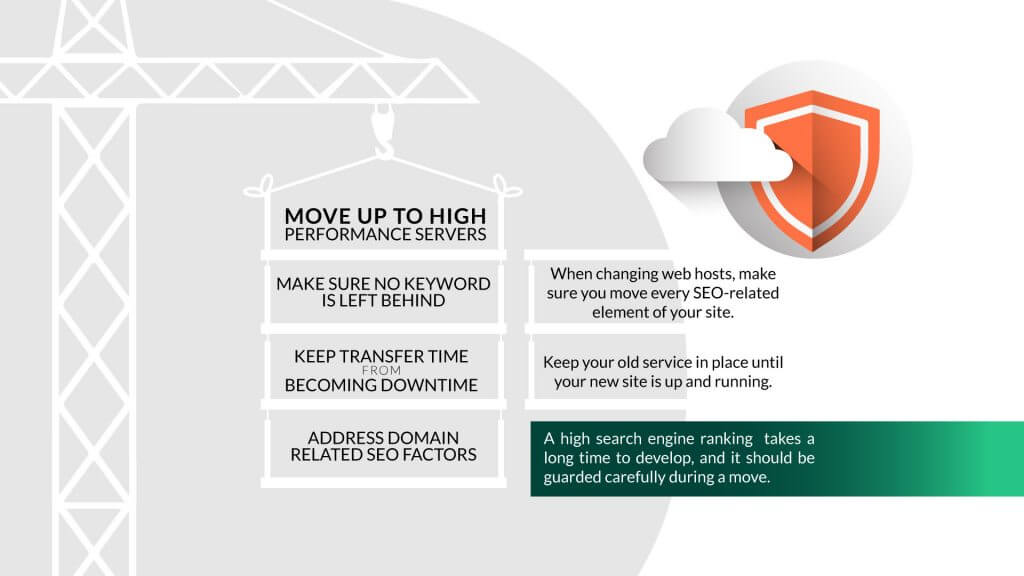
Credit: www.hostpapa.com
Testing And Troubleshooting
Switching web hosting providers involves detailed testing and troubleshooting to ensure a smooth transition. Carefully check website functionality and speed after migration to avoid disruptions. Regular monitoring helps identify and fix potential issues quickly.
Check Website Functionality
Your website must work well after moving. Check each page carefully. Make sure images load. Test links. Are all pages working? Check forms too. Ensure users can submit them. Watch for errors. Fix them quickly. Your website should be smooth and user-friendly.
Resolve Common Issues
Problems might happen after switching hosting. Slow loading pages can annoy users. Check your server settings. Adjust them if needed. Broken links are common. Fix them to keep users happy. Missing images confuse visitors. Ensure all visuals appear correctly. Address these issues fast. Your website must run perfectly.
Contact Support For Help
Support can assist with tricky problems. They know hosting issues well. Contact them if stuck. Explain your problem clearly. They offer solutions. Follow their advice. Ask questions if unclear. Support can help solve tough problems. Use their expertise. Your website will work smoothly with their help.
Finalizing The Transition
Switching web hosting providers involves several steps to ensure a smooth transition. Finalizing the transition requires updating DNS settings and checking website functionality. Confirm all data migration is successful to complete the changeover efficiently.
Monitor Website Performance
Check the website speed and loading time. Make sure pages open quickly. Look for any broken links or missing images. Verify all features work correctly. Regular checks help in maintaining a smooth user experience.
Verify Ssl Certificate Installation
Ensure the SSL certificate is active. Look for the padlock icon in the browser. This shows your site is secure. Protect visitor data by confirming SSL setup. Double-check for any warnings or errors.
Cancel Old Hosting Plan
Log in to your old hosting account. Find the option to cancel your plan. Follow the steps carefully. Confirm cancellation once done. This prevents unnecessary charges. Keep any important information before leaving.

Credit: wpmayor.com
Frequently Asked Questions
How Do I Change My Website Hosting Provider?
Choose a new hosting provider. Backup your website files. Transfer domain to the new host. Upload files to the new server. Test your website to ensure functionality.
How Do I Transfer My Web Hosting From One Company To Another?
To transfer web hosting, back up your website files and databases. Choose a new hosting provider. Update your domain’s DNS settings to point to the new host. Upload your files to the new server. Test the website to ensure everything works correctly.
How Do You Transfer Your Hosting Plan To A Different Server?
Transfer your hosting plan by backing up data, changing DNS settings, migrating files, updating configurations, and testing functionality. Ensure compatibility with the new server. Contact support for guidance if needed.
How Do I Point My Domain To Another Hosting Provider?
Change DNS settings to your new hosting provider’s nameservers. Access your domain registrar account, update nameserver details. This process connects your domain with the new hosting. Allow 24-48 hours for DNS propagation. Ensure accurate nameserver information to avoid connectivity issues.
Conclusion
Switching web hosting providers doesn’t have to be complicated. Keep the process simple. Plan your steps carefully. Backup your data before making any move. Choose a provider that meets your needs best. Ensure smooth migration of your website. Check everything works after the switch.
Look for good customer support. A reliable host makes a big difference. Your website deserves the best service. By changing providers, you enhance performance and security. Take action today for a better web experience. Reliable hosting is key to your online success.
Make the change with confidence and ease.


