
Are you struggling to make your WordPress site truly yours? One simple yet impactful way to personalize your site is by changing the subtitle format of your theme.
Imagine your website with subtitles that not only look great but also enhance readability and user experience. It’s like giving your site a mini-makeover that can engage visitors and make them stay longer. You might think this sounds technical, but with the right guidance, it’s simpler than you imagine.
In this post, you’ll discover easy steps to tweak your subtitle format, making your WordPress theme stand out. Ready to unlock your site’s potential and capture your audience’s attention? Let’s dive in!
Choosing The Right Theme
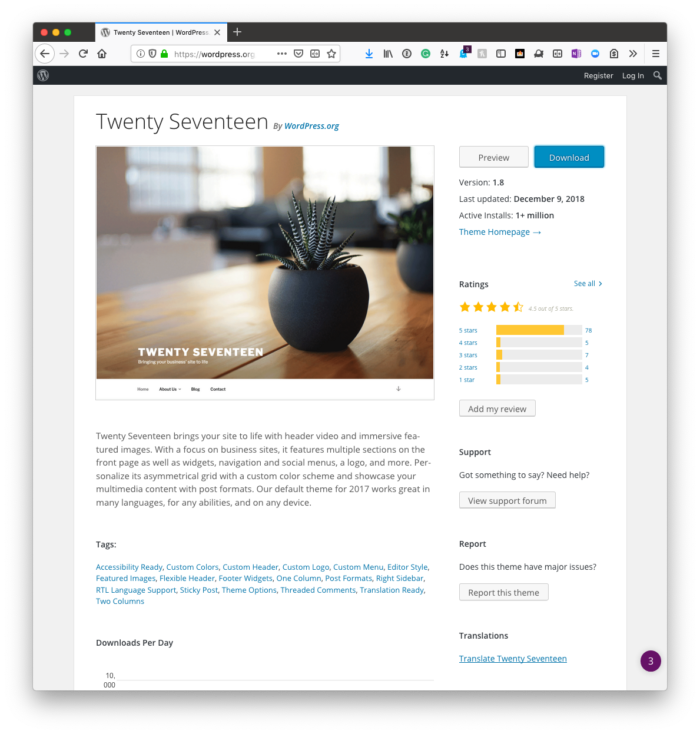
Picking the right theme is key. Not all themes support subtitle formats. Some themes have built-in subtitle options. Others might need plugins. Check the theme details first. Look for subtitle settings in the theme options. Ensure your theme supports the formats you need. If it doesn’t, you might face issues later. Always read user reviews. They can tell you about subtitle support. Choose wisely.
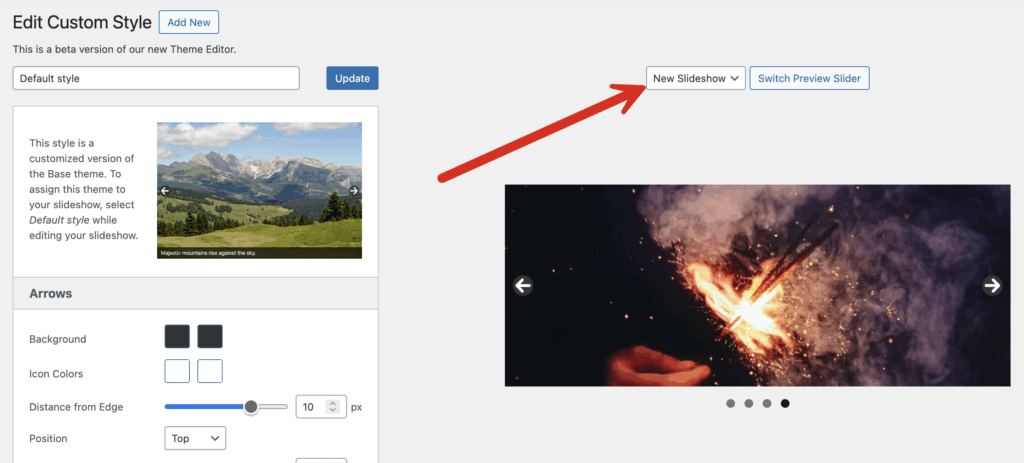
Themes should be easy to change. Look for themes with many settings. These can help you adjust subtitle styles. Fonts, colors, and sizes are important. Themes with drag-and-drop builders are great. They let you see changes in real-time. More options mean more control. This helps you make your site look just right. Always check the theme demo first. See if you like how it looks.
Credit: www.metaslider.com
Accessing Theme Editor
WordPress Dashboard is the main control center. Users can find many options here. First, log in to your WordPress site. The dashboard will appear after login.
On the left, there is a menu. This menu has many choices. Look for the “Appearance” option. Click on “Appearance” to see more options.
Theme Editor is under the “Appearance” tab. Click on “Theme Editor”. A new page will open. It shows theme files and code. Be careful when editing code. Mistakes can affect your site.
Modifying Subtitle Code
Find the subtitle code block in your theme files. Use the WordPress theme editor to search for the right file. Most themes have a functions.php or template file. Look for the code snippet that generates subtitles. This might be inside a header or content file. Copy the code to keep a backup before making changes.
Open the style.css file in your theme. This file controls the subtitle look. Find the CSS class that styles the subtitles. It might be named .subtitle or something similar. Change the font size and color to make subtitles stand out. Use padding and margin to adjust spacing. Save your changes to see the new style.

Credit: wordpress.org
Utilizing Plugins
Many plugins help with subtitle formats. Subtitle Editor is a great choice. It is easy to use. Simple Subtitle is another good option. It works with most themes. Also, try Advanced Subtitle. It has more features. Choose one that fits your needs best.
Open your WordPress dashboard. Click on Plugins. Then click on Add New. Type the plugin name in the search box. Click Install Now next to the plugin. Wait a few seconds. Once installed, click Activate. Your plugin is now ready to use.
Testing Changes
Previewing Subtitle Adjustments is important to ensure your changes look good. Open the WordPress theme customizer. Navigate to the subtitle settings. Here, you can see your changes in real-time. Make sure the subtitles are clear and easy to read. Try different fonts and sizes. Use colors that stand out. This will help your subtitles grab attention.
Ensuring Responsiveness is crucial for subtitle adjustments. Check how subtitles appear on different devices. Use a phone, tablet, and computer. Subtitles should look good on all screens. Adjust the settings if needed. Make sure text does not overlap or cut off. This will make your site user-friendly for everyone.
Credit: tommcfarlin.com
Troubleshooting Common Issues
Sometimes, changes in a WordPress theme can be tricky. If changes are not as expected, it is best to revert. Backup your site before making changes. Use the WordPress customizer to undo changes. Look for the reset button to start fresh. This helps in keeping the site clean. Reverting can solve many issues.
Plugins can cause themes to behave oddly. Deactivate plugins one by one. See if the problem stops. Check which plugin causes the issue. Update or replace the conflicting plugin. Keeping plugins updated helps avoid problems. Always keep a backup before making changes. This ensures your site stays safe and sound.
Best Practices For Subtitle Formatting
Changing subtitle formats in WordPress themes requires attention to detail. Use custom CSS to adjust font size, color, and alignment for better readability. Consistent formatting enhances user experience and helps in maintaining a professional look across your site.
Maintaining Readability
Subtitles help readers understand content. They must be clear. Short sentences make reading easy. Avoid complex words. Use simple language for your audience. Break long paragraphs into shorter ones. This keeps information digestible. Ensure space between lines. This improves readability.
Consistency Across Pages
Use the same font style for all subtitles. This keeps your pages uniform. Choose a font size that stands out. But not too big. Color can highlight subtitles. Use it wisely. Keep it consistent. Proper alignment is crucial. Left-align or center-align your subtitles. It should match your theme.
Frequently Asked Questions
How To Modify Subtitle Format In WordPress?
To modify subtitle format, access your WordPress dashboard. Navigate to “Appearance” > “Customize”. Choose “Typography” and adjust the subtitle settings. Save changes. If options are limited, consider installing a theme or plugin that offers advanced customization. Always preview changes to ensure compatibility with your site’s design.
Can I Use Custom Fonts For Subtitles?
Yes, you can use custom fonts for subtitles. Install a plugin like “Easy Google Fonts” or use your theme’s customization options. Upload your desired font and select it for subtitles. Test the appearance across devices to ensure readability and maintain consistency with your site’s design.
Why Subtitle Format Matters For Seo?
Subtitle format impacts SEO by improving readability and user experience. Well-formatted subtitles guide readers and help search engines understand your content structure. Use clear, descriptive subtitles with relevant keywords to enhance SEO. Consistency and clarity in subtitles contribute to better engagement and ranking.
Can Plugins Help Change Subtitle Format?
Yes, plugins can help change subtitle format. Install plugins like “YellowPencil” or “CSS Hero” for easy customization. These tools offer user-friendly interfaces to modify fonts, colors, and size. Choose a plugin compatible with your theme to ensure seamless integration and effective subtitle formatting.
Conclusion
Changing your WordPress subtitle format is simple. Follow the steps outlined above. Customize your theme for a fresh look. Make sure to save your changes. Check your site to see the new format. Enjoy the new style and improved readability.
Remember, small tweaks can enhance user experience. Your site should reflect your personality. Experiment with different styles to find your best fit. Keep learning and exploring WordPress features. Your website is a canvas. Make it uniquely yours.


