
Are you feeling stuck with your current web hosting provider? Maybe your website’s loading time is frustratingly slow, or their customer support leaves much to be desired.
Whatever the reason, you’re not alone in wondering how to change your web hosting. The thought of switching might seem daunting, but it doesn’t have to be. Imagine a smoother, faster, and more reliable hosting experience – all within your reach.
We’ll guide you step-by-step through the process, ensuring you make a seamless transition. You’ll learn how to choose a better hosting provider, safely transfer your data, and minimize downtime. Ready to transform your website’s performance and reliability? Let’s dive in and discover how you can make the switch with confidence.

Credit: manage.accuwebhosting.com
Reasons For Switching Web Hosting
Slow websites make users unhappy. Speed is crucial for success. If the site loads slowly, visitors leave. Downtime can also hurt your business. Constant crashes mean lost sales. A reliable host ensures your site stays up. Better performance means happy visitors and more traffic.
Hosting can be expensive. Budget matters for small businesses. Some hosts charge too much. Others have hidden fees. High costs cut profits. Affordable hosting saves money. Look for value in services offered. Compare plans to find the best deal.
Problems happen with websites. Support is essential in fixing them. Some hosts offer poor help. Long waits for replies can frustrate users. Quick and helpful support is vital. Good communication helps solve issues fast. Choose hosts that care about their customers.
Businesses grow over time. Scalability allows easy growth. A host should handle more traffic. If the site expands, resources must too. Flexibility in plans aids growth. A scalable host supports future needs. Ensure hosting fits your business as it changes.
Evaluating New Hosting Providers
Different hosting services offer various features. Shared hosting is affordable but has limited resources. VPS hosting provides more control and flexibility. Dedicated hosting offers maximum performance but costs more. Cloud hosting is scalable and reliable. Choose based on your needs.
Look at storage, bandwidth, and support options. Unlimited storage may not be truly unlimited. Check for daily backups and SSL certificates. Compare customer support availability. Some plans offer 24/7 support, while others do not.
Read honest reviews to know the provider’s reputation. Check user experiences with customer service and technical support. Testimonials can show both positive and negative feedback. Reviews help make informed decisions.
Uptime is crucial for your site. 99.9% uptime is ideal. Downtime affects visitors and business. Reliable hosts have fewer outages. Check their track record for uptime.
Preparing For The Transition
Make sure to backup your website before changing hosts. Use tools like FTP or backup plugins. Save all files and databases. Store them safely. This step protects your work. Avoid losing content. Always have a copy on your computer.
Know your domain settings. They link your domain to your host. Check your DNS records. These tell the internet where your site lives. Changing hosts means updating these settings. Ensure they point to the new host. This keeps your site online.
Ensure the new host supports your website’s needs. Check for software compatibility. Your site should work well with the new host. Look for features you need. Such as database support or specific software. Compatibility ensures smooth running of your site. Choose a host that matches your needs.

Credit: hostarmada.com
Executing The Transfer
Start by backing up all your files. This is very important. Use FTP to download files from your old host. Next, export your databases. Use a tool like phpMyAdmin. Save the database files securely. Now, upload these files to your new host. Import the database using phpMyAdmin again. Check that all files are uploaded correctly. Make sure the database is working well.
First, create new email accounts on your new host. Use the control panel for this. Make sure you note the settings. Update these settings in your email client. Check that you can send and receive emails. Next, transfer old emails. Use IMAP or POP3 for this. This keeps old emails safe. Test the setup by sending test emails. Make sure everything works.
Access your domain registrar’s site. Update the nameservers to point to your new host. This is crucial. Wait for the DNS changes to propagate. It may take up to 48 hours. Check your site after the wait. Ensure it loads from the new host. Test various pages to be sure. If issues occur, re-check DNS settings. Ensure they are correct. Your site should be live now.
Testing The New Setup
Ensure your website opens smoothly. Click all links to check. Do images load properly? Use different devices to test. Make sure the pages show fast. Fix any broken links. Visitors need a good experience. A working site is a happy site.
Check if all files are there. Compare old and new data. Any missing files? Ensure all databases are complete. Data loss is bad. Use backup files if needed. Make sure all content is safe. Protect your data always.
Test sending and receiving emails. Check the email settings. Do emails arrive in time? Send test emails to friends. Make sure they get them. Fix any issues right away. Email is important for business. Ensure smooth operations.
Post-migration Tasks
Third-party tools may need updates after moving hosts. Check each tool for changes. Sometimes, you need to update API keys. This keeps everything working well. Double-check the settings for accuracy. It’s important for smooth integration.
Watch your site’s speed and uptime. Use tools to measure these metrics. Fast sites make users happy. Slow sites can lose visitors. Check the loading times regularly. Make sure everything works as expected.
Contact support if you have issues. They can help solve problems. Ask questions if you’re unsure. Support teams are there to assist you. Quick help can save time and effort.
Tips For A Smooth Transition
Talk to your new host early. This helps with a smooth move. Ask questions. Understand the services they offer. Check their support hours. Knowing when they can help is important. Email or call them for clear answers. Good communication makes the change easy.
Plan for some downtime during the switch. Tell your users about it. This keeps them informed. Choose a low-traffic time to move. This reduces the impact. Use a maintenance page on your site. Tell visitors you will be back soon.
Your new host may offer tools and resources. Use them to help the transfer. Migration tools can make the process easy. Read their guides for extra tips. Support teams can answer your questions. Use all available help for a better move.
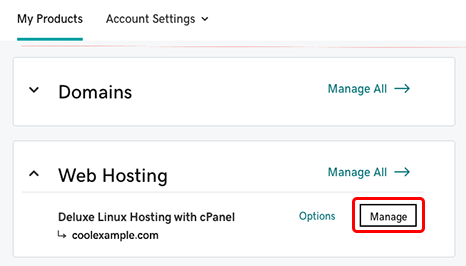
Credit: www.godaddy.com
Frequently Asked Questions
Can I Transfer My Website From One Host To Another?
Yes, you can transfer your website to a new host. Backup your files and database first. Update DNS settings to point to the new host. Ensure everything works perfectly on the new host before canceling the old service. Consider professional help if you’re unsure of the process.
Is It Easy To Change Website Hosting?
Changing website hosting is usually straightforward. Choose a reliable host, backup your site, and migrate files. Ensure minimal downtime by planning carefully. Use migration tools or seek professional help if needed. Always update DNS settings to point to the new host.
Can I Move My Website From Godaddy To Another Host?
Yes, you can move your website from GoDaddy to another host. Backup your files and databases first. Choose a new host, then transfer your domain and site content. Update DNS settings to point to the new host. Ensure everything functions correctly before canceling your GoDaddy account.
How Do I Change The Server Of My Website?
To change your website server, first, choose a new hosting provider. Backup your files and databases. Update DNS settings to point to the new server. Upload your site files to the new server. Test everything thoroughly to ensure smooth operation.
Conclusion
Switching web hosting can seem tricky at first. But breaking it down step by step simplifies the process. First, research and choose a reliable host. Then, back up your website files carefully. Next, transfer your domain to the new host.
Update DNS settings for smooth operation. Finally, test everything thoroughly. Confirm that your site runs perfectly. Remember, patience is key. A seamless transition is possible with careful planning. With these steps, you can confidently change your web hosting without stress.
A little effort now saves trouble later. Happy hosting!


