
Have you ever wondered how to buy web hosting space for your website? Whether you’re launching a personal blog, a business site, or an online store, choosing the right hosting service is crucial.
The process might seem daunting, but it’s simpler than you think. Imagine having a reliable space where your website runs smoothly, loads quickly, and stays secure. You deserve a seamless experience that transforms your online presence into a success story.
In this guide, we’ll break down the essentials you need to know, step-by-step. By the end, you’ll feel confident in selecting the perfect web hosting space tailored to your needs. Let’s dive in and empower you to make the best choice for your digital future.
Choosing The Right Hosting Type
Shared hosting is the most common choice for beginners. It is affordable and easy to use. Your website shares a server with many other sites. This means limited resources. Good for small sites with less traffic. Not ideal for large businesses.
VPS hosting offers more control than shared hosting. You still share a server, but you get your own virtual space. More resources and better performance. Suitable for growing websites. Costs more than shared hosting. Offers better security.
Dedicated hosting gives you a whole server to yourself. No sharing with other sites. This means maximum performance. Ideal for big companies. Best for sites with high traffic. Very expensive. Provides full control over server settings.
Cloud hosting uses many servers to host your site. This offers great flexibility. It can handle traffic spikes easily. You pay for what you use. It’s scalable. Perfect for websites that grow fast. It is reliable and secure.

Credit: verpex.com
Assessing Your Website Needs
Traffic expectations are key for choosing web hosting. Small blogs need less. Big sites need more. Think about visitors. Are they few or many? This matters.
Resource requirements like storage and bandwidth are crucial. Big files need more space. Videos and photos use lots. Choose hosting with enough room. Your website should not lag.
Scalability options help when growing. Start small. Then grow big. Choose hosting that can expand. Easy upgrades save time and effort.
Comparing Hosting Providers
Always check the reputation of the hosting company. Look for reviews online. Positive reviews mean users are happy. A company with many bad reviews may have problems. Trustworthy companies have good reputations. They usually deliver good service. Be careful with companies that have no reviews.
Different hosting providers have different pricing plans. Some are cheap, but might have limited features. Others might be expensive, but offer more. It’s important to choose a plan that fits your budget. Make sure the plan includes what you need. Look for discounts or special offers. Some companies offer a money-back guarantee. This is good if you change your mind later.
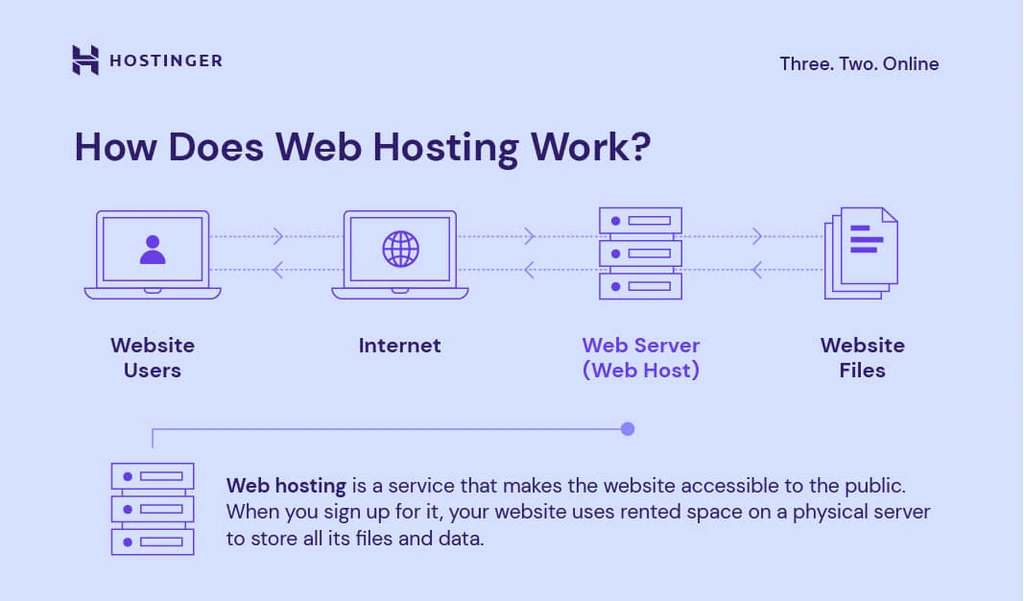
Good customer support is very important. Problems can happen anytime. A hosting company should help you quickly. Look for 24/7 support. This means they can help anytime. Check if they offer support through chat, email, or phone. Read reviews about their support team. Fast and helpful support can save you time and stress.
Credit: www.hostinger.com
Evaluating Key Features
Bandwidth is like a road. It helps move data fast. Bigger roads can carry more cars. Similarly, more bandwidth means faster data transfer. Storage is like a closet. It keeps all your files safe. Websites with lots of pictures need more storage. Check how much bandwidth and storage you need. Make sure you have enough. A busy site needs more resources. Choose wisely to avoid problems.
Uptime means your site is online. A good host promises 99% uptime. This means your site rarely goes down. Downtime can make visitors unhappy. It can also hurt your business. Always check the uptime guarantee. A reliable host is important. You want your site up all the time. Look for strong uptime records.
Security keeps your site safe from bad people. Hosts should have firewalls. They block harmful attacks. They should offer SSL certificates. SSL keeps data safe. It is like a lock on a door. Always check if security features are included. Protect your site and users. A secure site is a happy site. Choose a host that values security.
Understanding Domain And Hosting Integration
Buying a domain is simple. Choose a name you like. Make sure it’s not taken. Many sites help find available names. Register your domain with them. You need to pay a small fee. Some sites offer discounts. Keep your domain safe. It’s part of your online identity.
DNS helps your domain connect to your host. It’s like a phone book. It tells the internet where your site is. Enter your host’s DNS settings. Follow the steps given by your host. Changes can take time. Maybe a few hours. Stay patient.
Email hosting keeps your emails safe. Use your domain for your email. It looks professional. Many hosts offer email services. Check their plans. Choose one that suits your needs. Set up your email account. Follow the instructions. You can now send emails using your domain.
Purchasing And Setting Up Hosting
Choose a trusted hosting provider. Visit their website. Click on “Sign Up”. Fill in your details. Name, email, and password. Confirm your email. Your account is ready.
Find a plan that fits your needs. Look at storage and bandwidth. Compare prices. Monthly or yearly options. Basic plans are cheaper. Premium plans offer more features. Choose wisely.
Log into your hosting account. Go to server settings. Choose your server location. Set up security features. SSL certificates are important. Adjust performance settings. This helps your site run fast.
Utilizing Control Panels And Tools
cPanel makes web hosting easy. It offers a user-friendly interface. You can manage files, emails, and databases. Backup tools help keep data safe. Security options protect your website. One-click apps let you add new features quickly. It’s an all-in-one tool for website management.
Website builders help create sites fast. Drag-and-drop tools are simple to use. No coding needed. You can choose from many templates. Make your site look just right. Add text, images, and videos easily. Builders are perfect for beginners.
SSL certificates keep sites secure. They protect user data. Visitors see a padlock icon in the browser. This builds trust. SSL is important for all sites. It helps with search engine rankings too. Make sure your hosting plan includes SSL. Safety matters.
Monitoring And Maintenance
Choosing the right web hosting space involves ensuring efficient monitoring and maintenance. Regular checks help maintain site performance. Always opt for hosts offering reliable support and updates.
Performance Analytics
Keep track of your website’s speed and uptime. Use tools to check how fast your pages load. Slow pages can make visitors leave quickly. Check for downtime regularly. If your site is down, people can’t visit it. Use analytics to see which pages get the most visits. Make sure those pages work well. Improve pages with low visits. Try to make them faster and more engaging.
Regular Backups
Back up your website often. This means saving a copy of your site. If something goes wrong, you can restore it. Use tools that automatically back up your data. Keep backups in a safe place. You can store them in the cloud. Check your backups to ensure they work. It’s better to be safe than sorry.
Troubleshooting Common Issues
Learn about common website problems. Sometimes pages don’t load. Sometimes links break. Fix these issues quickly. Check error messages. They help you find the problem. Use support forums for help. Many people share solutions online. Keeping your site error-free is important.
Credit: www.bitcatcha.com
Frequently Asked Questions
How Much Does Web Hosting Cost?
Web hosting costs range from $2 to $300 monthly, depending on the type and features. Shared hosting is cheaper, while dedicated servers cost more. Prices vary by provider, and additional services can affect the total cost. Always compare plans to find the best value for your needs.
How To Pay For Web Hosting?
Choose a hosting provider, select a plan, and proceed to checkout. Pay using credit/debit card, PayPal, or bank transfer.
How Much Is Web Hosting Storage?
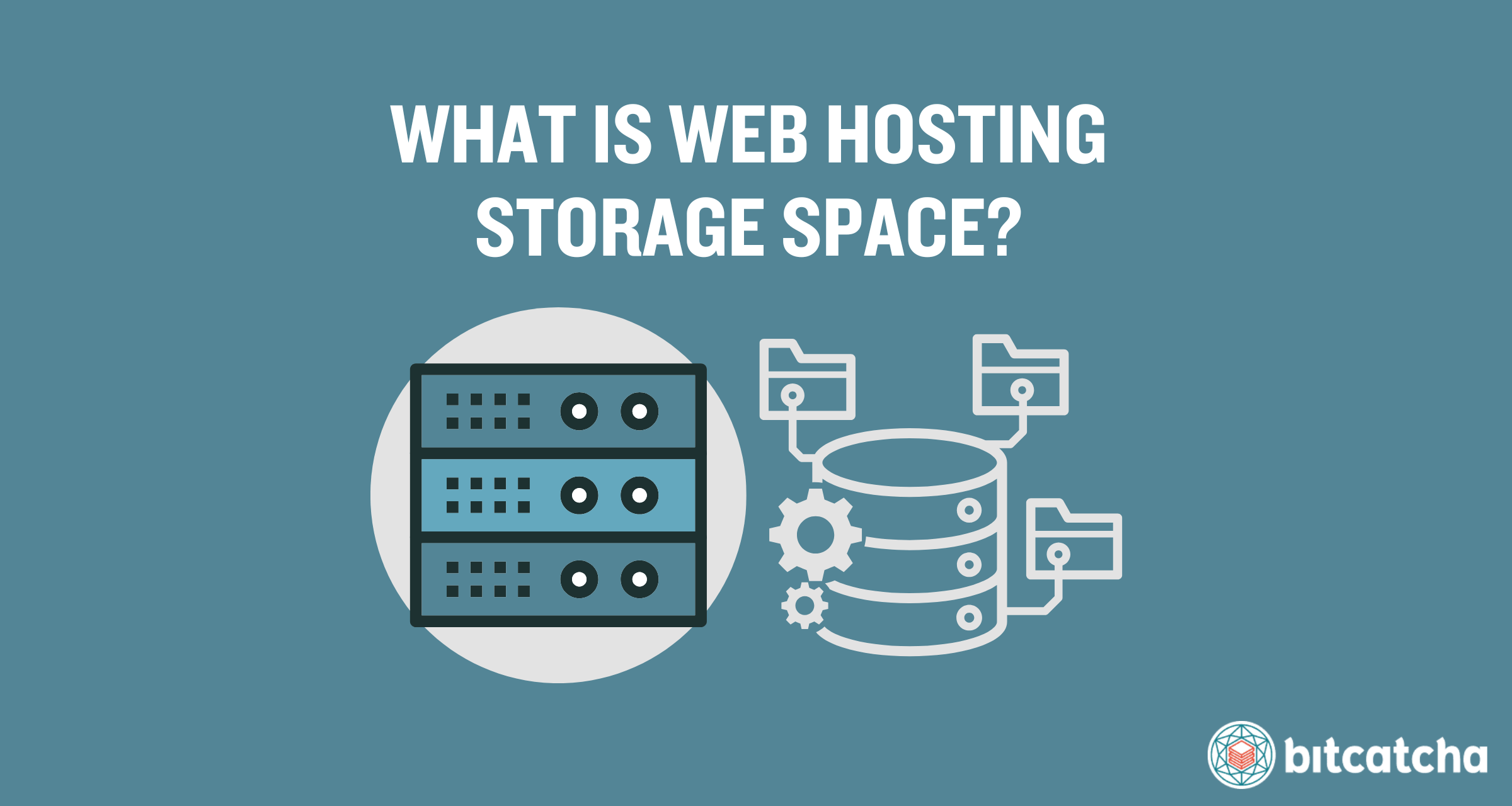
Web hosting storage varies by provider and plan, ranging from 10GB to unlimited storage. Shared hosting typically offers less storage. VPS and dedicated hosting plans provide more storage. Consider your website’s needs before choosing a plan. Always review hosting specifications for accurate storage details.
Can I Buy My Own Server To Host My Website?
Yes, you can buy your own server to host your website. Owning a server offers more control and customization. Ensure you have the technical expertise to manage it effectively. Consider costs, maintenance, and security before purchasing. Alternatively, managed hosting services are available for easier management.
Conclusion
Choosing the right web hosting space matters. Your website needs reliability. Consider your budget. Remember to check customer reviews. They can offer great insights. Don’t rush the decision. Compare different hosting plans. Look for secure options. Security is essential for your data.
Consider customer support availability. Good support helps solve issues fast. Keep your website’s goals in mind. Different hosts offer different features. Always read terms and conditions. Avoid hidden costs. Choose a plan that fits your needs. Your decision impacts your site’s success.
Happy hosting!


