
Are you thinking about starting your own web hosting business or looking to upgrade your existing infrastructure? Choosing the right servers is crucial.
This decision can impact not only the performance and reliability of your services but also your bottom line. You want servers that deliver speed, stability, and security, but with so many options available, how do you make the right choice?
This guide is designed to simplify the process, helping you understand what to look for when purchasing servers for web hosting. Discover how you can optimize your investment and build a solid foundation for your hosting services. Stay with us as we unlock key insights that will empower you to make informed decisions, ensuring your web hosting business thrives in the competitive digital landscape.
Credit: www.youtube.com
Server Types
Dedicated servers are for those who need full control. These servers offer high performance and security. You do not share resources with others. This means your website runs fast and smoothly. They are best for large businesses. They can handle heavy traffic easily. But, they can be expensive. Choose wisely if you have a limited budget.
Virtual Private Servers, or VPS, are a middle ground. You get a private space on a shared server. This makes them cost-effective. They offer good performance and security. A VPS is great for growing websites. If your site gets more visitors, consider a VPS. It provides more control than shared hosting.
Cloud servers are flexible and scalable. They use a network of servers. This means your data is safe and easily accessible. If one server fails, others take over. They are perfect for businesses that grow. You pay for what you use. This helps manage costs. Cloud servers are reliable and efficient.
Assessing Needs
Think about how many visitors your site will have. This helps in choosing the right server. A small blog may need less power. A busy online store needs more. Estimate your traffic to make a wise choice.
Some websites need a lot of space. Others need less. Videos and images take up more space. Text files take less. Know how much storage your website needs. Choose a server that matches your needs.
Fast websites make users happy. Slow websites can lose visitors. Consider the server’s speed and power. High-performance servers cost more but are worth it. For a simple site, basic performance may be enough.
Budget Considerations
Initial costs are the first thing to consider. Buying a server is not cheap. You must plan how much money you can spend. Servers have different prices. Some are more expensive than others. You need to decide which server is best for your needs. Make sure the server fits your budget.
Maintenance expenses are important too. Servers need care to work well. Sometimes parts break or need updates. You will spend money to fix these. Plan for these costs in your budget. Keep your server healthy and running smoothly.
Think about scalability costs as your business grows. More users need more resources. You might need bigger servers later. This will cost more money. Plan for future growth in your budget. Buy a server that can grow with you.
Hardware Specifications
The processor is the brain of a server. Choose a multi-core processor for better performance. Intel Xeon and AMD EPYC are popular choices. They handle heavy tasks easily. Speed matters too. Look for a high GHz rating. It helps in fast data processing.
RAM is like a server’s short-term memory. More RAM means better performance. Start with at least 16GB for small websites. For bigger sites, 32GB or more is ideal. DDR4 RAM is common and works fast. Always check compatibility with your server.
Storage is where data lives. Choose between HDD and SSD. SSDs are faster but cost more. HDDs are cheaper but slower. If speed is key, go for SSD. For more space at a lower cost, choose HDD. Consider RAID for data safety. It helps protect data from loss.
Software Compatibility
Choosing the right server ensures smooth web hosting. Compatibility with software is essential for optimal performance. Ensure servers support the necessary applications and technologies for your website’s needs. This guarantees efficient operation and a seamless user experience.
Operating Systems
Choosing the right operating system is crucial. Linux and Windows are popular choices. Linux is known for its stability and security. Windows offers user-friendly interfaces. Ensure your server supports your preferred OS. Check for updates and patches regularly.
Control Panels
Control panels help manage websites easily. cPanel and Plesk are common options. cPanel is popular with Linux servers. Plesk works on both Linux and Windows. Choose a panel that suits your needs. Consider its features and ease of use. Make sure it’s compatible with your server.
Security Features
Security features protect your server. Look for firewalls and antivirus software. Encryption helps keep data safe. Regular updates prevent risks. Backup solutions are essential. They recover data if lost. Choose servers with strong security. Protect your website from threats. Keep your data secure always.
Credit: www.hostinger.com
Vendor Selection
Choosing the right vendor is crucial. Check their reputation first. Look for reviews online. Ask friends or colleagues for advice. A good vendor has many happy customers. Avoid vendors with many bad reviews. Trustworthy vendors often have a solid track record. This ensures you get a reliable service.
Technical support is important. Vendors should offer 24/7 support. This helps in solving issues quickly. Good support ensures your server runs smoothly. Ask about their support services. Some vendors offer phone and chat support. Choose what works best for you. Support staff should be friendly and helpful.
Service Level Agreements, or SLAs, are vital. They define the services you get. Check the SLA carefully before you buy. It should include uptime guarantees. This ensures your server is always available. Also, see if they offer compensation for downtime. A good SLA protects your interests.
Purchase Process
Start by finding different server brands and models. Check their features. See what each server can do. Compare prices from various sellers. Look at reviews from other buyers. Make sure to note the warranty offered. Understand the technical specifications. This helps in choosing the right server for your needs.
Once you choose a server, talk to the seller. Ask for a better price. Sellers often offer discounts. Mention any cheaper options you found. This may help in getting a lower price. Check if there are bulk purchase discounts. Sometimes buying more saves money.
After agreeing on a price, check all details again. Make sure the server meets your needs. Confirm the delivery time and method. Make the payment securely. Keep all receipts and confirmations. This is important for future references.

Credit: www.minddevelopmentanddesign.com
Installation And Setup
Servers need a safe place. Choose a spot with good ventilation. It helps keep them cool. Use a rack to store your servers. This keeps them organized. Connect the servers to a power source. Make sure it is stable and reliable. Connect the servers to the network with cables. Check all connections twice.
Choose the right software for your server. It should match your needs. Install an operating system first. This could be Windows or Linux. Follow setup guides for each software. Set up your firewall to protect data. Always update software to keep it secure.
Test your server after setup. Check if it works well. Use tools to test speed and performance. Fix any problems you find. Optimize for better speed. This means making it faster. Regular checks help keep servers running well. Keep monitoring them.
Frequently Asked Questions
Can I Buy My Own Server To Host My Website?
Yes, you can buy your own server to host your website. It offers full control and customization. Ensure you have the technical skills to manage it. Consider costs like hardware, electricity, and maintenance. Alternatively, explore cloud or shared hosting for easier management and lower costs.
How Much Does It Cost To Buy A Server For A Website?
Server costs vary based on requirements. Basic shared hosting starts at $5 per month, while dedicated servers cost $100-$300 monthly. Prices depend on performance, storage, and bandwidth needs. Cloud services like AWS offer flexible pricing. Choose based on your website’s traffic and functionality demands for optimal cost-effectiveness.
Which Server Is Best For Web Hosting?
The best server for web hosting depends on your needs. For reliability, consider dedicated servers. VPS servers offer flexibility and scalability. Shared hosting is cost-effective for small sites. Cloud hosting provides excellent performance and uptime. Evaluate your site’s requirements to choose the right server type for optimal hosting.
Do You Need A Server For Web Hosting?
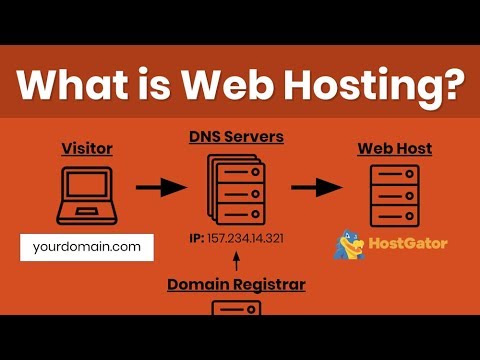
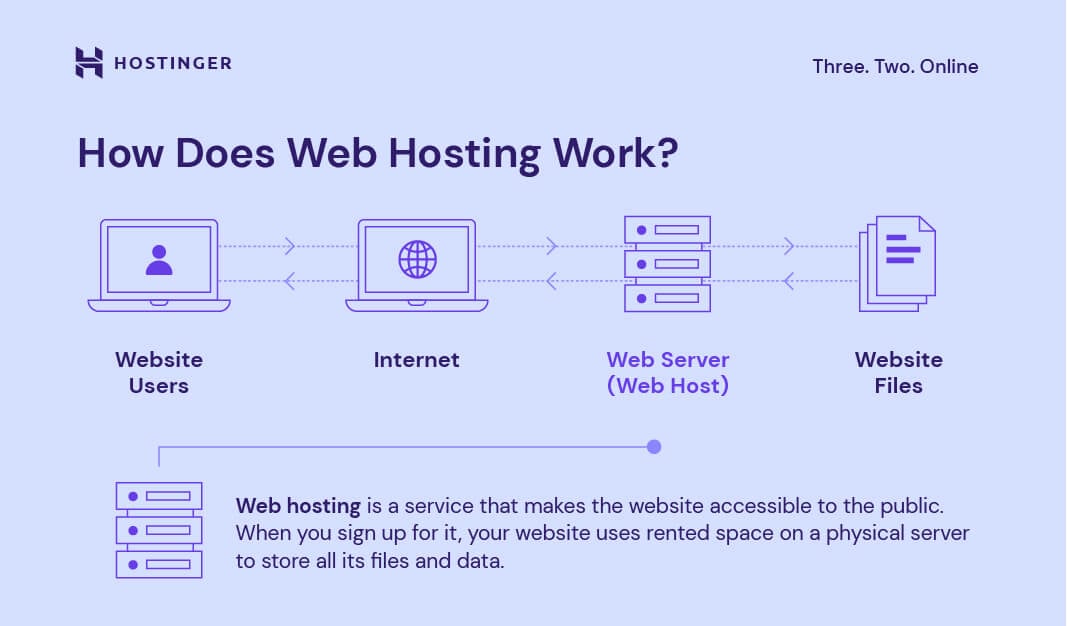
Yes, web hosting requires a server to store and manage website files. Servers handle website data, requests, and traffic. They ensure your site is accessible online. Hosting providers offer shared, VPS, and dedicated server options, catering to different needs and budgets.
Choose based on your website’s size and traffic expectations.
Conclusion
Choosing the right server for web hosting is crucial. It impacts site performance and user experience. Consider server type, specifications, and budget. These factors guide your decision. Always prioritize reliability and support. Your website depends on it. Research before buying.
Compare options and read reviews. This helps find the best fit. Understand your hosting needs clearly. It avoids future issues. With careful planning, you can make a smart purchase. The right server boosts your site’s success. It ensures smooth operation.
Remember, a good server is an investment. It pays off with satisfied visitors and efficient hosting.


