
Are you ready to transform your WordPress site with a stunning new theme? Choosing and installing the perfect WordPress theme can feel like a daunting task, especially with the plethora of options available.
But don’t worry, you’re not alone. Whether you’re a seasoned blogger or launching your first website, understanding how to buy and install a WordPress theme can make a world of difference to your online presence. Imagine your website capturing your audience’s attention in just seconds.
With the right theme, you can enhance user experience, improve navigation, and reflect your brand’s personality effortlessly. This article will guide you step-by-step through the process, ensuring you make informed decisions that align with your vision and goals. Stay with us, and you’ll soon discover how easy it is to elevate your website from ordinary to extraordinary.
Choosing The Right Theme
Think about what your website needs. Is it a blog? Or maybe a shop? Each website type needs a different WordPress theme. Make a list of what you want. Maybe you need a gallery. Or a contact form. Write it down. This helps you choose the right theme.
There are many theme categories. Some are for business websites. Others are for personal blogs. Do you have a hobby? There are themes for that too. Explore them to find the best fit. Take your time. Each category has different styles. Choose what you like most.
The theme must work with your WordPress version. Check for updates. This keeps your site safe. Some themes need special plugins. Make sure they work on your site. Compatibility is key. It prevents problems later. Always double-check.
Credit: www.elegantthemes.com
Finding Reliable Theme Sources
Official WordPress Theme Directory is a safe place. You find free themes there. Every theme is checked for safety. Easy to search and download themes. Many users trust this site.
Premium Theme Marketplaces offer paid themes. These themes have more features. Better support is often available. Some popular sites are ThemeForest and Elegant Themes. They have many choices.
Independent Theme Developers create unique themes. You might find special designs here. They may offer direct support. Developers often update their themes. Check reviews before buying. It’s smart to be cautious.
Purchasing A Theme
Themes have different licenses. A single-use license is for one website. A multi-use license allows several sites. Choose what fits your need. Read the license terms carefully. They show what you can do with the theme.
Use a credit card or PayPal for safety. These methods offer buyer protection. Avoid using direct bank transfers. They are less secure. Ensure the website is HTTPS before paying. This means your data is safe.
After purchase, download the theme files. Save them on your computer. Check for a zip file. This file is needed for installation. Keep the license key handy. You may need it later.
Installing A WordPress Theme
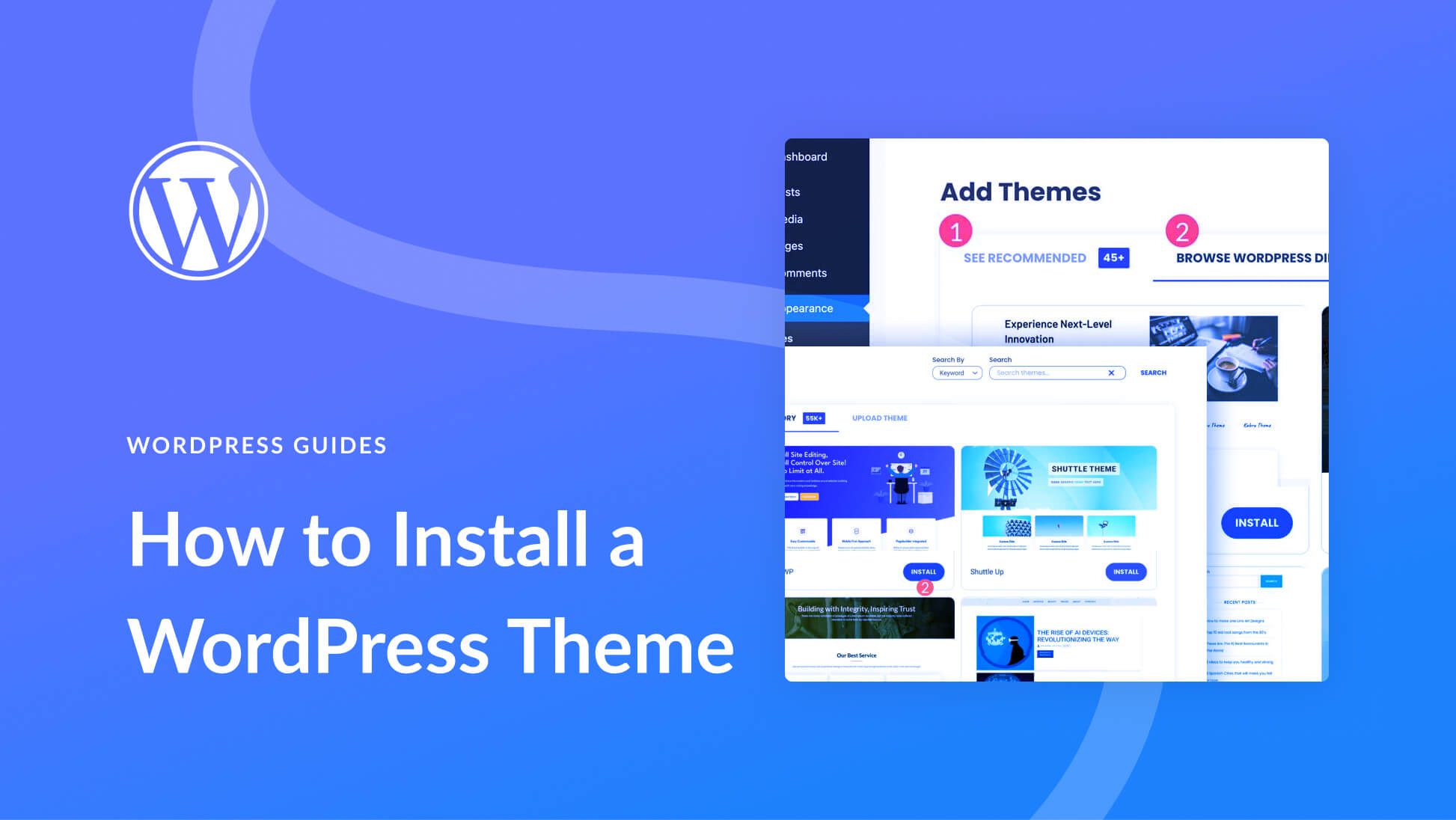
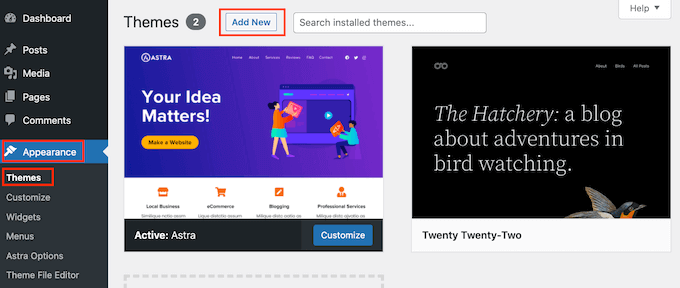
Open your WordPress dashboard. Find the Appearance menu on the left. Click on Themes. Now, click the Add New button. Search for your theme in the search bar. Click Install to add the theme. After installation, click Activate to use it. Easy and quick!
First, download the theme to your computer. Use an FTP client like FileZilla. Connect to your website server. Open the wp-content/themes folder. Upload your theme’s folder here. Go back to your WordPress dashboard. Find your theme under Appearance > Themes. Click Activate to start using it.
Once the theme is installed, go to Appearance. Click on Themes again. Find your new theme. Click the Activate button. Your website now has a fresh look. Check how it appears to visitors. Make adjustments if needed.
Customizing Your Theme
Explore the world of WordPress by purchasing a theme that fits your style. Visit the theme marketplace and choose the design you love. Download and install it on your site in a few clicks. Enjoy the fresh look of your website effortlessly.
Using The WordPress Customizer
The WordPress Customizer is a simple tool. It helps change your theme easily. You can adjust colors, fonts, and layouts. See changes in real-time. It’s a great way to personalize your site. Experiment with different styles. Find what suits you best. Keep your design clean and user-friendly. This makes your site look professional. Always save your changes.
Adding Widgets And Menus
Widgets add cool features to your site. They enhance user experience. Use them for things like search boxes and social links. Menus help navigate your site. Organize your pages with clear labels. This makes it easy for visitors to find information. Both widgets and menus improve site usability. They make your site more engaging. Place them wisely.
Utilizing Theme Options
Theme options offer extra controls. Customize your site further. Adjust header styles and background images. Control site layout and logo placement. These options enhance site appearance. They help match your brand identity. Explore all available options. Make your site unique and appealing. Always preview before finalizing changes. This ensures everything looks perfect.

Credit: www.youtube.com
Testing And Troubleshooting
Choosing a WordPress theme involves exploring options that match your site’s needs. Download the theme, then upload it through your WordPress dashboard. After activation, test the theme’s features and troubleshoot any issues for a seamless installation.
Checking Responsiveness
Check if the theme looks good on all devices. Use a phone, tablet, and computer. Responsive design adjusts to different screens. This is important for user experience. Ensure buttons and links are easy to click. Navigation should be smooth. Images must fit well on smaller screens.
Resolving Common Issues
Some themes may have bugs or errors. Check the theme documentation for solutions. Update the theme to the latest version. Clear your browser cache to see changes. Deactivate plugins to find conflicts. Test the site after each change. Keep a backup for safety.
Seeking Support And Documentation
Developers provide support for paid themes. Visit the theme’s support page for help. Many themes have forums or FAQs. Check these for common questions. Read the theme documentation thoroughly. It often solves many issues. Contact support if needed. Be clear about your problem.
Credit: themelooks.com
Frequently Asked Questions
How To Choose A WordPress Theme?
Selecting a WordPress theme involves considering design, functionality, and compatibility. Opt for themes with responsive design and good reviews. Ensure it supports essential plugins and matches your site’s purpose. Preview the theme to evaluate its look and feel. A well-chosen theme enhances your site’s user experience and SEO performance.
Where To Buy WordPress Themes?
You can purchase WordPress themes from marketplaces like ThemeForest, Elegant Themes, or StudioPress. These platforms offer a wide variety of themes with different features and designs. Additionally, consider the WordPress theme directory for free options. Always check theme reviews and ratings before buying to ensure quality and support.
How To Install A WordPress Theme?
To install a theme, navigate to your WordPress dashboard. Click on ‘Appearance,’ then ‘Themes,’ and ‘Add New. ‘ Upload your theme file and activate it. Alternatively, search for themes within WordPress and click ‘Install. ‘ Ensure to customize settings post-installation for optimal functionality and design alignment with your site’s goals.
Can I Customize My WordPress Theme?
Yes, you can customize your WordPress theme using the built-in Customizer tool. This tool allows you to change colors, fonts, and layout settings. You can also add custom CSS for more advanced modifications. Theme options vary, so explore your theme’s specific customization features for best results.
Conclusion
Choosing the right WordPress theme is important. It shapes your site’s look and feel. Make sure the theme matches your needs. Check compatibility with plugins and updates. Installation is straightforward. Use the WordPress dashboard for easy setup. Activate the theme, and you’re ready to customize.
A well-chosen theme enhances user experience. It can improve site speed and navigation. Always test your site after installation. Ensure everything works smoothly. A good theme makes your site appealing. It invites visitors to explore more. With these tips, your WordPress journey begins on a solid foundation.
Happy site building!


